# PMDaemon Assets

This directory contains static assets for the PMDaemon project.

## Files

### Icons & Logos
- `logo.png` - Main PMDaemon logo
- `logo-small.png` - Small version of the logo
- `icon.png` - Application icon
- `favicon.ico` - Website favicon
- `favicon-16x16.png` - 16x16 favicon
- `favicon-32x32.png` - 32x32 favicon
- `apple-touch-icon.png` - Apple touch icon
- `android-chrome-192x192.png` - Android Chrome icon (192x192)
- `android-chrome-512x512.png` - Android Chrome icon (512x512)

### Screenshots & Diagrams
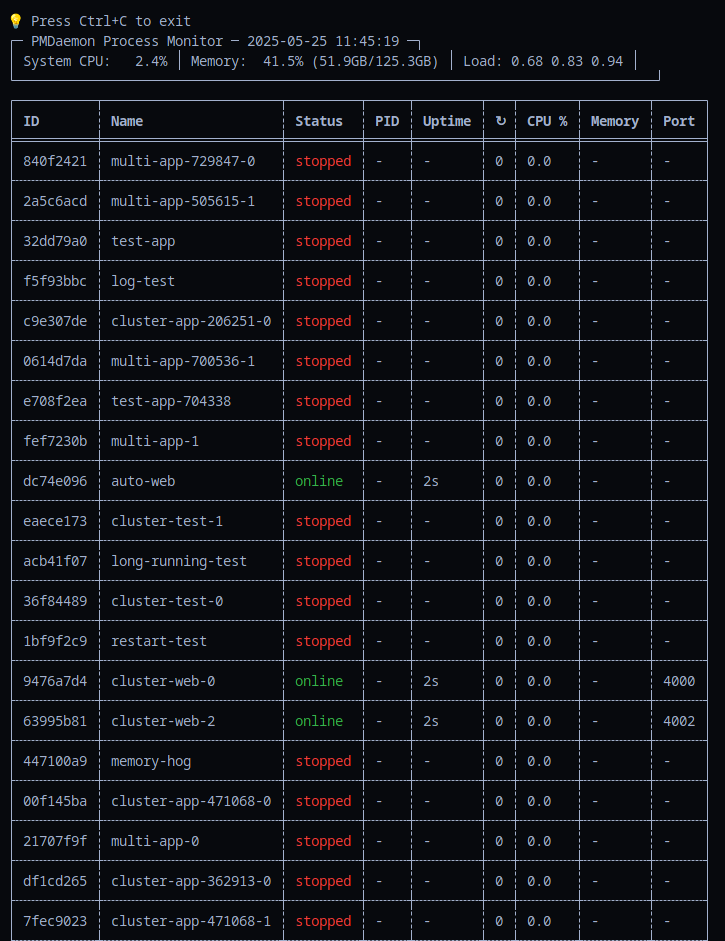
- `cli.png` - CLI interface screenshot
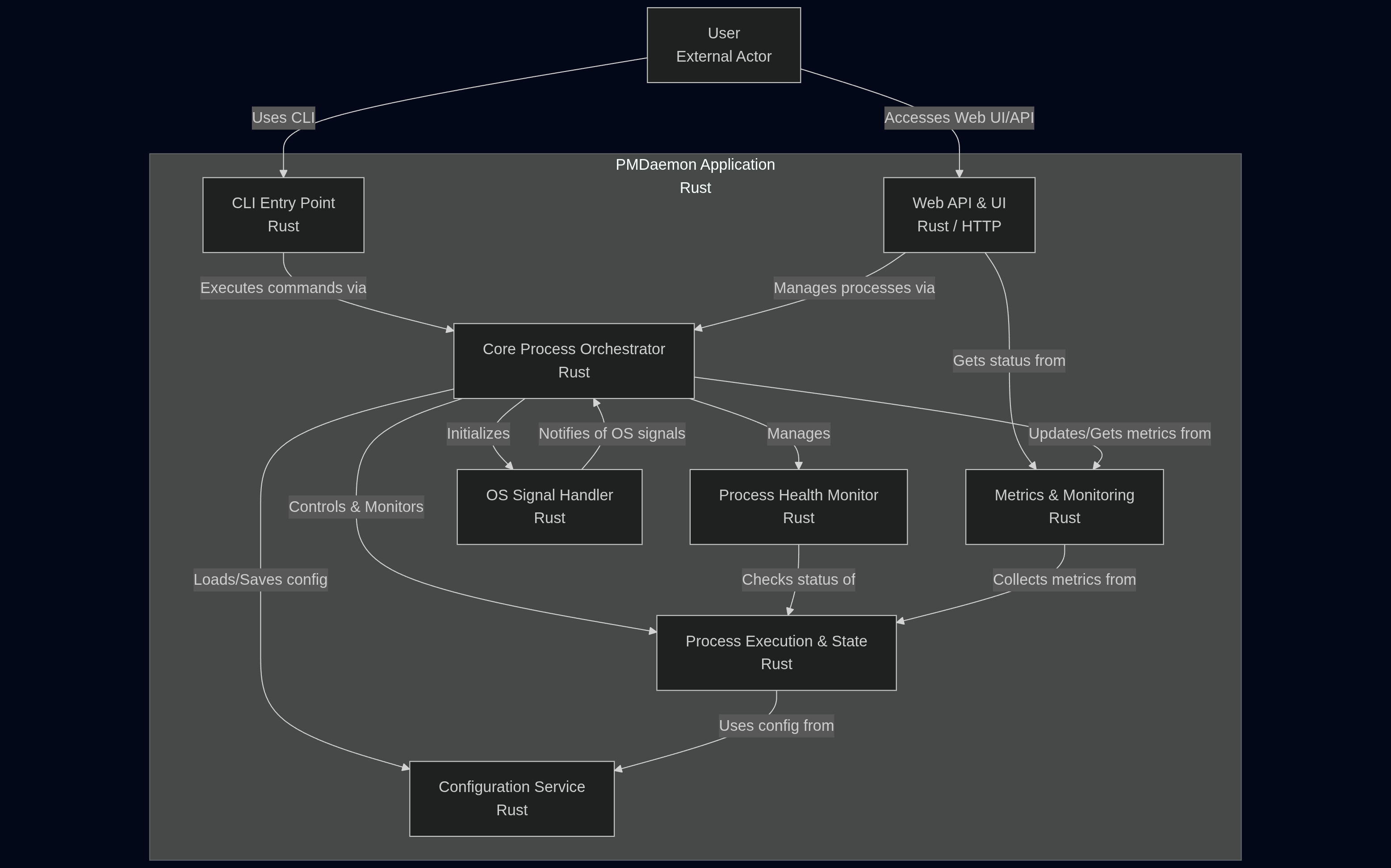
- `flow.mmd` - Architecture flow diagram (Mermaid format)
- `flow.png` - Architecture flow diagram (PNG format)

## Usage

### Architecture Diagram
The main architecture documentation is now located in:
- **Primary**: `docs/docs/architecture/overview.md` - Integrated into the documentation site
- **Reference**: `assets/flow.mmd` - Source Mermaid file for reference

### Icons
These icons are used in:
- Documentation site favicon
- GitHub repository social preview
- Application packaging
- README files

## Updating Assets

When updating the architecture diagram:
1. Update `assets/flow.mmd` (source file)
2. Update the diagram in `docs/docs/architecture/overview.md`
3. Regenerate `assets/flow.png` if needed for external use

## License

All assets are part of the PMDaemon project and follow the same license terms.