# Getting Started
## Installation
Running this command will install `plz` to `~/.local/bin`:
```bash
You can also install with `cargo`:
```bash
cargo install plzplz
```
or `uv`:
```bash
uv tool install plzplz
```
## Initialize a project
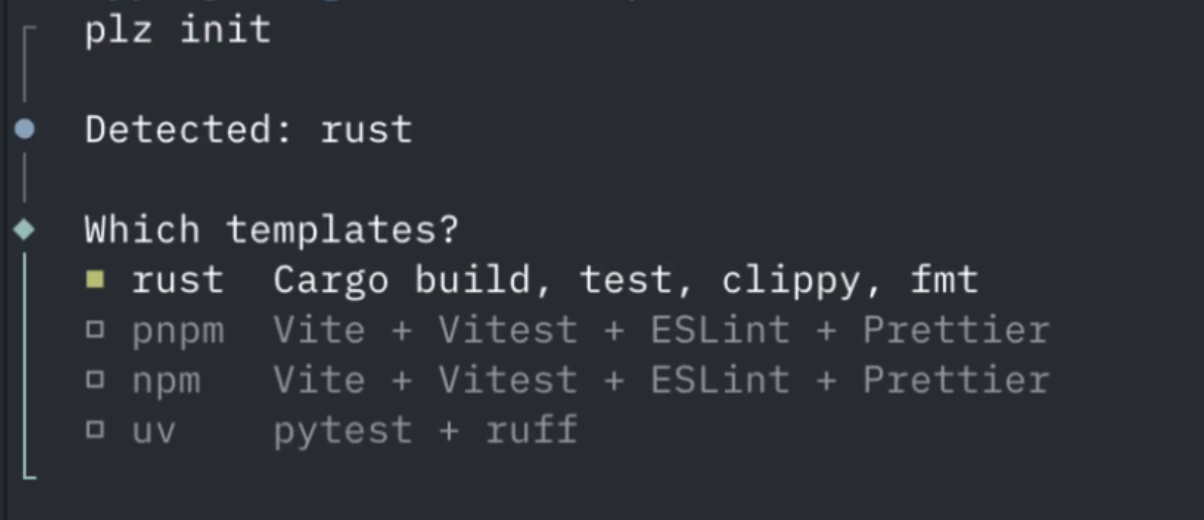
In your project directory, run:
```bash
plz init
```
This auto-detects your environment (Rust, pnpm, npm, uv) and generates a `plz.toml`
from a template of your choice. Configure your own templates by running `plz plz`.
## Run a task
```bash
plz build
plz test
plz check
```
If you run `plz` without arguments, an interactive prompt lets you choose a task.
## Add tasks
Add a task from built-in snippets:
```bash
plz add
```
This shows an interactive list of available tasks for your detected environment. You can also add a specific task:
```bash
plz add lint
```
Or define tasks directly in `plz.toml`:
```toml
[tasks.build]
run = "cargo build"
[tasks.test]
run = "cargo test"
```
## Set up defaults
```bash
plz plz
```
This creates files in `~/.plz/` where you can customize default templates, snippets, and environments. These are used by `plz init` and `plz add` across all your projects.
## Git hooks
Configure git hooks directly in your task definitions:
```toml
[tasks.check]
run_parallel = ["plz format", "plz lint"]
git_hook = "pre-commit"
[tasks.test]
run = "cargo test"
git_hook = "pre-push"
```
Then install them:
```bash
plz hooks install
```
## Passing arguments
Extra arguments after the task name are forwarded to the command:
```bash
plz test -- --nocapture
```