1
2
3
4
5
6
7
8
9
10
11
12
13
14
15
16
17
18
19
20
21
22
23
24
25
26
27
28
29
30
31
32
33
34
35
36
37
38
39
40
41
42
43
44
45
46
47
48
49
50
51
52
53
54
55
56
57
58
59
60
//! Rust plotting library using Python (Matplotlib)
//!
//! This library generates plots by calling **python3** after generating a python script.
//! The name of the python script is based on the name of the figure (png, svg, ...).
//! If an error occurs, a log file is created (also named as the figure).
//!
//! The main idea here is to create objects such as `Curve`, `Contour`, `Histogram`,
//! or `Surface` and add it to a plot using the `add` command. The plot may
//! also configured using the methods of `Plot`.
//!
//! Each object (e.g. `Curve`, `Legend`, `Text`) defines a number of configuration options
//! that can be directly set on the object. Then, the `draw` method of each object must
//! be called before adding to `Plot`.
//!
//! # Example
//!
//! ```
//! # use plotpy::*;
//! # use std::path::Path;
//! # fn main() -> Result<(), Box<dyn std::error::Error>> {
//! let x = &[1.0, 2.0, 3.0, 4.0, 5.0, 6.0, 7.0, 8.0];
//! let y = &[1.0, 4.0, 9.0, 16.0, 25.0, 36.0, 49.0, 64.0];
//! let mut curve = Curve::new();
//! curve.draw(x, y);
//!
//! let mut plot = Plot::new();
//! plot.add(&curve);
//! plot.grid_and_labels("x", "y");
//!
//! plot.save(Path::new("/tmp/plotpy/example_main.svg"))?;
//! # Ok(())
//! # }
//! ```
//!
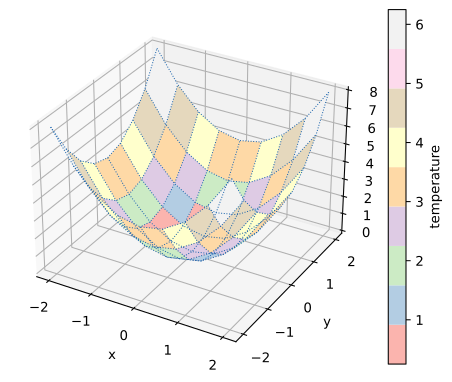
//! 
//!
// modules ////////////////////////////////////////
pub use crate*;
pub use crate*;
use crate*;
pub use crate*;
use crate*;
pub use crate*;
pub use crate*;
pub use crate*;
pub use crate*;
pub use crate*;
pub use crate*;