# Playwright for Rust
[](https://crates.io/crates/playwright-rs)
[](https://docs.rs/playwright-rs)
[](https://github.com/padamson/playwright-rust/actions/workflows/test.yml)
[](LICENSE)
[](https://playwright.dev)
> Rust language bindings for [Microsoft Playwright](https://playwright.dev) — the industry standard for cross-browser end-to-end testing.
**Status:** Pre-1.0, API stabilizing. See [coverage](#coverage) for the path to v1.0.
## 🎯 Why playwright-rust?
Read our [WHY.md](WHY.md) to understand the vision, timing, and philosophy behind this project.
**TL;DR:** Rust is emerging as a serious web development language, with frameworks like Axum and Actix gaining traction. AI coding assistants are making Rust accessible to more developers. Test-Driven Development is experiencing a renaissance as the optimal way to work with AI agents. **These trends are converging now, and they need production-quality E2E testing.** `playwright-rust` fills that gap by bringing Playwright's industry-leading browser automation to the Rust ecosystem.
## Roadmap and Goals
See [Development Roadmap](docs/roadmap.md) for plans and status of the development approach for `playwright-rust`.
**Goal:** Build this library to a production-quality state for broad adoption as `@playwright/rust` or `playwright-rs`. Provide official-quality Rust bindings for Microsoft Playwright, following the same architecture as [playwright-python](https://github.com/microsoft/playwright-python), [playwright-java](https://github.com/microsoft/playwright-java), and [playwright-dotnet](https://github.com/microsoft/playwright-dotnet).
## Quick Comparison: Python vs Rust
The API matches Playwright's cross-language conventions — if you know playwright-python, you know playwright-rust:
<table>
<tr><th>Python</th><th>Rust</th></tr>
<tr><td>
```python
from playwright.sync_api import sync_playwright
with sync_playwright() as p:
browser = p.chromium.launch()
page = browser.new_page()
page.goto("https://example.com")
# Locator with auto-waiting
heading = page.locator("h1")
assert heading.text_content() == "Example Domain"
# Response body access
resp = page.goto("https://api.example.com/data")
data = resp.json()
browser.close()
```
</td><td>
```rust
use playwright_rs::Playwright;
let pw = Playwright::launch().await?;
let browser = pw.chromium().launch().await?;
let page = browser.new_page().await?;
page.goto("https://example.com", None).await?;
// Locator with auto-waiting
let heading = page.locator("h1").await;
assert_eq!(heading.text_content().await?, Some("Example Domain".into()));
// Response body access
let resp = page.goto("https://api.example.com/data", None).await?.unwrap();
let data: serde_json::Value = resp.json().await?;
browser.close().await?;
```
</td></tr>
</table>
## Coverage
**Full Python API parity + agent integration.** All Playwright Python
classes and methods are implemented, plus `Browser::bind()` /
`Browser::unbind()` (Playwright 1.59) for exposing a Rust-launched browser
to external clients like `@playwright/mcp`, the Playwright CLI, or
third-party agent tooling.
The remaining path to v1.0 is multi-month dogfooding, API polish, and
performance tuning rather than new surface area. See the
[v1.0 gap analysis](docs/implementation-plans/v1.0-gap-analysis.md) for
the detailed state of each class.
## How It Works
`playwright-rust` follows Microsoft's proven architecture for language bindings:
```
┌──────────────────────────────────────────────┐
│ playwright-rs (Rust API) │
│ - High-level, idiomatic Rust API │
│ - Async/await with tokio │
│ - Type-safe bindings │
└─────────────────────┬────────────────────────┘
│ JSON-RPC over stdio
┌─────────────────────▼────────────────────────┐
│ Playwright Server (Node.js/TypeScript) │
│ - Browser automation logic │
│ - Cross-browser protocol abstraction │
│ - Maintained by Microsoft Playwright team │
└─────────────────────┬────────────────────────┘
│ Native protocols
┌─────────────┼─────────────┐
▼ ▼ ▼
Chromium Firefox WebKit
```
This means:
- ✅ **Full feature parity** with Playwright (JS/Python/Java/.NET)
- ✅ **Cross-browser support** (Chromium, Firefox, WebKit)
- ✅ **Automatic updates** when Playwright server updates
- ✅ **Minimal maintenance** - protocols handled by Microsoft's server
- ✅ **Production-tested** architecture used by millions
### API Design Philosophy
Following Playwright's cross-language consistency:
1. **Match Playwright API exactly** - Same method names, same semantics
2. **Idiomatic Rust** - Use Result<T>, async/await, builder patterns where appropriate
3. **Type safety** - Leverage Rust's type system for compile-time safety
4. **Auto-waiting** - Built-in smart waits like other Playwright implementations
5. **Testing-first** - Designed for reliable end-to-end testing
## Installation
Add to your `Cargo.toml`:
```toml
[dependencies]
playwright-rs = "0.12" # Auto-updates to latest 0.12.x
tokio = { version = "1", features = ["full"] }
```
See the [CHANGELOG](CHANGELOG.md) for version history and features.
### Browser Installation (Required)
Browsers must be installed before use. Install once, then run tests as many times as needed.
```bash
# Install all browsers
npx playwright@1.59.1 install
# Or install specific browsers
npx playwright@1.59.1 install chromium firefox webkit
```
**In CI/CD:** Add this to your GitHub Actions workflow:
```yaml
- name: Install Playwright Browsers
run: npx playwright@1.59.1 install chromium firefox webkit --with-deps
```
**Programmatic installation:** For setup scripts, Docker images, or tools built on playwright-rs, you can install browsers from Rust code:
```rust
use playwright_rs::install_browsers;
install_browsers(None).await?; // all browsers
install_browsers(Some(&["chromium"])).await?; // specific browsers
```
**Why version matters:** The library bundles Playwright driver **1.59.1**. Each release expects specific browser builds. Using the matching version ensures compatible browsers.
**What happens if I don't install browsers?** You'll get a helpful error message with the correct install command when trying to launch a browser.
## Development
### Prerequisites
- Rust 1.88+
- Node.js 18+ (for Playwright server and browser installation)
- tokio async runtime
### Building from Source
```bash
# Clone repository
git clone https://github.com/YOUR_USERNAME/playwright-rust.git
cd playwright-rust
# Install pre-commit hooks
pip install pre-commit
pre-commit install
# Build
cargo build
```
### Installing Browsers
After building, install browsers as described in [Browser Installation](#browser-installation-required) above:
```bash
cargo build
npx playwright@1.59.1 install chromium firefox webkit
```
The build script automatically downloads the Playwright driver to `drivers/` (gitignored). CI handles browser installation automatically - see `.github/workflows/test.yml`.
**Platform Support:** ✅ Windows, macOS, Linux
**Known limitation**: WebKit `launch_persistent_context()` fails on native
Windows with "Initial load failed" — this is an upstream Playwright issue
([microsoft/playwright#36936](https://github.com/microsoft/playwright/issues/36936),
also tracked as playwright-rust [#39](https://github.com/padamson/playwright-rust/issues/39)).
Microsoft is building a `channel: "webkit-wsl"` replacement
([microsoft/playwright#37036](https://github.com/microsoft/playwright/issues/37036)).
Chromium and Firefox persistent contexts work on all platforms. Non-persistent
WebKit (`browser.new_context()`) works on Windows. Use WSL or macOS/Linux for
WebKit persistent contexts.
### Running Tests
This project uses [cargo-nextest](https://nexte.st/). Install once: `cargo install cargo-nextest`
```bash
cargo nextest run # All tests
cargo nextest run -p playwright-rs --lib # Unit tests only (~2s, no browsers)
cargo nextest run -p playwright-rs -E 'test(locator)' # Pattern match
cargo test --doc --workspace -- --ignored # Doc-tests (requires browsers)
```
### Running Examples
See [examples/](crates/playwright/examples/) for usage examples.
```bash
cargo run --package playwright-rs --example basic
```
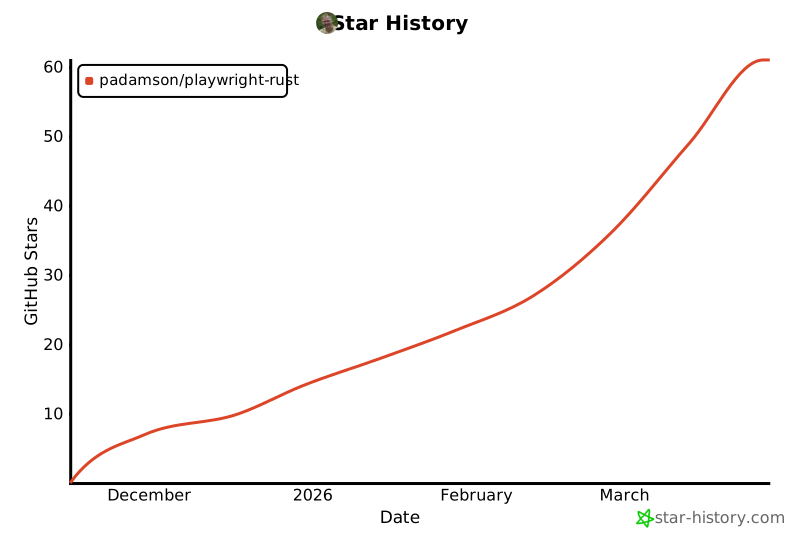
## Star History
[](https://star-history.com/#padamson/playwright-rust&Date)
## Contributing
This project aims for **production-quality** Rust bindings matching Playwright's standards. Contributions should:
- Follow Playwright API conventions
- Include comprehensive tests
- Maintain type safety
- Document public APIs with examples
- Pass CI checks (fmt, clippy, tests)
## License
Apache-2.0 (same as Microsoft Playwright)
## Acknowledgments
- **Microsoft Playwright Team** - For the amazing browser automation framework
- **playwright-python** - API design reference