# Peter Commander
[](https://github.com/piotrsrodka/peter-commander/actions/workflows/rust.yml)
A dual-pane, keyboard-driven terminal file manager in the tradition of
Norton Commander. Built for Omarchy in Rust with Ratatui https://ratatui.rs.
Should work on any Linux, macOS, or Windows.

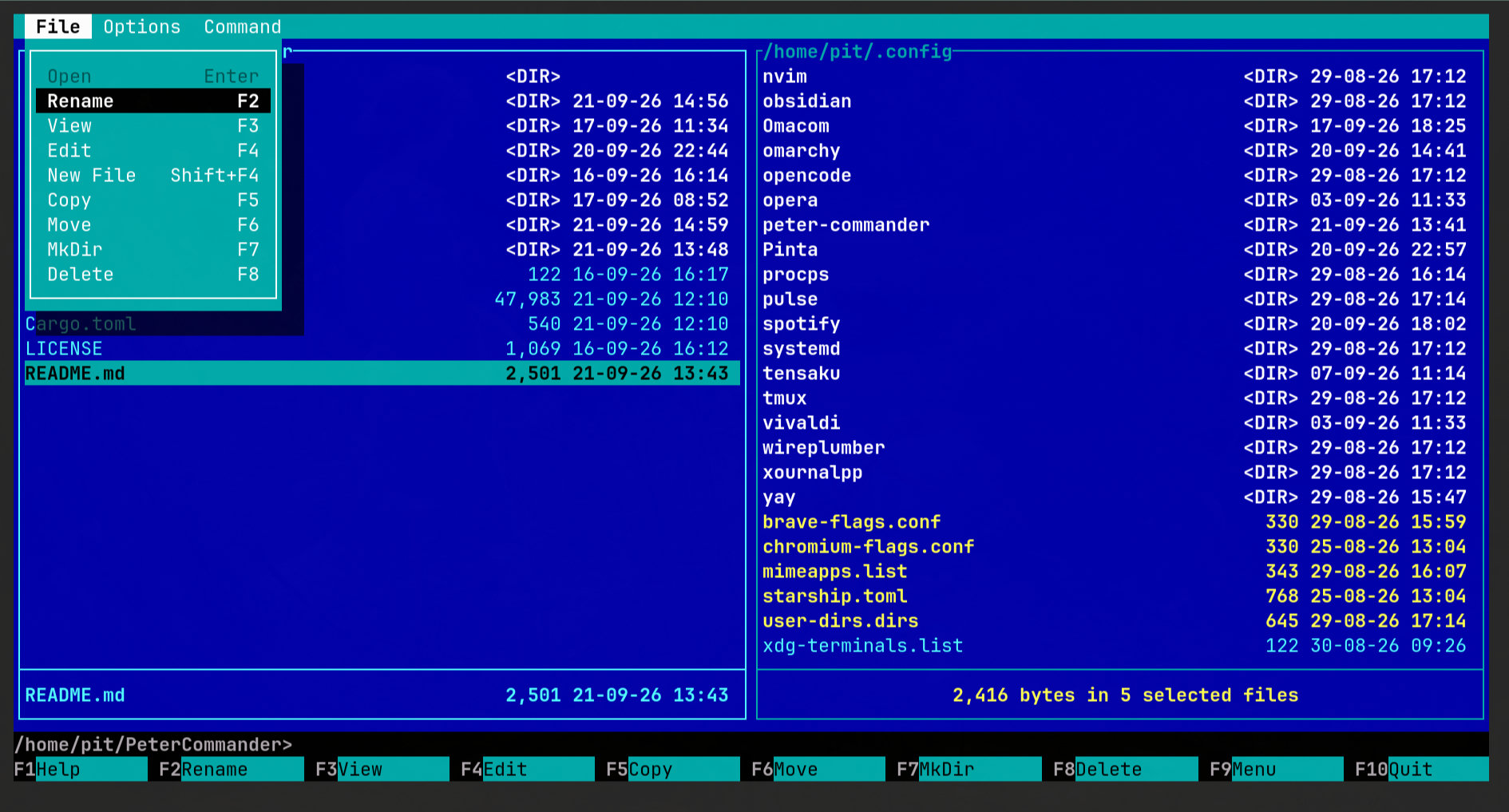
Also comes with an optional classic retro Norton Commander color scheme
(Options > Settings):
## Features
- Dual-pane file browsing
- File operations: rename, copy, move, mkdir, new file, delete
- Delete to the desktop trash (optional, on by default); Shift+F8 deletes permanently
- Copy/move with a progress bar, cancellable, can be sent to the background
- Sort by name, type (extension), size, or date (Command menu), remembered per pane
- Quick search: jump to a file by typing part of its name (Command menu)
- Rename selected files together in your `$EDITOR`, with a warning before anything is overwritten
- Respects theme selection in Omarchy
- Quick preview (F3) for text, directories, and binaries
- Edit (F4) with your `$EDITOR`
- Runs executable scripts and binaries directly
- Opens images, PDFs, audio, video, and HTML in your system's default app
- Built-in command-line prompt, with `cd` support
- Ctrl+O shows previous command output
- Configurable settings: hidden files, F3 preview mode, trash
## Usage
```sh
peter-commander # current dir, or last session (see Settings)
peter-commander ~/projects # left pane in ~/projects
peter-commander ~/projects ~/tmp # left and right pane
peter-commander --version # also -v, -V, -version
peter-commander --help
```
A directory given on the command line wins over where that pane would
otherwise start (including the "Restore last session" setting). With the
`pc` alias from the install script, `pc ~/projects` works the same.
## Installing
Already have Rust? This works on Linux, macOS, and Windows:
```sh
cargo install peter-commander
```
### Arch Linux / Omarchy
```sh
git clone https://github.com/piotrsrodka/peter-commander.git
cd peter-commander/packaging/arch
makepkg -si
```
Installs `peter-commander` system-wide as `/usr/bin/peter-commander`.
Requires sudo.
### Other Linux
**Step 1 — install Rust** (skip if `cargo --version` already works):
```sh
**Step 2 — build and install:**
```sh
git clone https://github.com/piotrsrodka/peter-commander.git
cd peter-commander
./scripts/install.sh
```
No sudo needed. Installs to `~/.local/bin` and sets up a `pc` alias.
### macOS
**Step 1 — install Rust** (skip if `cargo --version` already works):
```sh
brew install rust
```
**Step 2 — build and install:**
```sh
git clone https://github.com/piotrsrodka/peter-commander.git
cd peter-commander
./scripts/install.sh
```
No sudo needed. Installs to `~/.local/bin` and sets up a `pc` alias.
### Windows
Download `peter-commander.exe` from the
[latest release](https://github.com/piotrsrodka/peter-commander/releases/latest)
and run it — no installer needed.
---
Peter Commander is a TUI app and needs a real interactive terminal — it
won't run under a non-interactive script or with piped output.
## License
MIT — see [LICENSE](LICENSE).