
par-term





A cross-platform, GPU-accelerated terminal emulator frontend built with Rust, powered by par-term-emu-core-rust. Designed for high performance, modern typography, and rich graphics support.

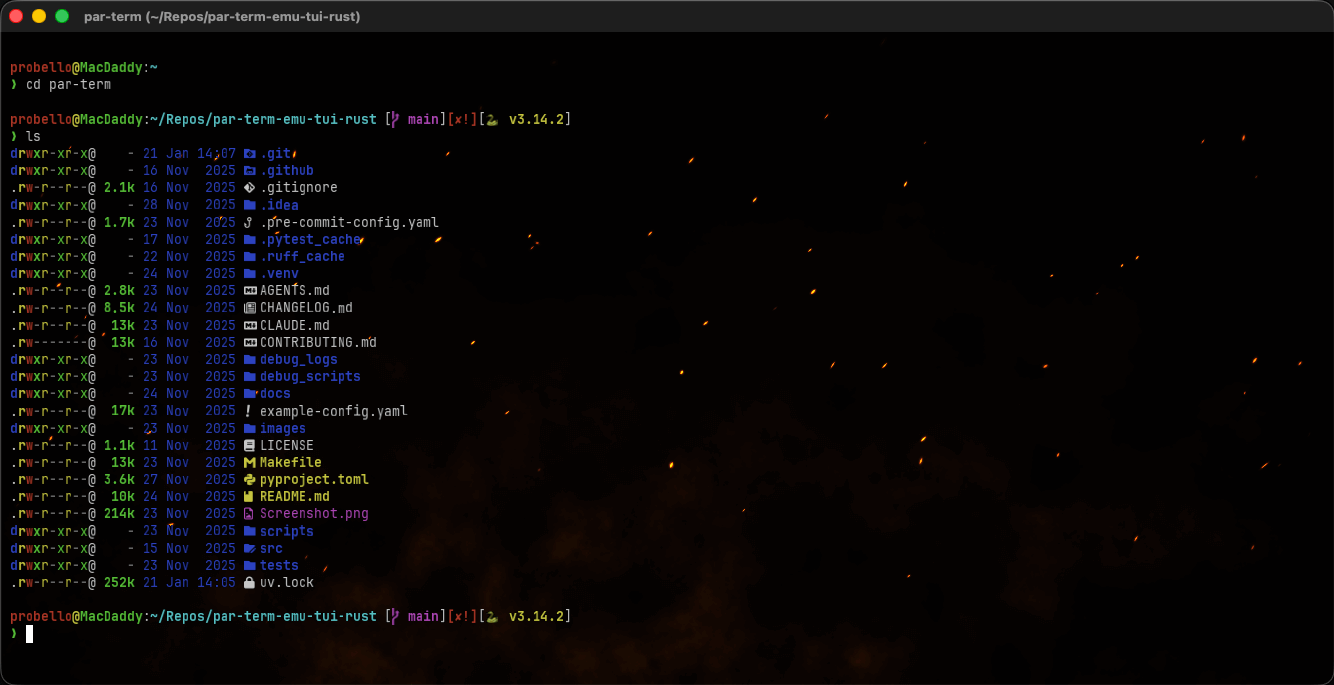
What's New in 0.4.0
🗂️ Multi-Tab Support
Each window now supports multiple terminal tabs, each with its own independent PTY session.
- New Tab:
Cmd+T(macOS) /Ctrl+Tto create a new tab - Close Tab:
Cmd+Wcloses tab (or window if single tab) - Tab Switching:
Cmd+Shift+[/Cmd+Shift+]orCtrl+Tab/Ctrl+Shift+Tab - Direct Tab Access:
Cmd+1throughCmd+9to switch to specific tabs - Tab Reordering:
Cmd+Shift+Left/Rightto move tabs - Duplicate Tab: Create new tab with same working directory
- Tab Bar: Visual tab bar with close buttons, activity indicators, and bell icons
- Configurable: Tab bar visibility (always, when_multiple, never), height, and styling
🪟 Multi-Window Support
Spawn multiple independent terminal windows, each with its own PTY session and tabs.
- New Window:
Cmd+N(macOS) /Ctrl+Nto open a new terminal window - Close Window:
Cmd+W(macOS) /Ctrl+Wto close the current window - Independent Sessions: Each window runs its own shell process with separate scrollback and state
- Clean Shutdown: Application exits when the last window is closed
📋 Native Menu Bar
Cross-platform native menu support using the muda crate.
- macOS: Global application menu bar with standard macOS conventions
- Windows/Linux: Per-window menu bar with GTK integration on Linux
- Full Keyboard Accelerators: All menu items have proper keyboard shortcuts
Menu Structure
| Menu | Items |
|---|---|
| File | New Window, New Tab, Close Tab, Close Window, Quit (Windows/Linux) |
| Edit | Copy, Paste, Select All, Clear Scrollback, Clipboard History |
| View | Toggle Fullscreen, Font Size (+/-/Reset), FPS Overlay, Settings |
| Tab | New Tab, Close Tab, Next/Previous Tab, Move Tab Left/Right, Duplicate Tab |
| Window (macOS) | Minimize, Zoom |
| Help | Keyboard Shortcuts, About |
🎨 Custom Shader Enhancements
- Texture Channels: Shadertoy-compatible iChannel1-4 texture support for custom images in shaders
- Brightness Control:
custom_shader_brightnesssetting to dim shader backgrounds for better text readability - Cursor Shader Options:
cursor_shader_hides_cursorallows shaders to fully replace cursor rendering - New Shaders: Added clouds, happy_fractal, bumped_sinusoidal_warp, cursor_orbit effects
🏗️ Architecture Improvements
- TabManager: New multi-tab coordinator manages tab lifecycle within each window
- WindowManager: Multi-window coordinator handles window lifecycle and menu events
- WindowState: Per-window state cleanly separated from application-level state
- Event Routing: Events properly routed to the correct window and tab
What's New in 0.3.0
🎨 Ghostty-Compatible Cursor Shaders
Full support for cursor-based shader animations compatible with Ghostty custom shaders.
- Cursor Uniforms:
iCurrentCursor,iPreviousCursor,iCurrentCursorColor,iTimeCursorChangeuniforms for cursor trail effects - Configurable Cursor Color: New cursor color setting in the UI, exposed as
iCurrentCursorColorto shaders - Cursor Style Toggle:
Cmd+,(macOS) /Ctrl+,to cycle through Block, Beam, and Underline cursor styles - Built-in Cursor Shaders: Includes sweep, warp, glow, blaze, trail, ripple, and boom effects
- Geometric Cursor Rendering: Proper visual rendering for all cursor styles (Block, Beam, Underline)
🐚 Shell & Terminal Fixes
- Login Shell Support: Fixed issues with login shell initialization and environment loading
🖼️ Shader Editor Improvements
- Filename Display: Background and cursor shader editors now show the filename being edited in the window header
What's New in 0.2.0
🔋 Intelligent Redraw Loop (Power Efficiency)
Significantly reduced CPU and GPU usage by switching from continuous polling to event-driven rendering.
- Smart Redraws: Redraws are only requested when terminal content changes or when animations (scrolling, cursor blink, shaders) are active.
- Improved Battery Life: Implemented
ControlFlow::Waitlogic, allowing the application to sleep during inactivity instead of maxing out VSync.
🛡️ Robustness & Stability
- Fixed Dropped Input: Resolved a critical issue where keystrokes and paste operations could be silently discarded during heavy rendering.
- parking_lot Mutex Migration: Migrated to
parking_lotto eliminate Mutex poisoning risks. - Graceful Audio Fallback: Prevents crashes if audio output devices are missing; the terminal bell now fails gracefully.
Features
Core Terminal Frontend
- Cross-platform Support: Native performance on macOS (Metal), Linux (Vulkan/X11/Wayland), and Windows (DirectX 12).
- Multi-Window & Multi-Tab: Multiple windows with independent tab sessions per window.
- GPU-Accelerated Rendering: Powered by
wgpuwith custom glyph atlas for blazing-fast text rasterization. - Inline Graphics: Full support for Sixel, iTerm2, and Kitty graphics protocols.
- Real PTY Integration: Full pseudo-terminal support for interactive shell sessions.
- Advanced Sequence Support: VT100/VT220/VT320/VT420/VT520 compatibility via
par-term-emu-core-rust. - Intelligent Reflow: Full content reflow on window resize, preserving scrollback and visible state.
Modern UI & Visuals
- Custom WGSL Shaders: High-performance scrollbar and post-processing effects.
- Background Images: Support for PNG/JPEG backgrounds with configurable opacity and scaling modes.
- Transparency: True per-pixel alpha transparency (macOS CAMetalLayer optimization).
- Visual Bell: Flash-based alerts for terminal bell events.
- Dynamic Themes: Support for iTerm2-style color schemes (Dracula, Monokai, Solarized, etc.).
Typography & Fonts
- Styled Font Variants: Explicit support for separate Bold, Italic, and Bold-Italic font families.
- Unicode Range Mapping: Assign specific fonts to Unicode ranges (perfect for CJK, Emoji, or Symbols).
- Text Shaping: HarfBuzz-powered shaping for ligatures, complex scripts, and emoji sequences.
- Smart Fallback: Automatic system font discovery and fallback chain.
Selection & Clipboard
- Advanced Selection: Block/Rectangular, Line-based, and Word-based selection modes.
- Multi-platform Clipboard: Seamless integration with system clipboards via
arboard. - Middle-click Paste: Standard Unix-style middle-click paste support.
- Automatic Copy: Optional "copy on select" behavior.
Hyperlinks & URL Detection
- OSC 8 Support: Native support for application-provided hyperlinks.
- Regex Detection: Automatic detection of URLs in terminal output.
- Interactive Links: Ctrl+Click to open links in your default browser, with hover highlighting and tooltips.
Documentation
- Quick Start Guide - Get up and running with custom fonts.
- Architecture Overview - High-level system architecture and components.
- Custom Shaders Guide - Install and create custom GLSL shaders for backgrounds and cursor effects.
- Compositor Details - Deep dive into the rendering architecture.
- Examples - Comprehensive configuration examples.
- Core Library - Documentation for the underlying terminal engine.
Installation
Homebrew (macOS)
From Source
Requires Rust 1.85+ (2024 edition) and modern graphics drivers:
# Clone the repository
# Build and run (debug)
# Build optimized release version
macOS Bundle
To create a native macOS .app bundle with a dock icon:
Linux Dependencies
On Linux (Ubuntu/Debian), you need GTK3 and X11/Wayland libraries:
Keyboard Shortcuts
Window & Tab Management
| Shortcut | Action |
|---|---|
Cmd/Ctrl + N |
New window |
Cmd/Ctrl + T |
New tab |
Cmd/Ctrl + W |
Close tab (or window if single tab) |
Cmd/Ctrl + Q |
Quit (Windows/Linux) |
Cmd/Ctrl + Shift + ] |
Next tab |
Cmd/Ctrl + Shift + [ |
Previous tab |
Ctrl + Tab |
Next tab (alternative) |
Ctrl + Shift + Tab |
Previous tab (alternative) |
Cmd/Ctrl + 1-9 |
Switch to tab 1-9 |
Cmd/Ctrl + Shift + Left |
Move tab left |
Cmd/Ctrl + Shift + Right |
Move tab right |
Navigation & Editing
| Shortcut | Action |
|---|---|
PageUp / PageDown |
Scroll up/down one page |
Shift + Home |
Jump to top of scrollback |
Shift + End |
Jump to bottom (current) |
Cmd/Ctrl + C |
Copy selection |
Cmd/Ctrl + V |
Paste from clipboard |
Cmd/Ctrl + Shift + K |
Clear scrollback buffer |
Cmd/Ctrl + Shift + H |
Clipboard history |
Ctrl + L |
Clear visible screen |
Cmd/Ctrl + +/-/0 |
Adjust font size / Reset |
Ctrl + Shift + S |
Take screenshot |
Cmd + , / Ctrl + , |
Cycle cursor style (Block/Beam/Underline) |
UI Toggles
| Shortcut | Action |
|---|---|
F1 |
Toggle Help panel |
F3 |
Toggle FPS overlay |
F5 |
Reload configuration |
F11 |
Toggle fullscreen |
F12 |
Toggle Settings UI |
Configuration
Configuration is stored in YAML format:
- Unix:
~/.config/par-term/config.yaml - Windows:
%APPDATA%\par-term\config.yaml
cols: 80
rows: 24
font_size: 13.0
font_family: "JetBrains Mono"
theme: "dark-background"
window_opacity: 0.95
scrollbar_position: "right"

# Tab bar settings
tab_bar_mode: "when_multiple"  # always, when_multiple, never
tab_bar_height: 28.0
tab_show_close_button: true
tab_inherit_cwd: true

# Custom shader settings
custom_shader: "starfield.glsl"
custom_shader_enabled: true
custom_shader_brightness: 0.3  # Dim shader for readability
custom_shader_channel1: "~/textures/noise.png"  # Optional texture
See examples/config-complete.yaml for a full list of options.
Technology
- Terminal Engine: par-term-emu-core-rust
- Graphics:
wgpu(WebGPU for Rust) - Text:
swash+rustybuzz(custom glyph atlas) - UI:
eguifor settings and overlays - Windowing:
winit - Async:
tokio
Contributing
Contributions are welcome! Please ensure you run make checkall before submitting any pull requests.
License
This project is licensed under the MIT License - see the LICENSE file for details.
Author
Paul Robello - probello@gmail.com
Links
- GitHub: https://github.com/paulrobello/par-term
- Core Library: https://github.com/paulrobello/par-term-emu-core-rust