
oxide-sloc







oxide-sloc is a Rust-based local code analysis tool — IEEE 1045-1992 SLOC analysis, unit test detection, and coverage reporting.
Quick Start
| Platform | What happens |
|---|---|
| Windows 10/11 (Git Bash) | Extracts pre-built binary from dist/ — no Rust required |
| Linux — Rust installed | Builds offline from committed vendor.tar.xz |
| Linux — no Rust, toolchain committed | Bootstraps Rust from toolchain/ archives, builds offline |
| Linux — online | bash scripts/internal/install.sh --online downloads the release binary |
| Air-gapped | See docs/airgap.md |
Features
- CLI + web UI —
analyze / report / diff / serve / send / initcommands; guided 4-step web flow with Quick Scan - IEEE 1045-1992 physical SLOC — configurable mixed-line, continuation-line, compiler-directive, and blank-in-comment policies; symbol counting (functions, classes, variables, imports)
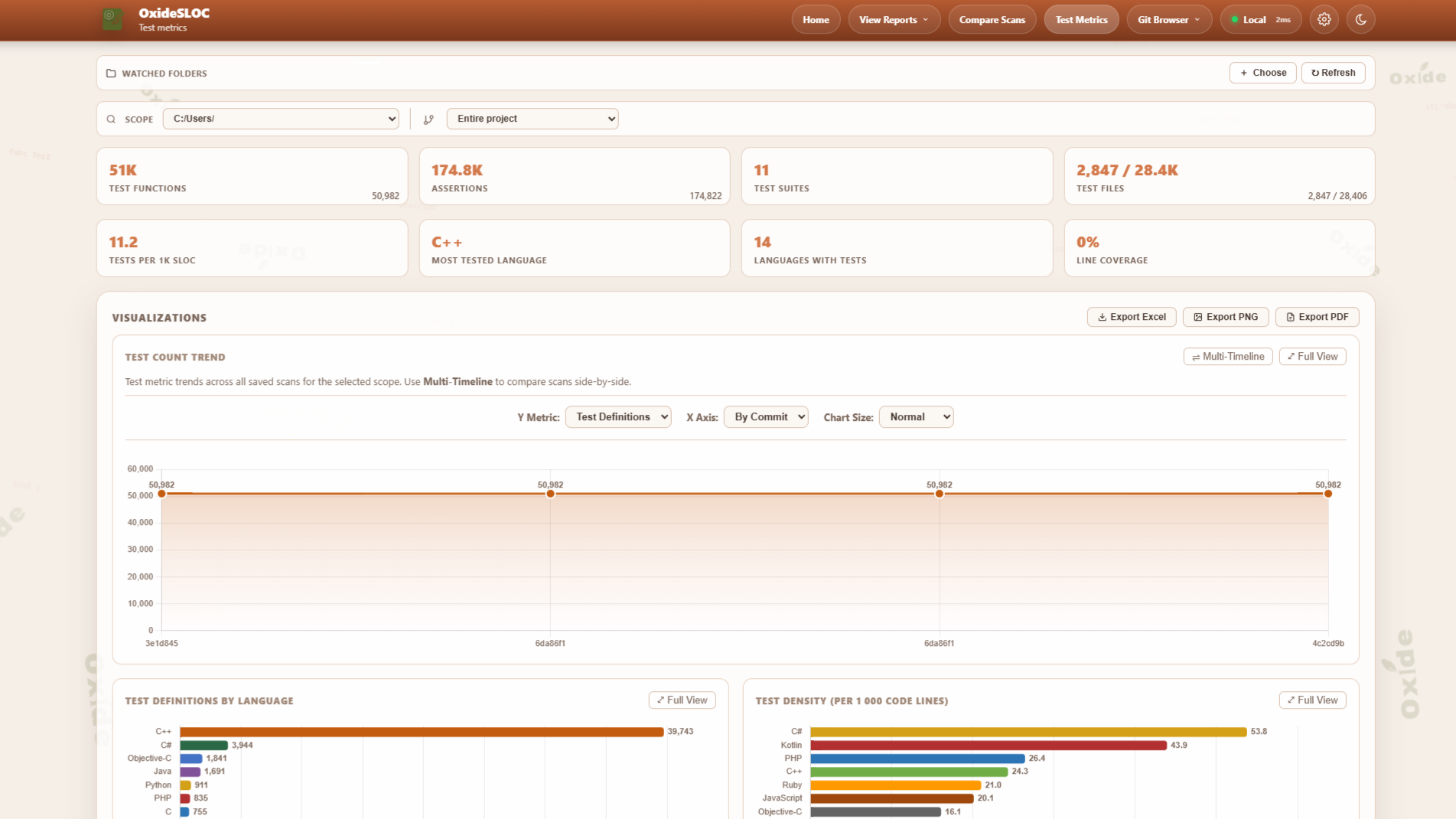
- Test Metrics — lexical test function detection across 60 languages; test-to-code density; multi-format coverage import (LCOV, Cobertura XML, JaCoCo XML, Istanbul/NYC JSON)
- Flexible output — HTML reports, PDF, CSV, and 4-sheet Excel export; re-render any saved JSON
- Git integration — branch/tag/commit browser, GitHub/GitLab/Bitbucket webhooks and polling, submodule breakdown
- CI/CD — GitHub Actions, Jenkins, GitLab CI; JSON metrics API, SVG badge endpoint, embeddable widget, SMTP/webhook delivery
- Offline-first — vendored deps, Chart.js compiled in, no CDN calls; Docker on GHCR; LAN server mode with API key auth and optional TLS
Why oxide-sloc vs cloc / tokei / scc?
| Capability | oxide-sloc | cloc | tokei | scc |
|---|---|---|---|---|
| Languages | 60 | 250+ | 240+ | 240+ |
| Web UI + HTML/PDF reports | ✓ | — | — | — |
| MCP server (AI agent tools) | ✓ | — | — | — |
| Test function detection | ✓ | — | — | — |
| Trend / history tracking | ✓ | — | — | — |
| Coverage file import | ✓ | — | — | — |
| IEEE 1045-1992 compliance | ✓ | partial | — | — |
| REST API + SVG badge | ✓ | — | — | — |
| Git webhook integration | ✓ | — | — | — |
| CI/CD marketplace action | ✓ | — | — | — |
| Offline / air-gapped build | ✓ | — | — | — |
cloc, tokei, and scc win on raw language count and throughput for pure line-counting pipelines. oxide-sloc is the right choice when you need analysis depth, visual reports, history, or AI-native integration — particularly as an MCP tool callable by Claude, Copilot, and other agents.
Screenshots
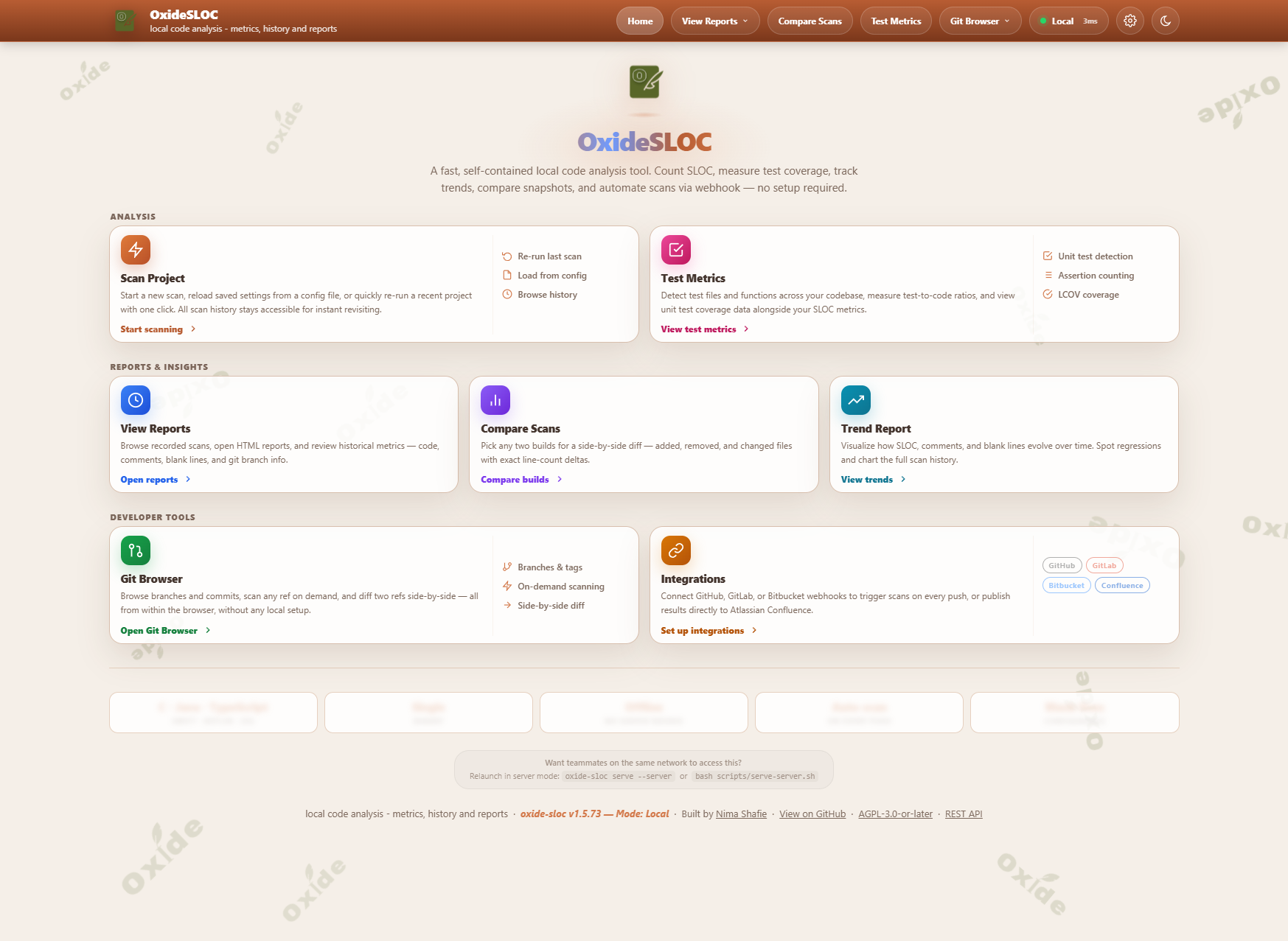
| View Reports | Compare Delta |
|---|---|
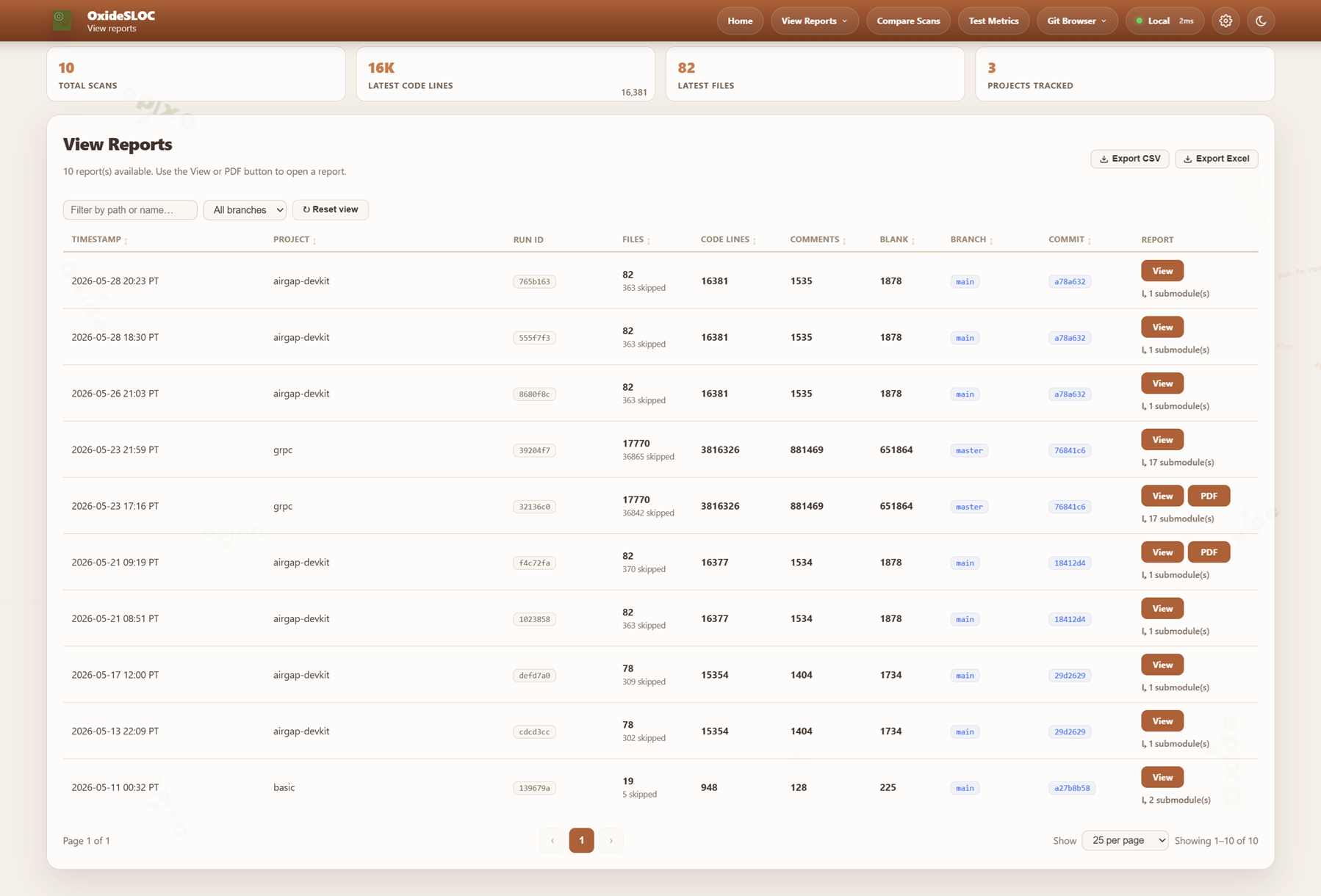 |
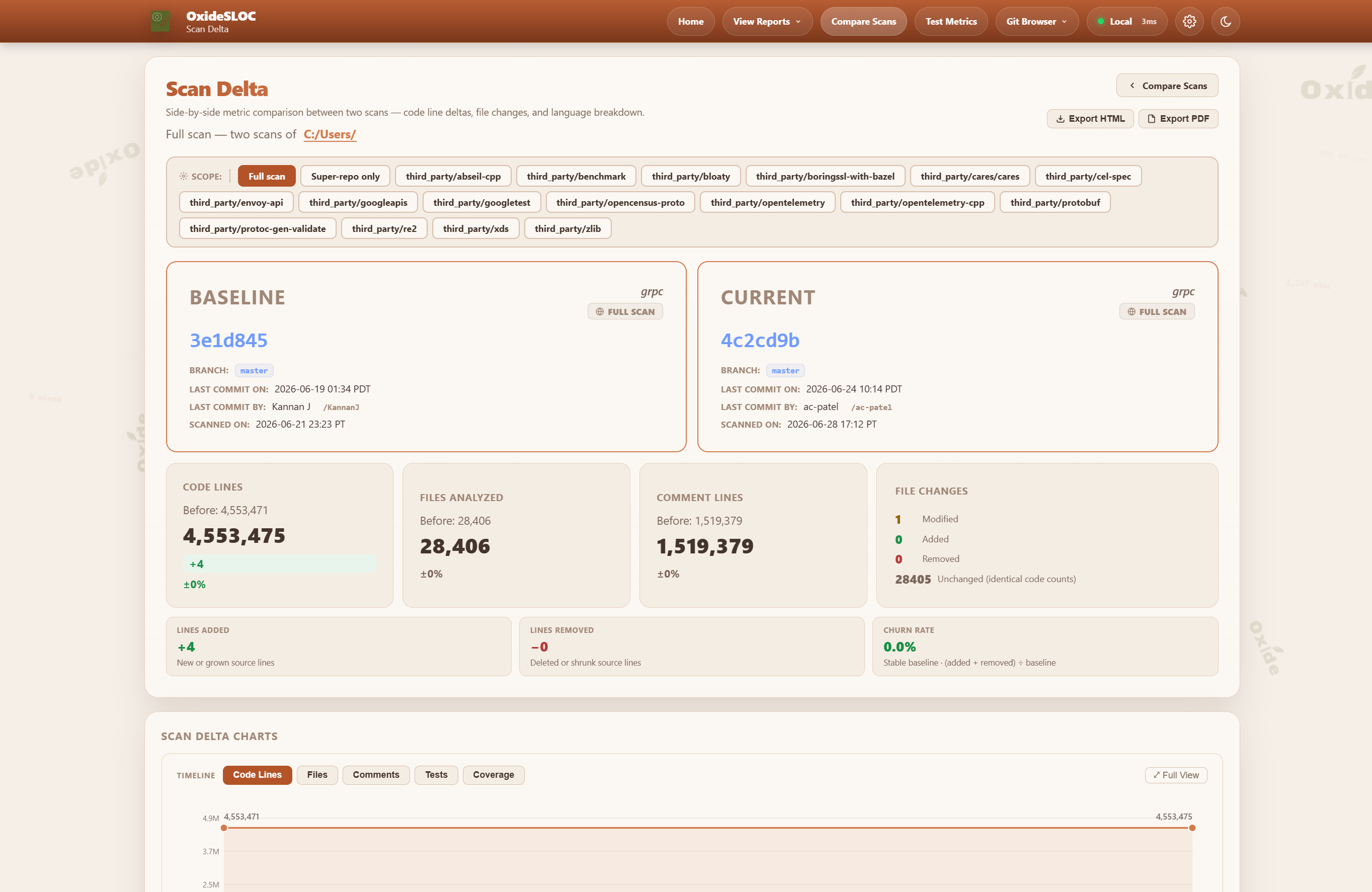 |
| Trend Reports | Test Metrics |
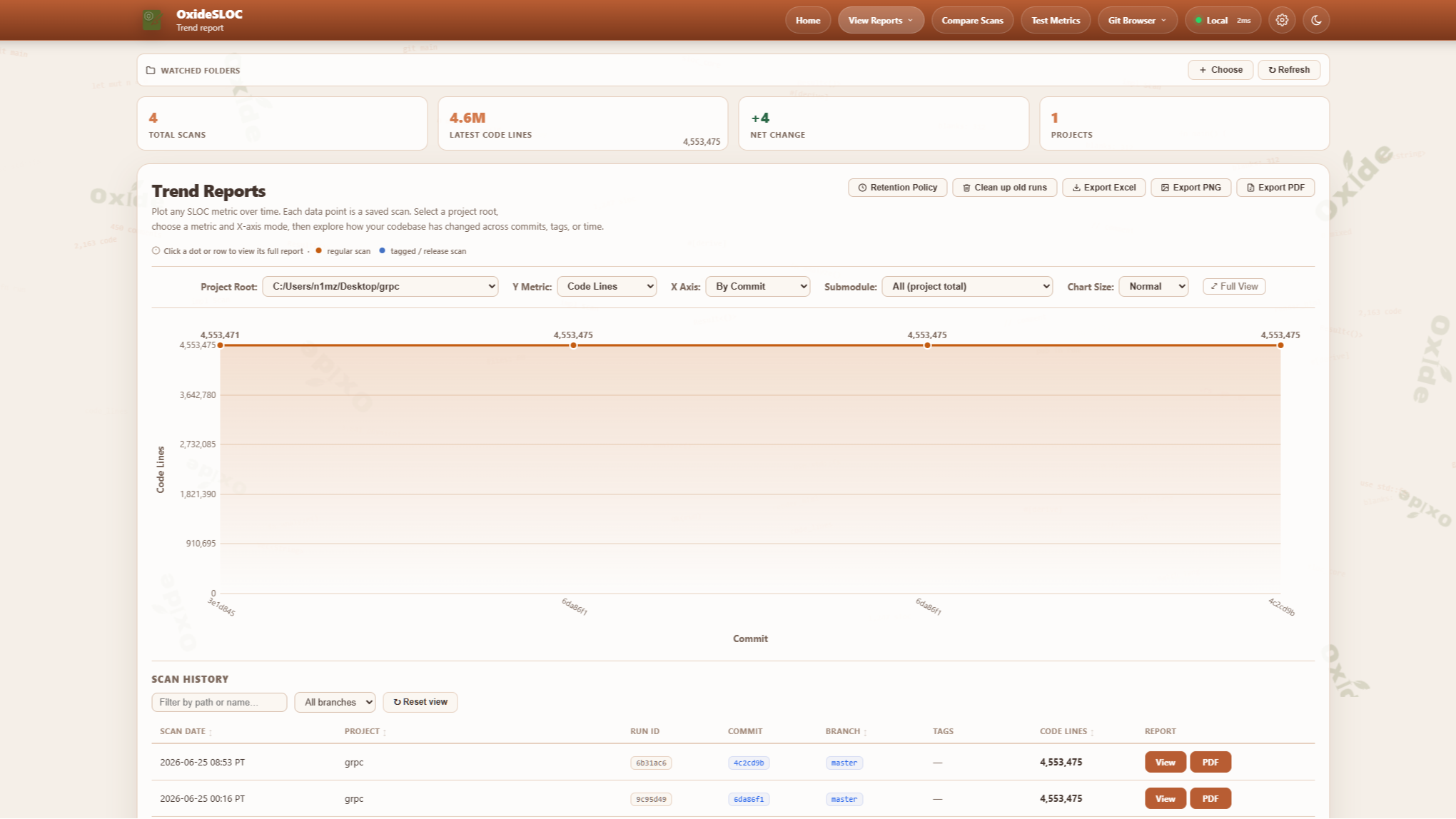 |
 |
Installation
Package managers
| Manager | Command | Platform |
|---|---|---|
| winget | winget install NimaShafie.OxideSLOC |
Windows |
| Chocolatey | choco install oxide-sloc |
Windows |
| Scoop | scoop bucket add oxide-sloc https://github.com/oxide-sloc/scoop-oxide-sloc && scoop install oxide-sloc |
Windows |
| Homebrew | brew tap oxide-sloc/oxide-sloc && brew install oxide-sloc |
macOS / Linux |
| Nix | nix run github:oxide-sloc/oxide-sloc |
Linux / macOS |
| cargo | cargo install oxide-sloc --locked |
Any |
| DEB / RPM | Download from Releases | Ubuntu / RHEL |
Docker
# CLI via Docker
Set SLOC_API_KEY, SLOC_ALLOWED_ROOTS, and SLOC_TLS_CERT/SLOC_TLS_KEY as needed. See docs/server-deployment.md.
Usage
CLI
# Analyze — common forms
# Other commands
Run oxide-sloc <command> --help for the full flag list.
Web UI
A guided 4-step flow: select project → counting rules → outputs → review & run. Quick Scan submits from step 1 with all defaults.
Additional pages: Test Metrics (/test-metrics), Trend Reports (/trend-reports), Compare Scans (/compare-scans).
Configuration
IEEE 1045-1992 counting parameters — mixed_line_policy, continuation_line_policy, blank_in_block_comment_policy, count_compiler_directives — are configurable via TOML or CLI flags. CLI flags always override config file values.
Supported Languages (60)
Ada, Assembly, Awk, C, C++, C#, Clojure, CMake, Crystal, CSS, D, Dart, Dockerfile, Elixir, Elm, Erlang, F#, Fortran, GLSL/HLSL, Go, GraphQL, Groovy, Haskell, HCL/Terraform, HTML, Java, JavaScript, Julia, Kotlin, Lisp/Scheme, Lua, Makefile, Nim, Nix, Objective-C, OCaml, Pascal/Delphi, Perl, PHP, PowerShell, Protocol Buffers, Python, R, Ruby, Rust, Scala, SCSS/Sass, Shell, Solidity, SQL, Svelte, Swift, Tcl, TypeScript, Verilog/SystemVerilog, VHDL, Visual Basic, Vue, XML/SVG, Zig.
TOML, Markdown, and YAML are intentionally not supported — no meaningful SLOC metric applies.
Metrics API
| Endpoint | Description |
|---|---|
GET /api/metrics/latest |
Metrics for the most recent scan |
GET /api/metrics/:run_id |
Metrics for a specific run |
GET /api/project-history?path=<dir> |
Scan history for a project root |
GET /badge/:metric |
SVG badge (code-lines, files, comment-lines, blank-lines) |
GET /embed/summary |
Embeddable HTML widget |
GET /healthz |
Health check |
Full OpenAPI 3.1 spec: GET /api/openapi.yaml or docs/openapi.yaml.

CI/CD
| Platform | File |
|---|---|
| GitHub Actions | ci/sloc-github-action.yml — copy to .github/workflows/ |
| GitHub Marketplace | uses: NimaShafie/oxide-sloc@main (see action.yml) |
| Jenkins | examples/jenkins/Jenkinsfile |
| GitLab CI | ci/sloc-gitlab.yml — include via include: |
| Bitbucket Pipelines | examples/bitbucket/bitbucket-pipelines.yml |
| Azure Pipelines | examples/azure/azure-pipelines.yml |
Marketplace action:
- uses: NimaShafie/oxide-sloc@main
  id: sloc
  with:
    path: .
    html-out: sloc-out/report.html
- run: echo "Code lines ${{ steps.sloc.outputs.code-lines }}"
For Jenkins/GitLab setup, Confluence publishing, and artifact repository integration, see docs/ci-integrations.md.
LAN Server
See docs/server-deployment.md for persistent deployments, TLS, and firewall configuration.
Development
Repository Layout
crates/
  sloc-cli/         # CLI entry point and commands
  sloc-config/      # Config schema and TOML parsing
  sloc-core/        # File discovery, decoding, aggregation, delta engine
  sloc-languages/   # Language detection, lexical analyzers, symbol counting
  sloc-report/      # HTML rendering, PDF/CSV/Excel export
  sloc-web/         # Axum web server, metrics API, badge endpoint
ci/                 # CI scripts + config presets
docs/               # airgap.md, ci-integrations.md, server-deployment.md, openapi.yaml
dist/               # Windows pre-built binary (committed by CI after each release)
examples/           # Runnable examples + sloc.example.toml
scripts/            # run.sh, serve-server.sh (user-facing entry points)
AI Integration
The sloc-mcp binary implements the Model Context Protocol, making oxide-sloc callable as a tool from Claude Desktop, Claude Code, and any MCP-compatible host.
Claude Code (project .mcp.json):
Available tools: analyze_path · get_metrics_latest · get_metrics_history · get_run_metrics · compare_runs · health_check · ingest_result
Pre-built tool definitions for Claude API (tool_use) and OpenAI (function_calling): docs/mcp/.
License
oxide-sloc is licensed under AGPL-3.0-or-later.
Copyright (C) 2026 Nima Shafie.
Nima Shafie — github.com/NimaShafie