<div class="oranda-hide">
# oranda
</div>
> 🎁 generate beautiful landing pages for your projects
[](https://crates.io/crates/oranda)
[](https://github.com/axodotdev/oranda/actions/workflows/ci.yml)
[](https://github.com/axodotdev/oranda/actions/workflows/release.yml)
[](https://github.com/axodotdev/oranda/actions/workflows/web.yml)
`oranda` is an opinionated static-site generator that is designed for developers
who are publishing projects and would like a website but don't want to build
one from scratch.
<div class="oranda-hide">
`oranda` uses `oranda` so you can checkout a live example [here][website]!
## Installation
To install `oranda`, please visit the [`oranda` website][website]- which is generated by
`oranda`!
[website]: https://axodotdev.github.io/oranda
</div>
## Quickstart
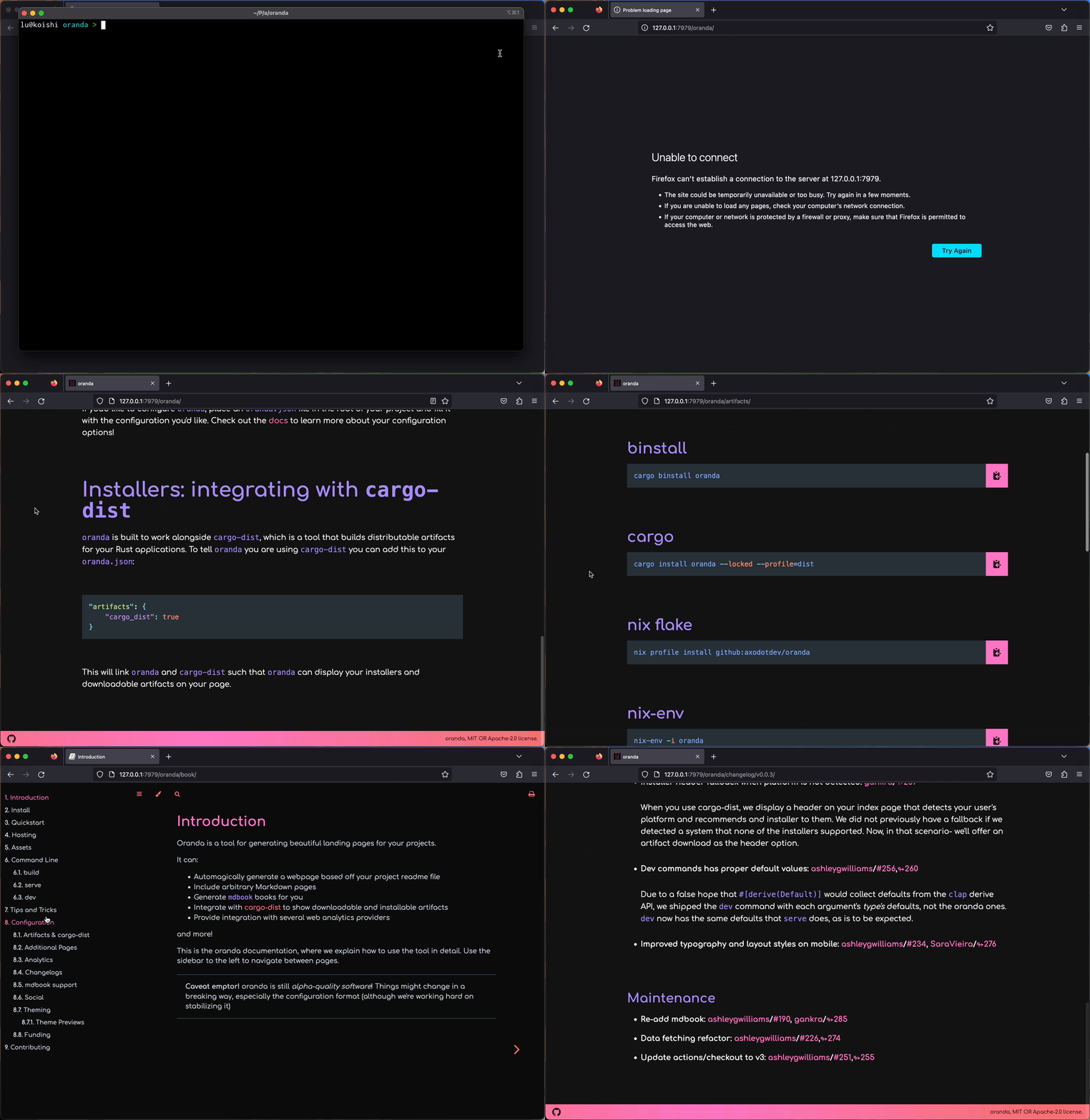
```sh
# build your site
> oranda build
# start a server to checkout a local version of your built site in a browser
> oranda serve
# build your site and start a server that rebuilds on file changes
> oranda dev
```
Here's an animated demo:
## Configuration
If you'd like to configure `oranda`, place an `oranda.json` file in the root of
your project and fill it with the configuration you'd like. Check out the [docs]
to learn more about your configuration options!
[docs]: https://opensource.axo.dev/oranda/book/configuration.html
## Installers: integrating with `cargo-dist`
`oranda` is built to work alongside [`cargo-dist`], which is a tool that builds
distributable artifacts for your Rust applications. To tell `oranda` you are
using `cargo-dist` you can add this to your `oranda.json`:
```json
"artifacts": {
"cargo_dist": true
}
```
This will link `oranda` and `cargo-dist` such that `oranda` can display your
installers and downloadable artifacts on your page.
[`cargo-dist`]: https://github.com/axodotdev/cargo-dist