<div align="center">
<a href="https://github.com/canmi21/openjlc">
<img src="https://raw.githubusercontent.com/canmi21/openjlc/refs/heads/main/img/openjlc.webp" alt="Logo" width="80" height="80">
</a>
<h3>OpenJLC</h3>
<p>
<a href="https://crates.io/crates/openjlc"><img src="https://img.shields.io/crates/dv/openjlc?color=cd9c80&labelColor=black&style=flat-square&logo=rust&label=Crates.io" /></a>
<a href="https://aur.archlinux.org/packages/openjlc"><img src="https://img.shields.io/aur/version/openjlc?color=3498ca&labelColor=black&style=flat-square&logo=archlinux&logoColor=white&label=Aur" /></a>
<a href="https://github.com/canmi21/openjlc/releases"><img src="https://img.shields.io/badge/Windows-11-blue?style=flat-square&labelColor=black&logo=data%3Aimage%2Fsvg%2Bxml%3Bbase64%2CPHN2ZyB4bWxucz0iaHR0cDovL3d3dy53My5vcmcvMjAwMC9zdmciIHdpZHRoPSIyNCIgaGVpZ2h0PSIyNCIgdmlld0JveD0iMCAwIDI0IDI0IiBmaWxsPSJub25lIj48cGF0aCBmaWxsPSIjZmZmIiBkPSJNMyAzaDguNTN2OC41M0gzek0xMi40NjkgM2g4LjUzdjguNTNoLTguNTN6TTMgMTIuNDdoOC41M1YyMUgzek0xMi40NjkgMTIuNDdoOC41M1YyMWgtOC41M3oiLz48L3N2Zz4%3D&logoColor=white" /></a>
<a href="https://github.com/canmi21/openjlc/releases"><img src="https://img.shields.io/badge/MacOS-Sequoia-white?style=flat-square&labelColor=black&logo=apple&logoColor=white" /></a>
<a href="https://github.com/canmi21/openjlc/releases"><img src="https://img.shields.io/badge/Linux-6.13.8-yellow?style=flat-square&labelColor=black&logo=linux&logoColor=white" /></a>
<a href="https://github.com/canmi21/openjlc/stargazers"><img src="https://img.shields.io/github/stars/canmi21/openjlc?color=ffcb47&labelColor=black&style=flat-square&logo=github&label=Stars" /></a>
<a href="https://github.com/canmi21/openjlc/releases"><img src="https://img.shields.io/github/downloads/canmi21/openjlc/total?color=9ac813&labelColor=black&logo=github&style=flat-square&label=Releases" /></a>
<br />
<br />
<a href="https://github.com/canmi21/openjlc" target="_blank"><img src="https://raw.githubusercontent.com/canmi21/openjlc/refs/heads/main/img/2025-04-06-170618.webp" alt="Linux" width="49%"/></a>
<a href="https://github.com/canmi21/openjlc" target="_blank"><img src="https://raw.githubusercontent.com/canmi21/openjlc/refs/heads/main/img/2025-04-06-171116.webp" alt="Windows" width="49%"/></a>
<br />
</p>
</div>
As they say, your design workflow shouldn't be bogged down by tedious format conversions! OpenJLC simplifies Gerber to JLC conversion from AD, KiCad, and more. Effortlessly convert, share, and design.
## 👋🏻 Getting Started
Whether for users or professional developers, OpenJLC will be your open information playground. Please be aware that OpenJLC is currently under active development, and feedback is welcome for any [issue](https://github.com/canmi21/openjlc/issues) encountered.
Feel free to try it using the following methods:
<table>
<tr><td>🚀 <b>Install via Cargo</b></td><td><code>cargo install openjlc</code></td></tr>
<tr><td>📦 <b>Arch Linux AUR</b></td><td>Install via: <code>yay -S openjlc</code></td></tr>
<tr><td>⚡️ <b>Run directly</b></td><td><code>openjlc file.zip or path_to_file/file.zip</code></td></tr>
<tr><td>🗂️ <b>Supported input formats</b></td><td>KiCad, Altium Designer, EasyEDA — and more on the way!</td></tr>
<tr><td>❇️ <b>Cross-platform builds</b></td><td>Prebuilt binaries for Linux, Windows, macOS available on <a href="https://github.com/canmi21/openjlc/releases">releases</a></td></tr>
<tr><td>🛠️ <b>Gerber analyzer</b></td><td>Auto label output file with <code>-{detected-eda}-L{layer}</code></td></tr>
<tr><td>🔄 <b>Fast updates</b></td><td>Track latest changes via <a href="https://github.com/canmi21/openjlc/actions?query=event%3Aworkflow_dispatch+branch%3Amain+is%3Asuccess">ci</a></td></tr>
<tr><td>📣 <b>Contribute / Feedback</b></td><td>Create issues, pull requests, or just ⭐ the repo to support us!</td></tr>
</table>
## ⚡️ Lightning-Fast Speed
Powered by Rust's high performance, OpenJLC can convert an 8-layer PCB from Altium in under 500ms.
<div align="center">
<p>
<a href="https://github.com/canmi21/openjlc" target="_blank"><img src="https://raw.githubusercontent.com/canmi21/openjlc/refs/heads/main/img/2025-04-06-222144.webp" alt="OpenJLC Speed Benchmark" width="99%"/></a>
</p>
</div>
## 🧩 Uniform Output Naming
We provide powerful regular expression rules to auto-analyze and rename output files, giving you a clean and consistent output structure.
<div align="center">
<p>
<a href="https://github.com/canmi21/openjlc" target="_blank"><img src="https://raw.githubusercontent.com/canmi21/openjlc/refs/heads/main/img/2025-04-06-221930.webp" alt="Auto Output Naming" width="99%"/></a>
</p>
</div>
## 🛠️ Extra Drill File Handling
Unlike other conversion tools, OpenJLC supports auto-detection and classification of drill files — no manual steps required.
**Altium**
```yaml
Drill_NPTH_Through: "(?i).*slot\\s?h?oles.*\\.txt$"
Drill_PTH_Through: "(?i).*round\\s?h?oles.*\\.txt$"
Drill_PTH_Through_Via: "(?i)\\.REP$|.*via.*\\.txt$"
Drill_PTH_Through_GBR: "(?i)\\.GD1$"
Drill_PTH_Through_Via_GBR: "(?i)\\.GG1$"
```
**KiCad**
```yaml
Drill_PTH_Through: "(?i)(?!.*NPTH).*\\.DRL$"
Drill_PTH_Through_Via: "(?i).*\\bVIA\\b.*\\.DRL$"
Drill_NPTH_Through: "(?i).*\\bNPTH\\b.*\\.DRL$"
Drill_PTH_Through_GBR: "(?i)^[^N]*PTH[^N]*\\.GBR$"
Drill_PTH_Through_Via_GBR: "(?i).*\\bVIA\\b.*\\.GBR$"
Drill_NPTH_Through_GBR: "(?i).*\\bNPTH\\b.*\\.GBR$"
```
## 🖱️ Right-Click Integration on Windows
On Windows, OpenJLC supports seamless right-click processing for `.zip` Gerber archives. With just one click, you can get clean and correctly named outputs — even after processing by the Windows file system.
<div align="center">
<p>
<a href="https://github.com/canmi21/openjlc" target="_blank"><img src="https://raw.githubusercontent.com/canmi21/openjlc/refs/heads/main/img/2025-04-07-004511.webp" alt="Windows Context Menu Integration - Step 1" width="99%"/></a>
<a href="https://github.com/canmi21/openjlc" target="_blank"><img src="https://raw.githubusercontent.com/canmi21/openjlc/refs/heads/main/img/2025-04-07-004544.webp" alt="Windows Context Menu Integration - Step 2" width="99%"/></a>
</p>
</div>
## 📦 Easy GUI Installer for Windows
We offer a dedicated Windows GUI installer to simplify setup. With just a few clicks, you can install, update, or uninstall OpenJLC — all without touching the command line.
<div align="center"> <p> <a href="https://github.com/canmi21/openjlc" target="_blank"> <img src="https://raw.githubusercontent.com/canmi21/openjlc/refs/heads/main/img/5E7ABC2AB8CA3DCA8EA4E872AECB30F0.webp" alt="Windows Installer - Step 1" width="49%"/> </a> <a href="https://github.com/canmi21/openjlc" target="_blank"> <img src="https://raw.githubusercontent.com/canmi21/openjlc/refs/heads/main/img/CA8D9D363777D6D970035852BEC043DB.webp" alt="Windows Installer - Step 2" width="49%"/> </a> <a href="https://github.com/canmi21/openjlc" target="_blank"> <img src="https://raw.githubusercontent.com/canmi21/openjlc/refs/heads/main/img/6BC1EECDD7A4D6699F5F127B3843FFED.webp" alt="Windows Installer - Step 3" width="99%"/> </a> </p> </div>
## ❓ FAQ
**Q: PowerShell says `openjlc` is not recognized as a command?**
**A:** This usually means the OpenJLC installation path is not added to your system's environment variables.
Please follow the instructions shown in the image below to add it. Restart PowerShell after applying the changes.
<div align="center">
<p>
<a href="https://github.com/canmi21/openjlc" target="_blank">
<img src="https://raw.githubusercontent.com/canmi21/openjlc/refs/heads/main/img/2025-04-07-104139.webp" alt="Add to System Environment Variables" width="99%"/>
</a>
</p>
</div>
**Q: What if I'm using Linux or macOS?**
**A:** Make sure the Cargo binary directory (usually `$HOME/.cargo/bin`) is added to your shell's environment variables.
For example, if you're using `bash`, `zsh` or `fish`, you can add the following line to your `~/.bashrc`, `~/.zshrc` `~/.config/fish/config.fish` file:
```bash
export PATH="$HOME/.cargo/bin:$PATH"
```
Then reload your shell or run:
```bash
source ~/.bashrc # or source ~/.zshrc
```
If you're using fish shell, add the path like this:
```fish
set -U fish_user_paths /home/canmi/.cargo/bin $fish_user_paths
```
And reload the config:
```fish
source ~/.config/fish/config.fish
```
## ⭐ Contribute
If you are just a user of OpenJLC, please give us a Star. If you’d like to participate in development, you can consider the following steps:
The main program is written in Rust:
```bash
cargo run
cargo build
cargo install --path .
```
The Windows installer is written in Go:
```bash
GOOS=windows GOARCH=amd64 CGO_ENABLED=1 CC=x86_64-w64-mingw32-gcc go build -x -ldflags="-H=windowsgui" -o installer.exe
```
Additionally, there is an old version written in Python [here](https://github.com/canmi21/openjlc/tree/dev). The source code is still visible but is no longer maintained or used.
## ✨ Star History
[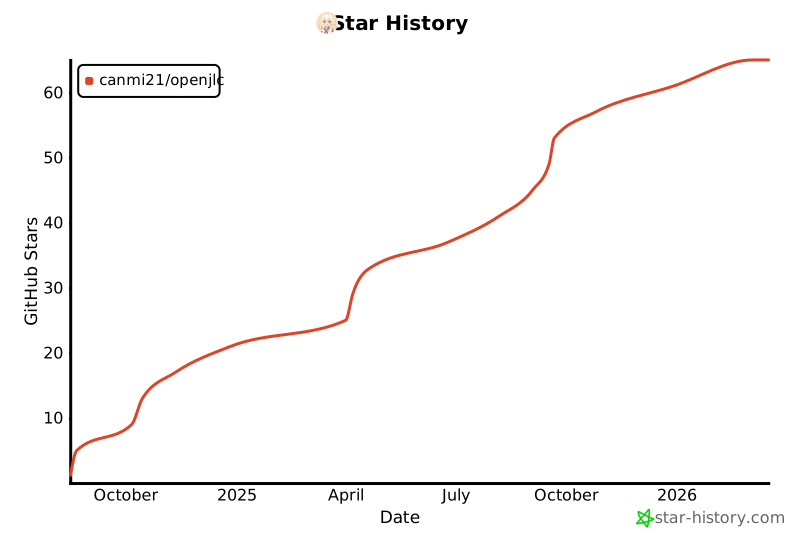](https://www.star-history.com/#canmi21/openjlc&Date)