# oops
**Any command can be undone.**
```console
$ oops run "rm -rf ./project"
$ oops undo
# → files are back. oops. 💨
```
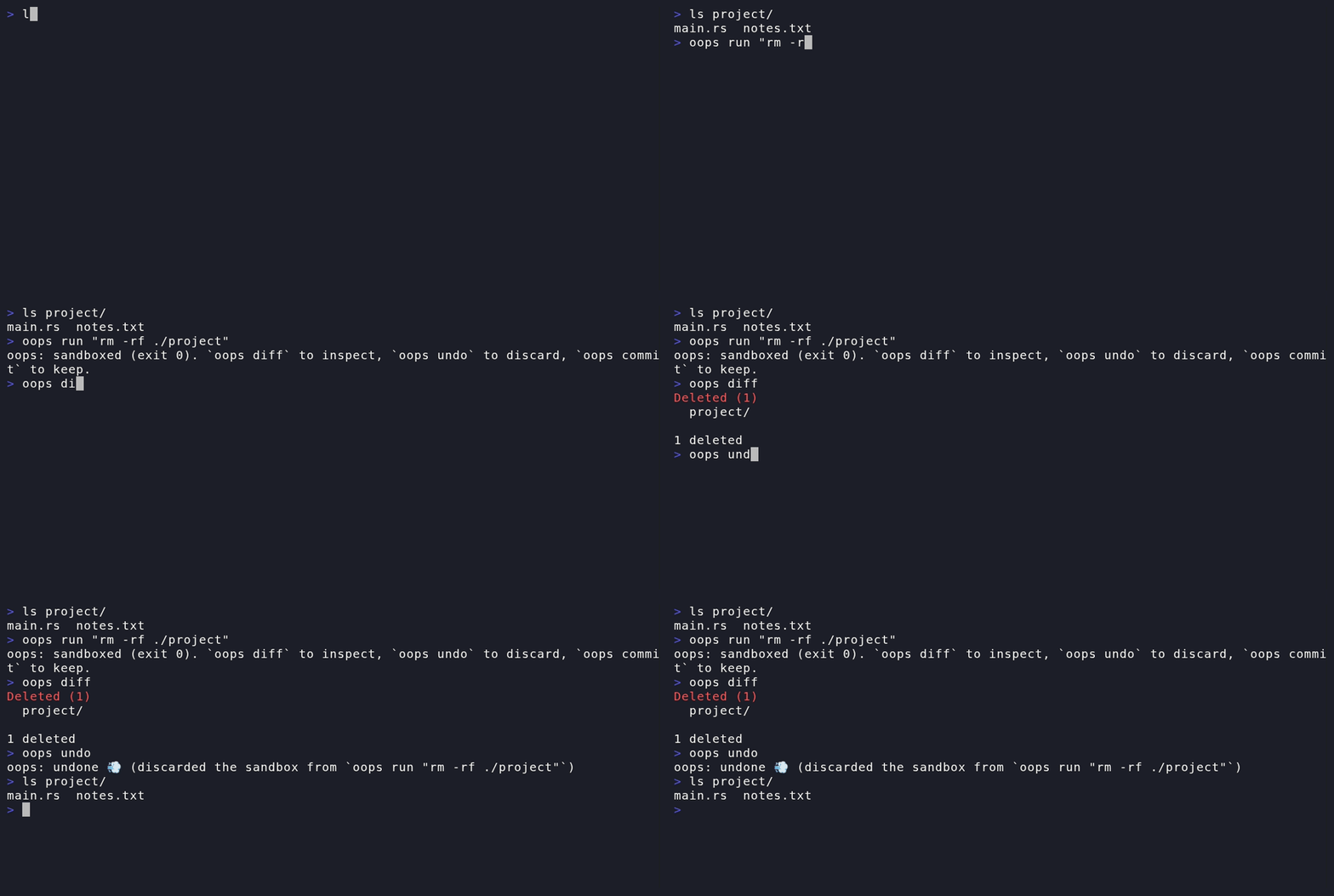
oops is a command-line safety layer: it runs any command inside a lightweight
copy-on-write filesystem sandbox, so destructive actions become reversible.
Built for the AI-agent era — coding agents can run at full speed without
permission-prompt fatigue, because every filesystem change they make can be
inspected and rolled back.
## The four verbs
| `oops run "<cmd>"` | Run a command; its filesystem writes land in a sandbox layer, not your files |
| `oops diff` | See what the command created (A), modified (M), deleted (D) |
| `oops undo` | Discard the sandbox — your files were never touched |
| `oops commit` | Apply the sandbox to your real files |
### Reading the diff
```console
$ oops run "rm -rf legacy/ && touch NOTES.md"
$ oops diff
Created (1)
NOTES.md
Deleted (1)
legacy/
1 created, 1 deleted
```
Colored on a TTY (honors `NO_COLOR`). For scripts and agents,
`oops diff --porcelain` is the **stable** interface: `A/M/D path` lines,
byte-order sorted, a deleted directory as a single `D path/` entry (the
subtree is not expanded), empty output when nothing changed, exit 0 either
way. Known limitation: paths containing newlines can't be represented in
the line-oriented format (`-z` is reserved for a future NUL-terminated
variant).
## Install
```console
$ cargo install oops-sh
```
**The crate is `oops-sh`, the command is `oops`** — the crates.io name
`oops` was already taken, so you install `oops-sh` and run `oops`.
Runs natively on **Linux** (OverlayFS) and **macOS** (APFS `clonefile`,
no root needed). On any other platform `oops run` refuses to execute the
command rather than run it unsandboxed.
## Two backends, two guarantees
The four verbs behave identically, but the protection model differs — read
this table once:
| Model | interception | snapshot-restore |
| Real files during `run` | never touched | modified — restorable |
| Guarantee | "it never happened" | "it can always be put back" |
| `undo` | discard layer, O(1) | atomic swap, O(1) |
| `commit` | replay layer, O(changes) | keep tree, O(1) |
| Crash mid-window | tree already pristine | tree modified; `oops undo` after restart restores |
| Other processes' writes during run | survive undo | reverted by undo (collateral) |
| Cloud-synced folders | safe | transient damage may propagate — avoid |
| Root required | yes (for now) | no |
| `diff` cost | O(changes) | O(tree) metadata |
On macOS, between `run` and `undo`/`commit` your real files hold the
command's changes: file watchers, editors, Spotlight, and cloud sync
clients (iCloud Drive, Dropbox) can observe — and may propagate — that
transient state. Don't point oops at cloud-synced directories on macOS.
macOS modification detection uses size + nanosecond mtime; a command that
forges both back escapes `M` detection (a `--verify` mode is planned).
## The honest fine print (guarantee boundary)
The sandbox covers **filesystem writes under the directory where you invoked
`oops run`** — nothing else. Not undoable:
- writes outside that tree (`/tmp`, `$HOME`, other mounts)
- network side effects (that email is sent)
- spawned daemons and other process state
Safety invariants (see `openspec/specs/safety/`): if sandbox setup fails,
oops refuses to run the command at all — it never silently falls back to
running unsandboxed; undo modifies exactly the protected directory tree
(restoring it) and oops's own state roots (`~/.local/state/oops/`, plus
`<volume>/.oops/state/` for targets on other volumes) — nothing else,
ever.
## Development
The dev host can be macOS; everything that touches OverlayFS runs inside a
privileged Linux container:
```console
make test-linux # OverlayFS suite in the container
make bench-linux # Linux undo < 100ms benchmark
make test-apfs # APFS suite on a macOS host (triple-gated, tempdir-confined)
make bench-apfs # macOS undo benchmark + snapshot setup cost
make shell-linux # interactive shell in the Linux test environment
make check # fast host-side compile check
make demo-gif # re-render demo/demo.gif from demo/demo.tape (VHS)
```
Work is spec-driven via [OpenSpec](https://github.com/Fission-AI/OpenSpec):
capabilities live in `openspec/specs/`, changes in `openspec/changes/`.
## License
Dual-licensed under either of [MIT](LICENSE-MIT) or
[Apache License 2.0](LICENSE-APACHE), at your option. Unless you explicitly
state otherwise, any contribution intentionally submitted for inclusion in
oops shall be dual-licensed as above, without any additional terms.