# OFFFLIX
A simple application to auto manage series on your local storage.
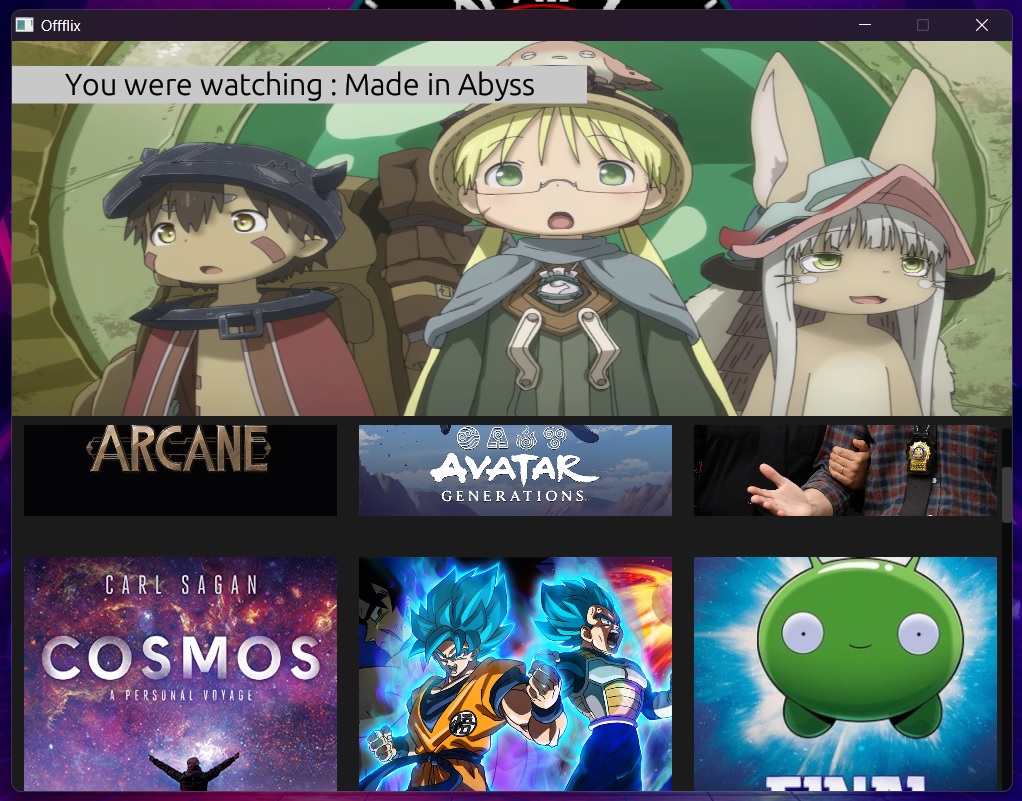

## Features
- [x] Resume watching
- [x] Play next episode
- [x] Auto increment season
- [x] Play random episode
- [x] GUI
- [x] Multithreaded image loading
## Disclaimer
The creator of this application does not by any means promote piracy of online content. Where the users of this application get their content from is not a liabilty of the creator of this library. Please use the application at your own caution.
## Installation
The application depends on libmpv, so you need to install it first.
```
git clone https://github.com/mpv-player/mpv
export MPV_SOURCE=$(pwd)/mpv
cargo install offflix
```
### Media player controls
- 'Space' to pause/resume
- 'Ctrl+Left' to go back 10 seconds
- 'Ctrl+Right' to go forward 10 seconds
- 'Shift+Left' to go back 1 second
- 'Shift+Right' to go forward 1 second
- 'Left' to go back 5 seconds
- 'Right' to go forward 5 seconds
- 'Up' increase volume
- 'Down' decrease volume
- 'F' to toggle fullscreen
- 'Esc' to quit
- 'A' to cycle audio tracks forward
- 'Shift+A' to cycle audio tracks backward
- 'Ctrl+A' to toggle audio
- 'V' to cycle video tracks forward
- 'Shift+V' to cycle video tracks backward
- 'S' to cycle subtitle tracks forward
- 'Shift+S' to cycle subtitle tracks backward
- 'Ctrl+S' to toggle subtitles