# Oatbar
[](https://crates.io/crates/oatbar)





It is a standalone desktop bar that can be used with various WMs and DEs. This bar aims to become one of the most full-featured bars available.
* Flexibility and pluggability of information sources from existing ecosystems
* Arbitrary scripts
* `i3blocks` format
* `i3status` format
* PNG image embedding that could be rendered by a source script at runtime.
* External plugins are preferred, but the most basic modules are embedded: EWHM, layouts, clock, etc.
* Conversion of string sources to other types (numbers, bytes, percentages) that could be rendered by specialize widgets
* Native Pango markup support
* Source data cleaning via regexes so inflexible source module data can be cleaned inside of the `oatbar`.


[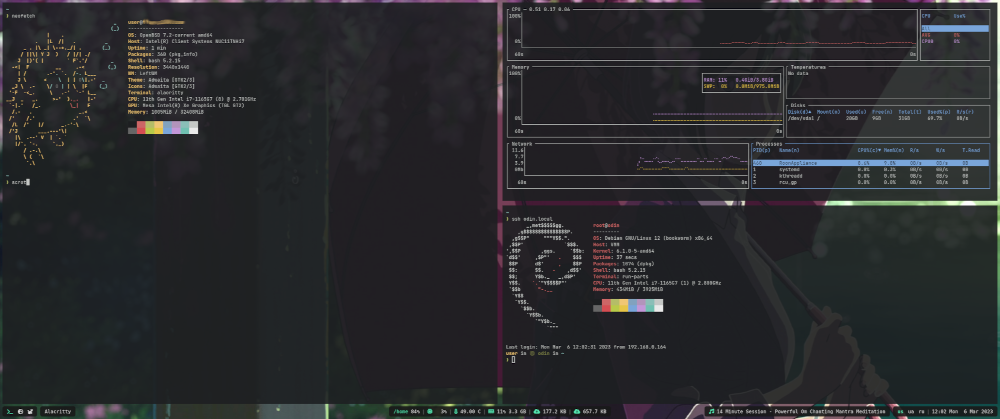](https://raw.githubusercontent.com/igor-petruk/oatbar-media/main/screenshot.png)
## Installation
### Pre-requisites
Please install `cargo` via the package manager or http://rustup.rs.
#### ArchLinux
```shell
# pacman -Sy pango cairo libxcb pkgconf
```
#### Ubuntu/Debian
```shell
# apt-get install -y build-essential pkg-config libcairo2-dev libpango1.0-dev libx11-xcb-dev
```
### Install
```shell
$ cargo install oatbar
```
### Configure
During the first launch the bar will create a default config at
`~/.config/oatbar.toml` that should work on most machines. The configuration
format is not documented and can change at any time, but it can be
reverse-engineered from `src/config.rs`. It will be documented when it
becomes more or less stable.
## Disclaimer
This is not an officially supported Google product.

