# ncube - A Generalized Hypercube Visualizer
<div>
<img alt="Crates.io Version" src="https://img.shields.io/crates/v/ncube?style=flat-square">
<img alt="Website" src="https://img.shields.io/website?url=https%3A%2F%2Fncube.ndavd.com&style=flat-square&label=ncube.ndavd.com">
</div>
<br/>
`ncube` allows you to visualize rotating hypercubes of arbitrary dimensions. It
works by rotating the hyperdimensional vertices and applying a chain of
perspective projections to them until the 3rd dimension is reached. **Everything
is generated in real time just from the dimension number.**
<div>
<img align="center" width="200px" src='https://raw.githubusercontent.com/ndavd/ncube/main/.github/Penteract-q4q5.gif' />
<img align="center" width="200px" src='https://raw.githubusercontent.com/ndavd/ncube/main/.github/Penteract-q1q4-q3q5.gif' />
<img align="center" width="200px" src='https://raw.githubusercontent.com/ndavd/ncube/main/.github/Hexeract-q1q4-q2q5-q3q6.gif' />
</div>
<br/>
- [Features](#features)
- [But what am I actually visualizing?](#but-what-am-i-actually-visualizing)
- [Web](#web)
- [Installation](#installation)
- [Download the pre-built binaries](#download-the-pre-built-binaries)
- [Install from crates.io](#install-from-cratesio)
- [Install from source](#install-from-source)
- [Uninstall](#uninstall)
- [Contributing](#contributing)
## Features
- Real time control of the simulation, such as tweaking the angular velocity
factor of any plane of rotation
- Exporting and loading custom configurations as files
## But what am I actually visualizing?
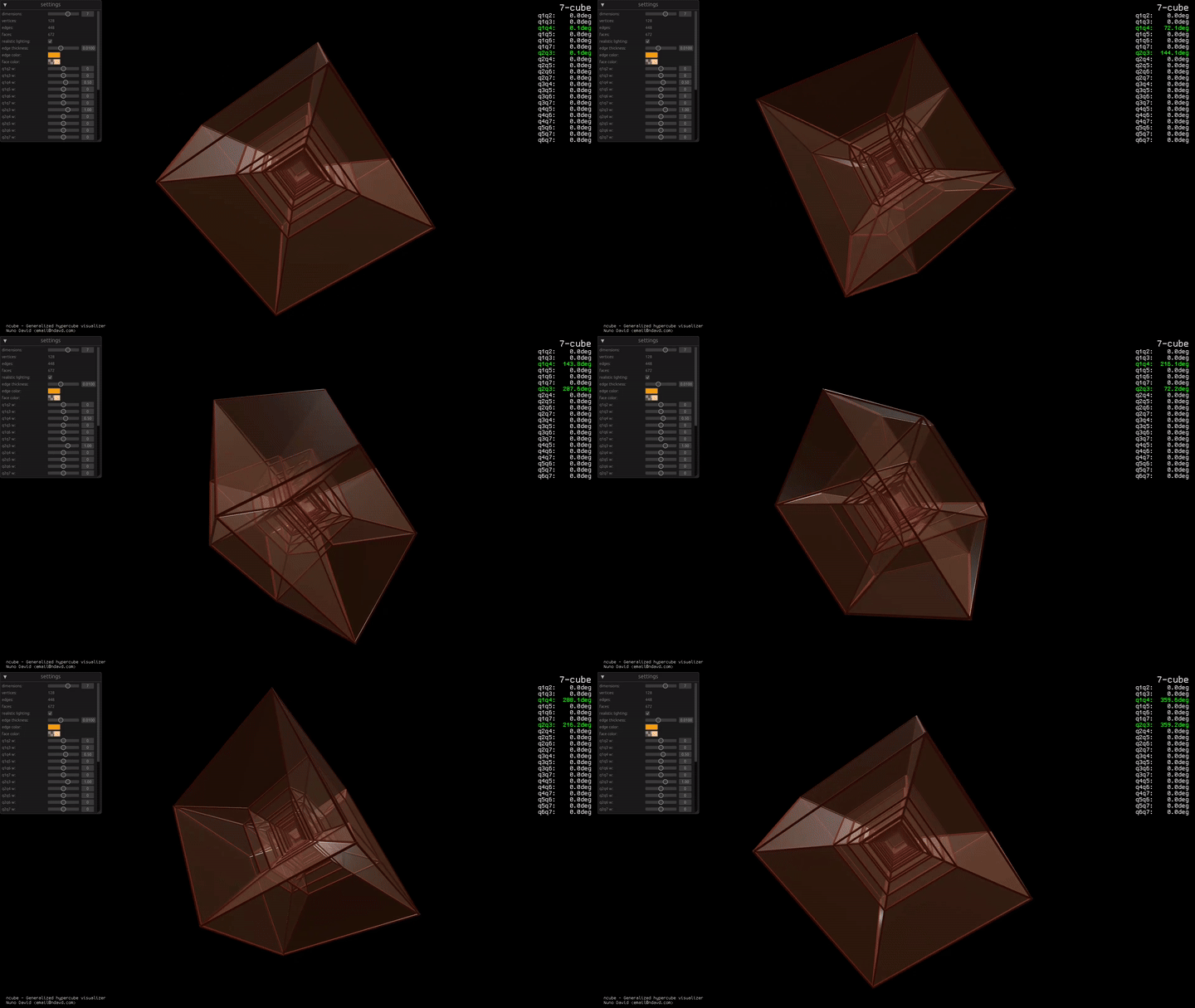
Let's use the 7-cube demo GIF above as an example. In that specific case, you
are looking at:
- _A **3 dimensional perspective projection** of..._
- _a **4 dimensional perspective projection** of..._
- _a **5 dimensional perspective projection** of..._
- _a **6 dimensional perspective projection** of..._
- _a **7 dimensional hypercube undergoing a rotation** about the
**q1q4** (X-W1) and **q2q3** (Y-Z) orthogonal planes._
Okay, let's unpack this... We, simple 3D creatures in a (at least apparently) 3D
Universe can easily perceive 3D objects and it gets even easier for those of
smaller dimensions, a polygon, a line, a point... But what if we want to see
beyond?
Well, imagine you're a 2D being, you live in a _flat_ universe, in a plane, you
see in 1D (a line), then you try to visualize a 3D object, so your 3D friends
intersect a cube into your line of sight, but you only see an infinitesimal
slice of it, you can never see it fully.
The exact same problem applies to us when we try to comprehend a 4 or higher
dimensional object. So how can we solve this problem?
We need to represent the object in lesser dimensions. And we see such
representations everyday... Shadows. Shine a light through the cube and you'll
end up with all its features compressed into 2 dimensions, surely it's not the
same as the cube itself, but it's a lot better than the thin slice! And believe
it or not that's what the math of this project is all about, shadows... Another
word for those is _perspective projections_.
We cast a shadow, and then we cast a shadow of a shadow and so on, with each
step peeling away one dimension until we end up with something 3D that we can
see and examine fully. Having that, we can perform rotations on the hypercube
and see how its projection changes.
There, we have weirder kinds of rotations that we don't have in 3D space, called
double, triple, and so on, which occur when you have multiple simple rotations
at the same time in a way that don't interfere with each other. For example in
3D space you can rotate along the X-Y plane, but if you go 4D you have not 1 but
2 dimensions free in which you can perform another rotation.
## Web
A web version for this app is available at
[ncube.ndavd.com](https://ncube.ndavd.com) via the WASM build.
## Installation
### Download the pre-built binaries
Pre-built binaries for Windows, Linux, MacOS and WASM can be found in the
[releases](https://github.com/ndavd/ncube/releases) page.
### Install from crates.io
Install [cargo](https://doc.rust-lang.org/stable/cargo/) and run the install
command:
```
cargo install ncube
```
### Install from source
Install [cargo](https://doc.rust-lang.org/stable/cargo/), clone the repository
and run the install command:
```
git clone https://github.com/ndavd/ncube
cd ncube
cargo install --path .
```
### Uninstall
```
cargo uninstall ncube
```
## Contributing
Contributions are very welcome! Those being pull requests, issues or even ideas.
- If you have an idea or question feel free to create a discussion in the
[discussions page](https://github.com/ndavd/ncube/discussions)
- If you'd like to showcase your findings there's
[community showcase](https://github.com/ndavd/ncube/discussions/7)