
Myth
A High-Performance, WGPU-Based Rendering Engine for Rust.




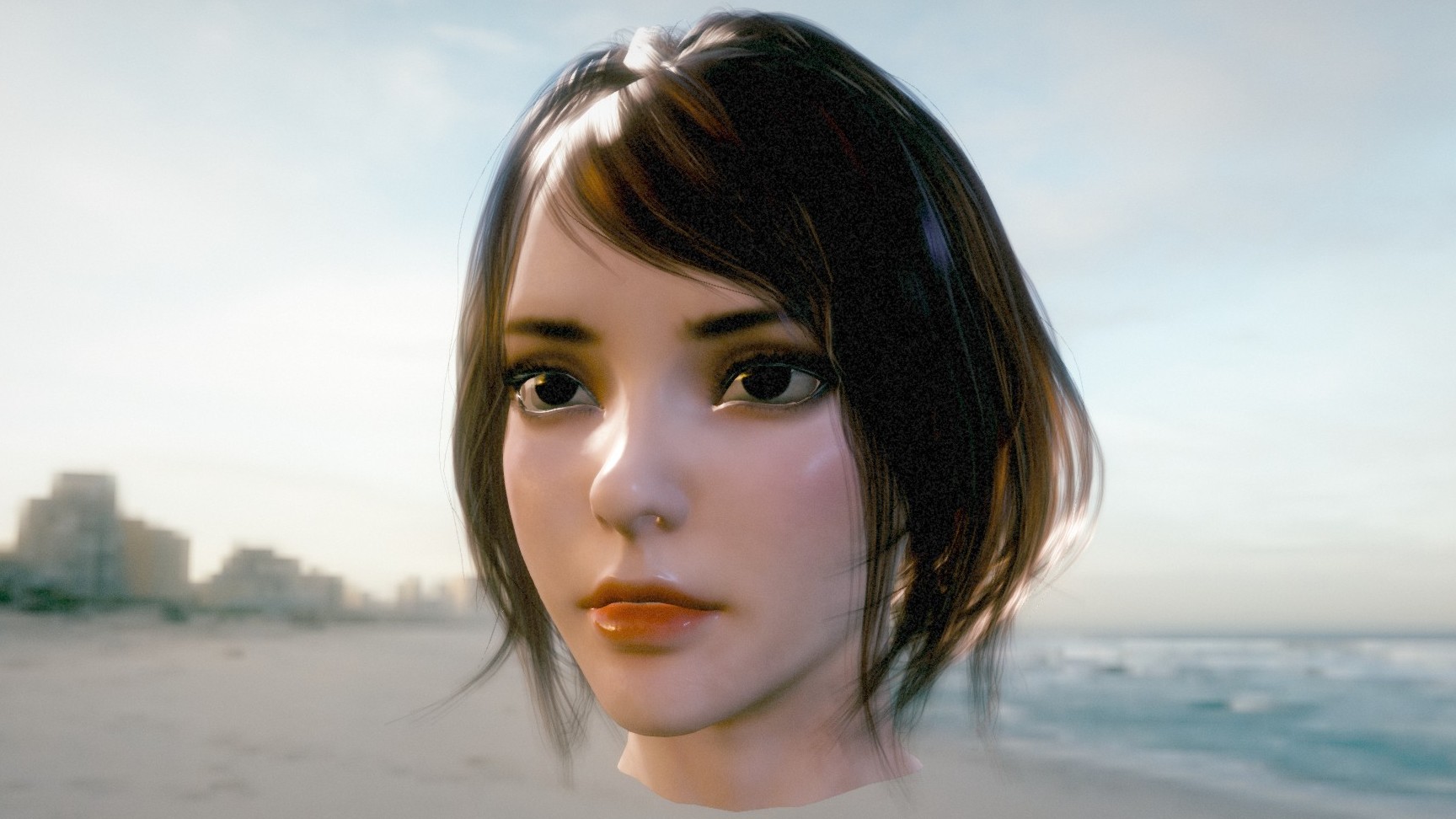
Showcase | glTF Samples | glTF Viewer & Inspector | Examples
⚠️ Warning: Early Development Stage
Myth is currently in active alpha development. APIs are unstable and subject to drastic breaking changes.
Introduction
Myth is a developer-friendly, high-performance 3D rendering engine written in Rust.
Inspired by the ergonomic simplicity of Three.js and built on the modern power of wgpu, Myth aims to bridge the gap between low-level graphics APIs and high-level game engines.
Why Myth?
wgpu is incredibly powerful — but even a simple scene requires hundreds of lines of boilerplate.
Bevy and Godot feel too heavy when you just want a lean rendering library.
Myth solves this with a strict SSA-based RenderGraph that treats rendering as a compiler problem:
- Automatic topological sort + dead-pass elimination
- Aggressive transient memory aliasing (zero manual barriers)
- O(n) per-frame rebuild with zero allocations
One codebase runs everywhere:
Native (Windows, macOS, Linux, iOS, Android) + WebGPU/WASM + Python bindings.
Features
-
Core Architecture & Platform
- True Cross-platform, One Codebase: Native (Windows, macOS, Linux, iOS, Android) + WebGPU/WASM + Python bindings.
- Modern Backend: Built on wgpu, fully supporting Vulkan, Metal, DX12, and WebGPU.
- SSA-based Render Graph: A declarative, compiler-driven rendering architecture. You declare the topological needs, and the engine handles the rest:
- Automatic Synchronization: Zero manual memory barriers or layout transitions.
- Aggressive Memory Aliasing: Reuses transient high-resolution physical textures perfectly across distinct logical passes.
- Dead Pass Elimination: Automatically culls rendering workloads.
- Zero-Allocation Per-Frame Rebuild: Evaluates and compiles the entire DAG every frame.
-
Advanced Rendering & Lighting
- Physically Based Materials: Robust PBR pipeline with Clearcoat, Iridescence, Transmission, Sheen, Anisotropy.
- Image-Based Lighting (IBL) + Dynamic Shadows (CSM).
- SSAO / SSSS / Skybox.
-
Post-Processing & FX
- HDR Pipeline + Bloom + Color Grading + TAA / FXAA / MSAA.
-
Assets & Tooling
- Full glTF 2.0 Support (PBR, animations, morph targets).
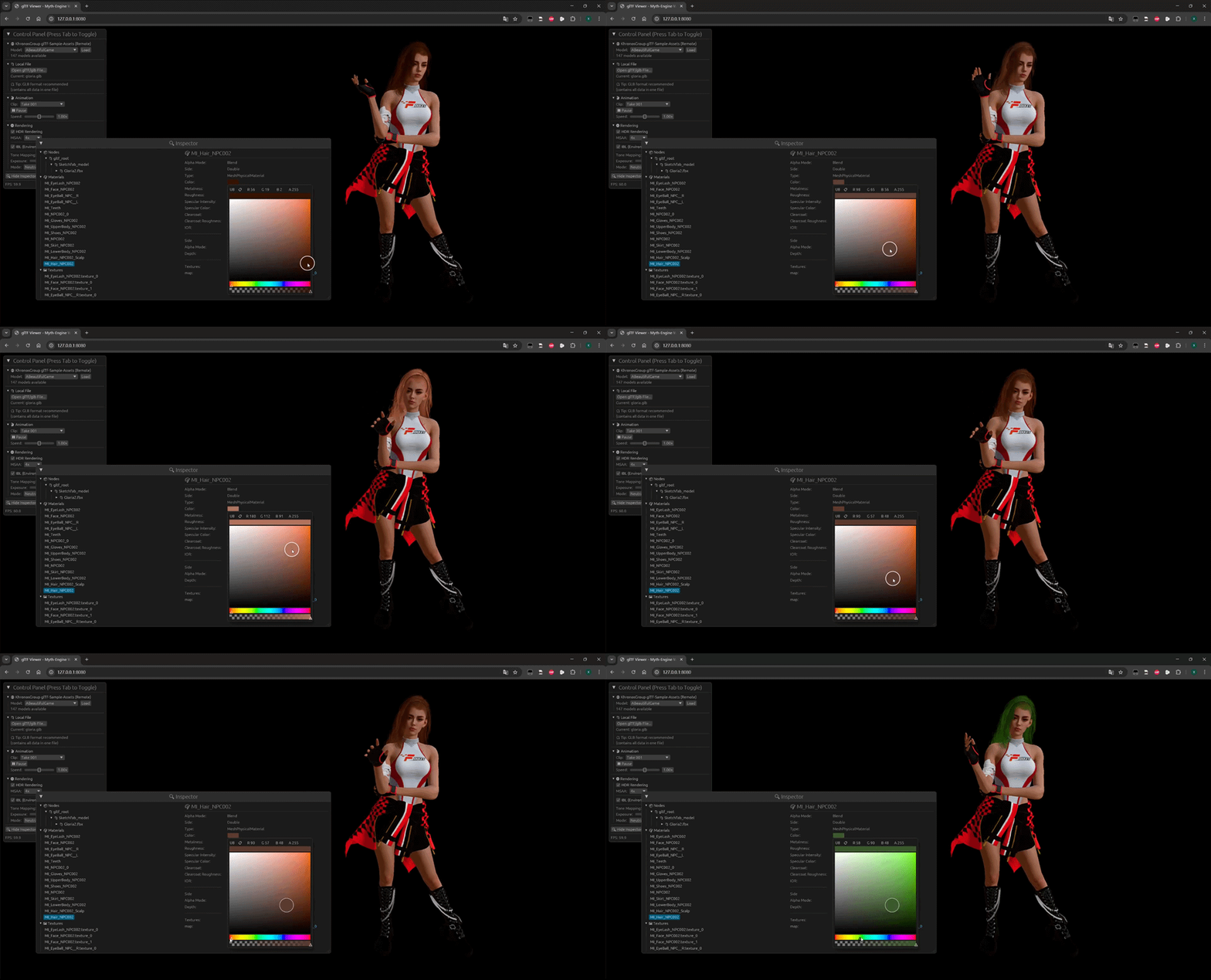
- Asynchronous Asset System + Embedded egui Inspector.
Under the Hood: The Graph Compiler
Myth uses a strict SSA-based RenderGraph, so the engine can:
- automatically schedule passes (topological order)
- eliminate unused work (dead-pass elimination)
- reuse memory aggressively (transient aliasing)
All without manual barriers.
Deep dive: docs/RenderGraph.md
Here is an actual, auto-generated dump of Myth Engine's RenderGraph during a complex frame:
flowchart TD
    classDef alive fill:#2b3c5a,stroke:#4a6f9f,stroke-width:2px,color:#fff,rx:5,ry:5;
    classDef dead fill:#222,stroke:#555,stroke-width:2px,stroke-dasharray: 5 5,color:#777,rx:5,ry:5;
    classDef external_out fill:#5a2b3c,stroke:#9f4a6f,stroke-width:2px,color:#fff;
    classDef external_in fill:#3c5a2b,stroke:#6f9f4a,stroke-width:2px,color:#fff;
    P29(["UI_Pass"]):::alive
    subgraph Shadow ["Shadow"]
        direction TB
        P0(["Shadow_Pass"]):::alive
    end
    style Shadow fill:#ec489914,stroke:#ec4899,stroke-width:2px,stroke-dasharray: 5 5,color:#fff,rx:10,ry:10
    subgraph Scene ["Scene"]
        direction TB
        P1(["Pre_Pass"]):::alive
        P4(["Opaque_Pass"]):::alive
        P7(["Skybox_Pass"]):::alive
        P14(["Transparent_Pass"]):::alive
        subgraph SSAO_System ["SSAO_System"]
            direction TB
            P2(["SSAO_Raw"]):::alive
            P3(["SSAO_Blur"]):::alive
        end
        style SSAO_System fill:#3b82f614,stroke:#3b82f6,stroke-width:2px,stroke-dasharray: 5 5,color:#fff,rx:10,ry:10
        subgraph SSSS_System ["SSSS_System"]
            direction TB
            P5(["SSSS_Blur_H"]):::alive
            P6(["SSSS_Blur_V"]):::alive
        end
        style SSSS_System fill:#10b98114,stroke:#10b981,stroke-width:2px,stroke-dasharray: 5 5,color:#fff,rx:10,ry:10
        subgraph TAA_System ["TAA_System"]
            direction TB
            P8(["TAA_Resolve"]):::alive
            P9(["TAA_Save_History_Color"]):::alive
            P10(["TAA_Save_History_Depth"]):::alive
            P11(["CAS_Pass"]):::alive
        end
        style TAA_System fill:#8b5cf614,stroke:#8b5cf6,stroke-width:2px,stroke-dasharray: 5 5,color:#fff,rx:10,ry:10
        subgraph Transmission_Map ["Transmission_Map"]
            direction TB
            P12(["Copy_Texture_Pass"]):::alive
            P13(["Generate_Mipmap_Pass"]):::alive
        end
        style Transmission_Map fill:#ec489914,stroke:#ec4899,stroke-width:2px,stroke-dasharray: 5 5,color:#fff,rx:10,ry:10
    end
    style Scene fill:#ef444414,stroke:#ef4444,stroke-width:2px,stroke-dasharray: 5 5,color:#fff,rx:10,ry:10
    subgraph PostProcess ["PostProcess"]
        direction TB
        P27(["ToneMap_Pass"]):::alive
        P28(["FXAA_Pass"]):::alive
        subgraph Bloom_System ["Bloom_System"]
            direction TB
            P15(["Bloom_Extract"]):::alive
            P16(["Bloom_Downsample_1"]):::alive
            P17(["Bloom_Downsample_2"]):::alive
            P18(["Bloom_Downsample_3"]):::alive
            P19(["Bloom_Downsample_4"]):::alive
            P20(["Bloom_Downsample_5"]):::alive
            P21(["Bloom_Upsample_4"]):::alive
            P22(["Bloom_Upsample_3"]):::alive
            P23(["Bloom_Upsample_2"]):::alive
            P24(["Bloom_Upsample_1"]):::alive
            P25(["Bloom_Upsample_0"]):::alive
            P26(["Bloom_Composite"]):::alive
        end
        style Bloom_System fill:#06b6d414,stroke:#06b6d4,stroke-width:2px,stroke-dasharray: 5 5,color:#fff,rx:10,ry:10
    end
    style PostProcess fill:#8b5cf614,stroke:#8b5cf6,stroke-width:2px,stroke-dasharray: 5 5,color:#fff,rx:10,ry:10

    %% --- Data Flow (Edges) ---
    IN_13[\"TAA_History_Color_Read"\]:::external_in
    IN_14[\"TAA_History_Depth_Read"\]:::external_in
    OUT_16[/"TAA_History_Color_Write"/]:::external_out
    OUT_17[/"TAA_History_Depth_Write"/]:::external_out
    OUT_35[/"Surface_With_UI"/]:::external_out
    P0 -->|"Shadow_Array_Map"| P4;
    P0 -->|"Shadow_Array_Map"| P14;
    P1 -->|"Scene_Depth"| P2;
    P1 -->|"Scene_Depth"| P3;
    P1 -->|"Scene_Depth"| P4;
    P1 -->|"Scene_Depth"| P5;
    P1 -->|"Scene_Depth"| P6;
    P1 -->|"Scene_Depth"| P7;
    P1 -->|"Scene_Depth"| P8;
    P1 -->|"Scene_Depth"| P10;
    P1 -->|"Scene_Depth"| P14;
    P1 -->|"Scene_Normals"| P2;
    P1 -->|"Scene_Normals"| P3;
    P1 -->|"Scene_Normals"| P5;
    P1 -->|"Scene_Normals"| P6;
    P1 -->|"Feature_ID"| P5;
    P1 -->|"Feature_ID"| P6;
    P1 -->|"Velocity_Buffer"| P8;
    P2 -->|"SSAO_Raw_Tex"| P3;
    P3 -->|"SSAO_Output"| P4;
    P3 -->|"SSAO_Output"| P14;
    P4 -->|"Scene_Color_HDR"| P5;
    P4 -->|"Scene_Color_HDR"| P6;
    P4 -->|"Specular_MRT"| P6;
    P5 -->|"SSSS_Temp"| P6;
    P6 ==>|"Scene_Color_SSSS"| P7;
    P7 ==>|"Scene_Color_Skybox"| P8;
    IN_13 -.-> P8;
    IN_14 -.-> P8;
    P8 -->|"TAA_Resolved"| P9;
    P8 -->|"TAA_Resolved"| P11;
    P9 --> OUT_16;
    P10 --> OUT_17;
    P11 -->|"CAS_Output"| P12;
    P11 -->|"CAS_Output"| P14;
    P12 -->|"Transmission_Tex"| P13;
    P13 ==>|"Transmission_Tex_Mipmapped"| P14;
    P14 ==>|"Scene_Color_Transparent"| P15;
    P14 ==>|"Scene_Color_Transparent"| P26;
    P15 -->|"Bloom_Mip_0"| P16;
    P15 -->|"Bloom_Mip_0"| P25;
    P16 -->|"Bloom_Mip_1"| P17;
    P16 -->|"Bloom_Mip_1"| P24;
    P17 -->|"Bloom_Mip_2"| P18;
    P17 -->|"Bloom_Mip_2"| P23;
    P18 -->|"Bloom_Mip_3"| P19;
    P18 -->|"Bloom_Mip_3"| P22;
    P19 -->|"Bloom_Mip_4"| P20;
    P19 -->|"Bloom_Mip_4"| P21;
    P20 -->|"Bloom_Mip_5"| P21;
    P21 ==>|"Bloom_Up_4"| P22;
    P22 ==>|"Bloom_Up_3"| P23;
    P23 ==>|"Bloom_Up_2"| P24;
    P24 ==>|"Bloom_Up_1"| P25;
    P25 ==>|"Bloom_Up_0"| P26;
    P26 -->|"Scene_Color_Bloom"| P27;
    P27 -->|"LDR_Intermediate"| P28;
    P28 -->|"Surface_View"| P29;
    P29 --> OUT_35;
( Legend: Single arrow --> represents logical data dependency; Double arrow ==> represents physical memory aliasing / in-place reuse)
Online Demo
Experience the engine directly in your browser (Chrome/Edge 113+ required for WebGPU):
- Showcase (Home): High-performance rendering showcase.
- Launch glTF Viewer & Inspector: Drag & drop your own .glb files.
- glTF Sample Models: Explore multiple official glTF assets from Khronos rendered with Myth.
Quick Start
Add myth-engine to your Cargo.toml:
[]
= "0.1.0"
# Or get the latest from GitHub
# myth-engine = { git = "https://github.com/panxinmiao/myth", branch = "main" }
The "Hello World"
A spinning cube with a checkerboard texture in < 50 lines:
use *;
;
Running Examples
Clone the repository and run the examples directly:
# Run the earth example
# Run the glTF Viewer (Desktop)
# Run the Cinematic Showcase (Web/WASM)
# Add `gltf-meshopt` feature to enable glTF mesh optimization with MeshOptimizer.
# Run the glTF Viewer (Web/WASM)
# Add `rdg_inspector` feature to enable beautiful RenderGraph visualization.
Python Bindings
Myth Engine also provides Python bindings for rapid prototyping and scientific visualization. See Python Bindings for installation and examples.
License
This project is licensed under the MIT License or Apache-2.0 License.