---
title: Quick start
description: Get set up on a project that uses murk for secrets.
sidebar:
order: 1
---
import { Steps } from '@astrojs/starlight/components';
You've been invited to a project that uses murk for secrets. Here's how to get set up.
<Steps>
1. ## Install murk
```bash
brew tap iicky/murk && brew install murk
```
Or: `cargo install murk-cli`, `pip install murk-secrets`, or download from
[GitHub Releases](https://github.com/iicky/murk/releases). See
[Install & verify](/install/) for every install path and how to verify a
release.
2. ## Generate your key
```bash
murk init
```
This creates your keypair and prints 24 recovery words. **Write them
down.** If you lose your key, these words are the only way to recover it.
See [Key recovery](/guides/recovery/).
Your key is stored in `~/.config/murk/keys/`, not in the repo.
3. ## Get authorized
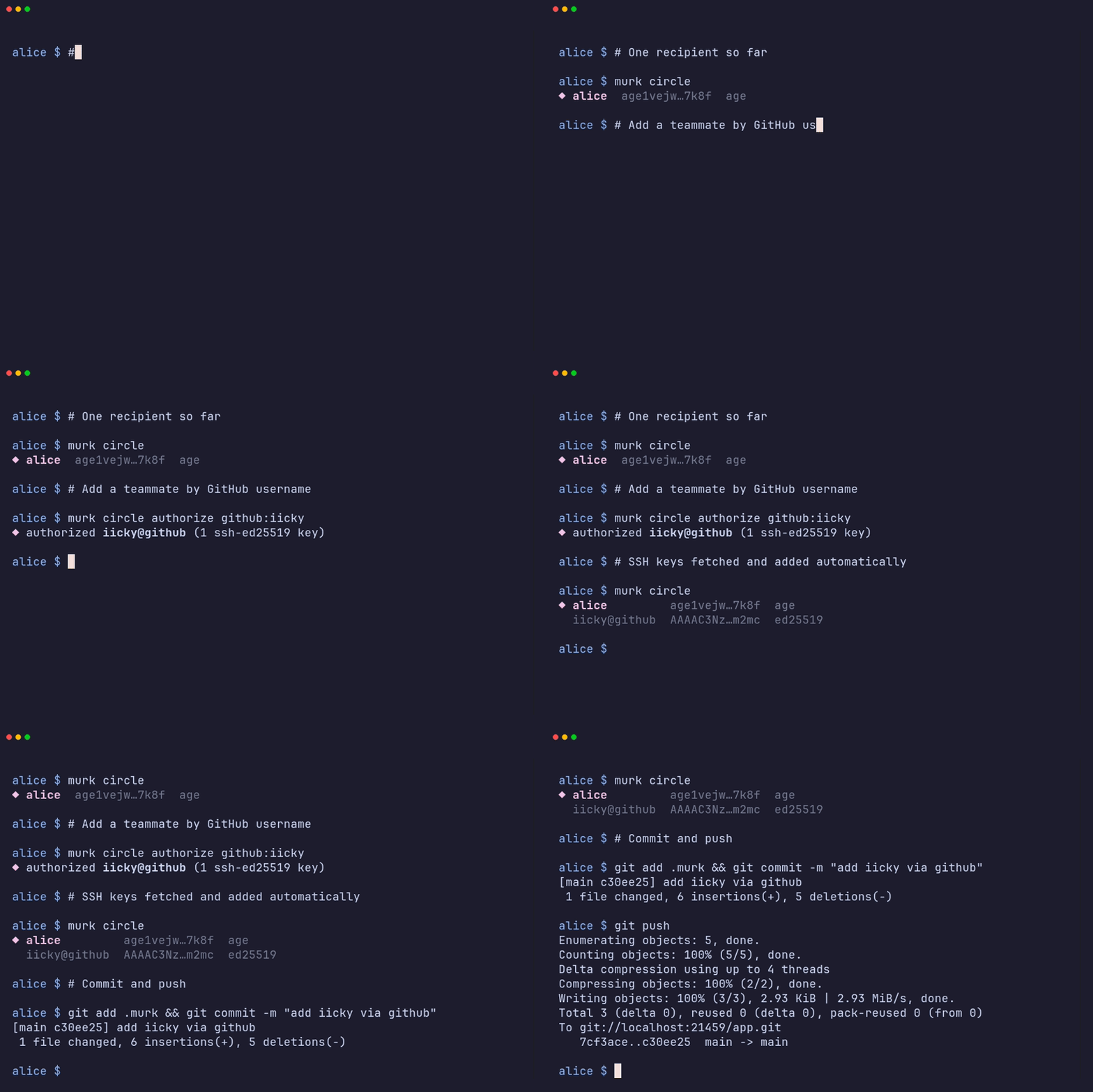
Ask whoever maintains the vault to authorize you. The easiest path is
GitHub, with no manual key exchange:
```bash
# (run by a current recipient, not you)
murk circle authorize github:YOUR_USERNAME
```
This fetches your SSH public keys from `https://github.com/YOUR_USERNAME.keys`
and adds them as recipients. murk pins the fingerprints on first authorize,
so if your GitHub keys change later the next `authorize github:YOU` will
flag the diff before accepting new keys.
If GitHub isn't an option, send them your raw age pubkey instead. Run
`murk init` a second time in the project directory. When the vault
already exists and you are not yet authorized, it prints the pubkey you
need to share:
```
⚠ not authorized — share your public key to get added:
age1…
```
They authorize it with `murk circle authorize age1… --name you@example.com`.
4. ## Pull and use secrets
Once authorized:
```bash
git pull # get the updated .murk file
murk ls # see what secrets are available
murk get DATABASE_URL # print one secret
murk export # print all as shell exports
murk exec -- ./my-script.sh # run a command with secrets in env
```
See the [CLI reference](/reference/cli/) for every command and flag.
5. ## Set up direnv (optional)
```bash
murk env
direnv allow
```
Now secrets are automatically loaded when you `cd` into the project. See
[direnv integration](/guides/direnv/) for how it works and how to keep it
in sync as secrets change.
</Steps>
## What to know
- **Key names are public.** Anyone with repo access can see what secrets
exist (e.g. `STRIPE_KEY`). Only values are encrypted.
- **Your key is your identity.** Don't share it. Don't paste it into chat.
Don't commit it.
- **Recovery phrase = your key.** If someone has your 24 words, they have
your key. See [Key recovery](/guides/recovery/).
- **Revocation doesn't erase history.** If you leave the team, your access to
old git history remains. The team should rotate secrets after revoking
you. See [Offboarding](/guides/offboarding/).