# MTUI - Modbus Terminal User Interface
A very extensive Modbus client available in pretty much any terminal.
Made in pure safe Rust, based on [tokio-modbus](https://crates.io/crates/tokio-modbus) and [ratatui](https://crates.io/crates/ratatui) (with [ratzilla](https://crates.io/crates/ratzilla) for the web demo).
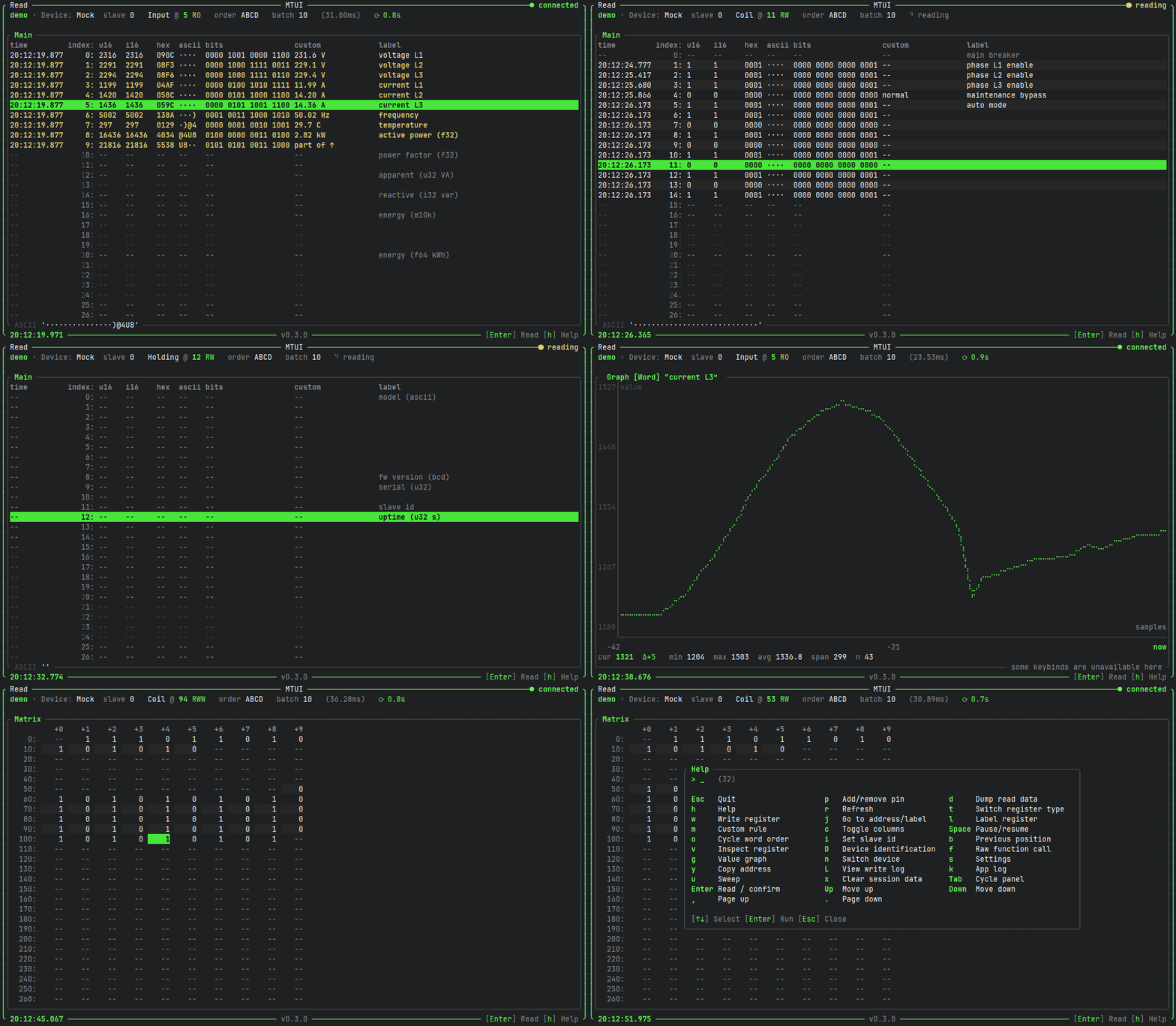
Play the GIF to see a quick tour, or better yet, try it in your browser (mock device only): **<https://inowattio.github.io/MTUI/>**
## Features
- Modbus TCP and RTU, plus a built-in mock device for playing around
- Live register reading with auto-refresh, pause/resume and slave id selection
- Interpretation columns with configurable word order: u16, i16, hex, binary, ASCII, u32, i32, f32, f64, M10K (and more!)
- Panels: main view, pinned, labeled, custom rules and an address matrix
- Pin, label and custom-rule registers; jump to address or label
- Value graph for a register over time
- Register writes, with a write log and an optional read-only mode
- HTTP API (`POST /read`, `POST /write`, `GET /health`, see [openapi.yaml](./openapi.yaml), can run standalone with `--headless`)
- Dump read data to a file, copy addresses to the clipboard, paste pins/labels/custom rules to import them
- Configurable via files, a user-located `config.json` file will be created on the first startup (`~/.config/mtui/` on Linux, `%APPDATA%\inowattio\mtui\config\` on Windows, `~/Library/Application Support/io.inowattio.mtui/` on macOS), overridable with `--config <path>` and can also be modified in-app.
Press `h` inside the app for all available keybinds.
## Running
Multiple options are available:
* (Linux) install via `snap install mtui`
* download a binary from [releases](https://github.com/inowattio/mtui/releases)
* with cargo via `cargo install mtui`
* clone the repository and then `cargo run`