# moq-player
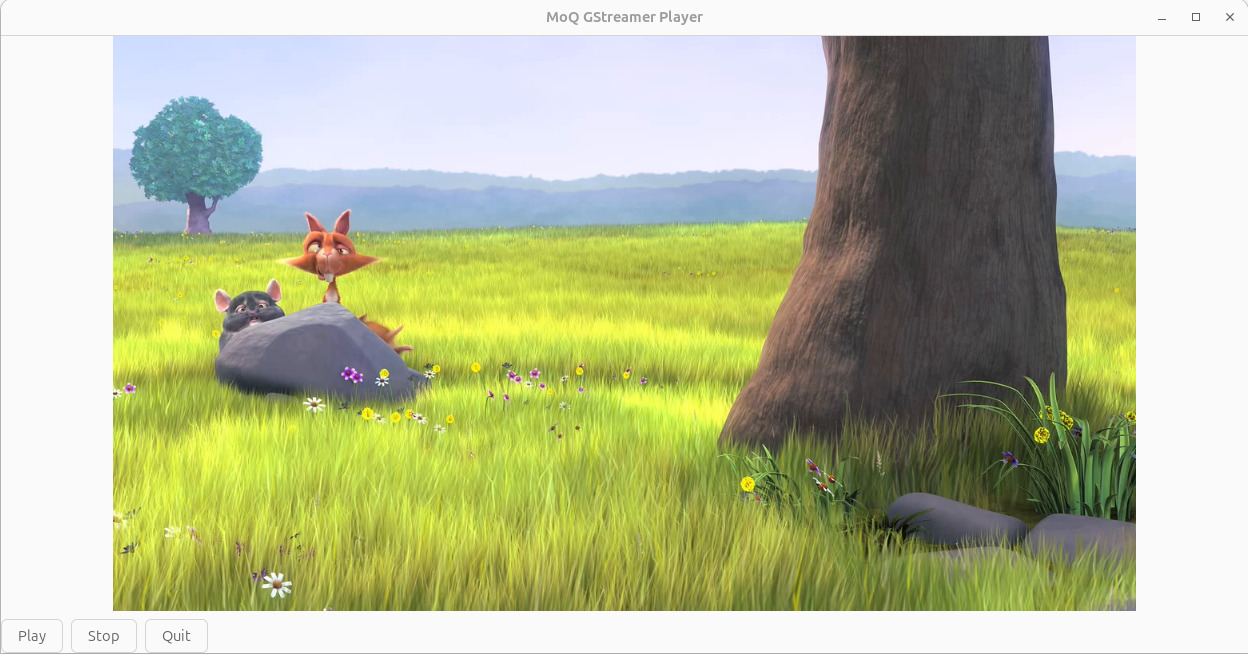
Linux-native, low-latency video rendering experiment.
This forms the basis of a MoQ media player (including encryption/signing) for linux. I will include this in my [moq-tv](https://github.com/cathode-ray-tube/moq-tv) repo (mainly targeting Smart TVs at the moment).
## What this is
- A Rust project targeting Linux that uses **GTK4** and **GStreamer**.
- Current pipeline is a real video decoder/player, connecting to a MoQ Relay and playing audio/video.
## Security / streaming direction
- Transport: **Media over Quic (MoQ)**
- Planned payload protection: **moq-secure** (encrypt + sign media payloads)
- Intended architecture: streaming layer (MoQ) → verified/decrypted media chunks → decoder → renderer.
## Current status
- Plays MoQ audio and video.
- MOQ-Secure not yet added.
## Install and run on Ubuntu or Debian
Open a terminal and paste the following commands.
### 1. Install system dependencies
```bash
sudo apt update
sudo apt install -y \
build-essential \
curl \
pkg-config \
libssl-dev \
libgtk-4-dev \
libgstreamer1.0-dev \
libgstreamer-plugins-base1.0-dev \
gstreamer1.0-tools \
gstreamer1.0-plugins-base \
gstreamer1.0-plugins-good \
gstreamer1.0-plugins-bad \
gstreamer1.0-libav \
gstreamer1.0-gtk4
```
### 2. Install the MoQ GStreamer plugin
```bash
curl -fsSL https://apt.moq.dev/moq-keyring.gpg \
| sudo tee /usr/share/keyrings/moq-keyring.gpg >/dev/null
echo "deb [signed-by=/usr/share/keyrings/moq-keyring.gpg] https://apt.moq.dev stable main" \
| sudo tee /etc/apt/sources.list.d/moq.list >/dev/null
sudo apt update
sudo apt install -y gstreamer1.0-moq
```
Check that the MoQ plugin is installed:
```bash
gst-inspect-1.0 moq
```
The output should include `moqsrc` and `moqsink`.
### 3. Install Rust
```bash
When prompted, press Enter to choose the default installation.
Then load Rust into the current terminal:
```bash
source "$HOME/.cargo/env"
```
### 4. Install moq-player
```bash
cargo install moq-player
```
### 5. Run moq-player
```bash
moq-player
```
A window should open, playing `Big Buck Bunny`.