# mji
## Table of content
- [Installation](#Installation)
- [Usage](#Usage)
- [License](#License)
- [Contributing](#Contributing)
- [TODO](#TODO)
## Installation
This program requires the latest stable release of rust.
Once rust is set up correclty simply clone the repository.
Then run:
```sh
cargo build # to build or
cargo install # to install
```
## Usage
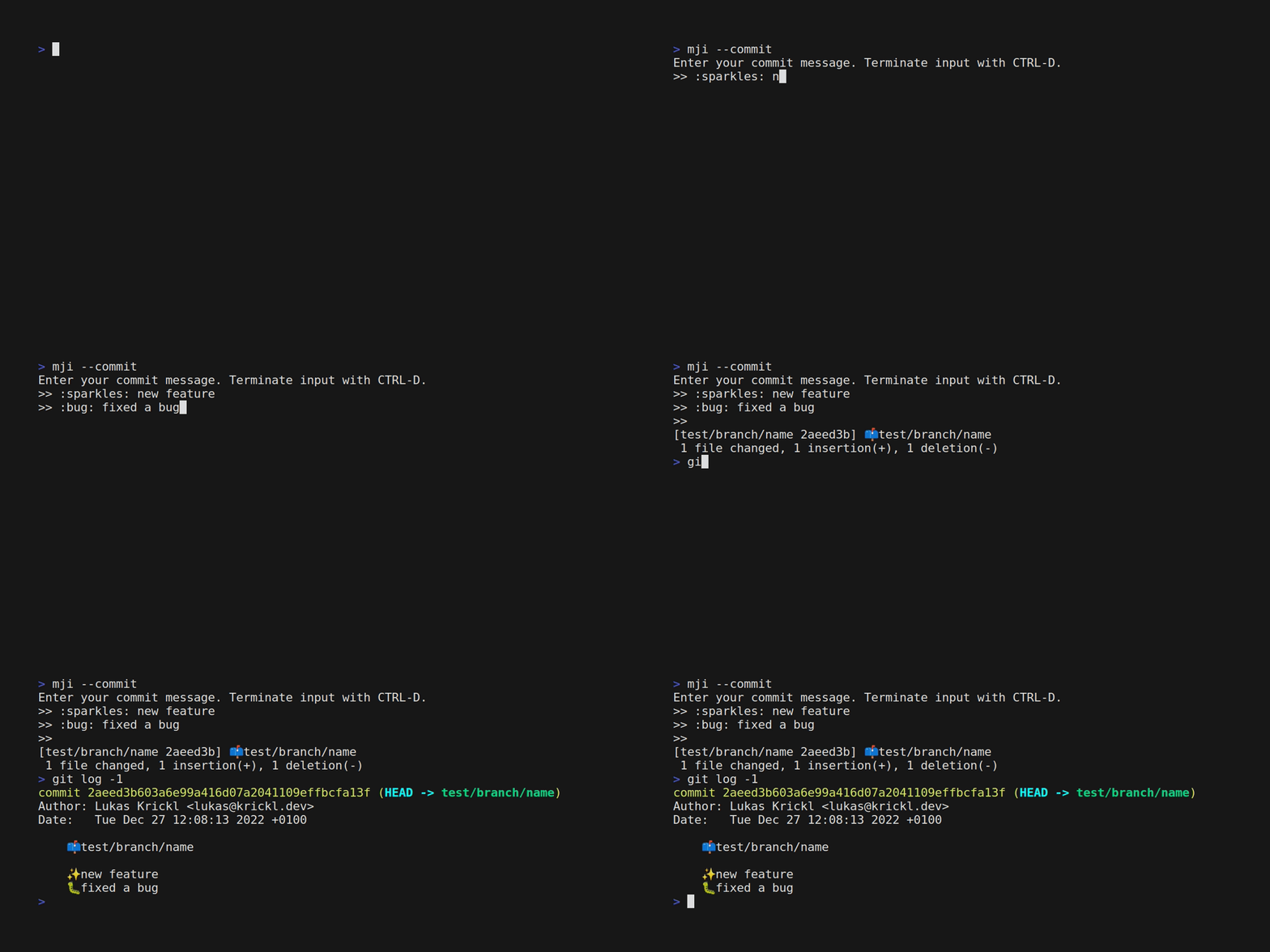
Example usage:
```sh
mji --help # display all options
mji # start interactive prompt
mji --commit # start prompt mode and run commit command (defaults to git commit -e -am <mji output>)
mji :sparkles: message 1 - :sparkles: message 2 # run mji in non-interactive mode
```
The default commands for the header and commits can be change using the enviornment variables
`MJI_HEADER_COMMAND` and `MJI_COMMIT_COMMAND`.
## License
This program is distributed under the terms of the MIT License.
## Contributing
All contributions are welcome.
Both pull requests and issue reports are always appreciated.
Please make sure that all existing tests pass before submitting a pull request.