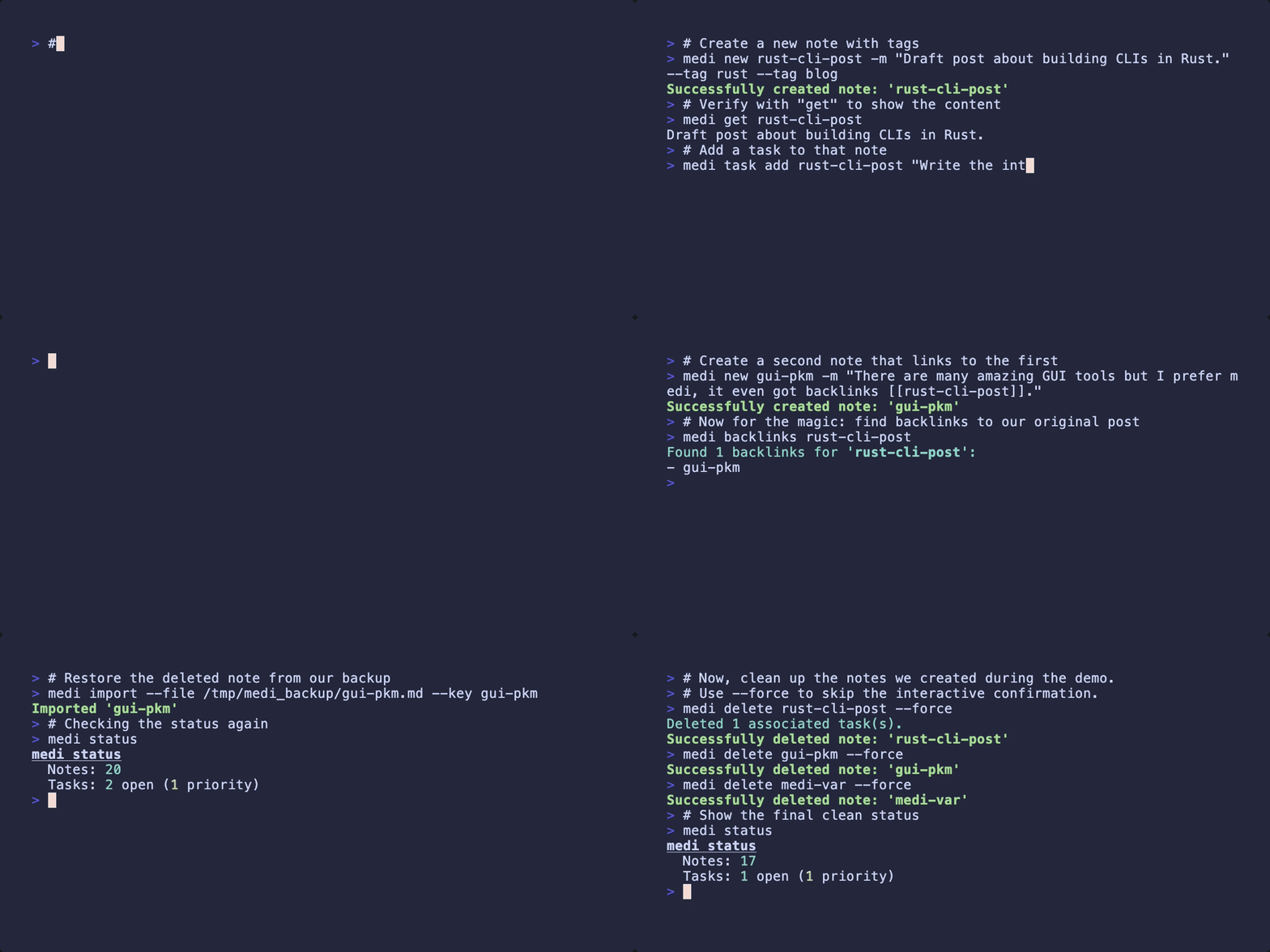
# medi.tape - A demo script for vhs

# Set the output file and terminal theme
Output medi.gif
Set Theme "Catppuccin Macchiato"
Set FontSize 24
Set Width 1200
Set Height 600
Set BorderRadius 10
Set PlaybackSpeed 0.8

Type "# Start with a clean slate by checking the status"
Enter
Type "medi status"
Enter
Sleep 3s

# Clear the screen for the next command
Ctrl+L
Sleep 1s

Type "# Create a new note with tags"
Enter
Type 'medi new rust-cli-post -m "Draft post about building CLIs in Rust." --tag rust --tag blog'
Enter
Sleep 2s

Type '# Verify with "get" to show the content'
Enter
Type "medi get rust-cli-post"
Enter
Sleep 3s

Type "# Add a task to that note"
Enter
Type 'medi task add rust-cli-post "Write the introduction paragraph"'
Enter
Sleep 2s

Type "# List our tasks to see the new one"
Enter
Type "medi task list"
Enter
Sleep 3s

# Clear the screen for the next command
Ctrl+L
Sleep 1s

Type "# Let's create a note from a pipe"
Enter
Type 'export MEDI_VAR="My medi note from an environment variable"'
Enter
Type 'echo $MEDI_VAR | medi new medi-var --tag env'
Enter
Sleep 2s

Type "# Check status for the new note"
Enter
Type "medi status medi-var"
Enter
Sleep 3s

# Clear the screen for the next command
Ctrl+L
Sleep 1s

Type "# I remember writing about CLIs, but forgot the key. Let's do a search"
Enter
Type 'medi search "CLI"'
Enter
Sleep 3s

# Clear the screen for the next command
Ctrl+L
Sleep 1s

Type "# Create a second note that links to the first"
Enter
Type 'medi new gui-pkm -m "There are many amazing GUI tools but I prefer medi, it even got backlinks [[rust-cli-post]]."'
Enter
Sleep 2s

Type "# Now for the magic: find backlinks to our original post"
Enter
Type "medi backlinks rust-cli-post"
Enter
Sleep 3s

# Clear the screen for the next command
Ctrl+L
Sleep 1s

Type "# Export for backup"
Enter
Type "medi export /tmp/medi_backup"
Enter
Sleep 2s

Type "# Simulate data loss by deleting a note"
Enter
Type "medi delete gui-pkm --force"
Enter
Sleep 2s

# Clear the screen for the next command
Ctrl+L
Sleep 1s

Type "# Restore the deleted note from our backup"
Enter
Type "medi import --file /tmp/medi_backup/gui-pkm.md --key gui-pkm"
Enter
Sleep 3s

Type "# Checking the status again"
Enter
Type "medi status"
Enter
Sleep 3s

# Clear the screen for the next command
Ctrl+L
Sleep 1s

# --- Cleanup ---
Type "# Now, clean up the notes we created during the demo."
Enter
Type "# Use --force to skip the interactive confirmation."
Enter
Type "medi delete rust-cli-post --force"
Enter
Sleep 2s
Type "medi delete gui-pkm --force"
Enter
Sleep 2s
Type "medi delete medi-var --force"
Enter
Sleep 2s

Type "# Show the final clean status"
Enter
Type "medi status"
Enter
Sleep 3s