# mdbook-inline-highlighting
Compatible with mdBook version` 0.5.*`.
## Installation
```console
cargo install mdbook-inline-highlighting
```
## Usage
```toml
[preprocessor.inline-highlighting]
default-language = "js"
# Enforce JavaScript syntax highlighting when no language is specified. When this
# value is absent no syntax highlighting is applied unless explictly specified.
```
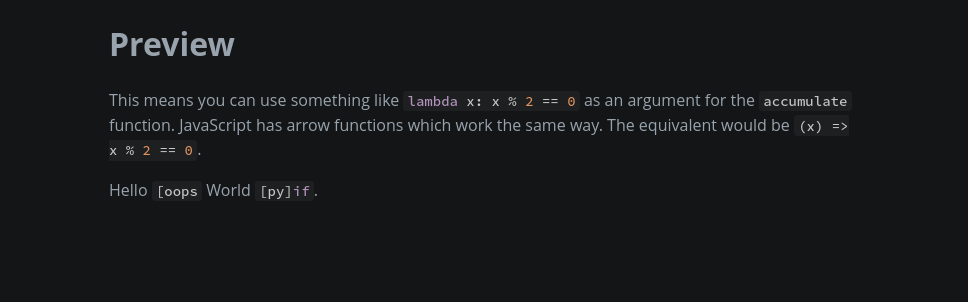
In one of your chapters, you can write something like this:
```markdown
This means you can use something like `[py] lambda x: x % 2 == 0` as an argument
for the `[none] accumulate` function. JavaScript has arrow functions which work
the same way. The equivalent would be `(x) => x % 2 == 0`.
```
- `[py] lambda x: x % 2 == 0` overrides the default `js`
- `[none] accumulate` ignores the default `js`
- `(x) => x % 2 == 0` uses the default `js` implicitly
Note that each inline code must have the following syntax: `[LANGUAGE] TEXT`
with the space being mandatory. Inline codes beginning with a backslash will
remove it and keep the rest as is so `\[py] if` would result in `[py] if`.
This preprocessor always uses the same version of `highlight.js` that is used
for code blocks.
## Demo
After cloning this repository and installing the crate, navigate to the `test_book`
directory and run `mdbook serve` to see the example above in action.
