# mdbook-content-loader
**Zero-runtime-fetch content collections for mdBook**
Injects your `content-collections.json` (generated by
[`mdbook-content-collections`](https://crates.io/crates/mdbook-content-collections))
directly into your HTML as `window.CONTENT_COLLECTIONS` — **no network request,
no path hacks, works offline**.
By default, the data is injected on your landing page (`index.md`) only. You can
optionally enable the old behavior and inject it on _every_ page via a config
flag.
This gives you true **Astro/Zola-style content collections** inside mdBook:
instant, reliable access to posts, blog entries, notes, changelogs — anywhere in
your theme.
---
## Why this exists
The original `mdbook-content-collections` example used
`fetch('content-collections.json')` in the browser.
That works… until it doesn’t:
| Extra HTTP request | Yes | No |
| Broken in `file://` / offline mode | Yes | Works perfectly |
| Fragile URL construction | Yes | No path logic needed |
| Flash of empty content | Yes | Instant |
| Fails silently on 404 | Yes | Build fails early |
| Works on GitHub Pages / custom domains | Sometimes | Always |
**This crate fixes all of that permanently.**
---
## What you get
A single, ready-to-query global on every page (or just the landing page, by
default)
```html
<script>
window.CONTENT_COLLECTIONS = { ...ready to use... }
</script>
```
- `window.CONTENT_COLLECTIONS.entries`: all published items, sorted newest →
oldest
- `window.CONTENT_COLLECTIONS.collections`: per‑collection buckets (blog, notes,
changelog, etc.)
- `window.CONTENT_COLLECTIONS.generated_at`: build timestamp for cache busting
or debugging
Each entry has the full shape from `mdbook-content-collections` (path, title,
date, description, tags, optional `collection`, `preview_html`, and `draft`
stripped out), so your theme code can immediately render lists, sidebars, tag
clouds, and “related posts” without any extra parsing or network calls.
---
## Installation
```bash
cargo install mdbook-content-loader
# If not installed, install mdbook-content-collections
# cargo install mdbook-content-collections
```
**Setup**
Add the following to your `book.toml`:
```toml
[preprocessor.content-collections]
# Generates content-collections.json
[preprocessor.content-loader]
command = "mdbook-content-loader"
after = ["content-collections"] # make sure JSON is generated first
# Behavior:
# - default: inject window.CONTENT_COLLECTIONS only into index.md
# - set inject_all = true to inject into every chapter
# inject_all = true
```
The `after` key ensures the JSON exists before this loader runs, and
`inject_all` is an optional boolean that restores the old “every page” behavior.
mdBook exposes this table under `[preprocessor.content-loader]` to the
preprocessor via `PreprocessorContext`, which is where this flag is read.
Works best with an empty `index.md`, create one by adding this as the first line
of your `SUMMARY.md`:
```md
()[index.md]
```
Then run `mdbook build` to create it.
---
## Frontmatter Example
`mdbook-content-loader` injects the collection `blog` into `index.md` by
default, so for a chapter to be listed on the landing, the frontmatter would
look like:
```yaml
---
title: "My first note"
date: 2025-12-07
collection: "blog"
description: "Short note about using mdbook-content-loader."
draft: false
---
```
Chapters with the latest `date` will be listed first. Chapters with
`draft: true` will be skipped.
---
## Usage in your theme
Drop this anywhere in `theme/index.hbs` (or any `.hbs` file).
For example, placing it directly between `<main>` and `</main>` works, and
you'll have a landing page of your "Latest Edited Posts" placed right above the
prev/next buttons:
```js
<main>
{{{ content }}}
</main>
```
Add the following block right below `{{{ content }}}`:
```html
<div id="latest-posts"></div>
<script>
if (!window.CONTENT_COLLECTIONS) {
console.warn("mdbook-content-loader: data not loaded");
} else {
const posts =
window.CONTENT_COLLECTIONS.collections.blog ||
window.CONTENT_COLLECTIONS.collections.posts ||
[];
const list = document.getElementById("latest-posts");
const ul = document.createElement("ul");
posts.slice(0, 5).forEach((post) => {
const li = document.createElement("li");
li.innerHTML = `
<h3><a href="$$ {post.path.replace(/\.md $$/, '.html')}">${post.title}</a></h3>
${post.date ? `<time>${new Date(post.date).toISOString().slice(0, 10)}</time>` : ""}
<div class="preview">${post.preview_html}</div>
`;
ul.appendChild(li);
});
list.appendChild(ul);
}
</script>
```
What the landing page will look like after adding the above code block:
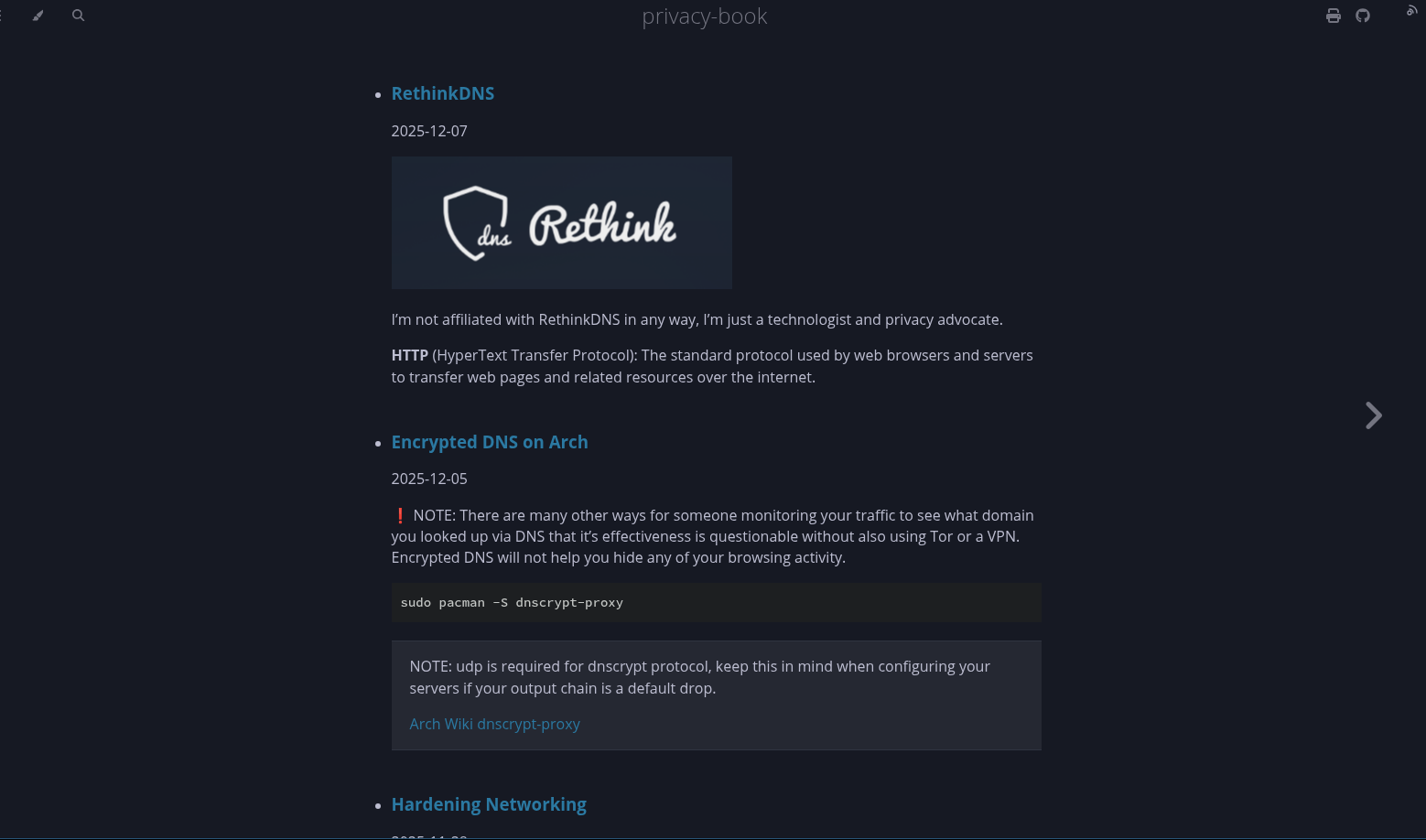
Entries with `collection: "blog"` end up in
`window.CONTENT_COLLECTIONS.collections.blog`.
Entries with `collection: "posts"` or with no collection at all end up in
`window.CONTENT_COLLECTIONS.collections.posts` as a general “all posts” bucket.
The “Latest posts” example code first prefers `collections.blog` and only falls
back to `collections.posts` if there are no blog items.
Want a sidebar? Tag cloud? Search index? Related posts? Just read from
`window.CONTENT_COLLECTIONS`.
---
## Common patterns
```js
// Latest 5 blog posts
window.CONTENT_COLLECTIONS.collections.blog?.slice(0, 5);
// All posts (any collection)
window.CONTENT_COLLECTIONS.entries;
// Posts with tag "rust"
window.CONTENT_COLLECTIONS.entries.filter((p) => p.tags.includes("rust"));
```
---
## Data Shape of content-collections.json
Same as `mdbook-content-collections`, plus:
- `entries`: all entries from content-collections.json, sorted newest → oldest
- `collections`: grouped views of the same entries, for example:
- `collections.blog`: all entries where collection === "blog"
- `collections.posts`: all entries (fallback/all posts)
- `generated_at`: ISO 8601 timestamp string of when the data was injected into
`window.CONTENT_COLLECTIONS`
- All `draft: true` entries removed
See:
[mdbook-content-collections](https://crates.io/crates/mdbook-content-collections)
---
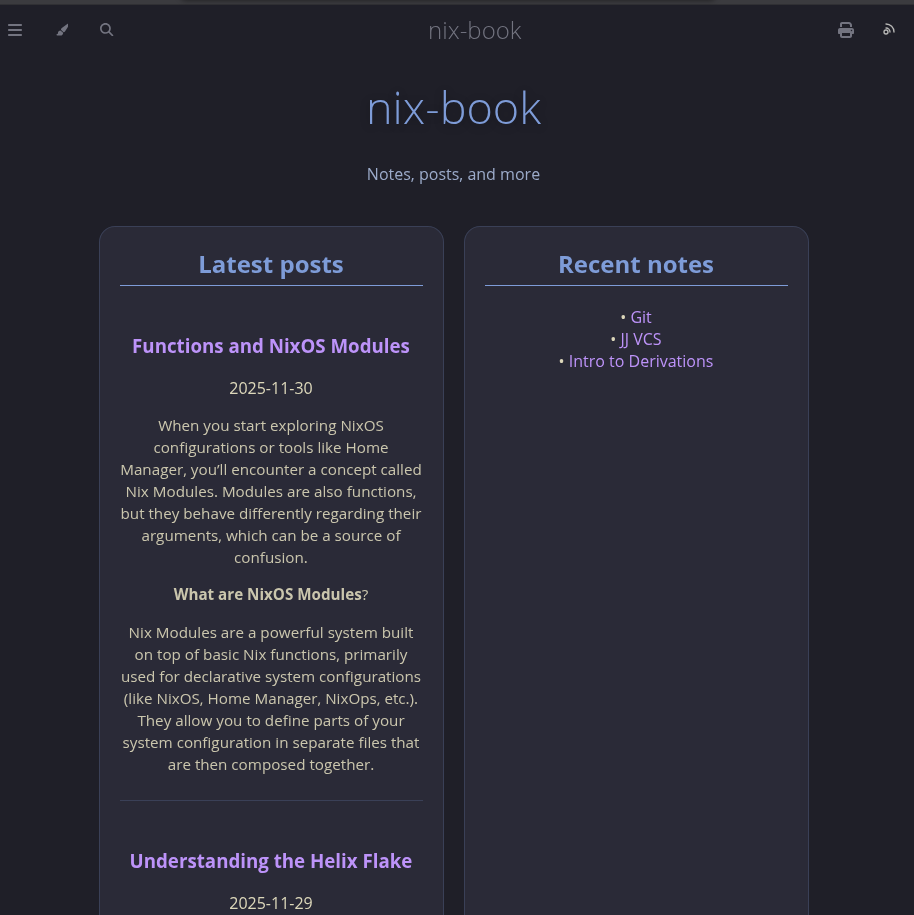
## Example Project built with content-collections / content-loader
- [mdbook-kanagawa-theme](https://crates.io/crates/mdbook-kanagawa-theme)
### License
[Apache License 2.0](https://github.com/saylesss88/mdbook-content-loader/blob/main/LICENSE)