
knotra-0.32.1 is not a library.
knotra

A VCS-agnostic tool for inspecting, organizing, and visualizing changes. Git and jj supported.
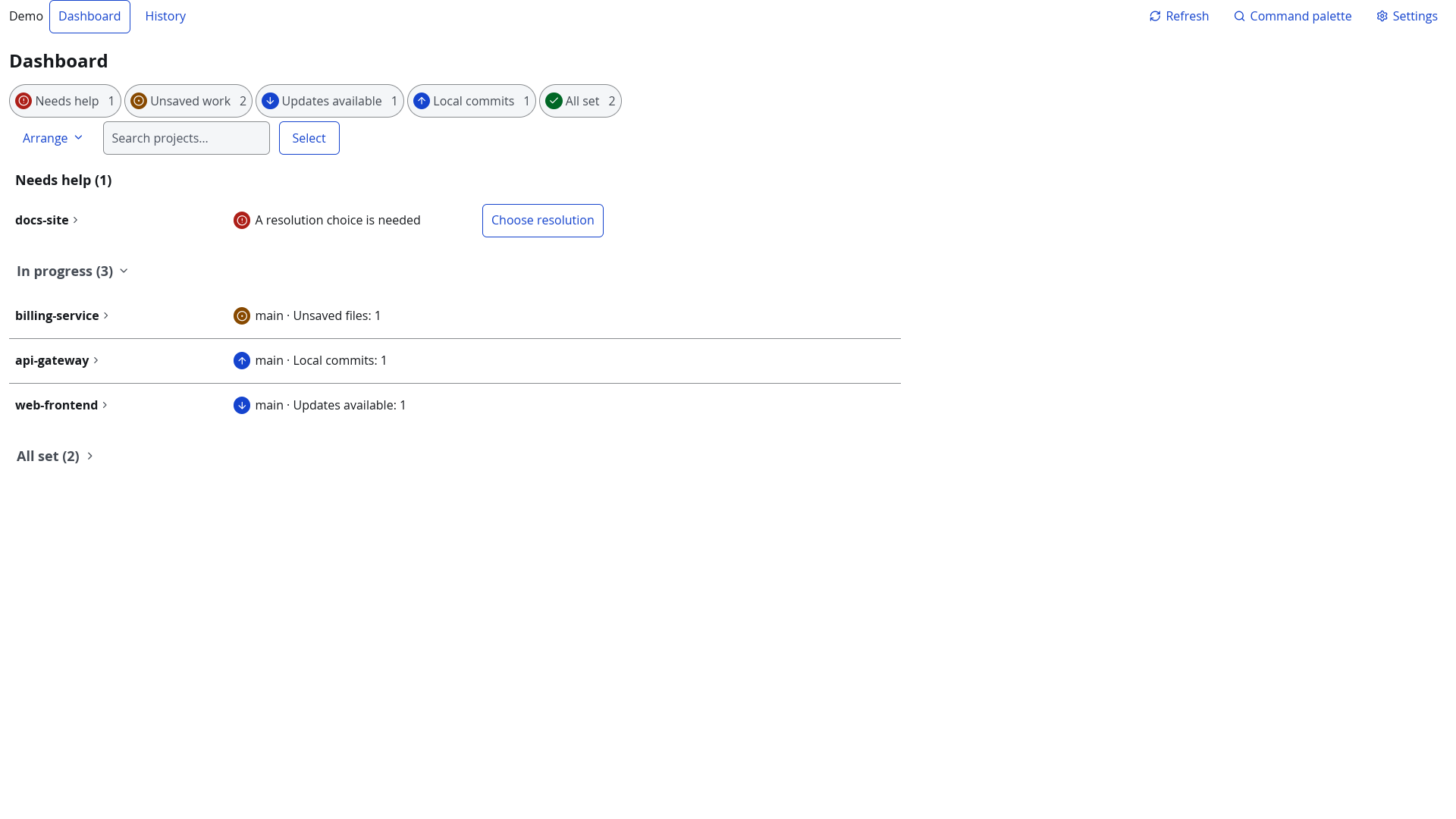
Overview
knotra is a local-first GUI application for developers and release managers who work across multiple Git and Jujutsu (jj) repositories simultaneously.
It solves the problem of keeping your multi-repo workspace coherent: knowing which repos are behind, which have uncommitted changes, and performing bulk operations — fetches, context switches, release tagging — safely and atomically.
Why knotra?
| Situation | Without knotra | With knotra |
|---|---|---|
| "Are all my repos up to date?" | cd into each, run git status |
Dashboard card grid shows it instantly |
| "Update everything safely" | Manual loop, forget dirty repos | Smart Pull with dirty-state guard |
| "Tag v1.2.3 across 8 repos" | Run tag command 8 times, pray | Freezer validates, tags atomically, rolls back on failure |
| "What went wrong during the last release?" | Search terminal history | History screen with per-project logs |
Quick Start
# Build from source (requires Rust 2024 edition / rustc ≥ 1.88)
# Run
# The first run creates ~/.config/knotra/config.toml with defaults.
# Add your repositories via Settings → Add Project.
Features / Design Notes
- Dashboard: card-grid view of all registered projects — auto-grouped by attention tier (Needs Attention / Active / Clean).
- Sync & Pull: bulk fetch and Smart Pull with dirty-repo detection — opens as a modal from the selection bar.
- Context Switch: switch branch / change-set across projects from a single modal (
Ctrl+Kor Switch… button). - Freezer: transactional cross-repo tag/bookmark creation with automatic rollback — opens as a modal from the selection bar.
- History: searchable operation log with copy-paste-friendly command output.
- Accessible by Default: keyboard navigation, sufficient contrast, labels on all status indicators.
- Transparent: every operation logs the VCS commands it executed and their output.
- Local-first: no cloud sync, no telemetry, no required external services.
For more detail, see our full documentation
docs/ — mdBook source (run
mdbook serve docsto browse locally)
Key chapters: