# Introduction
Knope is a CLI/CI tool which automates common tasks for developers. Things like creating changelogs, choosing and setting new versions, creating GitHub releases / tags, transitioning issues, creating and merging branches, creating pull requests... anything that is a repetitive, time-consuming task in your development cycle, this tool is made to speed up.
## How it Works
```admonish info
For some use-cases, you don't need to create a `knope.toml` file! If no file is detected, Knope will use the same config at runtime that it would create with `knope --generate`. Run `knope --generate` to see what you get for free, or check out the [default workflows](default_workflows.md).
```
You create a file called `knope.toml` in your project directory which defines some workflows. The format of this file is described in [the chapter on config][config], the key piece to which is the `workflows` array. You can get started quickly with `knope --generate` which will give you some starter workflows.
Once you've got a config set up, you just run this program (`knope` if you installed normally via cargo). That will prompt you to select one of your configured workflows. Do that and you're off to the races!
## CLI Arguments
Running `knope` on its own will prompt you to select a defined workflow (if any). You can quickly run a workflow by passing the workflow's `name` as a positional argument. This is the only positional argument `knope` accepts, so `knope release` expects there to be a workflow named `release` and will try to run that workflow.
### Options
There are a few options you can pass to `knope` to control how it behaves.
1. `--help` prints out a help message and exits.
2. `--version` prints out the version of `knope` and exits.
3. `--generate` will generate a `knope.toml` file in the current directory.
4. `--validate` will check your `knope.toml` to make sure every workflow in it is valid, then exit. This could be useful to run in CI to make sure that your config is always valid. The exit code of this command will be 0 only if the config is valid.
5. `--dry-run` will pretend to run the selected workflow (either via arg or prompt), but will not actually perform any work (e.g., external commands, file I/O, API calls). Detects the same errors as `--validate` but also outputs info about what _would_ happen to stdout.
6. `--prerelease-label` will override the `prerelease_label` for any [`PrepareRelease`] step run.
7. `--upgrade` will upgrade your `knope.toml` file from deprecated syntax to the new syntax in preparation for the next breaking release.
### Environment Variables
These are all the environment variables that Knope will look for when running workflows.
1. `KNOPE_PRERELEASE_LABEL` works just like the `--prerelease-label` option. Note that the option takes precedence over the environment variable.
2. `GITHUB_TOKEN` will be used to load credentials from GitHub for [GitHub config].
## Features
More detail on everything this program can do can be found by digging into [config] but here's a rough (incomplete) summary:
1. Select issues from Jira or GitHub to work on, transition and create branches from them.
2. Do some basic git commands like switching branches or rebasing.
3. Bump the version of your project using semantic rules.
4. Bump your version AND generate a Changelog entry from conventional commits.
5. Do whatever you want by running arbitrary shell commands and substituting data from the project!
## Concepts
You define a [config] file named `knope.toml` which has some metadata (e.g. [package definitions]) about your project, as well as a set of [workflows][workflow]. Each [workflow] consists of a series of [steps][step] that will execute in order, stopping if any step fails. Some [steps][step] require other steps to be run before they are.
## The Name
Knope (pronounced like "nope") is a reference to the character Leslie Knope from the TV show Parks and Recreation. She loves doing the hard, tedious work that most people don't like doing, and she's very good at it, just like this tool!
## The Logo
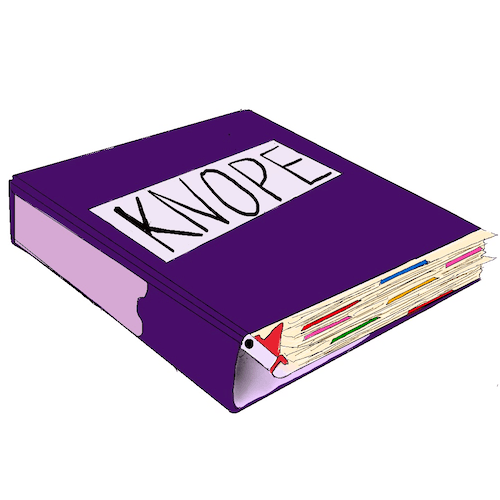
The logo is a binder in reference to Leslie Knope's love of binders. The binder is also analogous to the `knope.toml` file which defines all the workflows for your project.
[config]: config/config.md
[package definitions]: config/packages.md
[workflow]: config/workflow.md
[step]: config/step/step.md
[`preparerelease`]: config/step/PrepareRelease.md
[github config]: config/github.md
