<p align="center" style="text-align: center;">
<img src="keepass-diff.svg" alt="keepass-diff" />
</p>
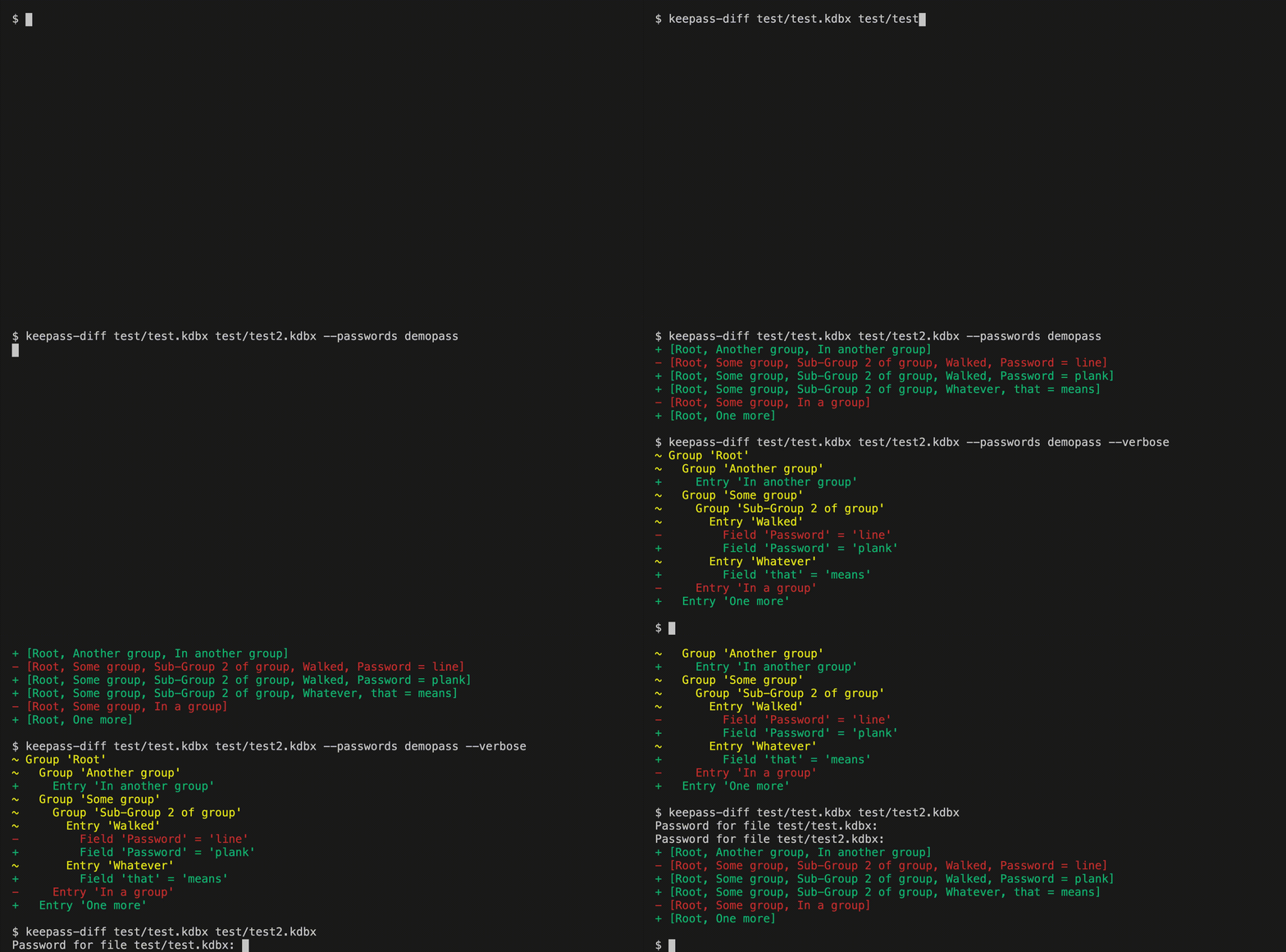
This CLI-tool diffs two Keepass (.kdbx) files and prints their differences.
## Installation
```
RUSTFLAGS="-C target-cpu=native" cargo install keepass-diff
```
The `RUSTFLAGS` variable will significantly boost performance. See
[installation note in keepass-rs](https://github.com/sseemayer/keepass-rs#installation).
## Usage
```
keepass-diff <file-a> <file-b>
```
The CLI will ask for the password for both files individually.
### Providing passwords
You can also provide one or both passwords on the command line (please be aware
that this will expose them to other users logged on to the system):
```
keepass-diff <file-a> <file-b> --password-a <password-a> --password-b <password-b>
```
If the files have the same password, you can use the `--passwords <password>`
flag. Be aware this has the same problem as above:
```
keepass-diff <file-a> <file-b> --passwords <password>
```
### Providing keyfiles
```
keepass-diff <file-a> <file-b> --keyfile-a <keyfile-a> --keyfile-b <keyfile-b>
```
If one of these flags is provided, it will use the keyfile for authentication.
It will still ask for a password, if the password flags are not provided.
### Disabling color output for scripts
If you want to pipe the output of the command into another file or script, you
may want to disable the terminal colors. You can do so with the `--no-color` or
`-C` flag.
`--help` yields:
```
USAGE:
keepass-diff [FLAGS] [OPTIONS] <INPUT-A> <INPUT-B>
FLAGS:
-h, --help Prints help information
-C, --no-color Disables color output
--no-password-a Sets no password for the first file (and will not ask for it)
--no-password-b Sets no password for the second file (and will not ask for it)
--no-passwords Sets no password for both files (and will not ask for both files)
-V, --version Prints version information
-v, --verbose Enables verbose output
OPTIONS:
--keyfile-a <keyfile-a> Sets the key file for the first file
--keyfile-b <keyfile-b> Sets the key file for the second file
--keyfiles <keyfiles> Sets the same key file for both files (keyfile-a and keyfile-b would take
precedence if set as well)
--password-a <password-a> Sets the password for the first file (will be asked for if omitted)
--password-b <password-b> Sets the password for the second file (will be asked for if omitted)
--passwords <passwords> Sets the password for both files (if it's the same for both files)
ARGS:
<INPUT-A> Sets the first file
<INPUT-B> Sets the second file
```
## Used libraries:
- [clap](https://clap.rs/) to read command line arguments
- [rpassword](https://github.com/conradkdotcom/rpassword) to read the passwords.
- [keepass](https://github.com/sseemayer/keepass-rs) to read `.kdbx` files.
- [termcolor](https://github.com/BurntSushi/termcolor) to print with colors.
## Testing
Password for the Keepass demo files: `demopass`.
`test_file.kdbx` is locked without password and keyfile `keyfile.key`.
`test2_file.kdbx` is locked with `demopass` and the keyfile `keyfile.key`.
A small bash script for running tests is `run-tests.sh`. It will run a few tests
to see if the outputs is correct. Best run as
`RUSTFLAGS="-C target-cpu=native" ./run-tests.sh` for improved performance.
## Contributing
Care to help? I'm pretty new to Rust, so if anyone likes to help or teach me
cool stuff, please reach out!

