
kaji — Steer Your Keycloak Configuration


Disclaimer: This project is experimentally written almost entirely by AI, so any usage should keep this in mind and that the execution of this software is at your own risk.
kaji (舵, Japanese for helm or rudder) is a robust CLI tool for the declarative management of Keycloak configurations. Just as a ship's helm holds its course through any conditions, kaji steers your Keycloak identity infrastructure to a stable, locked, declared state — enabling version control, automated testing, and reliable drift detection.
📺 Screenshots
Interactive Plan Mode
Previewing changes before applying them with interactive confirmation.
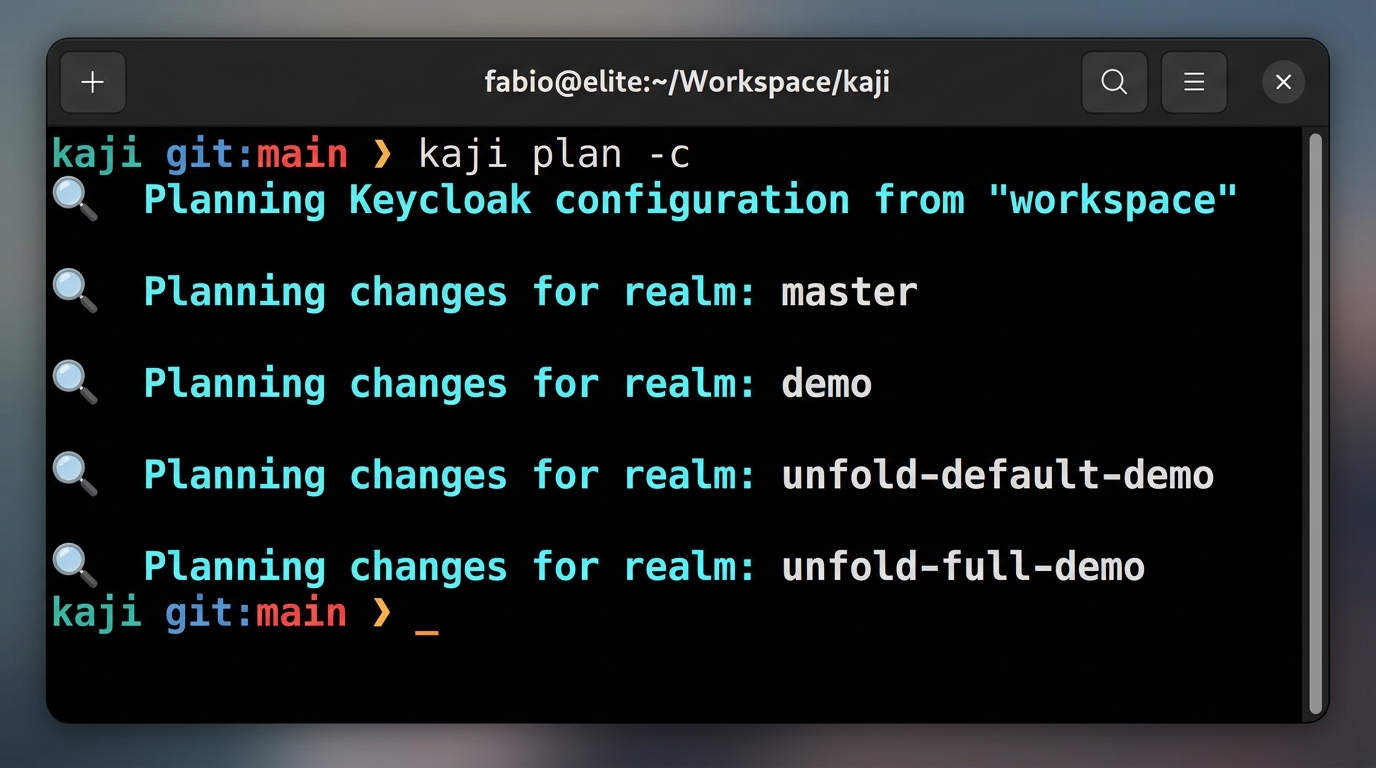
$ kaji plan --interactive
💡 Calculating diff for realm 'master'...

  Clients:
    [+] my-new-app (Create)
    [~] admin-cli (Update)
        - root_url: "http://localhost:8080" -> "https://idp.example.com"
    [-] legacy-app (Delete)

? Apply change to client 'my-new-app'? (y/n)
Interactive CLI Menu
Scaffolding resources without writing YAML by hand.
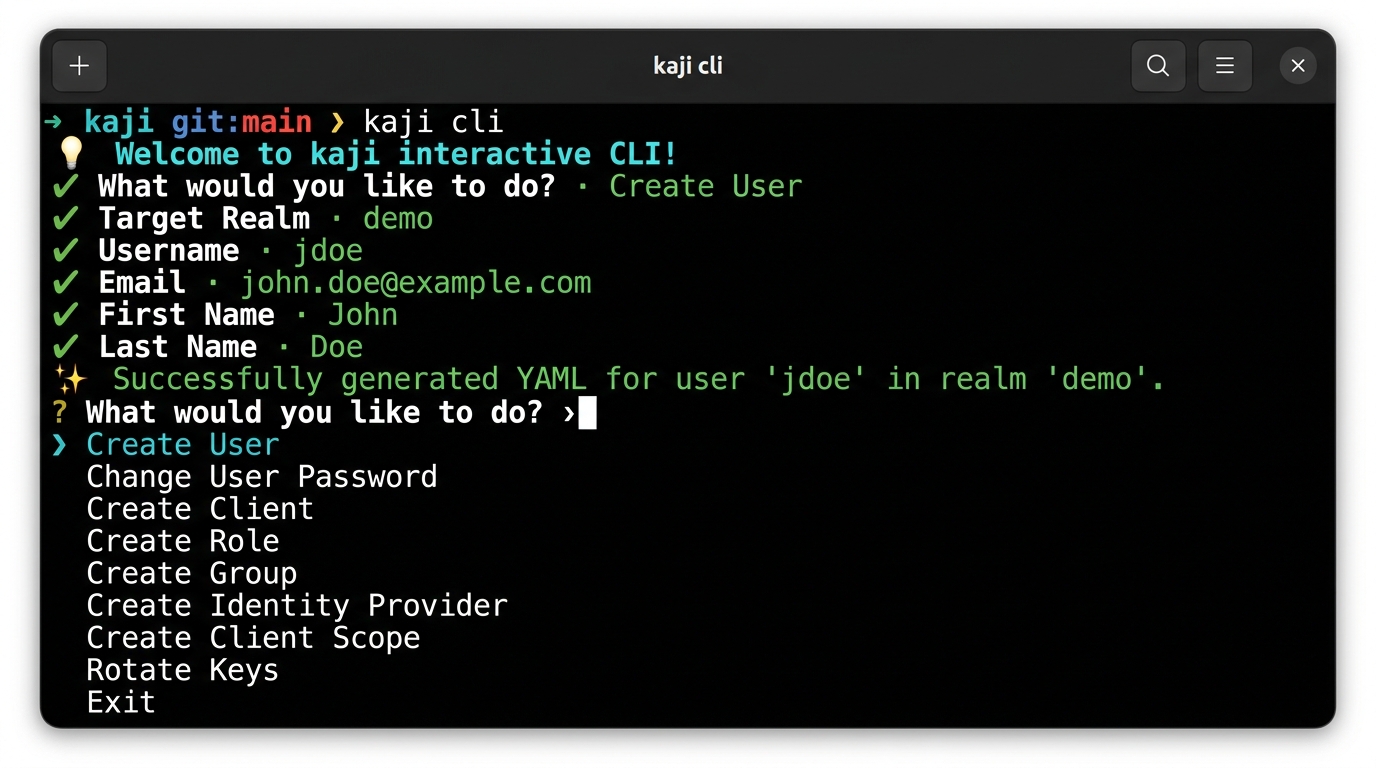
$ kaji cli
💡 Welcome to kaji interactive CLI!
? What would you like to do?
❯ Create User
  Change User Password
  Create Client
  Create Role
  Create Group
  Create Identity Provider
  Create Client Scope
  Rotate Keys
  Exit
🚀 Key Features
- Blazing Fast Performance: Utilizes Rust's
tokiofor highly concurrent API interactions and parallel I/O operations. - Declarative State: Define your desired Keycloak state in human-readable YAML files.
- Environment Profiles & Overlays: Manage multiple environments (Dev, Staging, Prod) with zero configuration duplication.
- Dependency-Aware Reconciliation: Guaranteed correct application order through staged reconciliation (e.g., Realms -> Roles -> Users).
- Inspect & Export: Bootstrap your project by exporting existing Keycloak configurations to local files.
- Dry-Run Planning: Preview exactly what changes will be applied with detailed diffs and summaries.
- Interactive Review: Confirm individual changes before they are applied to the server using the
--reviewflag. - Drift Detection: Identify discrepancies between your local configuration and the live server.
- Secret Masking & Resolution: Native support for Environment Variables and HashiCorp Vault.
- Resource Support: Realms, Roles, Identity Providers, Clients, Client Scopes, Groups, Users, Authentication Flows, Required Actions, and Components (including Keys).
🛠️ Installation
Install Pre-built Binaries
macOS and Linux:
|
Windows:
powershell -c "irm https://raw.githubusercontent.com/ffalcinelli/kaji/main/scripts/install.ps1 | iex"
Prerequisites
- Rust (latest stable) and Cargo.
Building from Source
🛠️ Development
This project uses cargo-husky to manage Git hooks. To set up your development environment:
- Clone the repository.
- Run
cargo test.
Running tests will automatically install the Git hooks in your .git/hooks directory. The pre-commit hook ensures that cargo fmt and cargo clippy pass before any code is committed.
🌍 Environment Profiles
kaji allows you to manage multiple Keycloak instances (e.g., Development, Staging, Production) using a native Profiles system.
1. Define a Profile
Create a YAML file in the profiles/ directory:
profiles/prod.yaml
server_url: "https://keycloak.prod.example.com"
client_id: "kaji-cli"
client_secret: "${PROD_KAJI_SECRET}"
secrets_file: ".secrets.prod"  # Load environment secrets from this file
2. Use Overlays
Avoid duplicating entire resource files for small environment-specific changes. Create an overlay file matching the pattern resource.{profile}.yaml:
workspace/my-realm/clients/my-app.yaml (Base)
clientId: my-app
enabled: true
redirectUris:
  - "http://localhost:3000/*"
workspace/my-realm/clients/my-app.prod.yaml (Overlay)
redirectUris:
  - "https://app.example.com/*"
When running with --profile prod, kaji deep-merges the overlay onto the base configuration.
⚙️ Configuration
kaji uses environment variables for connection and authentication. You can export these in your shell or use a .secrets file.
| Variable | Description | Default |
|---|---|---|
KEYCLOAK_URL |
Base URL (e.g., http://localhost:8080) |
Required |
KEYCLOAK_USER |
Admin username | |
KEYCLOAK_PASSWORD |
Admin password | |
KEYCLOAK_CLIENT_ID |
Client ID for auth | admin-cli |
KEYCLOAK_CLIENT_SECRET |
Client Secret (if using client credentials) | |
VAULT_ADDR |
HashiCorp Vault URL | |
VAULT_TOKEN |
HashiCorp Vault Token |
Workspace Structure
workspace/
├── .secrets                   # Default secrets file
├── profiles/
│   └── prod.yaml              # Profile definition
├── my-realm/                  # Realm folder
    ├── realm.yaml             # Main realm settings
    ├── clients/
    │   ├── my-app.yaml        # Base resource
    │   └── my-app.prod.yaml   # Environment overlay
    └── roles/
        └── admin.yaml
📖 Command Reference
inspect
Exports the remote server state to local YAML files.
# Export everything to 'my-workspace'
validate
Ensures your local YAML files are syntactically correct and follow the Keycloak model.
plan
Calculates the "diff" between local files and the remote server.
# Plan for a specific profile
# Interactive: decide for each change whether to include it in the plan
apply
Reconciles the remote state. It follows a staged application order (Realms -> Roles -> Clients -> Users) to ensure dependencies are met.
# Apply planned changes for production
# Review mode: confirm each change before application
drift
A shortcut for plan --changes-only.
clean
Removes local YAML files that are no longer referenced or are invalid.
cli
An interactive menu to generate resource scaffolds or perform quick actions.
🔐 Secret Management
kaji is designed with security in mind. During inspect, it detects sensitive fields and replaces them with placeholders.
Resolution Strategies
- Environment Variables: Placeholders like
${VAR_NAME}are resolved from the environment or a local.secretsfile. - HashiCorp Vault: Placeholders like
${vault:mount/path#field}are resolved from a live Vault instance using the KV2 engine.
Example 1: confidential-client.yaml (using Environment Variable)
clientId: internal-api
name: Internal API Service
enabled: true
publicClient: false
secret: ${KEYCLOAK_CLIENT_INTERNAL_API_SECRET}
redirectUris:
  - "https://api.example.com/*"
serviceAccountsEnabled: true
Example 2: vault-client.yaml (using HashiCorp Vault)
clientId: api-gateway
name: API Gateway
enabled: true
publicClient: false
# Format: ${vault:mount/path#field}
secret: ${vault:secret/data/kaji/clients/api-gateway#secret}
redirectUris:
  - "https://gateway.example.com/*"
protocol: openid-connect
Usage Workflow
- Run
kaji inspectto bootstrap your local configuration. - Sensitive values are automatically replaced with
${KEYCLOAK_...}placeholders and saved to a.secretsfile. - DO NOT commit the
.secretsfile. - (Optional) Replace placeholders with
vault:syntax if using HashiCorp Vault. - Provide secrets via environment variables or set
VAULT_ADDRandVAULT_TOKEN. - Run
kaji applyto synchronize changes.
📅 Versioning
kaji uses Calendar Versioning (CalVer) with the format YYMM.MICRO.MODIFIER (e.g., 2603.1.0).
- YYMM: The year and month of the release (e.g.,
2603for March 2026). - MICRO: Increments for each release within the same month.
- MODIFIER: Typically
0, used for specific hotfixes.
This format provides an immediate understanding of how recent your installed version is.
🤝 Credits
kaji is built for and relies on the excellent work of the Keycloak project and its community. Keycloak is an open-source identity and access management solution.
📄 License
Distributed under the MIT License. See LICENSE for more information.
🛡️ Security Policy
Please refer to the Security Policy for information on reporting vulnerabilities and security best practices.