# kaji — Steer Your Keycloak Configuration
[](https://github.com/ffalcinelli/kaji/actions/workflows/ci.yml)
[](https://app.codecov.io/gh/ffalcinelli/kaji)
[](https://opensource.org/licenses/MIT)

**Disclaimer**: This project is experimentally written almost entirely by AI, so any usage should keep this in mind and that the execution of this software is at your own risk.
`kaji` (舵, Japanese for *helm* or *rudder*) is a robust CLI tool for the **declarative management** of [Keycloak](https://www.keycloak.org/) configurations. Just as a ship's helm holds its course through any conditions, `kaji` steers your Keycloak identity infrastructure to a stable, locked, declared state — enabling version control, automated testing, and reliable drift detection.
---
## 📺 Screenshots
### Interactive Plan Mode
> Previewing changes before applying them with interactive confirmation.
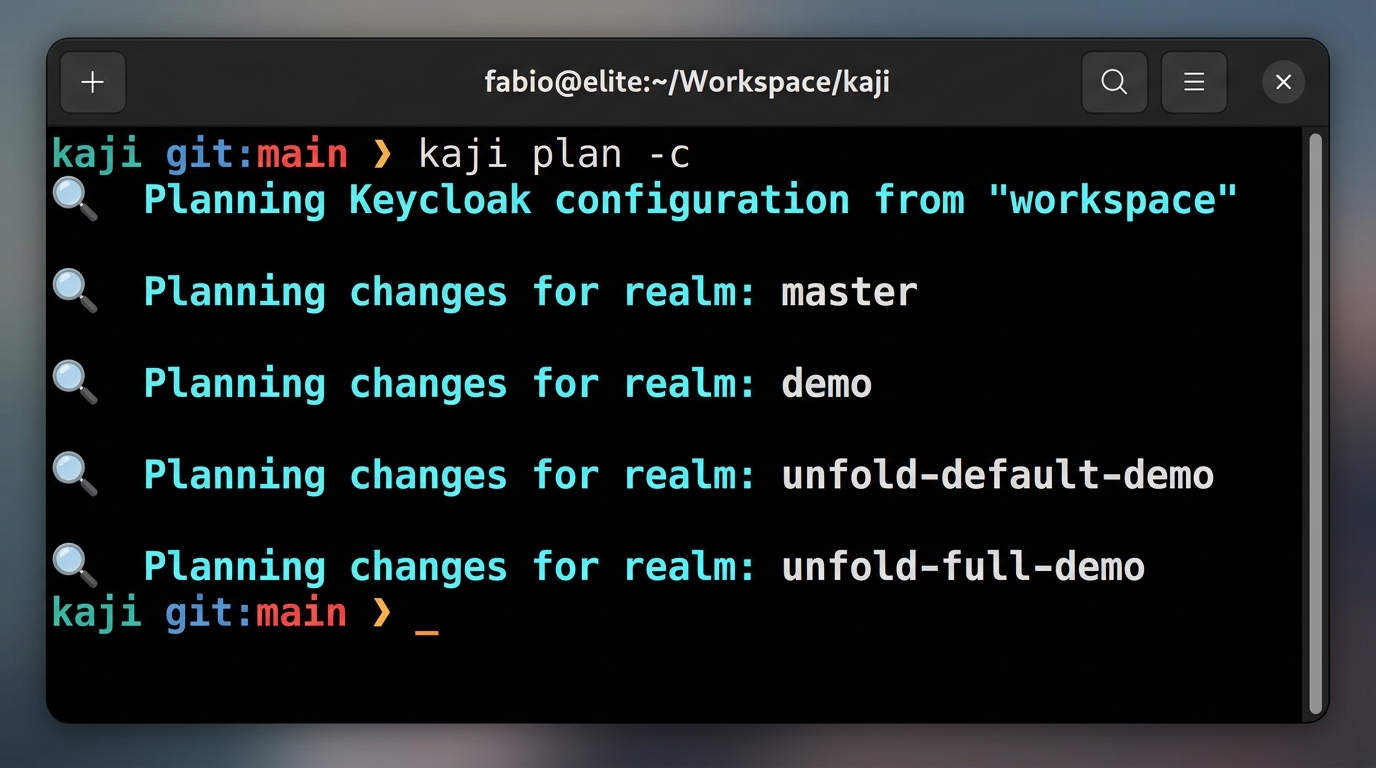
```text
$ kaji plan --interactive
💡 Calculating diff for realm 'master'...
Clients:
[+] my-new-app (Create)
[~] admin-cli (Update)
- root_url: "http://localhost:8080" -> "https://idp.example.com"
[-] legacy-app (Delete)
? Apply change to client 'my-new-app'? (y/n)
```
### Interactive CLI Menu
> Scaffolding resources without writing YAML by hand.
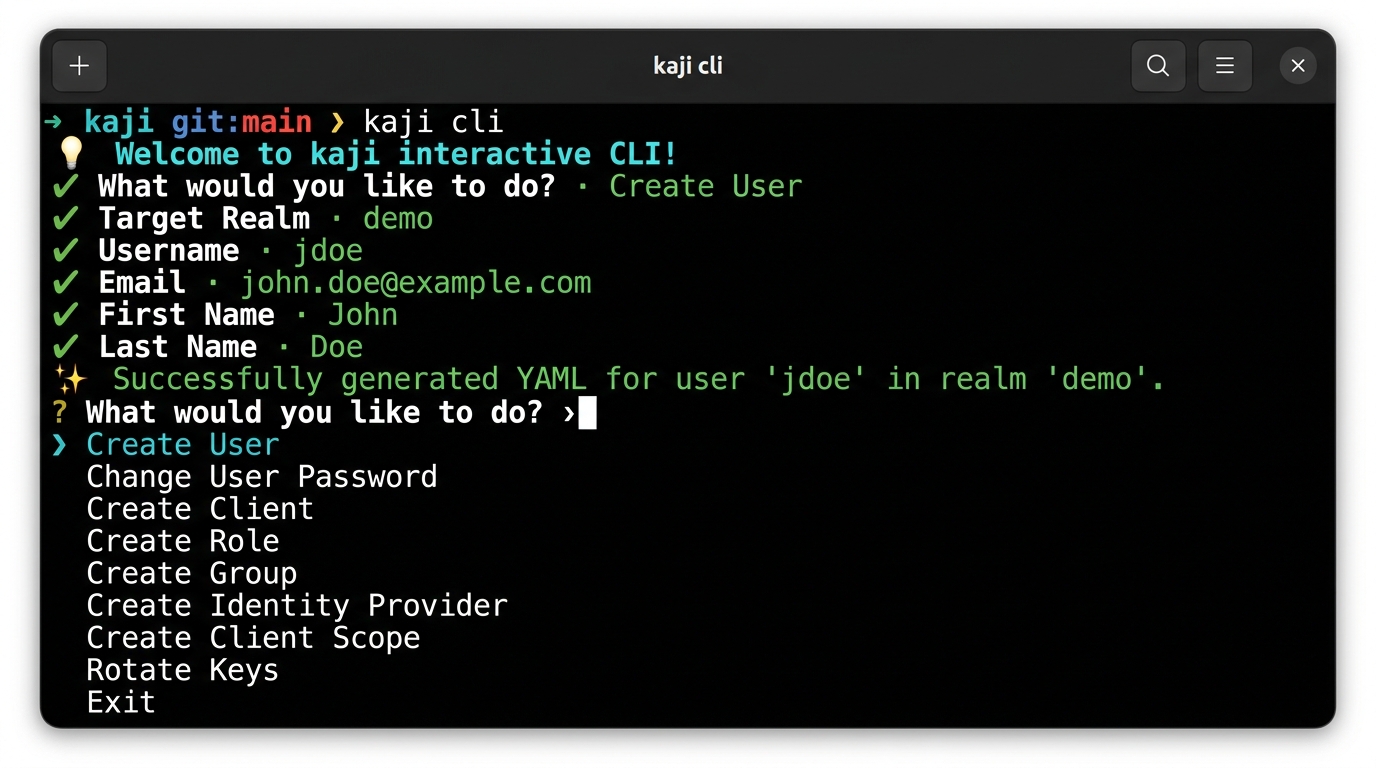
```text
$ kaji cli
💡 Welcome to kaji interactive CLI!
? What would you like to do?
❯ Create User
Change User Password
Create Client
Create Role
Create Group
Create Identity Provider
Create Client Scope
Rotate Keys
Exit
```
---
## 🚀 Key Features
- **Blazing Fast Performance**: Utilizes Rust's `tokio` for highly concurrent API interactions and parallel I/O operations.
- **Declarative State**: Define your desired Keycloak state in human-readable YAML files.
- **Environment Profiles & Overlays**: Manage multiple environments (Dev, Staging, Prod) with zero configuration duplication.
- **Dependency-Aware Reconciliation**: Guaranteed correct application order through staged reconciliation (e.g., Realms -> Roles -> Users).
- **Inspect & Export**: Bootstrap your project by exporting existing Keycloak configurations to local files.
- **Dry-Run Planning**: Preview exactly what changes will be applied with detailed diffs and summaries.
- **Interactive Review**: Confirm individual changes before they are applied to the server using the `--review` flag.
- **Drift Detection**: Identify discrepancies between your local configuration and the live server.
- **Secret Masking & Resolution**: Native support for Environment Variables and HashiCorp Vault.
- **Resource Support**: Realms, Roles, Identity Providers, Clients, Client Scopes, Groups, Users, Authentication Flows, Required Actions, and Components (including Keys).
---
## 🛠️ Installation
### Install Pre-built Binaries
**macOS and Linux:**
```bash
**Windows:**
```powershell
### Prerequisites
- [Rust](https://www.rust-lang.org/tools/install) (latest stable) and Cargo.
### Building from Source
```bash
git clone https://github.com/ffalcinelli/kaji.git
cd kaji
cargo build --release
sudo cp target/release/kaji /usr/local/bin/
```
---
## 🛠️ Development
This project uses `cargo-husky` to manage Git hooks. To set up your development environment:
1. Clone the repository.
2. Run `cargo test`.
Running tests will automatically install the Git hooks in your `.git/hooks` directory. The pre-commit hook ensures that `cargo fmt` and `cargo clippy` pass before any code is committed.
---
## 🌍 Environment Profiles
`kaji` allows you to manage multiple Keycloak instances (e.g., Development, Staging, Production) using a native **Profiles** system.
### 1. Define a Profile
Create a YAML file in the `profiles/` directory:
**`profiles/prod.yaml`**
```yaml
server_url: "https://keycloak.prod.example.com"
client_id: "kaji-cli"
client_secret: "${PROD_KAJI_SECRET}"
secrets_file: ".secrets.prod" # Load environment secrets from this file
```
### 2. Use Overlays
Avoid duplicating entire resource files for small environment-specific changes. Create an overlay file matching the pattern `resource.{profile}.yaml`:
**`workspace/my-realm/clients/my-app.yaml` (Base)**
```yaml
clientId: my-app
enabled: true
redirectUris:
- "http://localhost:3000/*"
```
**`workspace/my-realm/clients/my-app.prod.yaml` (Overlay)**
```yaml
redirectUris:
- "https://app.example.com/*"
```
When running with `--profile prod`, `kaji` deep-merges the overlay onto the base configuration.
---
## ⚙️ Configuration
`kaji` uses environment variables for connection and authentication. You can export these in your shell or use a `.secrets` file.
| `KEYCLOAK_URL` | Base URL (e.g., `http://localhost:8080`) | **Required** |
| `KEYCLOAK_USER` | Admin username | |
| `KEYCLOAK_PASSWORD` | Admin password | |
| `KEYCLOAK_CLIENT_ID` | Client ID for auth | `admin-cli` |
| `KEYCLOAK_CLIENT_SECRET` | Client Secret (if using client credentials) | |
| `VAULT_ADDR` | HashiCorp Vault URL | |
| `VAULT_TOKEN` | HashiCorp Vault Token | |
### Workspace Structure
```text
workspace/
├── .secrets # Default secrets file
├── profiles/
│ └── prod.yaml # Profile definition
├── my-realm/ # Realm folder
├── realm.yaml # Main realm settings
├── clients/
│ ├── my-app.yaml # Base resource
│ └── my-app.prod.yaml # Environment overlay
└── roles/
└── admin.yaml
```
---
## 📖 Command Reference
### `inspect`
Exports the remote server state to local YAML files.
```bash
# Export everything to 'my-workspace'
kaji inspect --workspace my-workspace --yes
```
### `validate`
Ensures your local YAML files are syntactically correct and follow the Keycloak model.
```bash
kaji validate
```
### `plan`
Calculates the "diff" between local files and the remote server.
```bash
# Plan for a specific profile
kaji plan --profile prod
# Interactive: decide for each change whether to include it in the plan
kaji plan --interactive
```
### `apply`
Reconciles the remote state. It follows a **staged application order** (Realms -> Roles -> Clients -> Users) to ensure dependencies are met.
```bash
# Apply planned changes for production
kaji apply --profile prod --yes
# Review mode: confirm each change before application
kaji apply --profile prod --review
```
### `drift`
A shortcut for `plan --changes-only`.
```bash
kaji drift --profile prod
```
### `clean`
Removes local YAML files that are no longer referenced or are invalid.
```bash
kaji clean --yes
```
### `cli`
An interactive menu to generate resource scaffolds or perform quick actions.
```bash
kaji cli
```
---
## 🔐 Secret Management
`kaji` is designed with security in mind. During `inspect`, it detects sensitive fields and replaces them with placeholders.
### Resolution Strategies
1. **Environment Variables**: Placeholders like `${VAR_NAME}` are resolved from the environment or a local `.secrets` file.
2. **HashiCorp Vault**: Placeholders like `${vault:mount/path#field}` are resolved from a live Vault instance using the KV2 engine.
#### Example 1: `confidential-client.yaml` (using Environment Variable)
```yaml
clientId: internal-api
name: Internal API Service
enabled: true
publicClient: false
secret: ${KEYCLOAK_CLIENT_INTERNAL_API_SECRET}
redirectUris:
- "https://api.example.com/*"
serviceAccountsEnabled: true
```
#### Example 2: `vault-client.yaml` (using HashiCorp Vault)
```yaml
clientId: api-gateway
name: API Gateway
enabled: true
publicClient: false
# Format: ${vault:mount/path#field}
secret: ${vault:secret/data/kaji/clients/api-gateway#secret}
redirectUris:
- "https://gateway.example.com/*"
protocol: openid-connect
```
### Usage Workflow
1. Run `kaji inspect` to bootstrap your local configuration.
2. Sensitive values are automatically replaced with `${KEYCLOAK_...}` placeholders and saved to a `.secrets` file.
3. **DO NOT commit the `.secrets` file**.
4. (Optional) Replace placeholders with `vault:` syntax if using HashiCorp Vault.
5. Provide secrets via environment variables or set `VAULT_ADDR` and `VAULT_TOKEN`.
6. Run `kaji apply` to synchronize changes.
---
## 📅 Versioning
`kaji` uses [Calendar Versioning (CalVer)](https://calver.org/) with the format `YYMM.MICRO.MODIFIER` (e.g., `2603.1.0`).
- **YYMM**: The year and month of the release (e.g., `2603` for March 2026).
- **MICRO**: Increments for each release within the same month.
- **MODIFIER**: Typically `0`, used for specific hotfixes.
This format provides an immediate understanding of how recent your installed version is.
---
## 🤝 Credits
`kaji` is built for and relies on the excellent work of the [Keycloak](https://www.keycloak.org/) project and its community. Keycloak is an open-source identity and access management solution.
---
## 📄 License
Distributed under the MIT License. See `LICENSE` for more information.
---
## 🛡️ Security Policy
Please refer to the [Security Policy](SECURITY.md) for information on reporting vulnerabilities and security best practices.