# Jsonpiler — JSON Syntax Programming Language
**Jsonpiler** is a compiler and runtime for a programming language that uses **JSON** or **JSPL (Jsonpiler Structured Programming Language)** as its syntax.
It converts a JSON-based program into **x86\_64 Windows PE** machine code, links it, and executes the result.
Jsonpiler bundles an assembler and linker purpose-built for its IR and PE output on Windows.
[日本語 README](https://github.com/HAL-G1THuB/jsonpiler/blob/main/README-ja.md)
- [GitHub](https://github.com/HAL-G1THuB/jsonpiler)
- [Crates.io](https://crates.io/crates/jsonpiler)
- [AI-generated docs: ](https://deepwiki.com/HAL-G1THuB/jsonpiler)
- [VSCode Extensions](https://marketplace.visualstudio.com/items?itemName=H4LVS.jsplsyntax)
> 🚨 **Windows only (x64)** — Jsonpiler generates PE (Portable Executable) files for 64-bit Windows.
## GUI
Jsonpiler now has a function to support GUI.
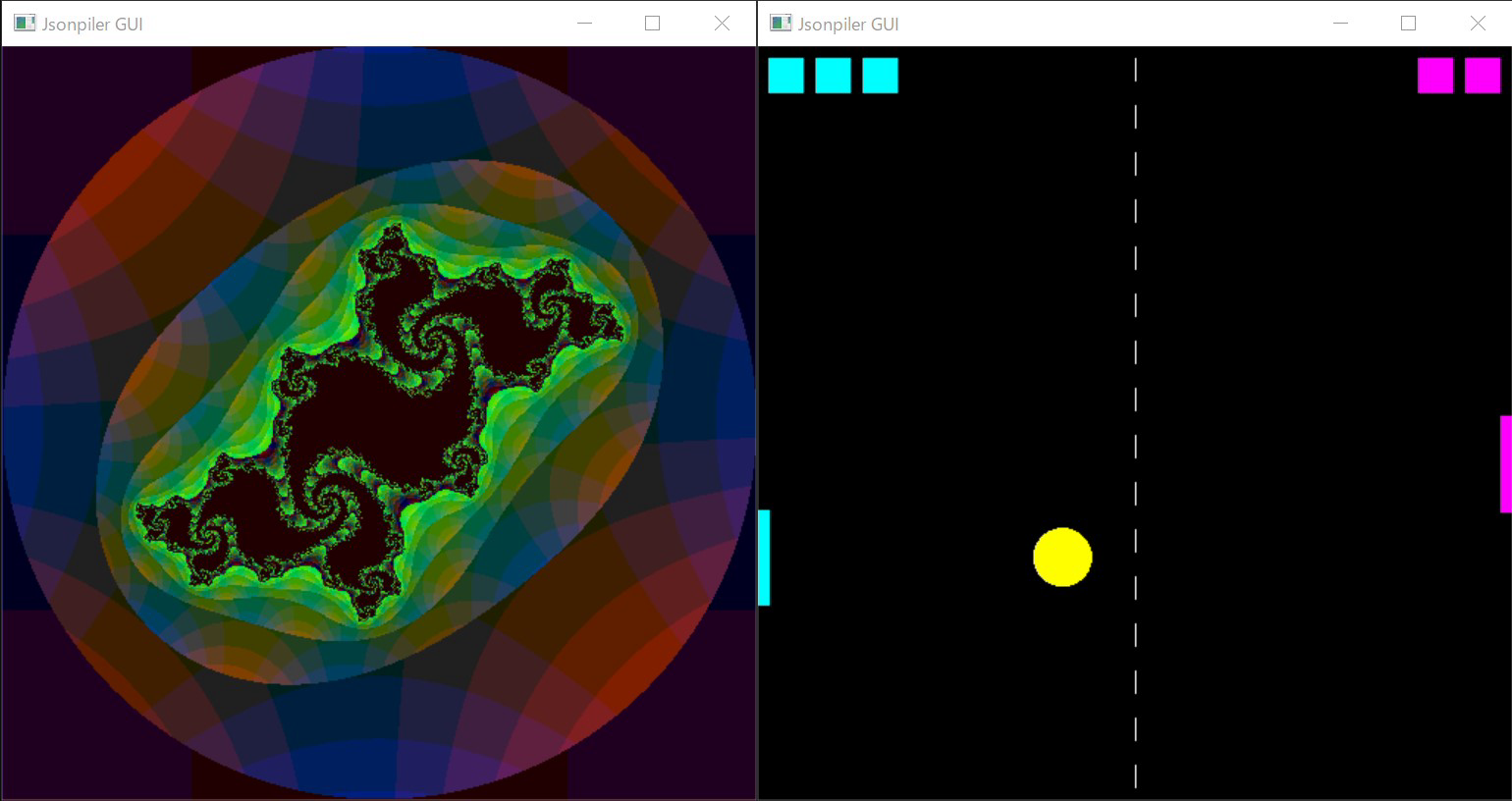
[Zoom of the Mandelbrot set drawn by Jsonpiler](https://youtu.be/M8wEPkHmYdE)
[Source code of the program to draw the Julia set with GUI](https://github.com/HAL-G1THuB/jsonpiler/blob/main/examples/jspl/gui_julia_mouse.jspl)
[Source code of the program to draw the Mandelbrot set with GUI](https://github.com/HAL-G1THuB/jsonpiler/blob/main/examples/jspl/gui_mandelbrot_zoom.jspl)
## What’s New
### 0.9.2
- Changed:
- Version information is now automatically generated from `Cargo.toml`
See **[CHANGELOG](https://github.com/HAL-G1THuB/jsonpiler/blob/main/CHANGELOG.md)** for full history and plans.
## Requirements
No external toolchains or libraries are required.
**The following system DLLs must be available in `C:\\Windows\\System32\\`:**
- `gdi32.dll`(`GUI`, etc.)
- `kernel32.dll`(required)
- `user32.dll`(`message`, `GUI`, etc.)
These are present on standard Windows installations.
## Extensions
Extensions are available to help you write JSPL comfortably in VSCode.
- **Auto-formatting**: Formats your code to keep it easy to read.
- **Syntax highlighting**: Highlights JSPL keywords and operators in different colors.
- **Run Button**: Run your program with a single click using the button in the top-right corner of the editor.
- **LSP Support**: Provides real-time error detection and formatting features.
[VSCode Marketplace](https://marketplace.visualstudio.com/items?itemName=H4LVS.jsplsyntax)
## Installation and Execution
### Running JSPL
- Install the [VSCode extension](https://marketplace.visualstudio.com/items?itemName=H4LVS.jsplsyntax).
- Create a `.jspl` file, then click the `Run JSPL` button in the top-right corner of the editor to execute it.
### Running the Executable Directly
#### From the GitHub Repository
```bash
git clone "https://github.com/HAL-G1THub/jsonpiler.git"
cd "jsonpiler/extension/bin"
jsonpiler.exe
```
#### From Cargo
```bash
cargo install jsonpiler
cd "<home directory>/.cargo/bin"
jsonpiler.exe
```
#### Execution
```bash
# Compile and run a JSON | JSPL program
- The file encoding of `<input.json | input.jspl>` must be UTF-8.
- Additional arguments are passed to the generated executable.
## Language & Function References
[Language Spec (Markdown)](https://github.com/HAL-G1THuB/jsonpiler/blob/main/docs/specification.md)
[Function Reference (Markdown)](https://github.com/HAL-G1THuB/jsonpiler/blob/main/docs/functions.md)
## Examples
Browse ready-to-run samples in [examples/](https://github.com/HAL-G1THuB/jsonpiler/blob/main/examples)
Minimal example:
```json
{ "=": [{ "$": "a" }, "title"], "message": [{ "$": "a" }, "345"], "+": [1, 2, 3] }
```
JSPL:
```jspl
a = "title"
message(a, "345")
1 + 2 + 3
```
### Execution order
- A Jsonpiler program is a single JSON object whose keys are evaluated **sequentially**.
- `"="` assigns the string `"title"` to the variable `a`.
- `"message"` displays a message box
with the value of `a` as the title and `"345"` as the text.
- `"+"` computes the sum of `1`, `2`, and `3`, i.e., **6**.
The program’s **final expression value** becomes the process **exit code**. Running under `cargo run` may look like this (Windows reports process exit code 6):
```text
error: process didn't exit successfully: `jsonpiler.exe test.json` (exit code: 6)
```
This is expected behavior and not an error in Jsonpiler itself.
## JSPL
Jsonpiler can compile its own language, **JSPL (Jsonpiler Structured Programming Language)**.
For more details, see the language specification above.
Example of the above sample code written in JSPL:
```jspl
a = "title"
message(a, "345")
1 + 2 + 3
```
## Diagnostics (Errors & Warnings)
**Input:**
```json
{ "message": ["title", { "$": "does_not_exist" }] }
```
```jspl
message("title", does_not_exist)
```
**Output:**
```text
╭- CompilationError ----------
| Undefined variable:
| does_not_exist
|-----------------------------
| input.jspl:1:18
|-----------------------------
| message("title", does_not_exist)
| ^^^^^^^^^^^^^^
╰-----------------------------
```
## Pipeline Overview
```mermaid
graph TD
subgraph Read
A["file.json
{ "+": [1, 2] }"] --> B{Jsonpiler}
end
subgraph Parse
B --o C["AST
Json::Object([
Json::Str("+"),
Json::Array([
Json::Int(1),
Json::Int(2)
])])"]
B --x PError[[ParseError]]
end
subgraph Compile
C --x CError[[CompileError]]
C --o E["Assembler IR
[
...Inst::MovQQ(Rax, 1),
Inst::MovQQ(Rcx, 2),
Inst::AddRR(Rax, Rcx)...
]"]
end
subgraph Evaluate
C --o D["Json::Int(Temporary Value)"]
C --x EError[[TypeError or ArityError]]
D -->|Detect Exit Code| E
end
subgraph Assemble
E --o G["Binary machine code
[...0x48, 0x89, 0o201]..."]
E --x AError[[InternalError]]
end
subgraph Link
G --o F["Portable Executable (PE)"]
G --x LError[[InternalError]]
end
subgraph Write
F --> H[file.exe]
end
subgraph Execution
H --> Exec[(Execute)]
end
subgraph DLL
S[C:\\Windows\\System32\\]
KERNEL32[kernel32.dll]
USER32[user32.dll]
S --> KERNEL32 --> F
S --> USER32 --> F
end
```
## Notes
- Output is a native **PE executable** for Windows x64.
- If you see a non-zero exit code under Cargo, it likely reflects your program’s final value.
## License
This project’s license is specified in the repository.
## Contributing
Issues and PRs are welcome! If you find a bug, please include the following information:
> 🚨 Please make sure you are running on Windows x64.
- The JSON program (minimal reproduction if possible)
- Jsonpiler version
