# jnv
*jnv* is designed for navigating JSON,
offering an interactive JSON viewer and `jq` filter editor.
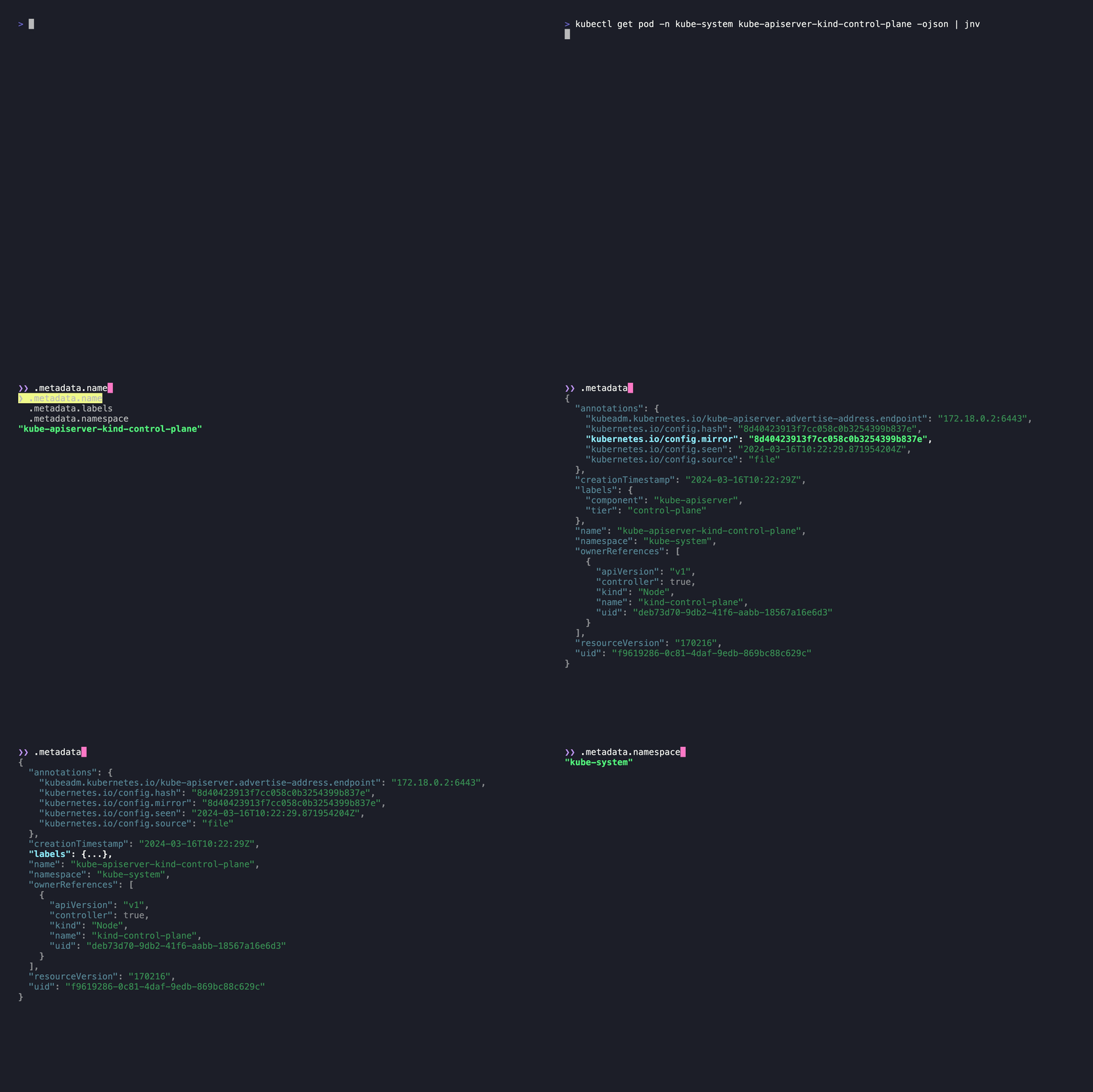
Inspired by [jid](https://github.com/simeji/jid)
and [jiq](https://github.com/fiatjaf/jiq).
## Features
- Interactive JSON viewer and `jq` filter editor
- Syntax highlighting for JSON
- Capable of accommodating various format
- Input: File, Stdin
- Data: A JSON or multiple JSON structures
that can be deserialized with
[StreamDeserializer](https://docs.rs/serde_json/latest/serde_json/struct.StreamDeserializer.html),
such as [JSON Lines](https://jsonlines.org/)
- Auto-completion for the filter
- Only supports:
- [Identity](https://jqlang.github.io/jq/manual/#identity)
- [Object Identifier-Index](https://jqlang.github.io/jq/manual/#object-identifier-index)
- [Array Index](https://jqlang.github.io/jq/manual/#array-index)
- Hint message to evaluate the filter
## Installation
### Homebrew
```bash
brew install ynqa/tap/jnv
```
### MacPorts
```bash
sudo port install jnv
```
More info [here](https://ports.macports.org/port/jnv/)
### Cargo
#### Requirements
- [autoconf](https://www.gnu.org/software/autoconf/)
- [automake](https://www.gnu.org/software/automake/)
```bash
cargo install jnv
```
> [!NOTE]
> *jnv* does not require users to install `jq` on their system,
> because it utilizes [j9](https://github.com/ynqa/j9) Rust bindings.
## Examples
```bash
Or
```bash
jnv data.json
```
## Keymap
| <kbd>Ctrl + C</kbd> | Exit `jnv`
| <kbd>Tab</kbd> | jq filter auto-completion
| <kbd>←</kbd> | Move the cursor one character to the left
| <kbd>→</kbd> | Move the cursor one character to the right
| <kbd>Ctrl + A</kbd> | Move the cursor to the start of the filter
| <kbd>Ctrl + E</kbd> | Move the cursor to the end of the filter
| <kbd>Backspace</kbd> | Delete a character of filter at the cursor position
| <kbd>Ctrl + U</kbd> | Delete all characters of filter
| <kbd>↑</kbd>, <kbd>Ctrl + K</kbd> | Move the cursor one entry up in JSON viewer
| <kbd>↓</kbd>, <kbd>Ctrl + J</kbd> | Move the cursor one entry down in JSON viewer
| <kbd>Ctrl + H</kbd> | Move to the last entry in JSON viewer
| <kbd>Ctrl + L</kbd> | Move to the first entry in JSON viewer
| <kbd>Enter</kbd> | Toggle expand/collapse in JSON viewer
| <kbd>Ctrl + P</kbd> | Expand all folds in JSON viewer
| <kbd>Ctrl + N</kbd> | Collapse all folds in JSON viewer
## Usage
```bash
JSON navigator and interactive filter leveraging jq
Usage: jnv [OPTIONS] [INPUT]
Examples:
- Read from a file:
jnv data.json
- Read from standard input:
cat data.json | jnv
Arguments:
[INPUT]
Optional path to a JSON file. If not provided or if "-" is specified, reads from standard input
Options:
-e, --edit-mode <EDIT_MODE>
Specifies the edit mode for the interface.
Acceptable values are "insert" or "overwrite".
- "insert" inserts a new input at the cursor's position.
- "overwrite" mode replaces existing characters with new input at the cursor's position.
[default: insert]
-i, --indent <INDENT>
Affect the formatting of the displayed JSON,
making it more readable by adjusting the indentation level.
[default: 2]
-n, --no-hint
When this option is enabled, it prevents the display of
hints that typically guide or offer suggestions to the user.
-d, --expand-depth <EXPAND_DEPTH>
Specifies the initial depth to which JSON nodes are expanded in the visualization.
Note: Increasing this depth can significantly slow down the display for large datasets.
[default: 3]
-l, --suggestion-list-length <SUGGESTION_LIST_LENGTH>
Controls the number of suggestions displayed in the list,
aiding users in making selections more efficiently.
[default: 3]
-h, --help
Print help (see a summary with '-h')
-V, --version
Print version
```
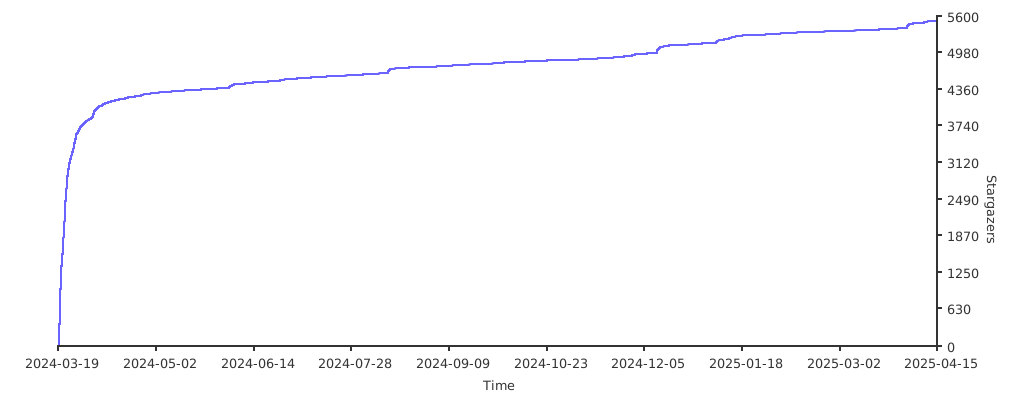
## Stargazers over time
[](https://starchart.cc/ynqa/jnv)