
HideQR
Embedding secret messages in QR-Codes.
Documentation
The secret message is embedded within a QR code by modifying specific modules of the original code. QR codes utilize error correction to ensure readability, which allows for some alterations without disrupting the overall function. By continuously altering the code, we introduce errors; however, standard QR code readers effectively ignore these errors due to the error correction mechanism. As a result, the presence of a hidden message remains undetectable.
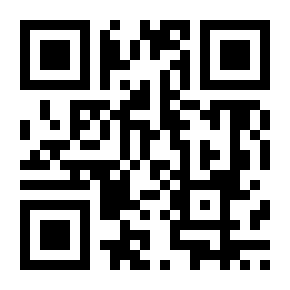
Below is a comparison of a plain QR code (left) and the same code with the secret message embedded (right):

Usage
This command line tool allows you to create and read QR-Codes.
Commands
-
Create QR-Code
Usage:-create [txt-message1] [txt-message2] [file_location (optional)]
Creates a file at the specified location containing two text messages. If no location is provided, the file will be created as ./default_qr_code.png -
Read QR-Code
Usage:-read [file_location]
Reads and displays the content of the specified file. -
Help
Usage:-help
Example
To create a QR code at the default path with the secret "password" embedded within the message "Hello World" (This will generate the corresponding QR code as shown above).
To read said QR-Code
This will yield: