<p align="center">
<img src="docs/hexx.png?" alt="Hexx">
</p>
[](https://github.com/ManevilleF/hexx/actions/workflows/rust.yml)
[](./LICENSE)
[](https://github.com/rust-secure-code/safety-dance/)
[](https://crates.io/crates/hexx)
[](https://crates.io/crates/hexx)
[](https://docs.rs/hexx)
[](https://deps.rs/crate/hexx)
Hexagonal tools lib in rust.
> Inspired by this [`RedBlobGames` article](https://www.redblobgames.com/grids/hexagons/implementation.html)
> and [Sander Evers](https://sanderevers.github.io/) work
This lib allows you to:
* Manipulate hexagon coordinates
* Generate hexagonal maps with custom layouts and orientation
* Generate hexagon meshes (planes or columns)
I made the choice to use *Axial Coordinates* for performance and utility
reasons, but the [`Hex`](https://docs.rs/hexx/latest/hexx/hex/struct.Hex.html) type has conversion utilities with
*cubic*, *doubled*, *hexmod* and *offset* coordinates.
> See the [hexagonal coordinate systems](https://www.redblobgames.com/grids/hexagons/#coordinates)
## Installation
Run `cargo add hexx` in your project or add the following line to your
`Cargo.toml`:
* `hexx = "0.24"`
### Cargo features
`hexx` provides the following cargo features:
* `serde`: Enables [serde](https://github.com/serde-rs/serde) support for
most types
* `facet`: Enables [facet](https://github.com/facet-rs/facet) support for
most types
* `rayon`: Enables [rayon](https://github.com/rayon-rs/rayon) support for
parallel processing
* `packed`: Makes [`Hex`](https://docs.rs/hexx/latest/hexx/hex/struct.Hex.html) `repr(C)`, useful to use it
accross the FFI
* `grid`: Enables support for Face/Vertex/Edge [grid handling](https://www.redblobgames.com/grids/parts/#hexagon-coordinates)
using `Hex` as Face, `GridVertex` as vertex and `GridEdge` as edge.
* `algorithms`: Enables the [algorithms](https://docs.rs/hexx/latest/hexx/algorithms/) module with:
* Field of Movement
* A Star Pathfinding
* Field of view
* `mesh`: Enables procedural mesh generation
* `bevy`: Enables [Bevy](https://bevyengine.org/) support including:
* `bevy_platform`: Enables [Bevy Platform](https://docs.rs/bevy_platform/latest/bevy_platform)
for `HashMap`
* `bevy_reflect`: Enables [Bevy Reflection](https://docs.rs/bevy_reflect/latest/bevy_reflect)
for most types
* `bevy_ecs`: Enables `Component` and `Resource` derives for common hexx
types
_Some features are enabled by default, it is recommended to enable only
what is needed for your usage_
## Features
`hexx` provides the [`Hex`](https://docs.rs/hexx/latest/hexx/hex/struct.Hex.html) coordinates with:
* Distances
* Neighbors and directions
* Lines
* Ranges
* Rings
* Edges
* Wedges
* Spirals
* Rotation
* Symmetry
* Vector operations
* Conversions to other coordinate systems:
* Cubic coordinates
* Offset coordinates
* Doubled coordinates
* Hexmod coordinates
* Multiple hex resolution
* Euclidean norm
## Basic usage
```rust
use hexx::*;
// Declare points in hexagonal spaces
let point_a = hex(10, -5); // Equivalent of `Hex::new(10, -5)`
let point_b = hex(-8, 15);
// Find distance between them
let dist = point_a.unsigned_distance_to(point_b);
// Compute a line between points
let line: Vec<Hex> = point_a.line_to(point_b).collect();
// Compute a ring from `point_a` containing `point_b`
let ring: Vec<Hex> = point_a.ring(dist).collect();
// Rotate `point_b` around `point_a` by 2 times 60 degrees clockwise
let rotated = point_b.rotate_cw_around(point_a, 2);
// Find the direction between the two points
let dir_a = point_a.main_direction_to(point_b);
let dir_b = point_b.main_direction_to(point_a);
assert!(dir_a == -dir_b);
// Compute a wedge from `point_a` to `point_b`
let wedge = point_a.wedge_to(point_b);
// Get the average value of the wedge
let avg = wedge.average();
```
## Layout usage
[`HexLayout`](https://docs.rs/hexx/latest/hexx/layout/struct.HexLayout.html) is the bridge between your
world/screen/pixel coordinate system and the hexagonal coordinates system.
```rust
use hexx::*;
// Define your layout
let layout = HexLayout {
scale: Vec2::new(1.0, 1.0),
orientation: HexOrientation::Flat,
..Default::default()
};
// Get the hex coordinate at the world position `world_pos`.
let world_pos = Vec2::new(53.52, 189.28);
let point = layout.world_pos_to_hex(world_pos);
// Get the world position of `point`
let point = hex(123, 45);
let world_pos = layout.hex_to_world_pos(point);
```
## Wrapping
[`HexBounds`](https://docs.rs/hexx/latest/hexx/bounds/struct.HexBounds.html) defines a bounding hexagon around a
center coordinate. It can be used for boundary and interesection checks but
also for wrapping coordinates.
Coordinate wrapping transform a point outside of the bounds to a point
inside. This allows for seamless or repeating [wraparound](https://www.redblobgames.com/grids/hexagons/#wraparound)
maps.
```rust
use hexx::*;
let center = hex(23, -45);
let radius = 5;
let bounds = HexBounds::new(center, radius);
let outside_coord = hex(12345, 98765);
assert!(!bounds.is_in_bounds(outside_coord));
let wrapped_coord = bounds.wrap(outside_coord);
assert!(bounds.is_in_bounds(wrapped_coord));
```
## Resolutions and chunks
[`Hex`](https://docs.rs/hexx/latest/hexx/hex/struct.Hex.html) support multi-resolution coordinates.
In practice this means that you may convert a coordinate to a different
resolution:
* To a lower resolution, meaning retrieving a *parent* coordinate
* to a higher resolution, meaning retrieving the center *child* coordinate
Resolutions are abstract, the only useful information is the resolution
**radius**.
For example, if you use a big grid, with a radius of a 100, you might want
to split that grid evenly in larger hexagons containing a 10 radius of
coordinates and maybe do operations locally inside of these chunks.
So instead of using a big range directly:
```rust
use hexx::*;
const MAP_RADIUS: u32 = 100;
let big_grid = Hex::ZERO.range(MAP_RADIUS);
```
You may define a smaller grid you will then divide to a higher resolution
```rust
use hexx::*;
const CHUNK_RADIUS: u32 = 10;
const MAP_RADIUS: u32 = 20;
let chunks = Hex::ZERO.range(MAP_RADIUS);
for chunk in chunks {
let center = chunk.to_higher_res(CHUNK_RADIUS);
let children = center.range(CHUNK_RADIUS);
for coord in children {
assert_eq!(coord.to_lower_res(CHUNK_RADIUS), chunk);
}
}
```
An other usage could be to draw an infinite hex grid, with different
resolutions displayed, dynamically changing according to user zoom level.
## Dense map storage
[`Hex`](https://docs.rs/hexx/latest/hexx/hex/struct.Hex.html) implements `Hash`, and most users store hexagonal
maps in a `HashMap`. But for some cases `hexx` provides *dense storage*
[collections](https://docs.rs/hexx/latest/hexx/storage/) with more performant accessors:
- [`HexagonalMap<T>`](https://docs.rs/hexx/latest/hexx/storage/hexagonal/struct.HexagonalMap.html)
- [`HexModMap<T>`](https://docs.rs/hexx/latest/hexx/storage/hexmod/struct.HexModMap.html)
- [`RombusMap<T>`](https://docs.rs/hexx/latest/hexx/storage/rombus/struct.RombusMap.html)
## Procedural meshes
> Requires the `mesh` feature
`hexx` provides 3 built-in procedural mesh construction utilies:
- [`PlaneMeshBuilder`](https://docs.rs/hexx/latest/hexx/mesh/plane_builder/struct.PlaneMeshBuilder.html) for
hexagonal planes
- [`ColumnMeshBuilder`](https://docs.rs/hexx/latest/hexx/mesh/column_builder/struct.ColumnMeshBuilder.html) for
hexagonal columns
- [`HeightMapMeshBuilder`](https://docs.rs/hexx/latest/hexx/mesh/heightmap_builder/struct.HeightMapMeshBuilder.html)
for hexagonal height maps
All those builders have a lot of customization options and will output a
[`MeshInfo`](https://docs.rs/hexx/latest/hexx/mesh/struct.MeshInfo.html) struct containing vertex positions,
normals and uvs
### Usage in [Bevy](https://bevyengine.org/)
If you want to integrate the procedural meshes in [bevy](bevyengine.org) you
may do it this way:
```rust
use bevy::{
asset::RenderAssetUsages, mesh::Indices, prelude::Mesh,
render::render_resource::PrimitiveTopology,
};
use hexx::MeshInfo;
pub fn hexagonal_mesh(mesh_info: MeshInfo) -> Mesh {
Mesh::new(
PrimitiveTopology::TriangleList,
// Means you won't interact with the mesh on the CPU afterwards
// Check bevy docs for more information
RenderAssetUsages::RENDER_WORLD,
)
.with_inserted_attribute(Mesh::ATTRIBUTE_POSITION, mesh_info.vertices)
.with_inserted_attribute(Mesh::ATTRIBUTE_NORMAL, mesh_info.normals)
.with_inserted_attribute(Mesh::ATTRIBUTE_UV_0, mesh_info.uvs)
.with_inserted_indices(Indices::U16(mesh_info.indices))
}
```
> See the [examples](examples) for bevy usage
## Q&A
> Why not derive `PartialOrd, Ord` on `Hex` ?
Adding these traits to `Hex` would mean to define an absolute rule on how to solve
this:
```rust
let a = hex(-10, 20);
let b = hex(1, 2);
a > b
```
Depending on how you consider this there are at least 3 possible rules:
* `a.y` is greater than `b.y` so it's `true`
* `a.x` is lower than `b.x` so it's `false`
* `a`'s length is greater than `b`'s so it's `true`
> What if I want to use it in a `BtreeMap`, `BTreeSet` or `BinaryHeap` ?
Use a wrapper with the `Ord` and `PartialOrd` trait. You can copy and paste this
code snippet into your project:
```rust
/// [`Ordering`] wrapper around [`Hex`], comparing [`Hex::y`] then [`Hex::x`].
#[derive(Debug, Clone, Copy, PartialEq, Eq)]
pub struct OrdByYX(pub Hex);
impl Ord for OrdByYX {
fn cmp(&self, other: &Self) -> Ordering {
self.0.y.cmp(&other.0.y).then(self.0.x.cmp(&other.0.x))
}
}
impl PartialOrd for OrdByYX {
fn partial_cmp(&self, other: &Self) -> Option<Ordering> {
Some(self.cmp(other))
}
}
```
## Examples
`hexx` provides interactive examples showcasing various features:
### Hex grid

> `cargo run --example hex_grid --features bevy`
This example showcases hex ranges, rings, wedges, rotation, and lines
### Hex Area

> `cargo run --example hex_area --features bevy`
This example showcases how to generate hexagonal areas using grid utilities and gizmos
and how to use two layouts on the same grid.
### Scroll Map
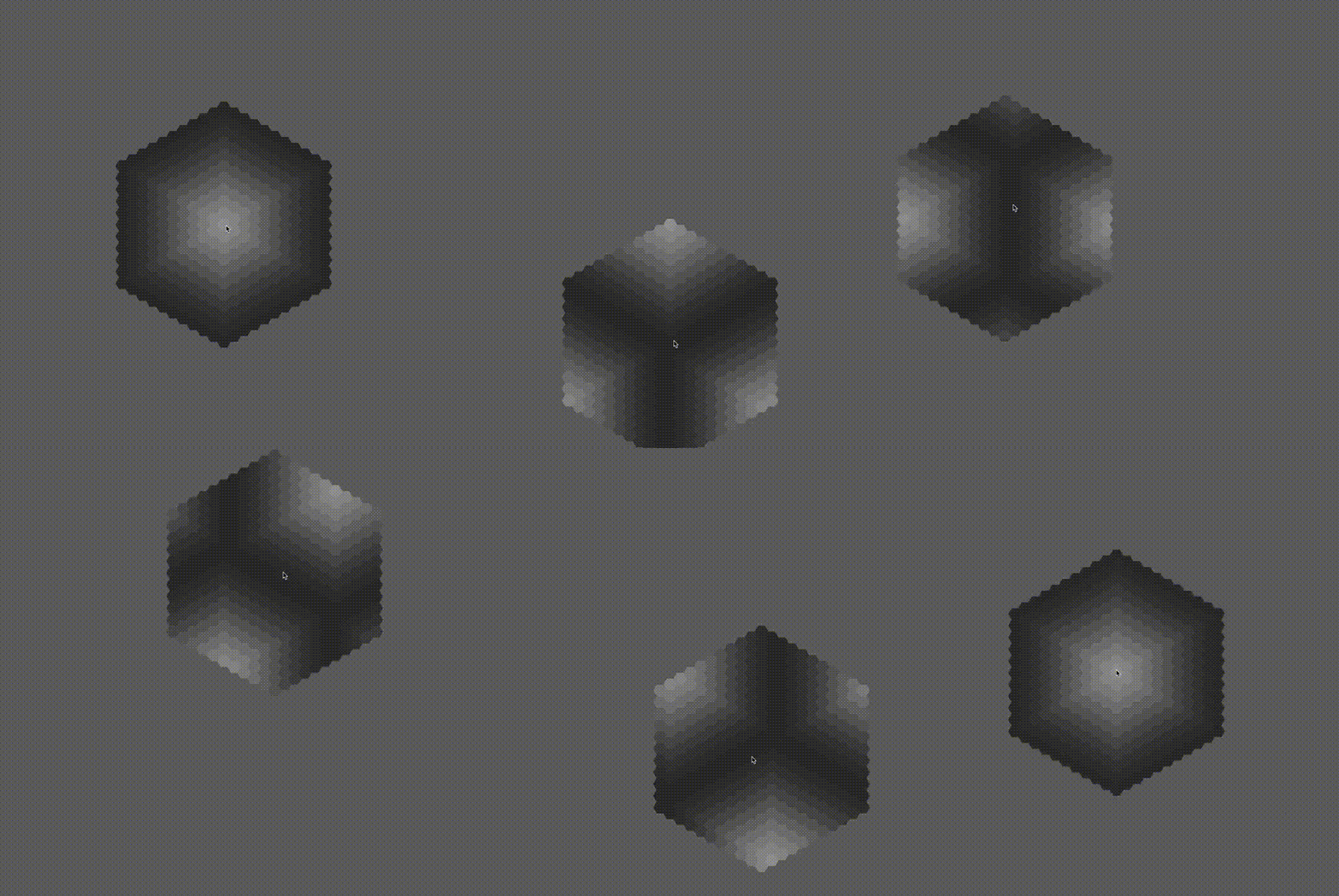
> `cargo run --example scroll_map --features bevy`
This example showcases the `HexMap` struct for scrolling maps
### Wrap Map
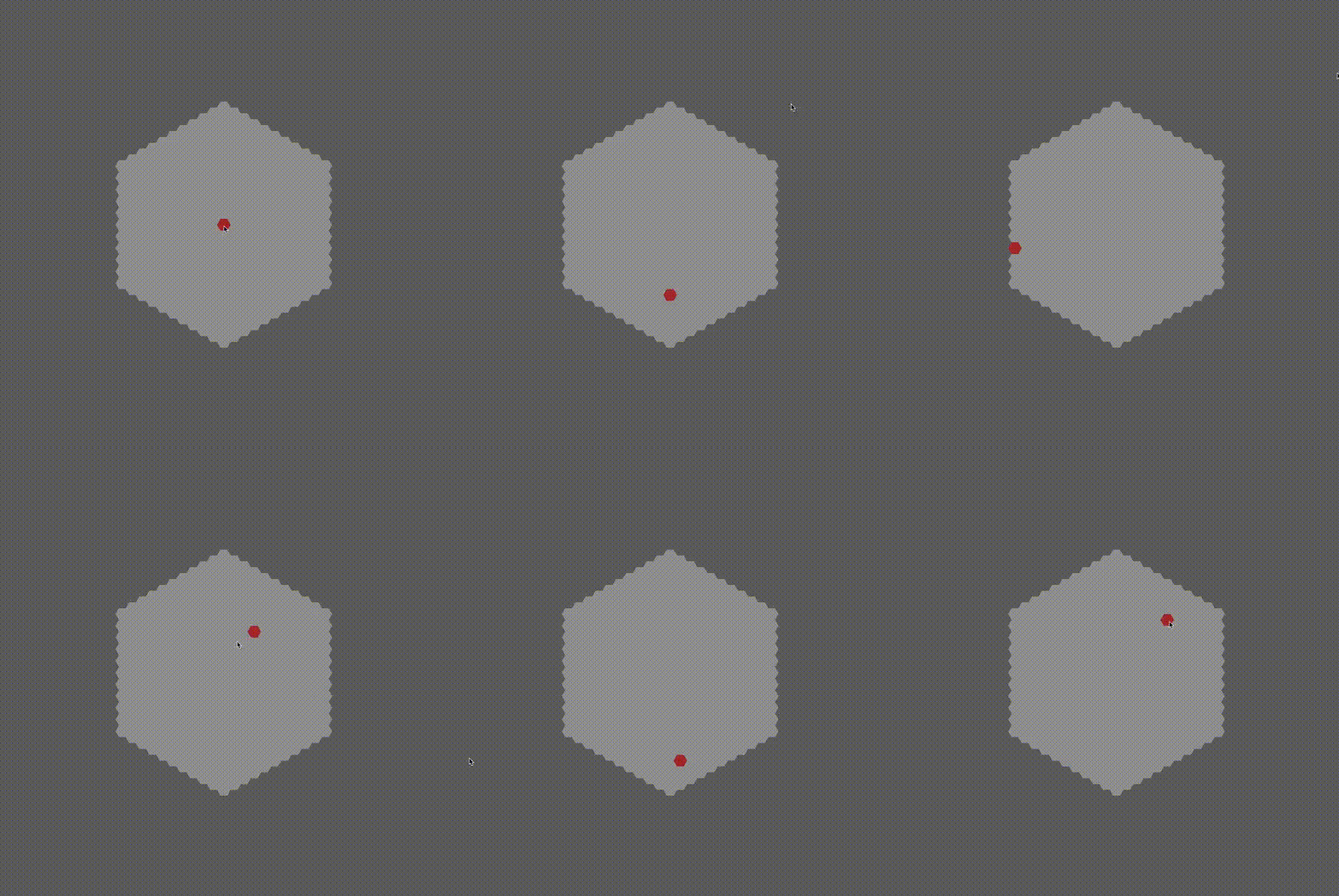
> `cargo run --example wrap_map --features bevy`
This example showcases the `HexMap` struct for looping/wrapping map
### A Star pathfinding

> `cargo run --example a_star --features bevy`
This example showcases the A star algorithm, with an interactive pathfinding
between the origin and your cursor. Clicking on tile toggles their availability
### Field of view

> `cargo run --example field_of_view --features bevy`
This example showcases the FOV algorithm, with an interactive range fov around
your cursor.
Clicking on tile toggles their visibility.
### Field of movement

> `cargo run --example field_of_movement --features bevy`
This example showcases the field of movement algorithm, interactively displaying
the accessible range of movement around the cursor.
### 3d columns

> `cargo run --example 3d_columns --features bevy`
This example showcases the 3d hexagon columns procedural generation
### 3d picking

> `cargo run --example 3d_picking --features bevy`
This example showcases how to use the camera ray to detect hovered 3d columns
### Mesh builder

> `cargo run --example mesh_builder --features bevy`
This example showcases the hexagon columns procedural generation customization options
### Height Map Mesh builder
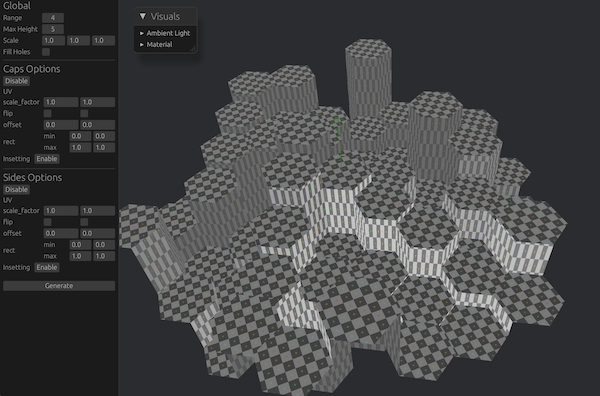
> `cargo run --example heightmap_builder --features bevy`
This example showcases the hexagon 3D height map procedural generation customization options
### Chunks

> `cargo run --example chunks --features bevy`
This example showcases the hexagon resolution system, allowing to tile coordinates
in evenly sized chunks
### Dynamic resolutions

> `cargo run --example resolutions --features bevy`
This example showcases the hexagon resolution system, with multiple configurable
chunk sizes and dynamic visualization
### Merged Chunks

> `cargo run --example merged_columns --features bevy`
This example showcases how to build a simple hex chunk system with each chunk
being a single mesh
### Sprite Sheet

> `cargo run --example sprite_sheet --features bevy`
This example showcases how to use hexx with 2D sprite sheet.
### Shapes

> `cargo run --example shapes --features bevy`
This example showcases how to use hexx shapes module