
docs.rs failed to build haruspex-0.5.4
Please check the build logs for more information.
See Builds for ideas on how to fix a failed build, or Metadata for how to configure docs.rs builds.
If you believe this is docs.rs' fault, open an issue.
Please check the build logs for more information.
See Builds for ideas on how to fix a failed build, or Metadata for how to configure docs.rs builds.
If you believe this is docs.rs' fault, open an issue.
Visit the last successful build:
haruspex-0.8.0
haruspex







"Hacking is the discipline of questioning all your assumptions all of the time."
-- Dave Aitel
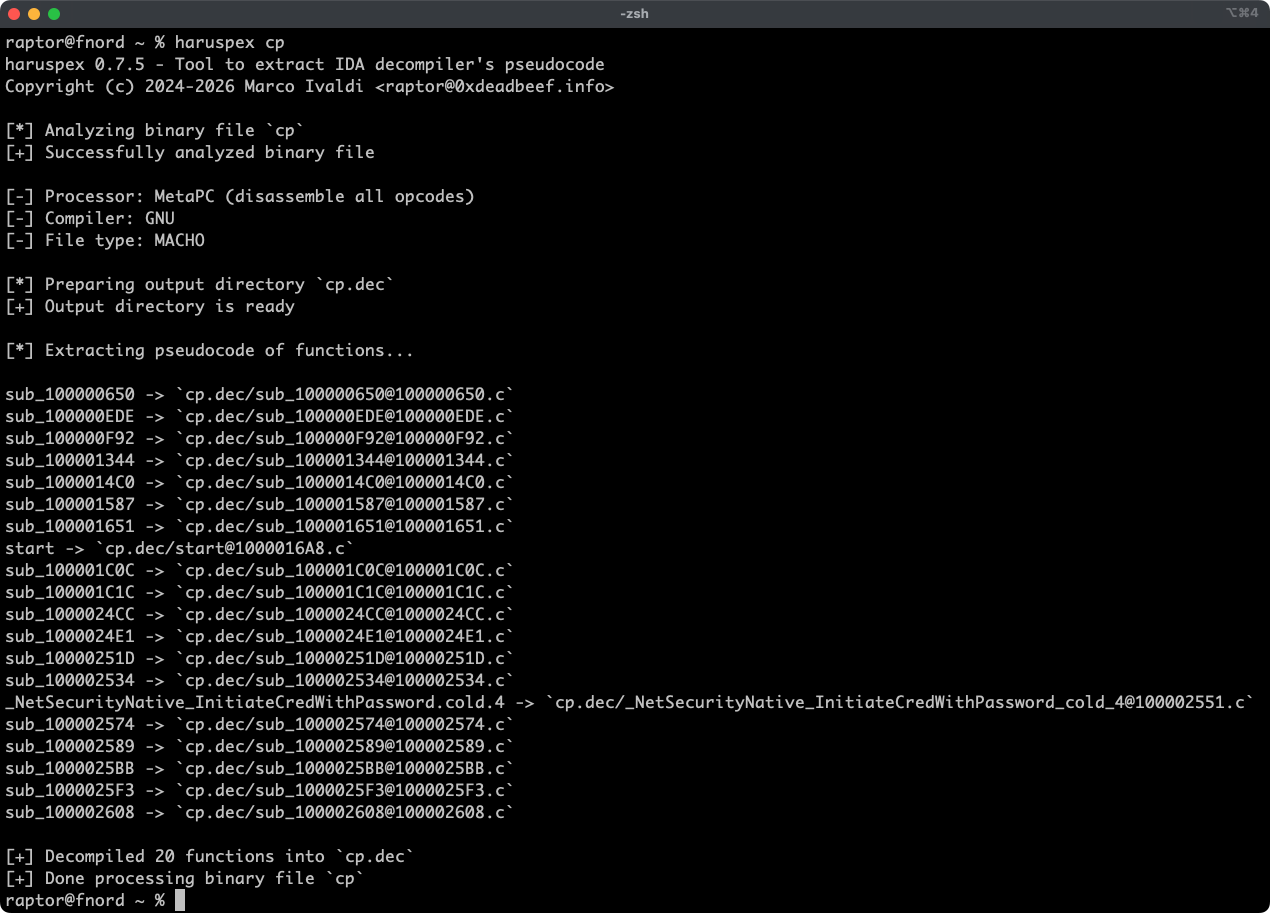
Haruspex is a blazing fast IDA Pro headless plugin that extracts pseudo-code generated by IDA Pro's decompiler in a format that should be suitable to be imported into an IDE or parsed by static analysis tools such as Semgrep, weggli, or oneiromancer.
Features
- Blazing fast, headless user experience courtesy of IDA Pro 9 and Binarly's idalib Rust bindings.
- Support for binary targets for any architecture implemented by IDA Pro's Hex-Rays decompiler.
- Pseudo-code of each function is stored in a separated file in the output directory for easy inspection.
- External crates can invoke
decompile_to_fileto decompile a function and save its pseudo-code to disk.
Blog post
See also
- https://github.com/0xdea/ghidra-scripts/blob/main/Haruspex.java
- https://github.com/0xdea/semgrep-rules
- https://github.com/0xdea/weggli-patterns
- https://docs.hex-rays.com/release-notes/9_0#headless-processing-with-idalib
- https://github.com/binarly-io/idalib
- https://github.com/xorpse/parascope
- https://security.humanativaspa.it/automating-binary-vulnerability-discovery-with-ghidra-and-semgrep
Installing
The easiest way to get the latest release is via crates.io:
- Download, install, and configure IDA Pro (see https://hex-rays.com/ida-pro).
- Download and extract the IDA SDK (see https://docs.hex-rays.com/developer-guide).
- Install LLVM/Clang (see https://rust-lang.github.io/rust-bindgen/requirements.html).
- On Linux/macOS, install as follows:
On Windows, instead, use the following commands:# if not set, the build script will check common locations$env:LIBCLANG_PATH="\path\to\clang+llvm\bin" $env:PATH="\path\to\ida;$env:PATH" $env:IDASDKDIR="\path\to\idasdk" $env:IDADIR="\path\to\ida" # if not set, the build script will check common locations cargo install haruspex
Compiling
Alternatively, you can build from source:
- Download, install, and configure IDA Pro (see https://hex-rays.com/ida-pro).
- Download and extract the IDA SDK (see https://docs.hex-rays.com/developer-guide).
- Install LLVM/Clang (see https://rust-lang.github.io/rust-bindgen/requirements.html).
- On Linux/macOS, compile as follows:
On Windows, instead, use the following commands:# or edit .cargo/config.toml # if not set, the build script will check common locationsgit clone --depth 1 https://github.com/0xdea/haruspex cd haruspex $env:LIBCLANG_PATH="\path\to\clang+llvm\bin" $env:PATH="\path\to\ida;$env:PATH" $env:IDASDKDIR="\path\to\idasdk" $env:IDADIR="\path\to\ida" # if not set, the build script will check common locations cargo build --release
Usage
- Make sure IDA Pro is properly configured with a valid license.
- Run as follows:
- Find the extracted pseudo-code of each decompiled function in the
binary_file.decdirectory:
Compatibility
- IDA Pro 9.0.240925 - Latest compatible: v0.1.3.
- IDA Pro 9.0.241217 - Latest compatible: v0.4.2.
- IDA Pro 9.1.250226 - Latest compatible: current version.
Note: check idalib documentation for additional information.
Changelog
TODO
- Integrate with Semgrep scanning (see https://github.com/0xdea/semgrep-rules).
- Integrate with weggli scanning (see https://github.com/0xdea/weggli-patterns).
- Improve decompiler output in the style of HexRaysPyTools and abyss.
- Implement parallel analysis (see https://github.com/fugue-re/fugue-mptp).