
gpuikit



🚧 Pre-1.0: expect breaking changes in every release. Pin your version. 🚧
A UI toolkit for gpui applications. Targeting a conceptual union of SwiftUI and web-style component libraries to make building modern gpui applications seamless.
Getting started
gpuikit builds against gpui-unofficial, a crates.io distribution of gpui — your app should depend on the same one:
[]
= { = "gpui-unofficial", = "1.14" }
= { = "gpui-platform-gpui-unofficial", = "1.14", = ["font-kit"] }
= "0.9"
gpui_platform is what builds the windowing platform an Application runs on;
gpuikit re-exports neither it nor gpui, so your app names all three.
use Application;
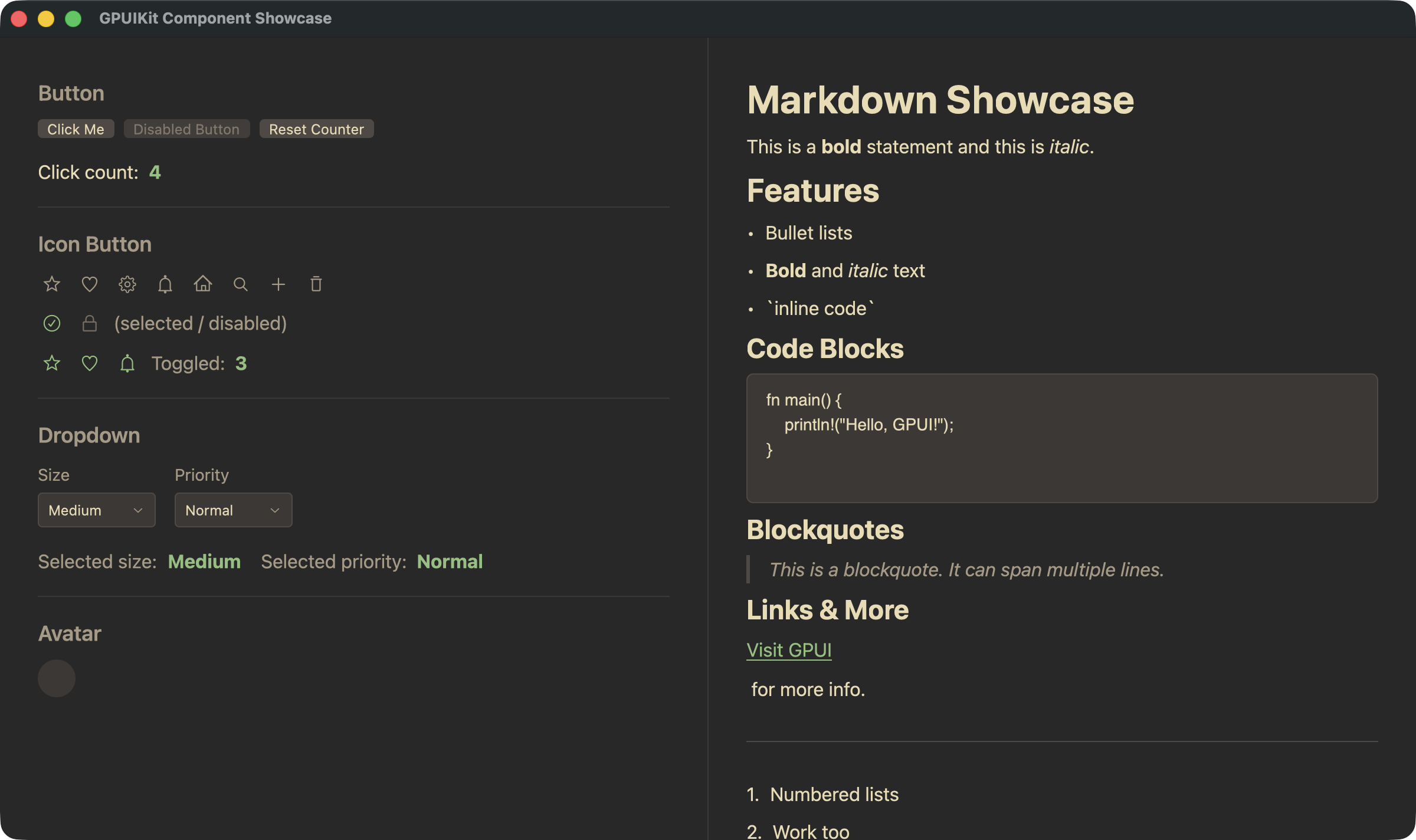
Browse every component in the showcase, built
from this repository on every push to main — a component can be linked to,
as in #table. Offline, the same binary
runs natively:
More examples, and how to run them, in examples/. API docs are at docs.rs/gpuikit.
Feature flags
All off by default:
| Flag | What it adds |
|---|---|
editor |
The Editor component, and syntect-based syntax highlighting for markdown code fences |
stitch |
Flicker-free streaming markdown: unterminated syntax (**bold) is closed before parsing. Requires Rust 1.95 |
runtime_shaders |
Compiles Metal shaders at runtime, so macOS builds don't need the Xcode Metal toolchain |
schema |
Adds the schemars dependency |
Web
gpuikit runs in the browser on gpui's web platform (WebGPU via wgpu). The
hosted showcase is examples/showcase.rs built
for wasm32-unknown-unknown by examples/showcase-web/,
a trunk harness. It needs nightly, because gpui's web
platform runs background work on web workers over a shared wasm memory and
std has to be rebuilt with atomics; scripts/showcase-web.sh names the
nightly and sets that up:
Then open http://127.0.0.1:8081 in a WebGPU-capable browser. Nothing in your own app needs nightly unless it, too, is built for the web.
Minimum Rust version
1.85, or 1.95 with the stitch feature. Some dependencies require newer
stables, so prefer a recent toolchain.
License
Licensed under either of the Apache License 2.0 or the MIT license, at your option.