# Navigation Guide
The core workflow: orient once, read cheaply, retrieve exactly.
---
## The four commands
### `map` — orient
```bash
git-semantic map "where does request validation happen"
git-semantic map "database connection pooling"
git-semantic map # list all subsystems
```
Returns the most relevant semantic community — a group of files that work together — with file locations and call edges. **If the map names what you need, go directly to `get`. Do not search.**
### `get` — read
```bash
git-semantic get src/db.rs --mode outline # structure only — ~96% token reduction
git-semantic get src/db.rs --mode signatures # declarations, no bodies — ~86% reduction
git-semantic get src/db.rs # full content
git-semantic get src/db.rs:42-80 # exact chunk by line range
```
Start with `outline`. It shows you the shape of the file — every function/class name and its line range — at almost zero token cost. Step up to `signatures` or a specific range only if you need more.
Output always includes callers — files that reference this one via edges:
```
// src/db.rs
// callers:
// src/main.rs (via hydrate_from_branch, grep_semantic)
L1-126 init_with_dimension
L128-140 clear
L142-161 insert_subsystem
L463-497 search_hybrid
```
### `grep` — search
```bash
git-semantic grep "how errors are propagated to the caller"
git-semantic grep "RateLimiter" # exact identifier
git-semantic grep "session token storage" -n 5
```
Hybrid search: BM25 + semantic embeddings + graph proximity via Reciprocal Rank Fusion. Use when `map` didn't surface what you need. Both natural language and exact identifiers work — BM25 handles exact matches precisely.
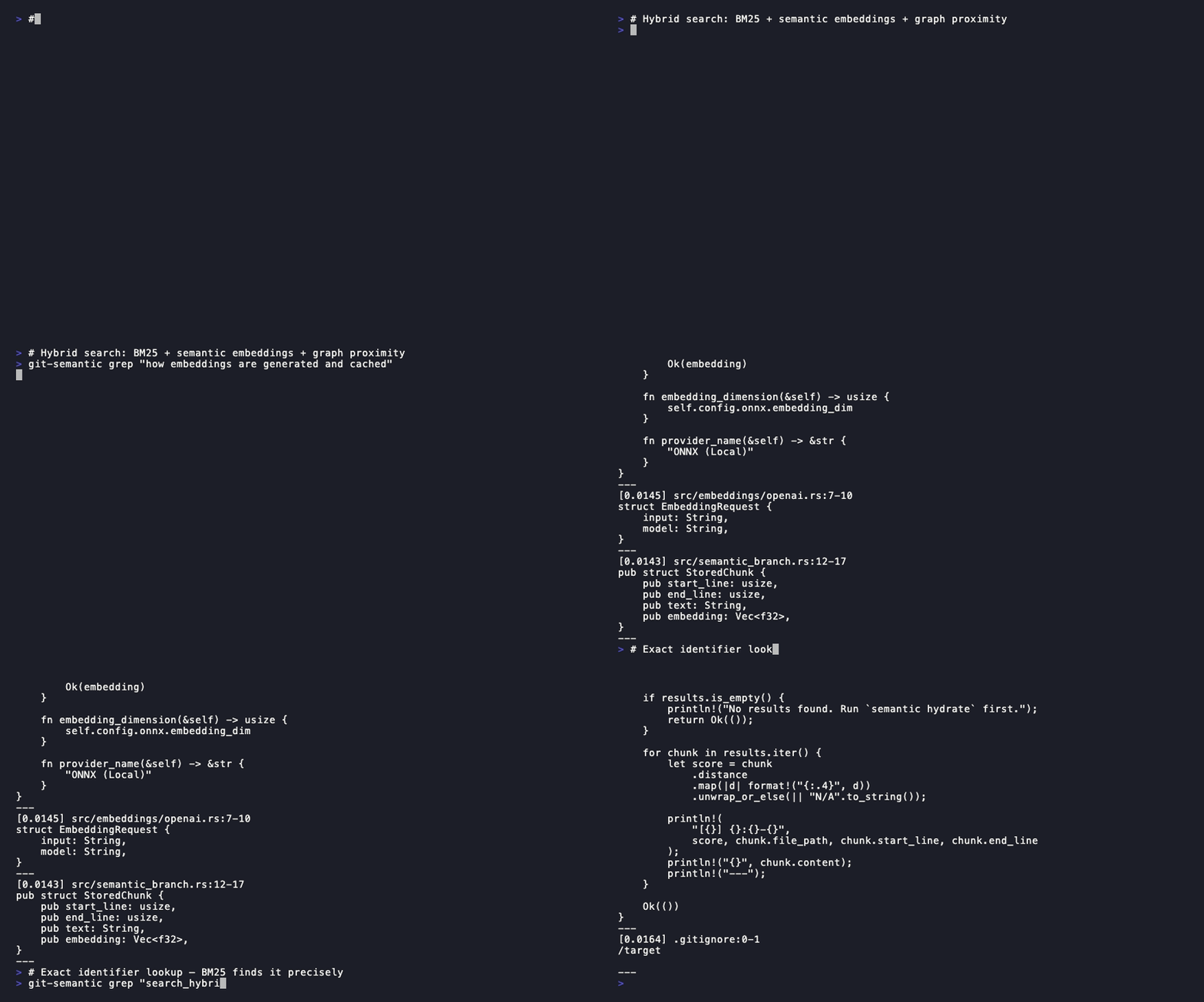
**Higher score = more relevant.** A result scoring 2x the next is an unambiguous match.
### `health` — inspect
```bash
git-semantic health
git-semantic health --community "auth"
```
See [health.md](health.md) for the full guide.
---

## The discipline
```
map → get outline → get signatures → get chunk → grep
```
Each step is a fallback, not a default. Most tasks end at step 2.
- **Map names the file** → `get --mode outline` to see its structure
- **Outline names the function** → `get file:start-end` for the exact body
- **Map is insufficient** → `grep` with natural language or exact identifier
- **Never re-search what the map already answered**
---
## Token cost reference
| `map "query"` | 200–400 | Always first |
| `get --mode outline` | 50–200 | To understand file structure |
| `get --mode signatures` | 200–800 | To read declarations |
| `get file:start-end` | 80–300 | To read a specific function |
| `grep "query"` | 400–2000 | When map is insufficient |
| `get file` (full) | 2000–20000 | Rarely — only for tiny files |
---
## Examples
**"Where is the rate limiter configured?"**
```bash
git-semantic map "rate limiting configuration"
# → returns src/middleware/rate_limit.py:12-45, src/config/limits.py:1-30
git-semantic get src/middleware/rate_limit.py --mode outline
# → see RateLimiter class at L12-45, apply_limit at L47-80
git-semantic get src/middleware/rate_limit.py:47-80
# → exact body of apply_limit
```
**"Find all uses of the UserSession class"**
```bash
git-semantic grep "UserSession"
# → BM25 finds exact matches immediately, ranked by relevance
```
**"Understand the auth module before modifying it"**
```bash
git-semantic map "authentication and session management"
# → returns the auth community with 8 files
git-semantic get src/auth/session.py --mode signatures
# → all function declarations, no bodies
git-semantic health --community "auth"
# → cohesion, fan-in, what depends on it
```