```
███ █████ █████ ███ █████
░░░ ░░███ ░░███ ░░░ ░░███
███████ ████ ███████ ░███ █████ ████ ███████
███░░███░░███ ░░░███░ ░███░░███ ░░███ ░░░███░
░███ ░███ ░███ ░███ ░██████░ ░███ ░███
░███ ░███ ░███ ░███ ███ ░███░░███ ░███ ░███ ███
░░███████ █████ ░░█████ ████ █████ █████ ░░█████
░░░░░███░░░░░ ░░░░░ ░░░░ ░░░░░ ░░░░░ ░░░░░
███ ░███
░░██████
░░░░░░
```
<p align="center">
<a href="https://github.com/UniverLab/gitkit/actions/workflows/ci.yml"><img src="https://img.shields.io/github/actions/workflow/status/UniverLab/gitkit/ci.yml?branch=main&style=for-the-badge&label=CI" alt="CI"/></a>
<a href="https://crates.io/crates/gitkit"><img src="https://img.shields.io/crates/v/gitkit?style=for-the-badge&logo=rust&logoColor=white" alt="Crates.io"/></a>
<img src="https://img.shields.io/badge/Status-Active-27AE60?style=for-the-badge" alt="Status"/>
<a href="LICENSE"><img src="https://img.shields.io/badge/License-MIT-2E8B57?style=for-the-badge" alt="License"/></a>
</p>
Set up a git repo the way you actually work — one guided flow for hooks, `.gitignore`, `.gitattributes`, and git config. One binary, no Node.js, no Python, no runtime dependencies.
---
### Demo
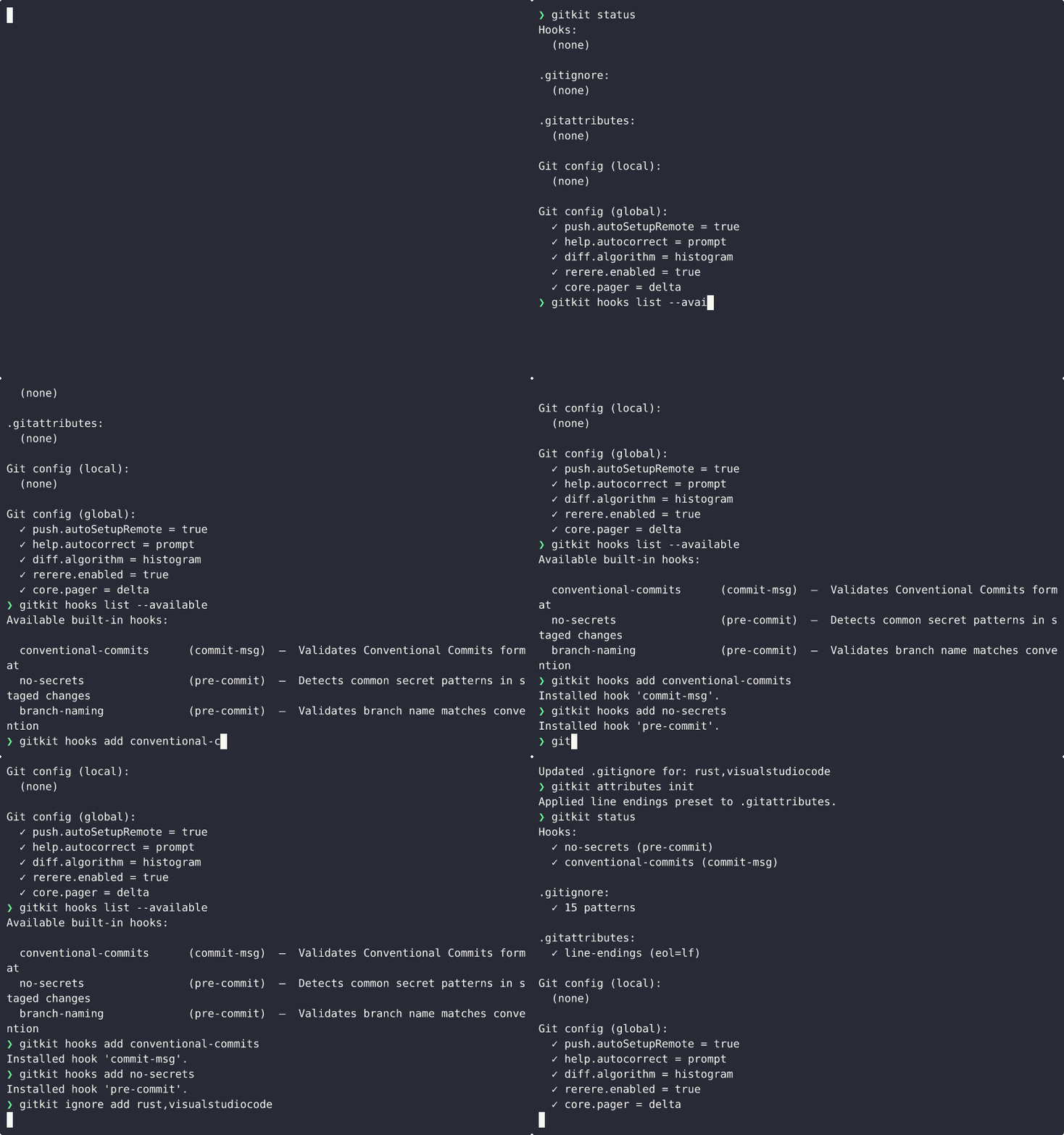
---
## Features
- **🪄 Guided repo setup** — Configure hooks, `.gitignore`, `.gitattributes`, and git config in one interactive flow.
- **📊 Status overview** — See what's currently configured with `gitkit status`.
- **🔁 Clone and bootstrap** — Clone a repo and drop straight into the setup wizard.
- **🧰 Hook management** — Install, list, show, or remove built-in hooks, or wire up your own command.
- **🧩 Ignore and attribute presets** — Browse built-in and gitignore.io templates, then apply line-ending or binary presets.
- **⚙️ Curated git config** — Apply practical presets with `--global` or `--local` scope, with idempotency detection.
- **💾 Save & reuse builds** — Save configurations and apply them to any project with one command.
- **📦 Single binary** — No Node.js, no Python, no extra runtime.
---
## Installation
### Quick install (recommended)
**Linux / macOS:**
```bash
**Windows (PowerShell):**
```powershell
### Via cargo
```bash
cargo install gitkit
```
Available on [crates.io](https://crates.io/crates/gitkit).
### GitHub Releases
Check the [Releases](https://github.com/UniverLab/gitkit/releases) page for precompiled binaries (Linux x86_64, macOS x86_64/ARM64, Windows x86_64).
### Uninstall
**Linux / macOS:**
```bash
rm -f ~/.local/bin/gitkit
```
**Windows (PowerShell):**
```powershell
Remove-Item "$env:LOCALAPPDATA\gitkit\gitkit.exe" -Force
```
---
## Quick Start
**Run the wizard (no arguments needed):**
```bash
gitkit
```
Or explicitly:
```bash
gitkit init
```
**Clone and configure a repo in one command:**
```bash
gitkit clone https://github.com/user/repo
```
Or use commands directly:
```bash
gitkit hooks add conventional-commits
gitkit ignore add rust,vscode,agentic
gitkit attributes init
gitkit config apply defaults
```
## Documentation
Full documentation lives in [`docs/`](docs/): installation, quick start,
hooks, ignore & attributes, config presets, builds and the complete CLI reference.
---
## `gitkit status`
Show what's currently configured in your repo and globally.
```bash
gitkit status
```
**Output example:**
```
Hooks:
✓ conventional-commits (commit-msg)
✓ custom: pre-push → "cargo test"
.gitignore:
✓ 14 patterns
.gitattributes:
✓ line-endings (eol=lf)
Git config (local):
(none)
Git config (global):
✓ push.autoSetupRemote = true
✓ help.autocorrect = prompt
✓ diff.algorithm = histogram
```
---
## `gitkit init`
Interactive wizard that guides you through configuring a repo step by step. Shows what's already configured and allows removal.
- Hooks — shows installed hooks, pre-selects them, allows removal
- `.gitignore` — filterable search across all gitignore.io templates + built-ins
- `.gitattributes` — line endings and binary file presets
- Git config — shows current values, allows removal
- Custom hooks — interactive picker for hook type selection
Run without arguments or explicitly:
```bash
gitkit
# or
gitkit init
```
Automatically initializes a git repository if one doesn't exist.
---
## `gitkit clone`
Clone a repository and automatically run `gitkit init` to configure it.
**Usage:**
```bash
gitkit clone [OPTIONS] <REPOSITORY> [DIRECTORY]
```
**Arguments:**
- `<REPOSITORY>` — Repository URL or path to clone
- `[DIRECTORY]` — Target directory (defaults to repository name)
**Options:**
- `-b, --branch <BRANCH>` — Clone specific branch (defaults to repository default)
- `-h, --help` — Print help
**Examples:**
```bash
# Clone and auto-configure
gitkit clone https://github.com/user/repo
# Clone specific branch
gitkit clone -b develop https://github.com/user/repo
# Clone to custom directory
gitkit clone https://github.com/user/repo my-project
```
The wizard runs automatically after cloning, allowing you to configure hooks, `.gitignore`, `.gitattributes`, and git config in one workflow.
---
## Commands
### Hooks
| `gitkit hooks add <builtin>` | Install a built-in hook (hook name inferred) |
| `gitkit hooks add <hook> <command>` | Install a custom shell command as a hook |
| `gitkit hooks list` | List installed hooks |
| `gitkit hooks list --available` | Show all built-in hooks with descriptions |
| `gitkit hooks remove <hook>` | Remove an installed hook |
| `gitkit hooks show <hook>` | Print hook content |
### Ignore
| `gitkit ignore add <templates>` | Generate/merge `.gitignore` via gitignore.io |
| `gitkit ignore list [filter]` | List available templates |
### Attributes
| `gitkit attributes init` | Apply line endings preset to `.gitattributes` |
### Config
| `gitkit config apply defaults` | `push.autoSetupRemote`, `help.autocorrect`, `diff.algorithm` |
| `gitkit config apply advanced` | `merge.conflictstyle zdiff3`, `rerere.enabled` |
| `gitkit config apply delta` | `core.pager delta` (requires `cargo`) |
| `gitkit config show` | Show current git config values |
**Scope options:**
- `--global` — Apply to global git config (all repos)
- `--local` — Apply to local repo config only
- Default: `--local` if in a repo, `--global` otherwise
**Idempotency:**
Configs already set with the same value show `(already set)` and are skipped.
```bash
$ gitkit config apply defaults --global
✓ push.autoSetupRemote = true (already set)
✓ help.autocorrect = prompt (already set)
✓ diff.algorithm = histogram (already set)
All configs already applied.
```
### Build
Save and reuse configurations across projects.
| `gitkit build list` | List saved builds |
| `gitkit build save <name>` | Save current repo config as a build |
| `gitkit build apply <name>` | Apply a saved build |
| `gitkit build delete <name>` | Delete a saved build |
**Example:**
```bash
# Save current configuration
gitkit build save rust-dev --description "Rust development setup"
# Apply to another project
cd /path/to/other/project
gitkit build apply rust-dev
```
Builds are saved to `~/.gitkit/builds/` as TOML files.
---
## Built-in Hooks
Run `gitkit hooks list --available` to see these without leaving the terminal.
| `conventional-commits` | `commit-msg` | Validates Conventional Commits format |
| `no-secrets` | `pre-commit` | Detects common secret patterns in staged changes |
| `branch-naming` | `pre-commit` | Validates branch name matches convention |
Built-ins are embedded in the binary — no network required.
---
## Global Flags
| `--yes`, `-y` | Skip confirmation prompts |
| `--force`, `-f` | Overwrite existing files |
| `--dry-run` | Preview changes without applying |
---
## License
MIT
---
An experiment of [UniverLab](https://github.com/UniverLab) — an open computational laboratory.
Made with ❤️ by [JheisonMB](https://github.com/JheisonMB)