# gitas
Git Account Switch / Git As
## Installation
```bash
# Install Script (Linux & macOS)
# Install Script (Windows PowerShell)
# Homebrew
brew tap letmutex/gitas
brew install gitas
# Cargo
cargo install gitas
```
## Usage
```bash
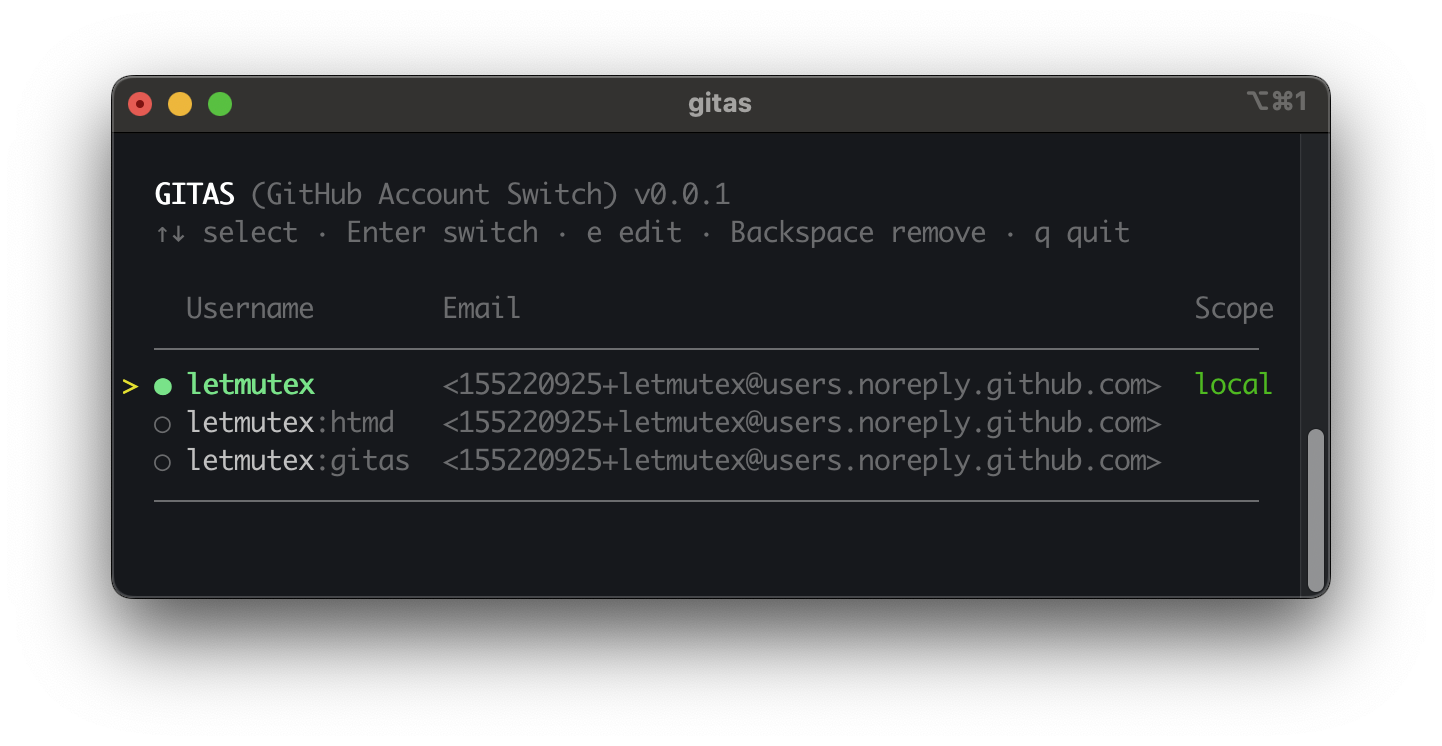
# Open interactive TUI to switch, edit, or remove accounts
gitas
# Add a new account (Manual or GitHub Login)
gitas add
# Run any git command as a specific account
# Useful for cloning private projects
gitas git clone <url>
```
## How It Works
**Switching Identity**: Updates your local/global `git config` and pre-fills the credential cache, so subsequent git commands work seamlessly without prompts.
**Command Proxy (`gitas git`)**: Executes git with a temporary identity and credential helper using `-c` flags. It does **not** modify any config files, making it perfect for one-off commands.
**Secure Storage**: All tokens are stored in your system's native keychain (macOS Keychain, Windows Credential Manager, Linux Secret Service).
## Data
- **Config**: [`dirs::config_dir()`](https://docs.rs/dirs/latest/dirs/fn.config_dir.html)/`gitas/accounts.json`
- **Secrets**: System Keychain
## Uninstallation
```bash
# Linux / macOS (Install Script)
rm $(which gitas)
# Windows (PowerShell Install Script)
Remove-Item -Path "$env:LOCALAPPDATA\gitas" -Recurse -Force
# Homebrew
brew uninstall gitas
# Cargo
cargo uninstall gitas
```
## License
This project is licensed under the [Apache License, Version 2.0](LICENSE).
