# Command Line Interface

## Basic Usage

```bash
# Generate commit message automatically
gim

# Specify commit subject instead of conclude from commit description;
# The description is generated by AI anyway.
gim --title "your commit title"

# Stage unstaged changes automatically
gim --auto-add

```

## Recommended Usage

```bash
# Basic usage - generate commit message for staged changes
gim

# Auto-stage changes and generate commit message
gim -a

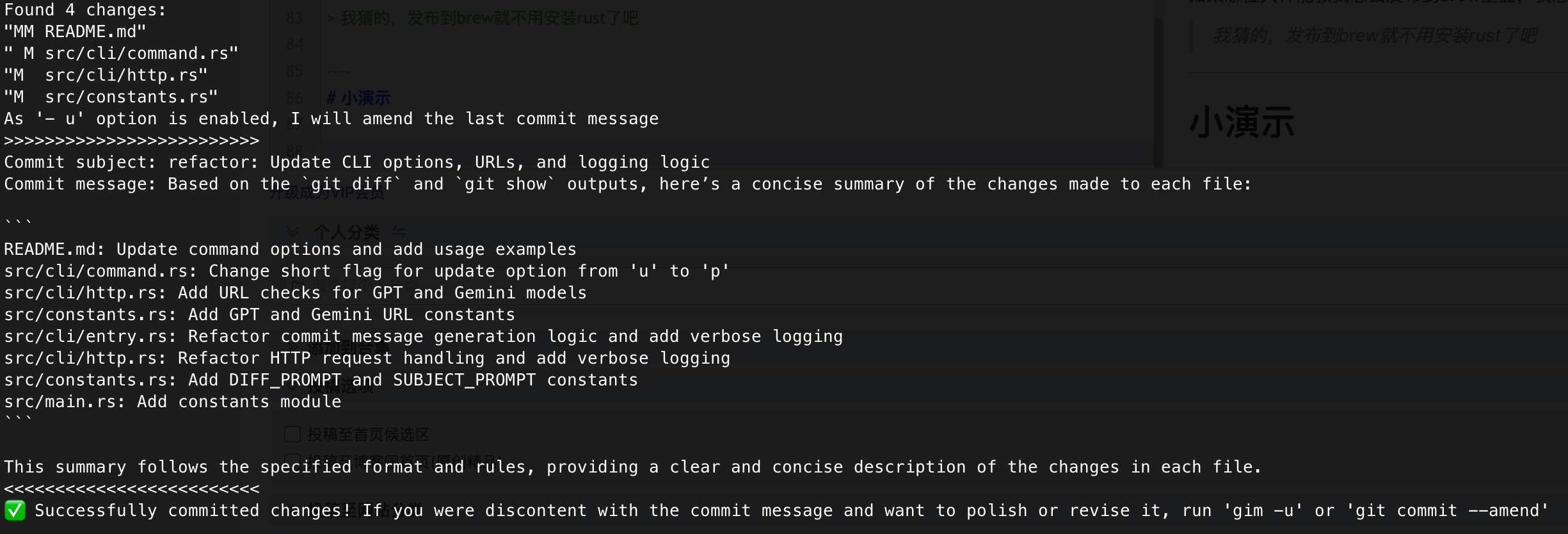
# Amend the most recent commit
gim -ap
```

## Command Options

- `-t, --title <STRING>`: Specify the commit message title
- `-a, --auto-add`: Automatically stage all modifications
- `-p, --update`: Amend the most recent commit
- `-n, --max-files <N>`: Maximum number of changed files to send to AI (overrides config, default: 10)
- `-v, --verbose`: Show detailed information (will be suppressed in quiet mode)
- `-q, --quiet`: Suppress normal output (quiet mode)
- `--diff-prompt <STRING>`: Custom diff prompt to override the default AI prompt for analyzing changes
- `--subject-prompt <STRING>`: Custom subject prompt to override the default AI prompt for generating commit messages

You can combine these options; Use the `-h` option to view help information.

## Dry Run (`--dry`)

You can use the `--dry` option with `gim`, `gim -a`, or `gim -p` to preview the content that would be sent to the AI model, without actually sending it or making a commit.

**Usage examples:**

```bash
gim --dry
gim -a --dry
gim -p --dry
```

This will print the diff and prompt content that would be sent to the AI, then exit without making any network requests or git commits.

## Custom Prompts

You can override the default AI prompts used for analyzing changes and generating commit messages using the `--diff-prompt` and `--subject-prompt` options.

### Usage Examples

```bash
# Use a custom diff prompt only
gim --diff-prompt "Summarize each file change in one sentence focusing on the main functionality"

# Use a custom subject prompt only
gim --subject-prompt "Create a concise commit message following conventional commit format"

# Use both custom prompts
gim --diff-prompt "List files with their key changes" --subject-prompt "Generate a descriptive commit title"

# Combine with other options
gim -a --diff-prompt "Analyze changes for security implications" --subject-prompt "Create security-focused commit message"

# Test custom prompts with dry run
gim --dry --diff-prompt "Custom analysis prompt" --subject-prompt "Custom message prompt"
```

### Priority Order

The prompts are used in the following priority order:

1. **Command line arguments** (`--diff-prompt` / `--subject-prompt`) - Highest priority
2. **Local `.gim` directory** - Project-specific prompt files
3. **Config directory** - Global prompt files
4. **Built-in defaults** - Fallback prompts

This allows you to have project-specific prompts in a `.gim` directory, but override them temporarily with command line arguments when needed.

## Limiting Files Sent to AI (`--max-files` / `-n`)

When you have many changed files, sending all of them to AI can be overwhelming and costly. The `--max-files` option limits how many files are included in the diff sent to AI.

**Usage examples:**

```bash
# Limit to 5 most significant files
gim -n 5

# Combine with other options
gim -a -n 3

# Override config setting temporarily
gim --max-files 20
```

**Smart File Selection:**

When the number of changed files exceeds the limit, GIM uses intelligent selection:

1. Files are ranked by the number of lines changed (additions + deletions)
2. If code file changes exceed 50% of total changes, only code files are kept (config and doc files are filtered out)
3. The top N most significant files are selected

**Supported file types:**

- **Code**: `.rs`, `.go`, `.py`, `.js`, `.ts`, `.java`, `.c`, `.cpp`, and many more
- **Config**: `.xml`, `.toml`, `.yaml`, `.json`, `.ini`, `.env`, etc.
- **Doc**: `.md`, `.txt`, `.rst`, `.adoc`, etc.

**Priority Order:**

1. **Command line argument** (`-n` / `--max-files`) - Highest priority
2. **Config file** (`gim config --max-files <N>`)
3. **Default value** (10 files)