# comma
> AI-powered commit messages from your staged diff.
`comma` reads what you've staged, asks any OpenRouter model to write a commit message, and hands you the result. Accept it, edit it, or regenerate — then commit.
## Demo
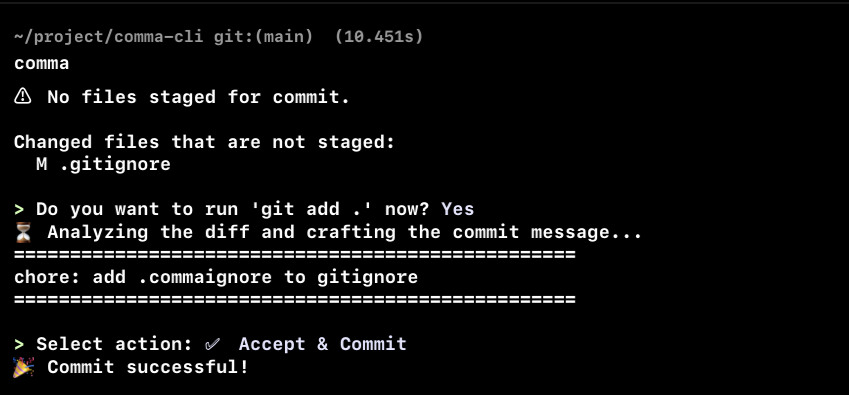
*Running `comma`*
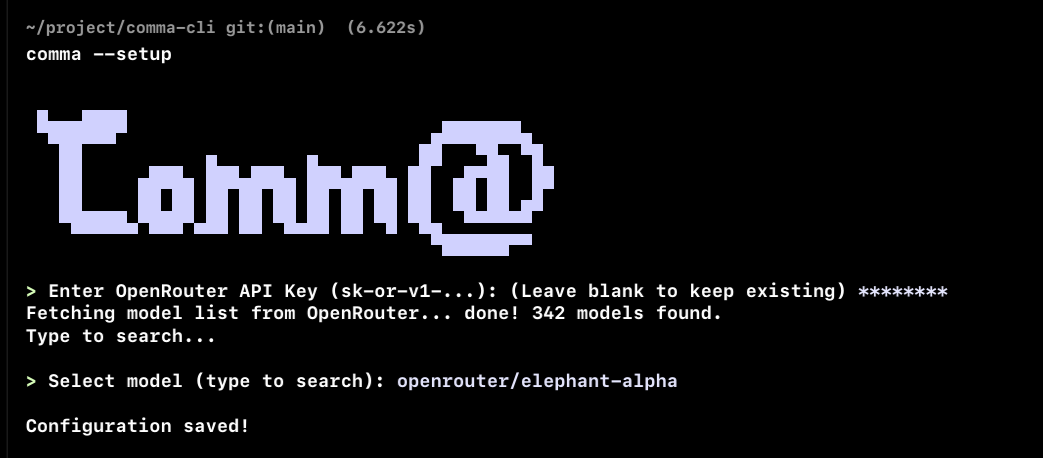
*First-run setup flow*
## Install
```bash
cargo install git-comma
```
Or build from source:
```bash
git clone https://github.com/rfxlamia/git-comma
cd git-comma
cargo build --release
```
## Quick Start
First run walks you through setup automatically. You'll need an [OpenRouter API key](https://openrouter.ai/keys).
```bash
comma
```
Reconfigure anytime:
```bash
comma --setup
```
## How It Works
```
git add <files> → comma → AI reads your diff → ✅ Accept / ✏️ Edit / 🔄 Regenerate
```
1. **Preflight** — checks for staged files, warns if diff is huge (>15k chars)
2. **AI generation** — sends your diff to OpenRouter with a tuned system prompt
3. **Action loop** — accept, edit in your $EDITOR, or regenerate (optionally with instructions)
4. **Commit** — draft saved to `.git/comma_msg.txt` first (survives hook failures)
## Config
`~/.comma.json` with your API key and model ID:
```json
{
"api_key": "sk-or-v1-...",
"model_id": "openai/gpt-5.4"
}
```
Any model on OpenRouter works — pick your own.
MIT license.