# Flowquad!
Flowquad is a library that helps you build UI stuff with [Macroquad](https://macroquad.rs)
# Features
- [x] UI Elements (Widgets)
- [x] Button
- [x] Container
- [x] Label
- [x] TextInput
- [x] Toggle
# Getting Started
## Installation
Run
```bash
$ cargo add flowquad
```
## Example
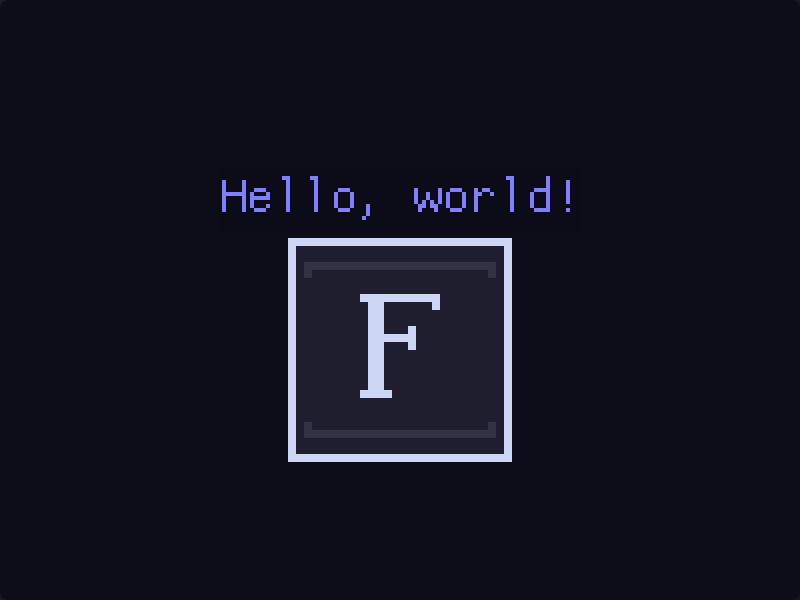
A simple hello world with a label and an image.
```rust
use macroquad::prelude::*;
use flowquad::prelude::*;
#[macroquad::main("Flowquad Example")]
async fn main() {
let mut label = Label::new("Hello, world!".to_string(), Color::new(0.05, 0.05, 0.1, 1.0), Color::new(0.5, 0.5, 1.0, 1.0), None, 64.0);
let flowquad = load_texture("examples/flowquad.png").await.unwrap();
flowquad.set_filter(FilterMode::Nearest);
let mut image = flowquad::widgets::image::Image::new(256.0, 256.0, flowquad);
loop {
clear_background(Color::new(0.05, 0.05, 0.1, 1.0));
// `Label::update` Does nothing but kept here for consistency
label.update(screen_width() / 2.0 - label.width() / 2.0, screen_height() / 2.0 - label.height() / 2.0 - 100.0);
label.render(screen_width() / 2.0 - label.width() / 2.0, screen_height() / 2.0 - label.height() / 2.0 - 100.0);
image.update(screen_width() / 2.0 - image.width() / 2.0, screen_height() / 2.0 - image.height() / 2.0 + 50.0);
image.render(screen_width() / 2.0 - image.width() / 2.0, screen_height() / 2.0 - image.height() / 2.0 + 50.0);
next_frame().await;
}
}
```
The result is:
More examples can be found in the `examples` folder.
```bash
$ cargo run --example <example_name>
```