<p align="center">
<img src="https://raw.githubusercontent.com/Misterio77/flavours/master/logo.svg" alt="flavours logo"/>
</p>
---
A (WIP) manager/builder for [Base16](https://github.com/chriskempson/base16). Written in Rust🦀.
[](https://crates.io/crates/flavours)
[](https://github.com/misterio77/flavours/actions?query=workflow%3ARust)
[](https://repology.org/project/flavours/versions)
## What
This is a CLI program that both builds and manages Base16 schemes and templates.
The base16 specification consists of both schemes (with 16 colors) and templates. There'll probably be templates for most applications you use, but you can easily make one for literally any app that supports any sort of color customization.
Once your configuration files are set, you can theme your entire desktop with just *one* command. No more hassle changing themes when you get bored.
Why have one color if you can have all the colors?
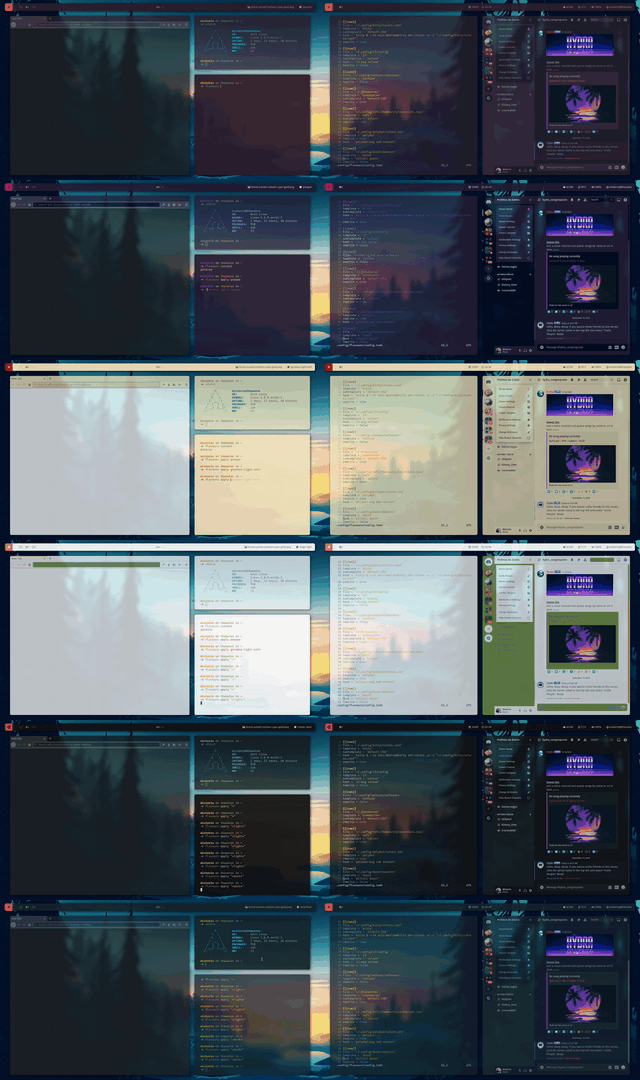
I use it to theme kitty terminal, i3wm, rofi, polybar, gtk, discord and spotify. Here's how it looks in action:
## How
### Installation
#### Packages
- [AUR Package](https://aur.archlinux.org/packages/flavours/) for Arch (and derivatives):
`yay -S flavours`
Let me know if you want to package flavours for your favorite distro.
#### Cargo
Just install cargo and run `cargo install flavours` (don't forget to include `~/.cargo/bin` on your PATH).
#### Post-install
After installing, you should probably use `flavours update all` to grab all published schemes and templates from the base16 repos. If you want, you can manually tweak the templates, schemes or even the repo lists (everything's located in `~/.local/share/flavours` on Linux).
### Usage
You can use flavours and base16 templates to automatically inject schemes into any application config file that supports colors codes.
#### Setup
Choose a [template](https://github.com/chriskempson/base16#template-repositories) for each app you want themed (or create your own).
On these config files, place a start and end comment to tell flavours where to replace lines (defaults are `# Start flavours` and `# End flavours`).
On flavours configuration (`~/.config/flavours/config.toml` on Linux), create a `[[item]]` section for each app. Specify a `file` and a `template` (optionally a `subtemplate`, a `hook` to execute, whether to use `rewrite` mode, or change the `start` and `end` lines), and vóila. You're now ready to apply schemes.
#### Applying
`flavours apply` is the command you'll probably be using all the time. So it's built to be as useful as possible.
If more than one scheme is specified or matched (with glob), flavours will choose one randomly.
You can:
- Specify a scheme: `flavours apply pasque`
- Specify multiple: `flavours apply pasque paraiso atlas`
- Use glob: `flavours apply "gruvbox*"`
- Omit: `flavours apply` (is the same as running `flavours apply "*"`)
#### Other commands
You can also use `flavours current` to see the last scheme you applied, `flavours list` to list all available schemes (`-l` or `--lines` to print each in one line).
## Why
Why use this instead of other base16 managers, or even pywal?
While these projects are great and certainly fit some people's workflow, they didn't quite fit mine.
I decided to do my own project because i wanted a simple CLI program that can easily integrate with rofi, polybar, and everything else in my workflow. The main feature is being able to quickly and easily use a curated list of schemes, on all your apps. It's also objectively faster than _any_ other manager.
## When
All features are implemented! I'm currently working on improving code quality and stabilizing the features, but everything should work as intended.
### Thanks to:
- Functionality inspiration from [Base16 Universal Manager](https://github.com/pinpox/base16-universal-manager).
- Logo inspiration from [Starship prompt](https://starship.rs)
.svg)
