
$ flake-edit - edit your flake inputs with ease




$ flake-edit - usage
flake-edit has the following cli interface:
Edit your flake inputs with ease.

Usage: flake-edit [OPTIONS] <COMMAND>

Commands:
  add
          Add a new flake reference
  remove
          Remove a specific flake reference based on its id
  change
          Change an existing flake reference's URI
  list
          List flake inputs
  update
          Update inputs to their latest specified release
  pin
          Pin inputs to their current or a specified rev
  unpin
          Unpin an input so it tracks the upstream default again
  follow
          Automatically add and remove follows declarations
  add-follow
          Manually add a single follows declaration
  config
          Manage flake-edit configuration
  help
          Print this message or the help of the given subcommand(s)

Options:
      --flake <FLAKE>
          Location of the `flake.nix` file, that will be used. Defaults to `flake.nix` in the current directory
      --lock-file <LOCK_FILE>
          Location of the `flake.lock` file. Defaults to `flake.lock` in the current directory
      --diff
          Print a diff of the changes, will not write the changes to disk
      --no-lock
          Skip updating the lockfile after editing flake.nix
      --non-interactive
          Disable interactive prompts
      --no-cache
          Disable reading from and writing to the completion cache
      --cache <CACHE>
          Path to a custom cache file
      --config <CONFIG>
          Path to a custom configuration file
  -h, --help
          Print help
  -V, --version
          Print version
$ flake-edit add
Add a new flake reference

Usage: flake-edit add [OPTIONS] [ID] [URI]

Arguments:
  [ID]
          The name of an input attribute
  [URI]
          The uri that should be added to the input

Options:
      --ref-or-rev <REF_OR_REV>
          Pin to a specific ref_or_rev
  -n, --no-flake
          The input itself is not a flake
  -s, --shallow
          Use shallow clone for the input
  -h, --help
          Print help
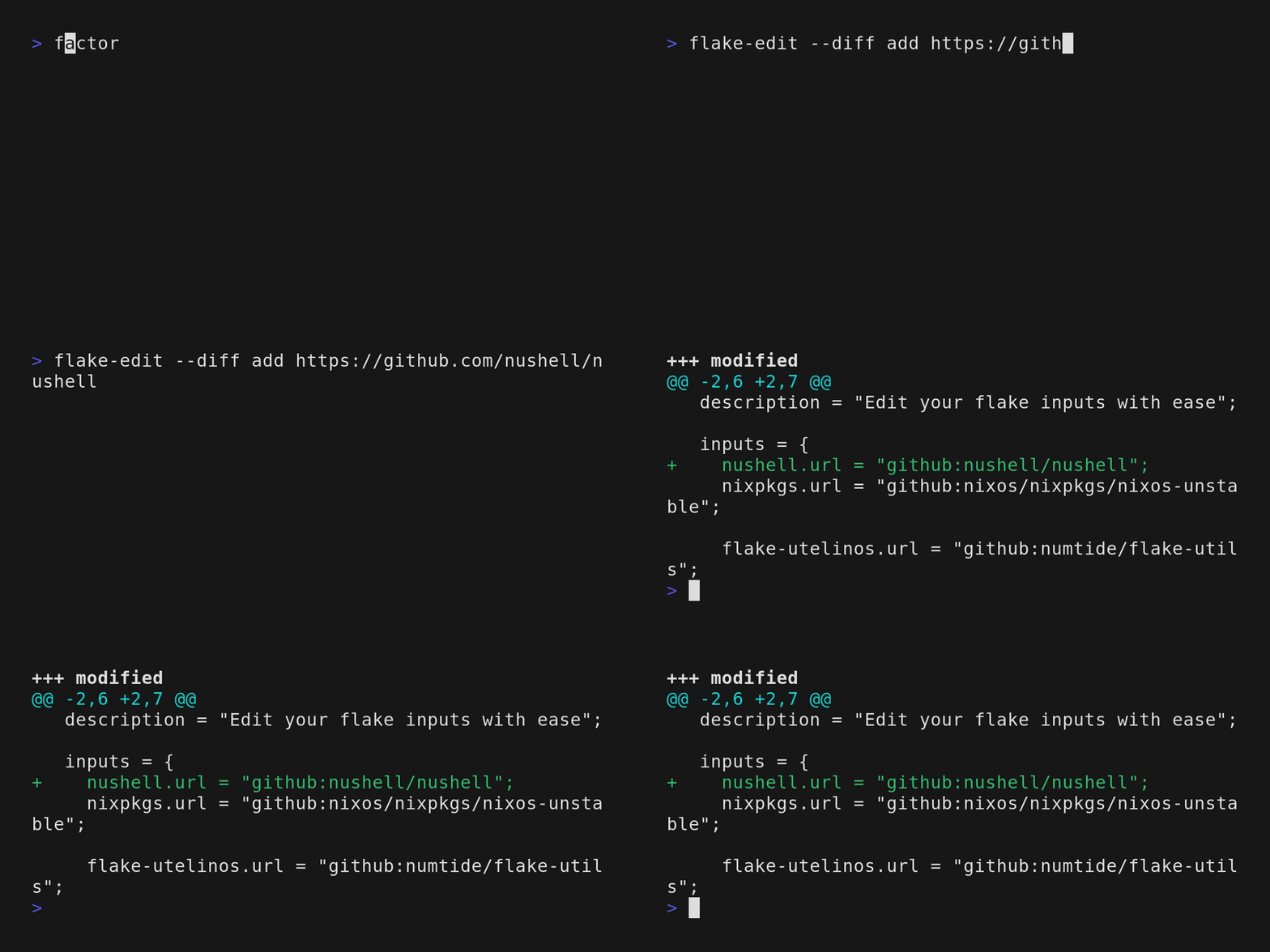
For some types, the id will be automatically inferred.
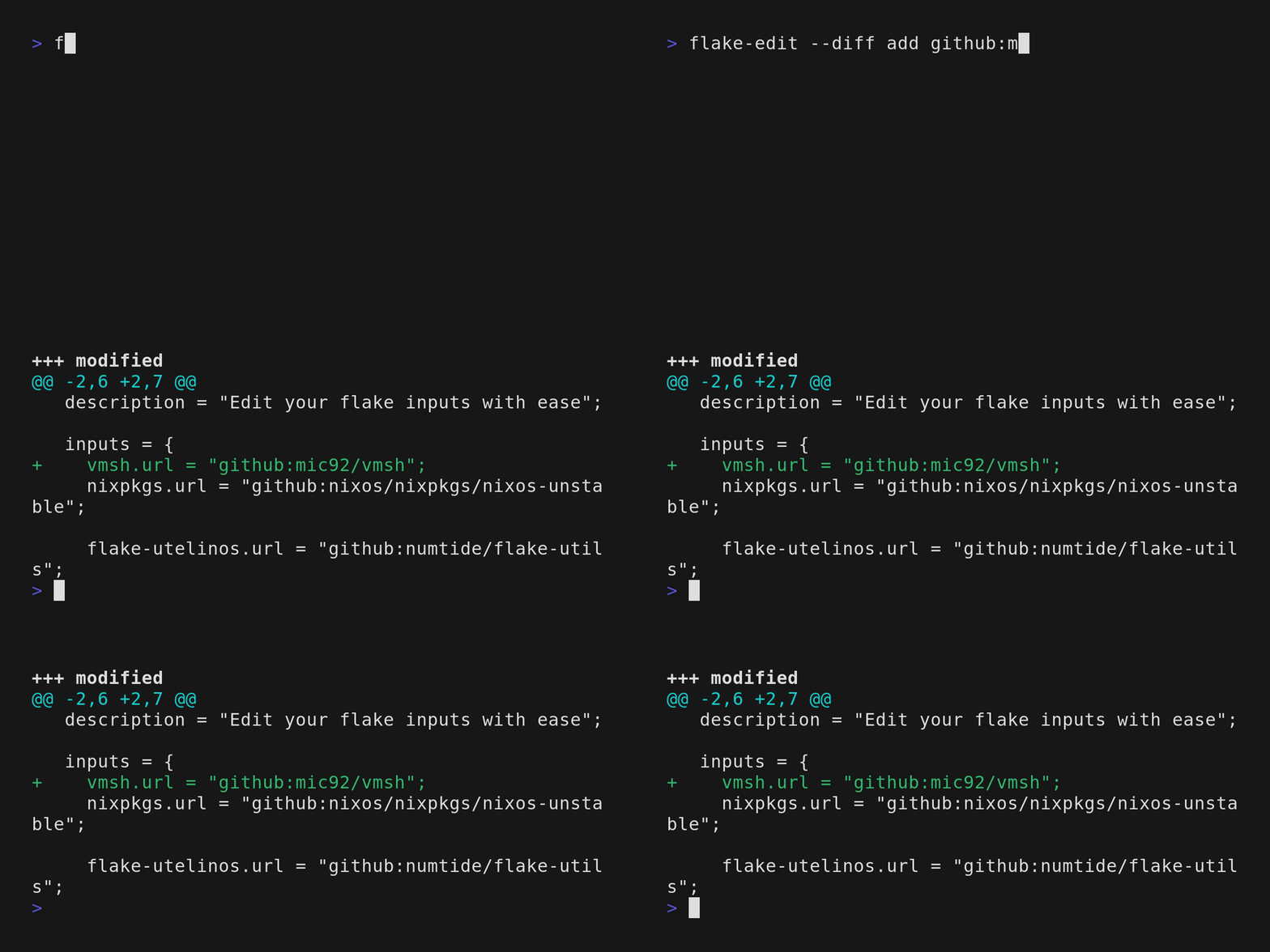
For some inputs, the uri can be put in directly and the id and type will be inferred.
$ flake-edit remove
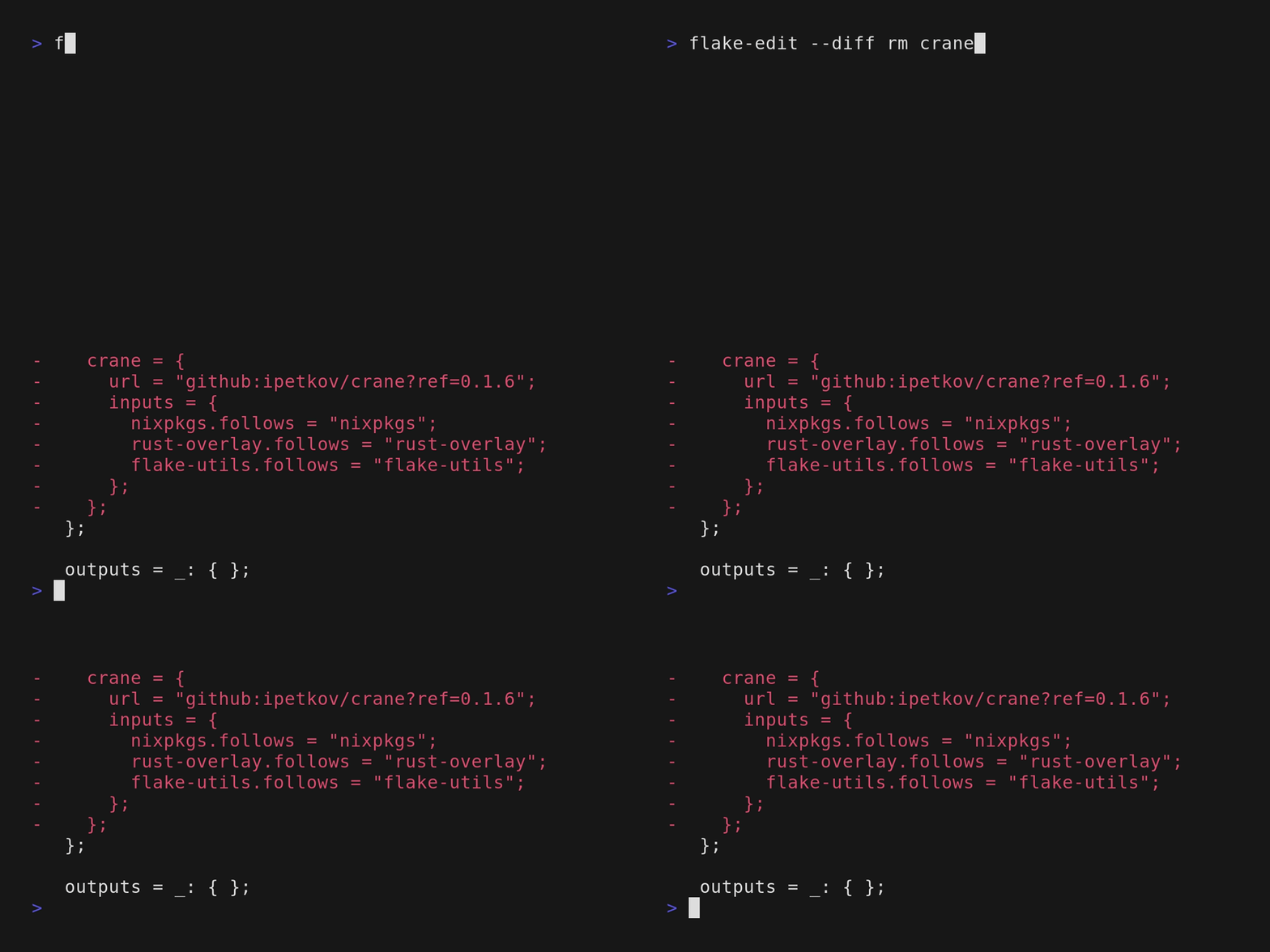
Remove a specific flake reference based on its id

Usage: flake-edit remove [ID]

Arguments:
  [ID]


Options:
  -h, --help
          Print help
$ flake-edit update
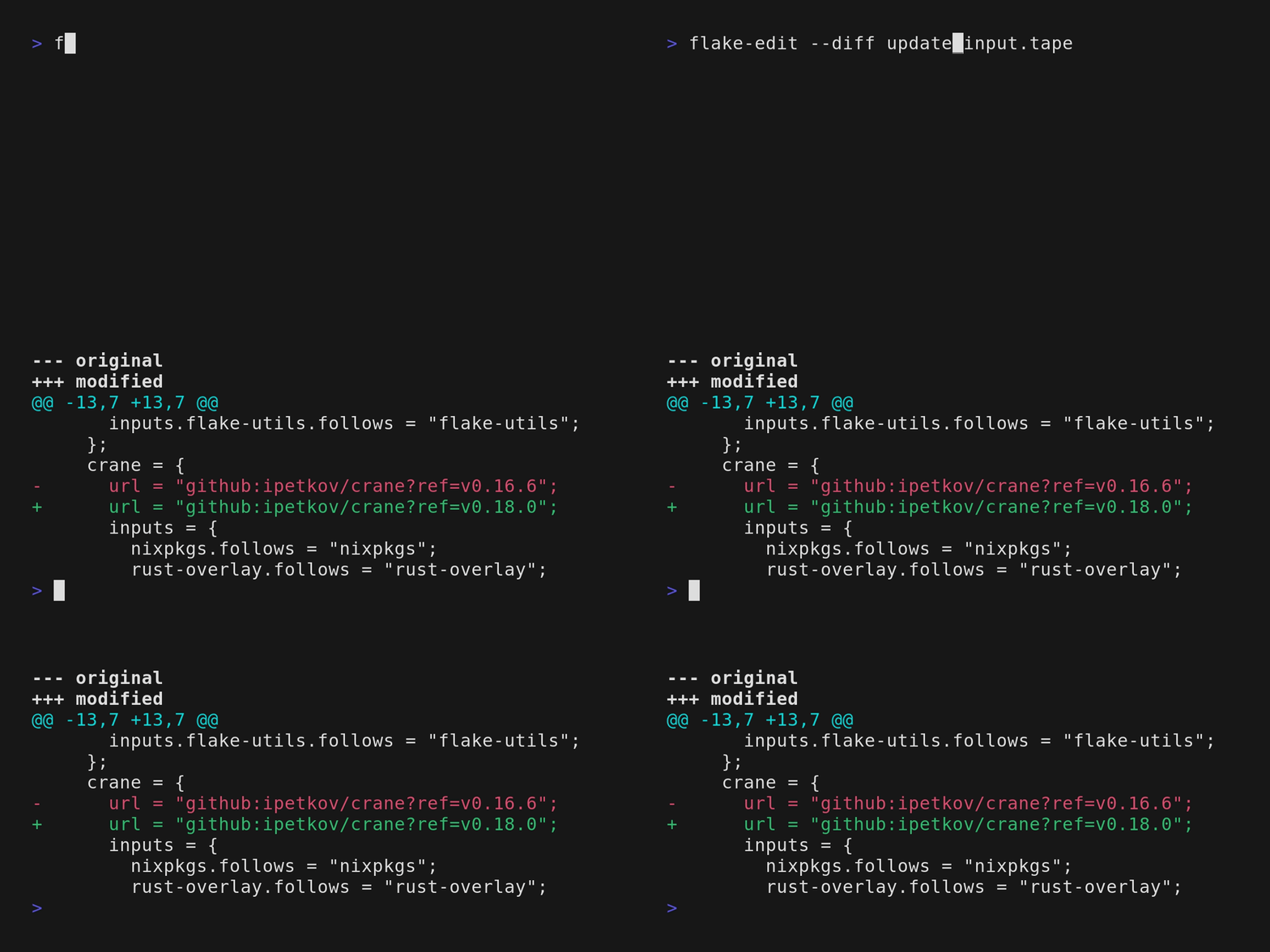
Update inputs to their latest specified release

Usage: flake-edit update [OPTIONS] [ID]

Arguments:
  [ID]
          The id of an input attribute. If omitted will update all inputs

Options:
      --init
          Whether the latest semver release of the remote should be used even thought the release itself isn't yet pinned to a specific release
  -h, --help
          Print help
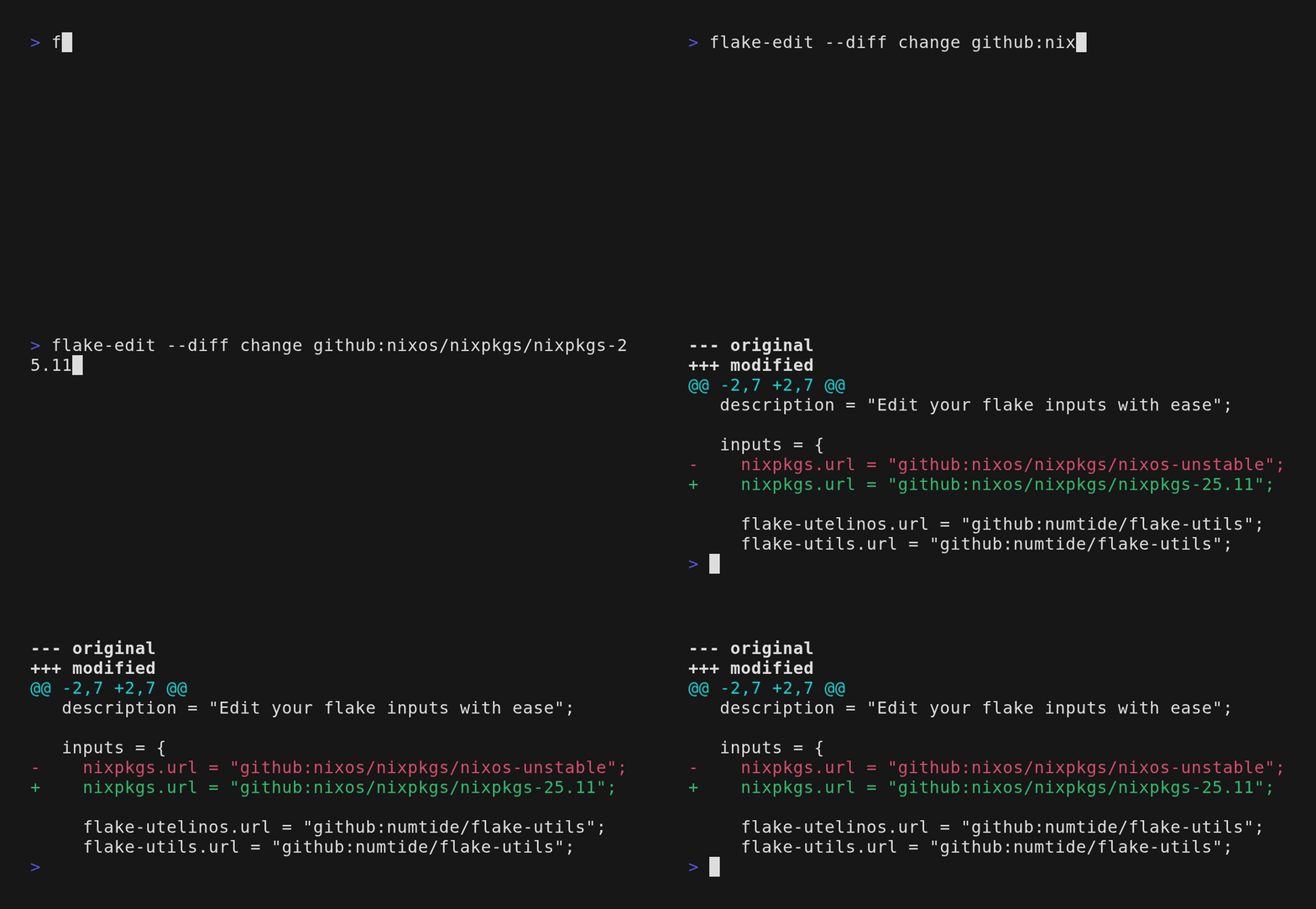
$ flake-edit change
Change an existing flake reference's URI

Usage: flake-edit change [OPTIONS] [ID] [URI]

Arguments:
  [ID]
          The name of an existing input attribute
  [URI]
          The new URI for the input

Options:
      --ref-or-rev <REF_OR_REV>
          Pin to a specific ref_or_rev
  -s, --shallow
          Use shallow clone for the input
  -h, --help
          Print help
$ flake-edit pin
Pin inputs to their current or a specified rev

Usage: flake-edit pin [ID] [REV]

Arguments:
  [ID]
          The id of an input attribute
  [REV]
          Optionally specify a rev for the inputs attribute

Options:
  -h, --help
          Print help
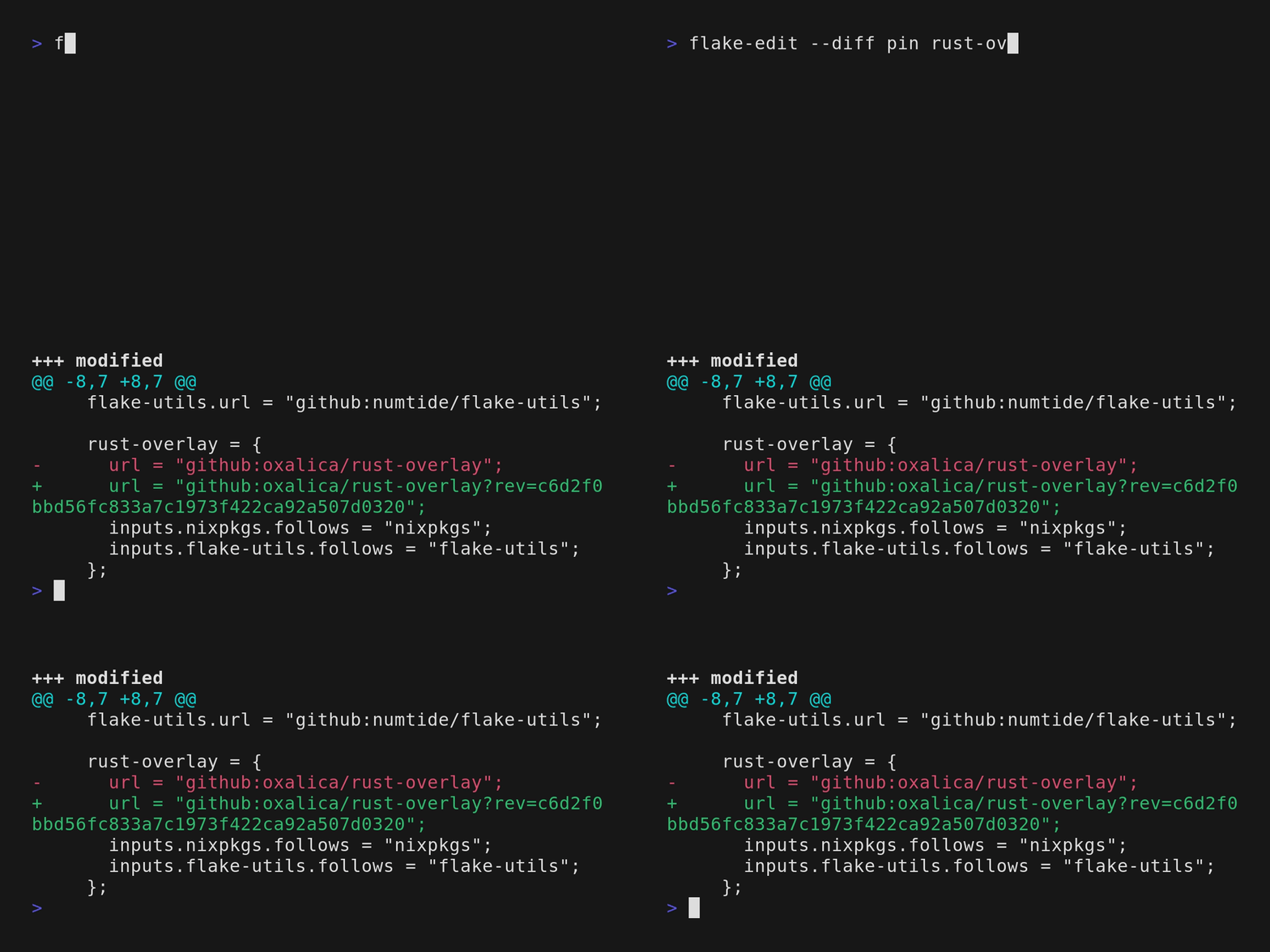 Pin a specific input to it's current revision (rev).
$ flake-edit unpin
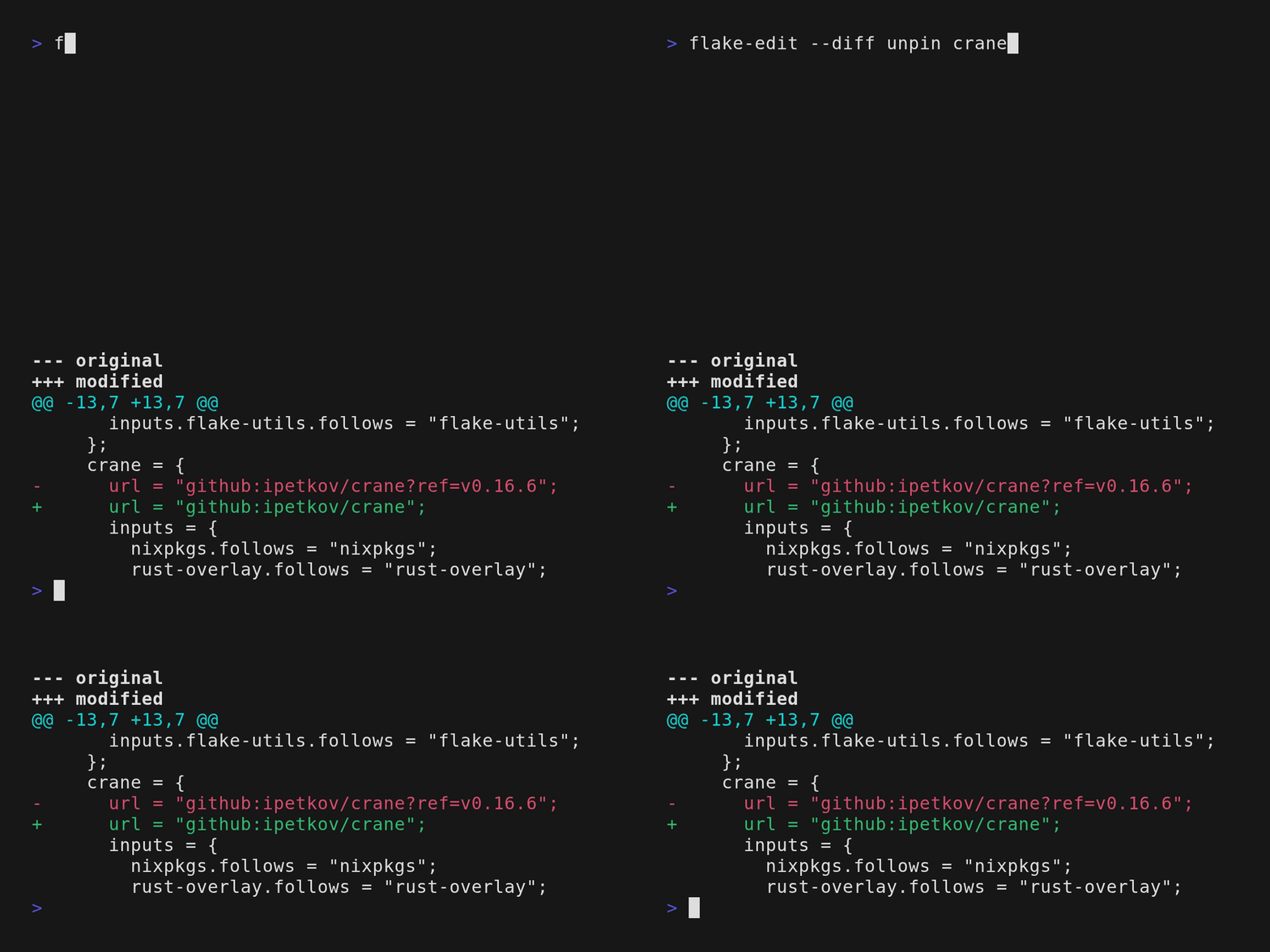
Unpin an input so it tracks the upstream default again

Usage: flake-edit unpin [ID]

Arguments:
  [ID]
          The id of an input attribute

Options:
  -h, --help
          Print help
$ flake-edit list
List flake inputs

Usage: flake-edit list [OPTIONS]

Options:
      --format <FORMAT>
          [default: detailed]
  -h, --help
          Print help
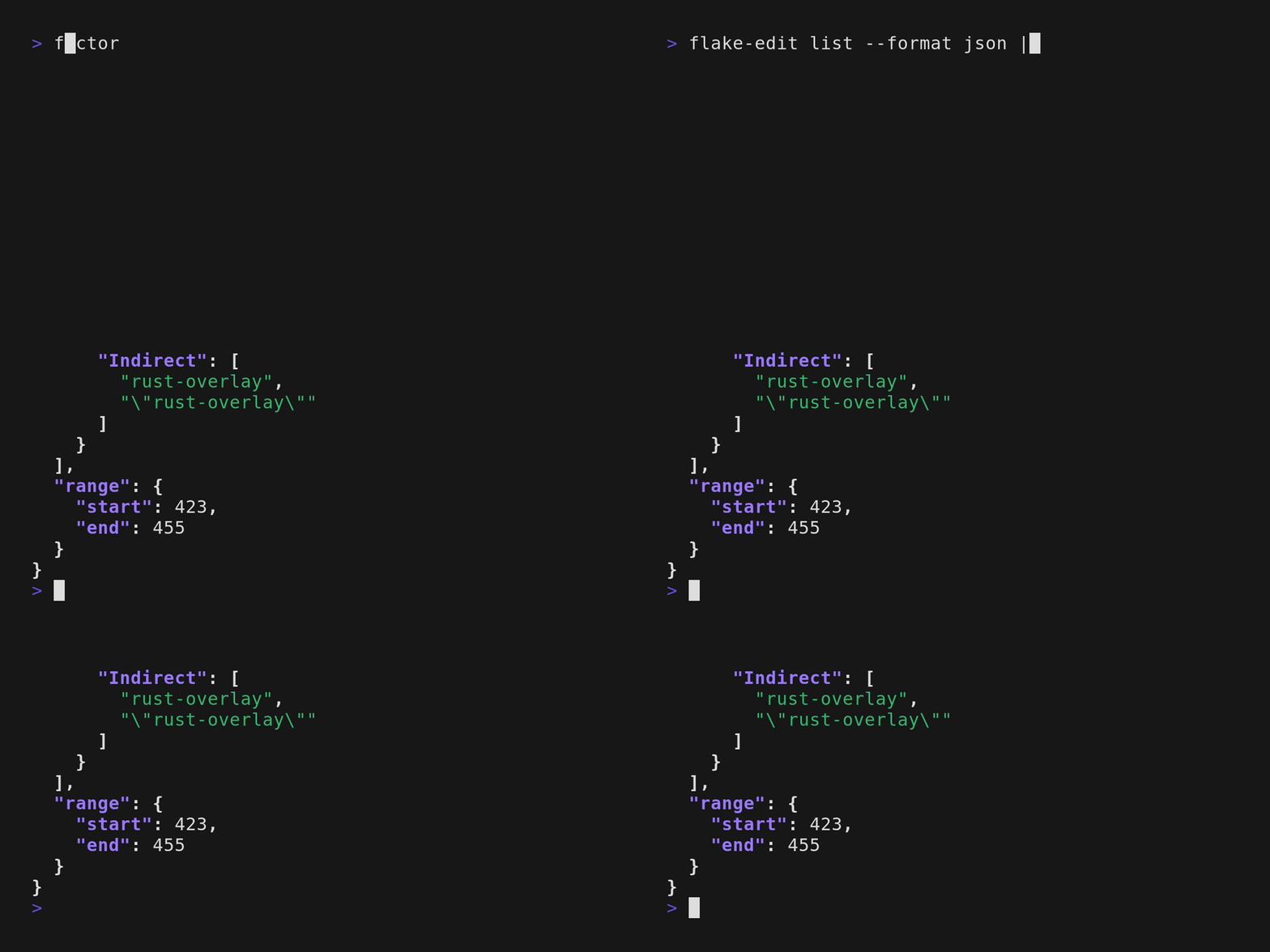
List the outputs, that are specified inside the inputs attribute.
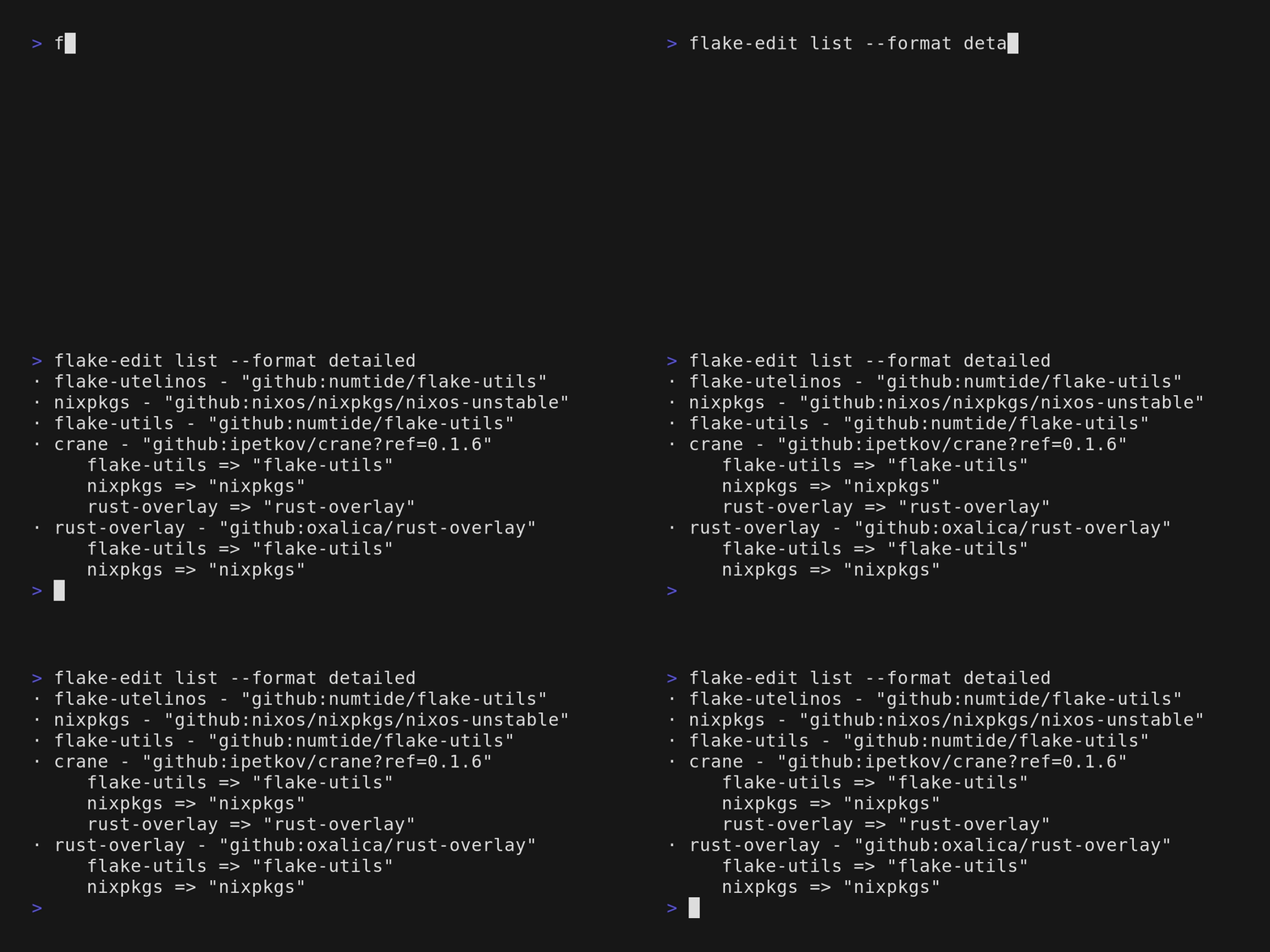 List the outputs, that are specified inside the inputs attribute, in json format.
$ flake-edit follow
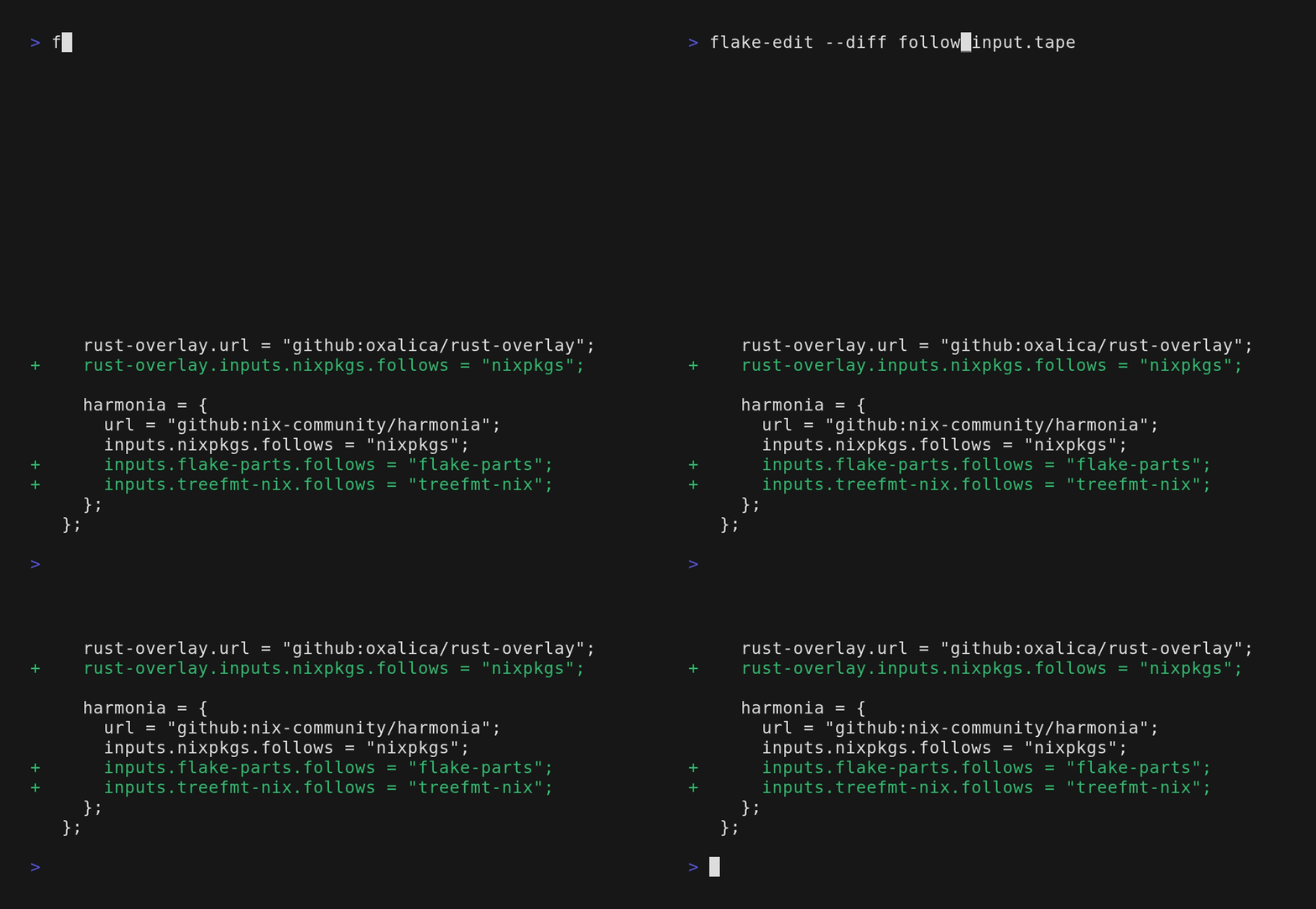
Automatically add and remove follows declarations.

Analyzes the flake.lock to find nested inputs that match top-level inputs, then adds appropriate follows declarations and removes stale ones.

With file paths, processes multiple flakes in batch. For every `flake.nix` file passed in it will assume a `flake.lock` file exists in the same directory.

Usage: flake-edit follow [PATHS]...

Arguments:
  [PATHS]...
          Flake.nix paths to process. If empty, runs on current directory

Options:
  -h, --help
          Print help (see a summary with '-h')
Automatically add follows relationships for all nested inputs matching top-level inputs.
$ flake-edit add-follow
Manually add a single follows declaration.

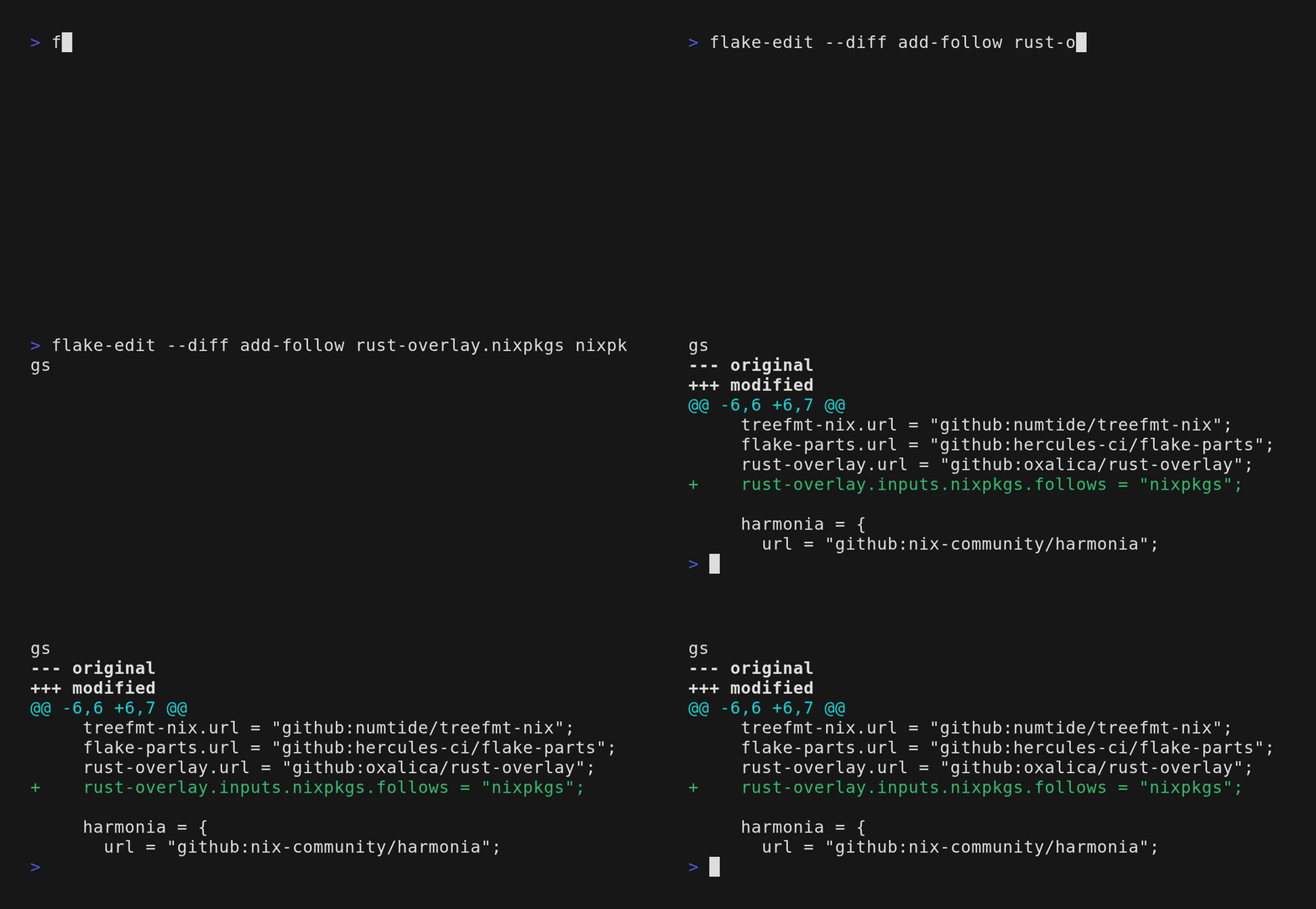
Example: `flake-edit add-follow rust-overlay.nixpkgs nixpkgs`

This creates: `rust-overlay.inputs.nixpkgs.follows = "nixpkgs";`

Without arguments, starts an interactive selection.

Usage: flake-edit add-follow [INPUT] [TARGET]

Arguments:
  [INPUT]
          The input path in dot notation (e.g., "rust-overlay.nixpkgs" means the nixpkgs input of rust-overlay)

  [TARGET]
          The target input to follow (e.g., "nixpkgs")

Options:
  -h, --help
          Print help (see a summary with '-h')
Add a follows relationship to a specific nested input.
$ flake-edit config
Manage flake-edit configuration

Usage: flake-edit config [OPTIONS]

Options:
      --print-default
          Output the default configuration to stdout
      --path
          Show where configuration would be loaded from
  -h, --help
          Print help
Quick Start
Installation
cargo install flake-edit --locked
Running
From nixpkgs:
nix run nixpkgs#flake-edit -- --diff follow
From main of flake-edit:
nix run github:a-kenji/flake-edit -- --diff follow
Basic Usage
Add a new input to your flake:
flake-edit add github:numtide/treefmt-nix
Auto-follow all your inputs through flake.nix:
flake-edit follow
Add --diff to any command to get a preview of the changes:
flake-edit --diff follow
Configuration
flake-edit uses TOML configuration files.
Run flake-edit config --print-default to create a default configuration:
# flake-edit ~ configuration file
# https://github.com/a-kenji/flake-edit

# Configuration for `flake-edit follow [PATHS]`
[follow.auto]
# Inputs to ignore. Supports two formats:
#   - Full path: "crane.nixpkgs" - ignores only that specific nested input
#   - Simple name: "systems" - ignores all nested inputs with that name
# ignore = ["systems", "crane.flake-utils"]

# Alias mappings.
# Key is the canonical name (must exist at top-level), values are alternatives.
# Example: if nested input is "nixpkgs-lib" and top-level "nixpkgs" exists,
# auto-follow will suggest: poetry2nix.nixpkgs-lib -> nixpkgs
# aliases = { nixpkgs = ["nixpkgs-lib"] }
As a library
Add flake-edit as a library by running:
cargo add flake-edit --no-default-features
Be aware that the lib interface is still unstable.
Though we are already happy to get feedback.
Status
[!NOTE] This project is currently in active development and should be considered a work in progress. The goal of
flake-editis to provide a robust and well-tested interface to flake inputs. Many edge cases are not covered yet, if you find any issues please consider opening an issue, or a pr. And we would be happy for feedback of the cli interface especially.
Contributing
We welcome contributions from the community! Check out the Contributing Guidelines on how to get started.
Release Notes
Stay updated with the latest changes by viewing the Changelog.
License
MIT