## filterx
<p align="center">
<img src="./docs/docs/public/filterx-icon.png" width="100" height="100" alt="filterx logo">
</p>
<p align="center">
[](https://github.com/dwpeng/filterx/actions/workflows/release-pypi.yml) [](https://github.com/dwpeng/filterx/actions/workflows/release.yml) 
</p>
A fast command-line tool to filter lines by column-based expression.
## Features
- 🚀 Filter lines by column-based expression
- 🎨 Support multiple input formats e.g. vcf/sam/fasta/fastq/gff/bed/csv/tsv
- 🎉 Cross-platform support
- 📦 Easy to install
- 📚 Rich documentations
## Installation
Using pip or cargo to install `filterx`:
```bash
pip install filterx
```
```bash
cargo install filterx
```
Download the latest release from [releases](https://github.com/dwpeng/filterx/releases).
## Quick Start
<details>
<summary>example.csv</summary>
```csv
id,name,city,phone,gender
1,Alice,New York,123456,F
2,Bob,Los Angeles,234567,M
3,Charlie,Chicago,345678,M
4,David,Houston,456789,M
5,Eve,Phoenix,567890,F
6,Frank,Philadelphia,678901,M
7,Grace,San Antonio,789012,F
8,Heidi,San Diego,890123,F
9,Ivan,Dallas,901234,M
10,Judy,San Jose,012345,F
11,Kevin,New York,123456,M
12,Linda,Los Angeles,234567,F
13,Michael,Chicago,345678,M
14,Nancy,Houston,456789,F
15,Oliver,Phoenix,567890,M
```
</details>
```bash
filterx c example.csv -e "city in ('New York', 'Los Angeles')" -e "gender == 'F'" -e "select(name, id)"
```
Output:
```csv
name,id
Alice,1
Linda,12
```
## Documentation
filterx has a built-in help system, you can use `filterx info --list` to list all available built-in functions, and use `filterx info <command>` to get help for a specific function.
## Star History
[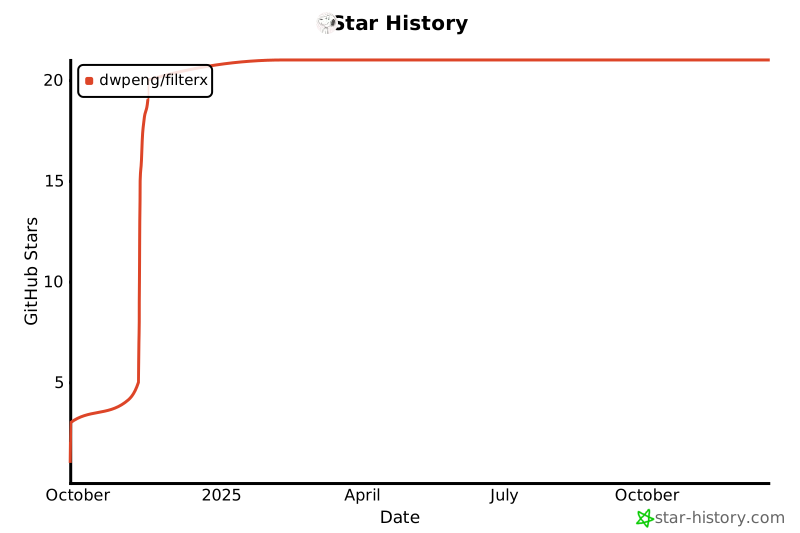](https://star-history.com/#dwpeng/filterx&Date)