#  <!-- omit in toc -->
[](http://creativecommons.org/publicdomain/zero/1.0/)
[](https://crates.io/crates/ffizer)
[](https://www.repostatus.org/#active)
[](https://github.com/ffizer/ffizer/actions)
[](https://codecov.io/gh/ffizer/ffizer)
[](https://crates.io/crates/ffizer)

`ffizer` is a **f**iles and **f**olders initial**izer** / generator. It creates or updates any kind (or part) of project from template(s).
keywords: file generator, project template, project scaffolding, quick start, project bootstrap, project skeleton
[](https://asciinema.org/a/gIMUwo4H9X0EK0t6xhZ6ce6WZ)
- [Features](#features)
- [Usages](#usages)
- [Install](#install)
- [via homebrew (MacOs \& Linux)](#via-homebrew-macos--linux)
- [via cargo](#via-cargo)
- [Run](#run)
- [Apply a template (to create or update)](#apply-a-template-to-create-or-update)
- [Authoring a template](#authoring-a-template)
- [Few templates](#few-templates)
- [Build](#build)
## Features
- _Create or update_ files and folder from one (or several) template(s).
- A native executable (cli)
- Install via download a standalone single file on system (no requirements like `python`, `ruby`, `nodejs`, `java`, ...).
- Run as fast enough project generator.
- Run with dry mode (useful to test).
- A rust library
- Can be included into other tool
- Templates Authoring
- Can be used for any file & folder generation (no specialization to one ecosystem).
- Can start as simple as a folder to copy "as is".
- Can use the [Handlebars](https://handlebarsjs.com/guide/) template syntax for file content, extended with functions:
- To transform strings (toUpperCase, toLowerCase, Capitalize,...)
- To retrieve content via http get (like `.gitignore` from [`gitignore.io`](https://gitignore.io), license from spdx)
- ...
- Can replace variables part in file and folder's name
- Can be composed of other templates (applied as layer)
- Can ignore file / folder under conditions
- Can store the content at the root of the folder or under the sub-folder `template`
- Templates Hosting
- On a local folder
- On a hosted git repository (public / private, `github` / `bitbucket`/ `gitlab` / ...)
- At the root of the repository
- In a sub-folder of the repository
- In any revision (branch, tag, commit)
[Suggestions are welcomes](https://github.com/ffizer/ffizer/issues/) ;-)
A list of alternatives is available on the [wiki](https://github.com/ffizer/ffizer/wiki/Alternatives), feel free to complete / correct.
## Usages
### Install
```sh
Or download the binary for your platform from [github releases](https://github.com/ffizer/ffizer/releases), then un-archive it and place it your PATH.
#### via homebrew (MacOs & Linux)
```sh
brew install ffizer/ffizer/ffizer
ffizer upgrade
```
#### via cargo
```sh
# install pre-build binary via cargo-binstall
cargo binstall ffizer
# install from source
cargo install ffizer --force --features cli
```
### Run
```txt
❯ ffizer --help
ffizer is a files and folders initializer / generator.
It creates or updates any kind (or part) of project from template(s)
Usage: ffizer [OPTIONS] <COMMAND>
Commands:
apply Apply a template into a target directory
inspect Inspect configuration, caches,... (wip)
show-json-schema Show the json schema of the .ffizer.yaml files
test-samples test a template against its samples
help Print this message or the help of the given subcommand(s)
Options:
-v, --verbose... Verbose mode (-v, -vv (very verbose / level debug), -vvv) print on stderr
-h, --help Print help information
-V, --version Print version information
https://ffizer.github.io/ffizer/book/
```
#### Apply a template (to create or update)
```sh
❯ ffizer apply --help
Apply a template into a target directory
Usage: ffizer apply [OPTIONS] --source <URI> --destination <FOLDER>
Options:
--confirm <CONFIRM> ask for plan confirmation [default: Never] [possible values: auto, always, never]
--update-mode <UPDATE_MODE> mode to update existing file [default: Ask] [possible values: ask, keep, override, update-as-remote, current-as-local, show-diff, merge]
-y, --no-interaction should not ask for confirmation (to use default value, to apply plan, to override, to run script,...)
--offline in offline, only local templates or cached templates are used
-s, --source <URI> uri / path of the template
--rev <REV> git revision of the template [default: master]
--source-subfolder <FOLDER> path of the folder under the source uri to use for template
-d, --destination <FOLDER> destination folder (created if doesn't exist)
-v, --variables <KEY_VALUE> set variable's value from cli ("key=value")
-h, --help Print help information
-V, --version Print version information
```
- use a local folder as template
```sh
ffizer apply --source $HOME/my_templates/tmpl0 --destination my_project
```
- use a remote git repository as template
```sh
ffizer apply --source https://github.com/ffizer/template_sample.git --destination my_project
```
output
```sh
Configure variables
✔ project_name · my-project
✔ package_name · my_project
Plan to execute
- make dir my_project
- make dir ├─dir_1
- add file │ └─file_1_1.txt
- make dir ├─dir_2_my-project
- add file │ └─file_1_2.txt
- add file ├─file_1.txt
- add file ├─file_2.txt
- add file ├─file_3.txt
- add file ├─file_4_my_project.txt
- add file ├─file_5_my-project.txt
- add file └─file_6.hbs
```
### Authoring a template
Start with [Template Authoring Tutorial](https://ffizer.github.io/ffizer/book/authoring_tutorial.html)
## Few templates
- Any git repositories (in this case ffizer is like `git clone ... && cd ... && rm -Rf .git`)
- Any local folder (in this case ffizer is like `cp -R ... ...`)
- Parametrized (with variables) templates:
- [`ffizer/templates_default`: the default collections of templates for ffizer](https://github.com/ffizer/templates_default) (WIP)
- [`davidB31 / cg-starter-multi-rust` · GitLab](https://gitlab.com/davidB31/cg-starter-multi-rust) Project template for Multi-Bot in Rust on CodinGame.
- [`davidB/templates`: repository to host the my collections of templates to used with ffizer.](https://github.com/davidB/templates)
- github repo tagged [`ffizer-template`](https://github.com/topics/ffizer-template)
- samples (used for test, demo)
templates_default)
- [`ffizer/template_sample`: a simple template for ffizer used for demo and test](https://github.com/ffizer/template_sample)
- [`ffizer/tests/data` at master · ffizer/ffizer](https://github.com/ffizer/ffizer/tree/master/tests/data)
## Build
```sh
cargo install cargo-make --force
cargo make ci-flow
```
Update [`CHANGELOG.md`](./CHANGELOG.md)
```sh
cargo make update-changelog
git add CHANGELOG.md
git commit -m ':memo: (CHANGELOG) update'
```
Release a new version by bump `patch` (or `minor`or `major`)
```sh
cargo make publish patch # dry-run
cargo make publish --execute patch
```
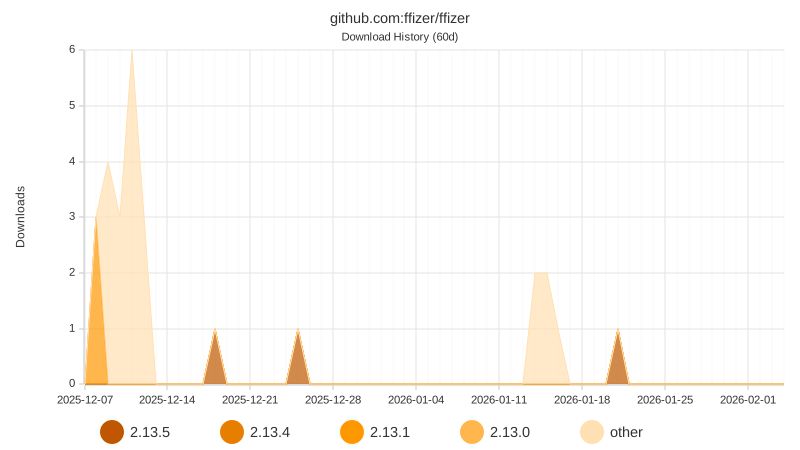
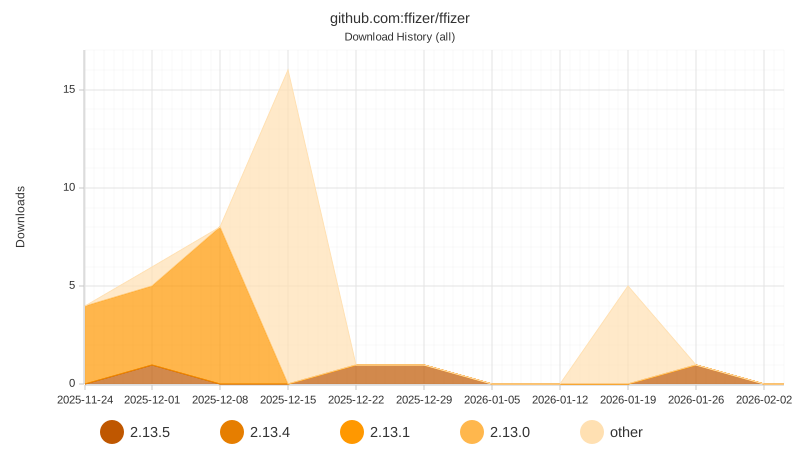
## Downloads