# fb2-clean
A simple GUI/CLI utility to clean fb2 books.
[](
https://github.com/nujievik/fb2-clean/actions/workflows/tests.yml)

## Quick Start
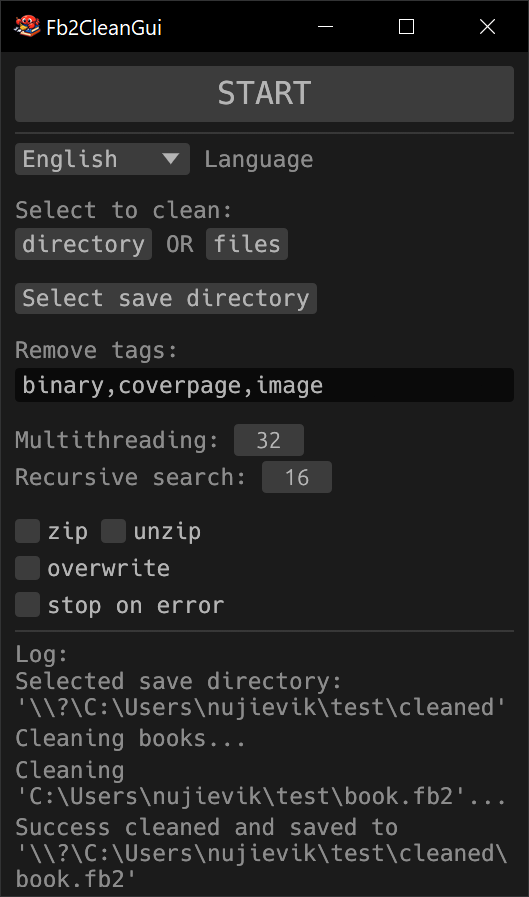
### GUI version
1. [Download](https://github.com/nujievik/fb2-clean/releases) a
Fb2CleanGui-* archive for your system.
2. Unpack it.
3. Run the unpacked **Fb2CleanGui**.
4. Setup if needed.
5. Press **START** button to clean.
### CLI version
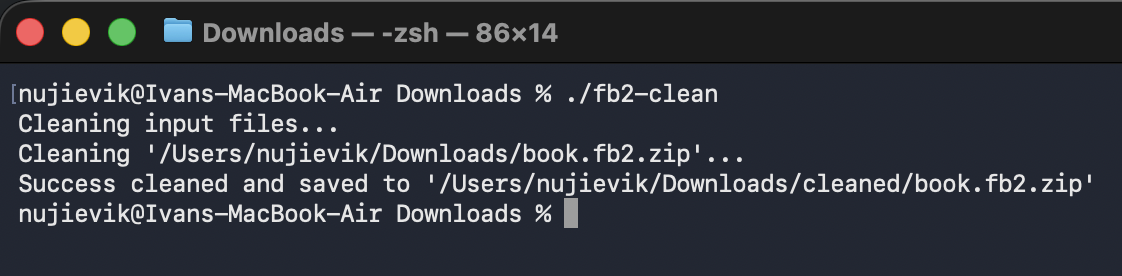
1. [Download](https://github.com/nujievik/fb2-clean/releases) a
fb2-clean-* archive for your system.
2. Unpack it.
3. Run the unpacked **fb2-clean** in a directory with fb2 files.
## Default Behaviour
- Saves cleaned files to the **cleaned** subdirectory.
- Cleans all **fb2** and **fb2.zip** in a CWD directory.
- Removes **binary**, **coverpage**, and **image** tags.
- Keeps input extension: saves **fb2** as **fb2** and **fb2.zip** as
**fb2.zip**.
## Advanced Use 🤓
Run `fb2-clean -h` to display help.
| `-i, --input <path>` | Input directory OR file |
| `-o, --output <dir>` | Save output books to directory |
| `-r, --recursive <n>` | Search books in nested directories (up to n level) |
| `-t, --tags <n[,m...]>` | Remove tags from book structure |
| `-z, --zip` | Save output books as fb2.zip |
| `-Z, --unzip` | Save output books as fb2 |
| `-w, --overwrite` | Overwrite input books |
| `-e, --exit-on-err` | Skip clean next books on error |
| `-j, --jobs <n>` | Max parallel jobs (multithreading) |
| `-l, --lang <lng>` | Set log language |
## Manual Build 🤓
1. Install [Rust](https://www.rust-lang.org/tools/install).
2. Clone the repo:
```
git clone https://github.com/nujievik/fb2-clean --depth 1
```
3. Enter the project directory:
```
cd fb2-clean
```
4. Build:
- GUI version:
```
cargo build --release --bin Fb2CleanGui --no-default-features --features gui
```
- CLI version:
```
cargo build --release
```
5. On success, the binary will be in **target/release/** directory.