<div align="center">
<h1>fast-down: High-Performance Multi-Threaded Downloader</h1>
<h3>Lightning Speed · Robust Retry · Resumable Download · Incremental Resumption</h3>
<p>
<img src="https://img.shields.io/badge/Build with-Rust-DEA584?style=flat&logo=rust&logoColor=white" alt="Rust">
<img src="https://img.shields.io/badge/Arch-x86__64%2C%20x86%2C%20ARM64-blue" alt="Hardware">
<img src="https://img.shields.io/badge/OS-Windows%2C%20macOS%2C%20Linux-orange" alt="Hardware">
<br>
<img src="https://img.shields.io/badge/license-MIT-green" alt="License">
<img src="https://img.shields.io/github/last-commit/fast-down/cli/main" alt="Last commit">
<img src="https://github.com/fast-down/cli/workflows/Test/badge.svg" alt="Test">
<img src="https://img.shields.io/crates/v/fast-down-cli.svg" alt="Latest version">
<br>
<a href="https://fd.s121.top/"><img src="https://img.shields.io/badge/Website-fd.s121.top-blue?style=flat&logo=google-chrome&logoColor=white" alt="Website"></a>
<a href="https://dc.vacu.top/"><img src="https://img.shields.io/badge/Discord-Online-5865F2.svg?logo=discord&logoColor=white" alt="Discord"></a>
</p>
</div>
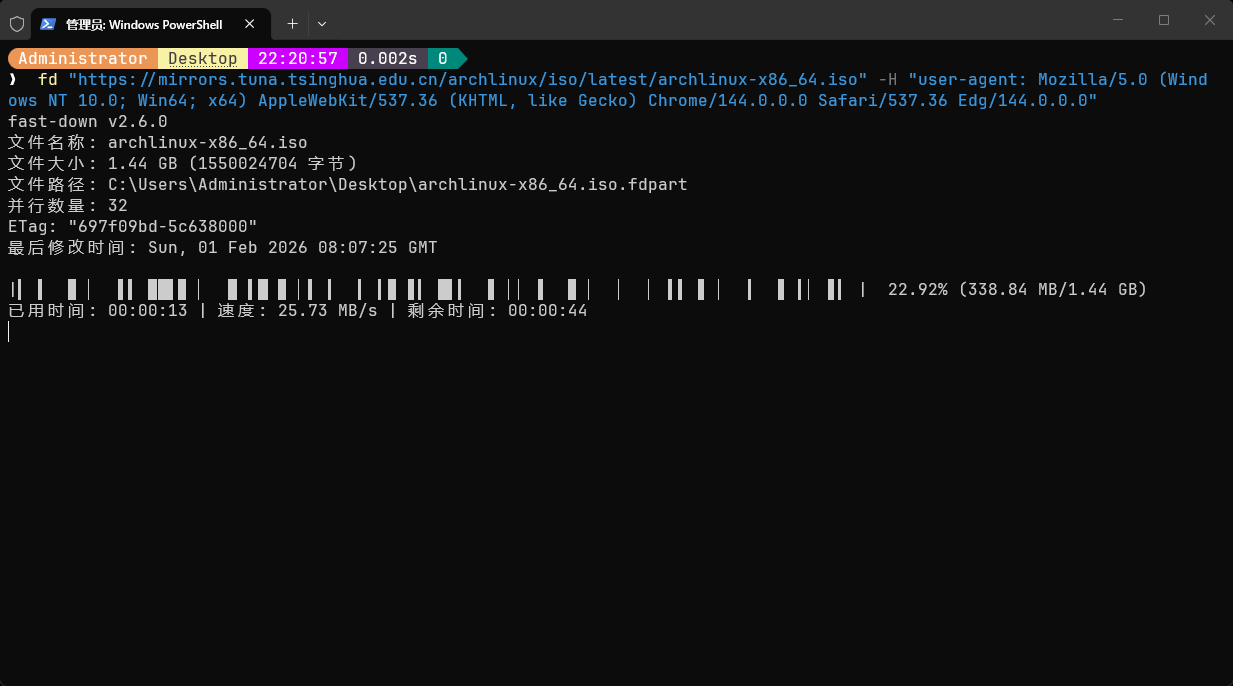
**[Visit Official Website](https://fd.s121.top/)**
## Features
- **⚡️ Lightning-Fast Download**
Built-in [fast-steal](https://github.com/fast-down/fast-steal) work-stealing algorithm, with a measured download speed
**2.43x that of NDM**.
- **🔄 Robust Retry**
During download, switching WiFi, disconnecting WiFi, or changing proxies will still guarantee **correct file content
**.
- **⛓️💥 Resumable Download**
Pause **at any time** halfway, and **resume the transfer** later.
- **⛓️💥 Incremental Resumption**
If a server log is fully downloaded today and 1000 new lines are added tomorrow, this feature only transfers the **new
1000 lines**.
- **💰 Open-Source & Free**
Full source code is public, maintained
by [share121](https://github.com/share121), [Cyan](https://github.com/CyanChanges), and other contributors.
- **💻 Cross-Platform**
## Download
| x86_64 | [Download][1] | [Download][4] | [Download][7] |
| x86 | [Download][2] | [Download][5] | ❌ Not supported |
| aarch64 | [Download][3] | [Download][6] | [Download][8] |
[1]: https://fast-down-update.s121.top/cli/download/latest/windows/x86_64
[2]: https://fast-down-update.s121.top/cli/download/latest/windows/i686
[3]: https://fast-down-update.s121.top/cli/download/latest/windows/aarch64
[4]: https://fast-down-update.s121.top/cli/download/latest/linux/x86_64
[5]: https://fast-down-update.s121.top/cli/download/latest/linux/i686
[6]: https://fast-down-update.s121.top/cli/download/latest/linux/aarch64
[7]: https://fast-down-update.s121.top/cli/download/latest/macos/x86_64
[8]: https://fast-down-update.s121.top/cli/download/latest/macos/aarch64
## Usage
```text
> fd download -h
fast-down v2.7.3
Download file (default)
Usage: fd download [OPTIONS] <URL>
Arguments:
<URL> URL to download
Options:
-f, --force
Force overwrite existing file
--no-resume
Disable resumable download
-d, --dir <SAVE_FOLDER>
Save directory [default: .]
-t, --threads <THREADS>
Number of download threads [default: 32]
-o, --out <FILE_NAME>
Custom file name
-p, --proxy <PROXY>
Proxy address (format: http://proxy:port or socks5://proxy:port). Leave empty to use system proxy, use -p "" to disable proxy
-H, --header <Key: Value>
Custom request header (can be used multiple times)
--min-chunk-size <MIN_CHUNK_SIZE>
Minimum chunk size (unit: B) [default: 1048576]
--write-buffer-size <WRITE_BUFFER_SIZE>
Write buffer size (unit: B) [default: 8388608]
--write-queue-cap <WRITE_QUEUE_CAP>
Write queue capacity [default: 10240]
--progress-width <PROGRESS_WIDTH>
Progress bar width
--retry-gap <RETRY_GAP>
Retry interval (unit: ms) [default: 500]
--repaint-gap <REPAINT_GAP>
Progress bar redraw interval (unit: ms) [default: 200]
--pull-timeout <PULL_TIMEOUT>
Pull timeout (unit: ms) [default: 5000]
--browser
Simulate browser behavior
-y, --yes
Auto confirm all prompts
-v, --verbose
Verbose output
--accept-invalid-certs
Allow invalid certificates
--accept-invalid-hostnames
Allow invalid hostnames
-i, --interface
Use interactive interface to select network interface
--ip <IP address of network interface>
Custom network interface (can be used multiple times)
--max-speculative <MAX_SPECULATIVE>
Maximum speculative threads [default: 3]
--write-method <WRITE_METHOD>
Write method (mmap is faster, std has better compatibility) [default: mmap] [possible values: mmap, std]
-h, --help
Print help
```