
excalidraw-render
Pure-Rust rendering of Excalidraw scene documents to SVG, PNG, and vector-first PDF, for a whole scene or frame by frame. Fonts and other rendering assets are bundled: rendering needs no browser, Node.js, network access, or installed fonts.
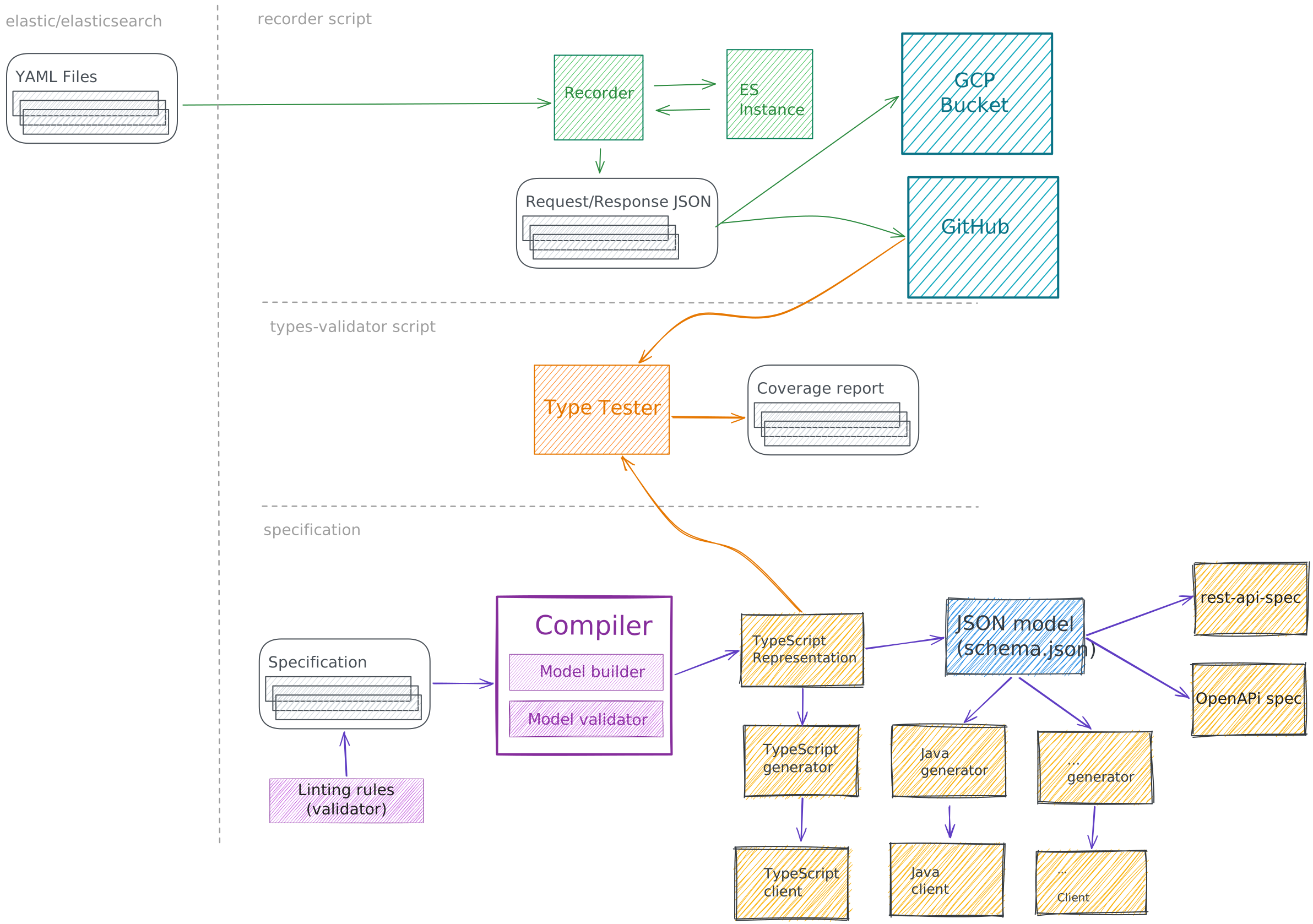
Rendered to SVG with this crate's default request (the command-line
equivalent is excalidraw-render overview.excalidraw -o overview.svg).
Scene: overview.excalidraw
from elastic/elasticsearch-specification, © Elastic and contributors,
Apache-2.0.
The compatibility target is Excalidraw 0.18.1. Output is close to, but not pixel-identical with, the browser exporter; every render returns a compatibility report describing the substitutions, omissions, and fallbacks it made. See the known limitations.
For a command-line tool, see
excalidraw-render-cli.
Usage
[]
= "0.1"
use ;
Renderer::render_frames exports each frame of a scene separately. The
API documentation covers requests,
resource limits, frame export, and the error and diagnostic types. The
guides walk through
the library,
exporting frames and
features and WebAssembly, and the
repository's examples are complete programs.
Untrusted input and servers
Renderer and SceneDocument are Send + Sync. Rendering is synchronous and
CPU-bound: call it from tokio::task::spawn_blocking or a worker pool in async
code. ResourceLimits bounds the work a scene can request, and
Sizing::MaxDimension bounds raster size, but there is no deadline or
cancellation: run renders in a separate process when you need a hard time or
memory ceiling. Serving untrusted input
covers each of these.
The defaults admit large drawings rather than protect a shared server:
- A PNG render holds a 4× supersampled canvas, about 65 bytes per output
pixel. At the default
max_raster_surface_pixels(33,554,432) one render can need over 2 GiB; a limit of 4,194,304 (2048 × 2048) keeps it near 300 MB. SceneDocument::parseaccepts up to 64 MiB of JSON whatever the request'smax_scene_bytes, which is checked when rendering. Reject larger request bodies before parsing when you need a lower ceiling.ResourceLimitsapply to each render.render_framesrenders every selected frame, so bound the frame count, or render frames one at a time withFrameRenderRequest, when the scene is untrusted.
use ;
#
Unoptimized builds render roughly 50× slower. In development, optimize the renderer even in debug builds:
[]
= 2
Cargo features
All three features are on by default. The API is the same with any combination of them; a feature only decides which requests a build can serve.
png: PNG output. Brings theresvgrasterizer andtiny-skia.pdf: PDF output. Brings the Krilla PDF writer, and the rasterizer for the isolated raster fallbacks of embedded SVG effects.cjk: bundles Xiaolai, Excalifont's Chinese/Japanese/Korean fallback (about 12 MiB). Without it, a render that needs Xiaolai fails withrender.font-unavailableinstead of substituting another font. All other fonts, including Noto Emoji, are always bundled.
SVG output is always available. Without png or pdf, building a request for
that format fails with request.format-unavailable, and turning a feature off
never changes the bytes of the output that remains. For an SVG-only build, for
example for WebAssembly:
[]
= { = "0.1", = false, = ["cjk"] }
Features are additive, so another dependency can enable one again; disabling
one removes its crates from the build, not necessarily from your lockfile or
cargo fetch.
Reproducibility
Output is deterministic for a given renderer release, input, options, and
dependency versions. Dependencies take ordinary semver ranges, so a patch
release of a decoder, rasterizer or compressor can change output bytes; the
release's gates test the versions in its repository Cargo.lock. Later 0.x
releases may also intentionally change rendering. When exact output bytes
matter, pin the renderer (=0.1.0) and commit your Cargo.lock; see
reproducible output.
Linux x86-64 (glibc) is the release-qualified platform. Other native platforms build and run but are not release-qualified; browser WASM is experimental.
License
Code is licensed under either of MIT or
Apache-2.0 at your option. Bundled fonts and adapted
third-party code carry their own licenses, collected in
LICENSE-BUNDLE.txt. Exports carry the attribution
required by the bundled resources they use.