



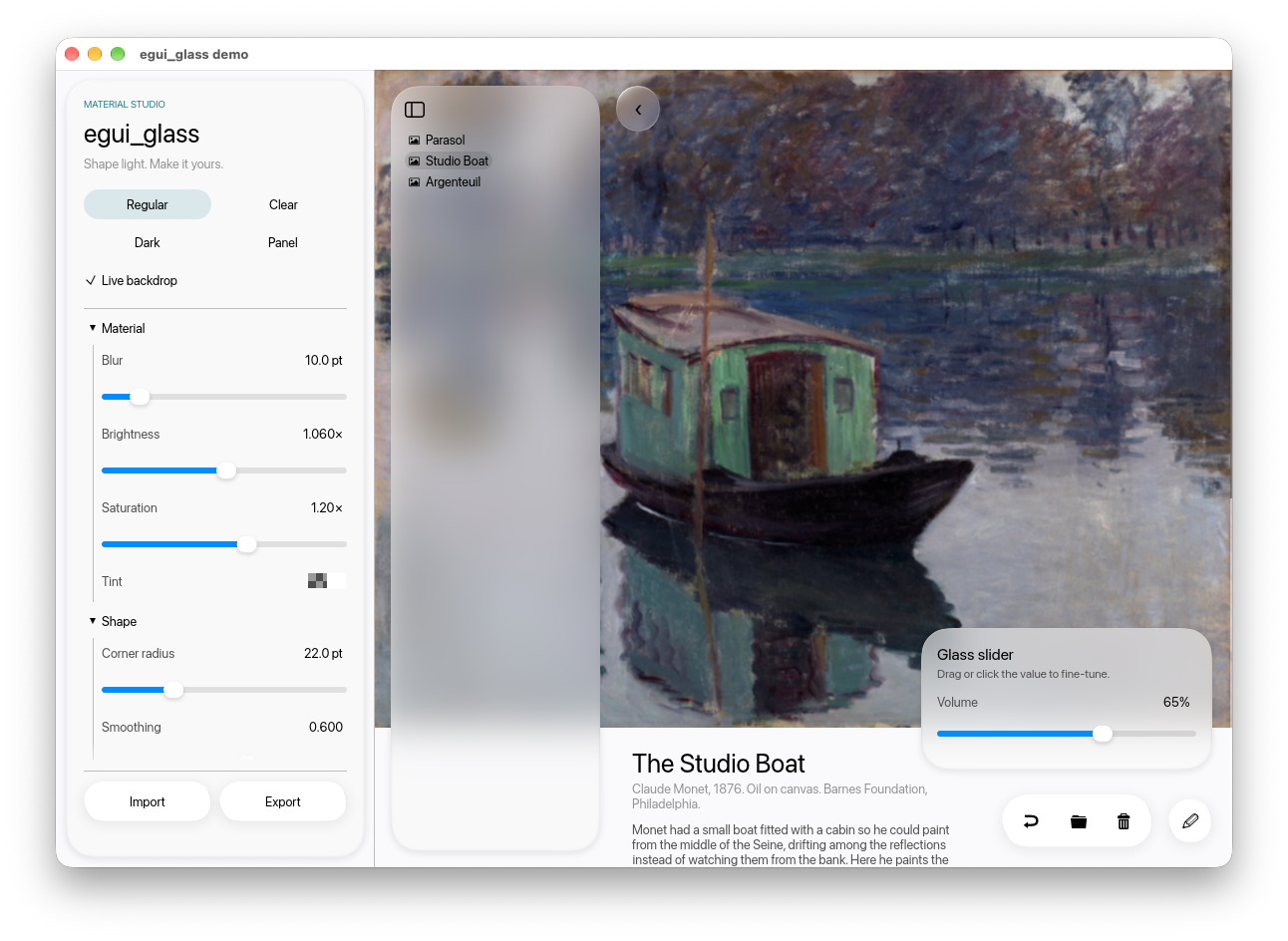
Glass surfaces for egui, inspired by Apple's Liquid Glass:
edge refraction, frosted blur, tint, and a thin bevel highlight, rendered on the GPU through
egui-wgpu. Includes containers, capsule buttons, toolbars, light/dark presets, and an optional
live backdrop for refracting egui content. No animation is provided.
Quick start
Requires Rust 1.92+, egui/eframe 0.35, and wgpu 29. Use the wgpu renderer; glow is unsupported.
The wayland and x11 features below enable Linux windowing.
[]
= { = "0.35", = false, = ["default_fonts", "wgpu", "wayland", "x11"] }
= "0.35"
= "0.1.3"
use egui;
use ;
;
That is the whole integration: init once, give the glass something to refract, draw glass.
Before adopting
This is a 0.1 library: suitable for experimenting with glass in native egui apps, with a small API that may evolve before 1.0. Evaluate rendering and interaction on your target devices.
- Static glass samples the registered image; it does not automatically capture widgets behind it.
LiveBackdroprenders page content again off screen, adding layout and GPU work each frame. - Library tests run in CI on Linux, macOS, and Windows. Demo builds are checked on macOS and Windows. These are build/test checks, not a GPU rendering certification; browser and mobile targets are not covered by CI.
- Glass controls do not provide an opaque accessibility fallback. Check contrast, keyboard interaction, and assistive technology in your app; use standard egui controls when appropriate.
- There are no default crate features. Enable
features = ["serde"]to serializeGlassStyle.
Docs
- Guide — put glass into an existing app: backdrop, components, presets, dark theme, glass over live content.
- Reference — every function and
GlassStylefield, how the shader works, limits, the demo app, building the macOS app, publishing. - docs.rs — API docs.
- Contributing — development, bug reports, and release checks.
- Changelog — changes for the next release.
Demo
License
MIT. "Liquid Glass" is Apple's name for its design language; this is an independent reimplementation of the look and is not affiliated with Apple. See asset provenance for the demo images and branding; these assets are not included in the library crate.