# Dead Simple CLI Timer (dstimer)



A dead-simple, cross-platform CLI countdown timer with color-changing progress bar and optional audio playback on finish.
Written in Rust for maximum efficiency and portability.

## Features
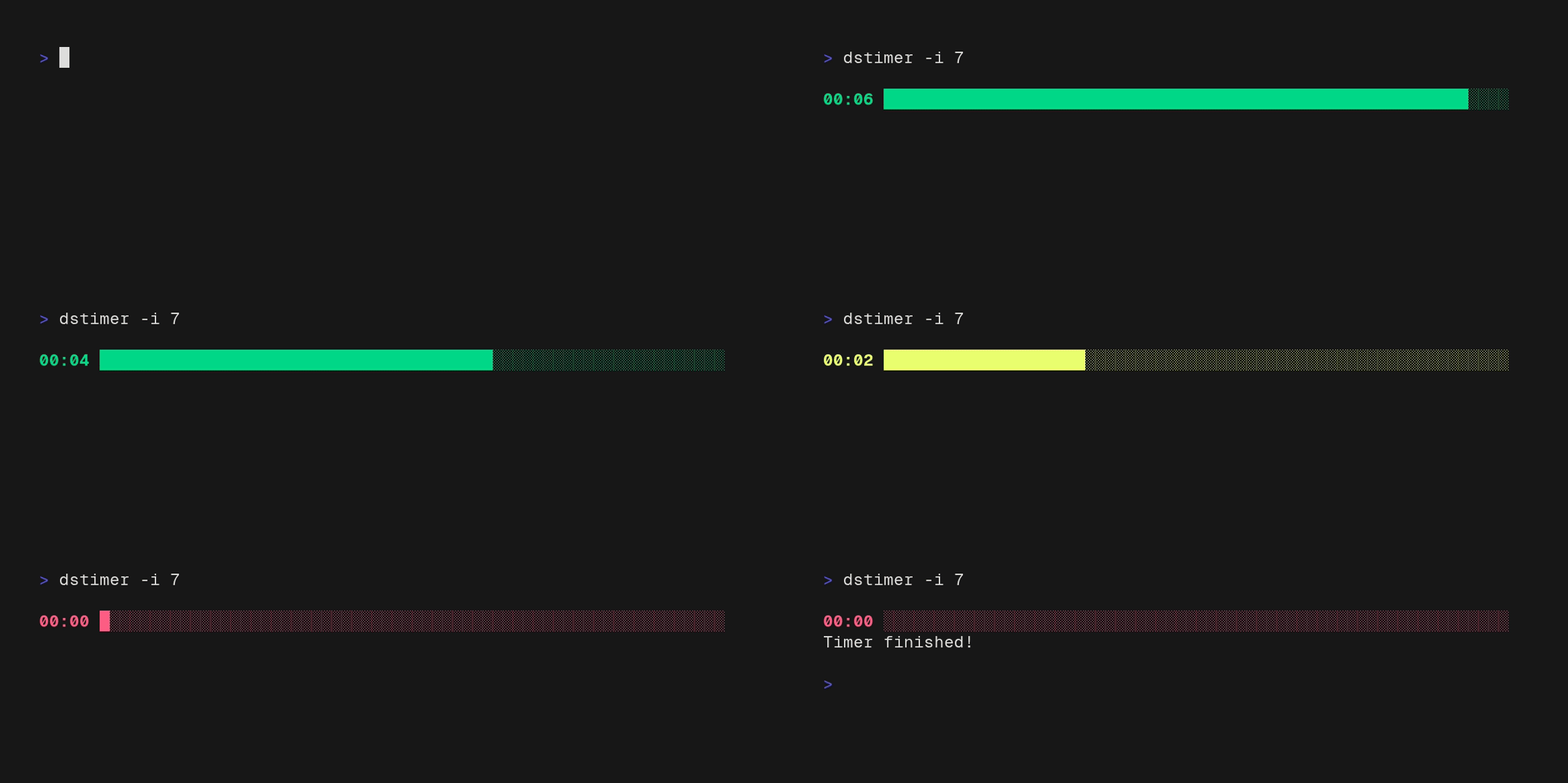
- Centered, full-width **progress bar** that shifts green → yellow → red as time runs out
- **Fullscreen** (default) or **inline** mode
- Interactive **time entry** (HH:MM:SS)
- Optional **audio file playback** when the timer completes
## Usage
### Fullscreen mode
```bash
dstimer --seconds 300
dstimer -s 90 --audio /path/to/audio.wav
dstimer --time 1:30:00
dstimer -t 5:00 --inline
```
| `--time` | `-t` | Duration in `HH:MM:SS`, `MM:SS`, or `SS` format |
| `--seconds` | `-s` | Duration in seconds |
| `--audio` | `-a` | Path to audio file to play on finish |
| `--inline` | `-i` | Inline mode (see below) |
| `--silent` | | Suppress desktop notifications |

### **Interactive mode** (no arguments):
```bash
dstimer
```
You'll be prompted to enter a duration and an optional audio file path.

### **Inline mode** (`--inline` / `-i`):
```bash
dstimer -s 60 --inline
dstimer --inline # interactive prompt stays inline too
```
Renders the timer on the **current terminal line** instead of taking over the full screen. Useful for scripts, split panes, or when you want the rest of your terminal history visible.


## Install
**macOS / Linux:**
```bash
**Windows (PowerShell):**
```powershell
**Via Cargo (requires Rust):**
```bash
cargo install dstimer
```
## Supported Audio Formats
MP3, FLAC, WAV, OGG, and anything else supported by [Symphonia](https://github.com/pdeljanov/Symphonia).
## Build from Source
```bash
git clone https://github.com/madLinux7/dead-simple-cli-timer
cd dead-simple-cli-timer
cargo build --release
./target/release/dstimer
```
Requires Rust 1.70+.
## Contributing
Contributions are always welcome! If you want to help, here's the workflow:
1. Fork the repo and create a feature branch
2. `cargo clippy` and `cargo fmt` before opening a PR
3. Follow the existing commit style: `feat:`, `fix:`, `chore:`, `refactor:`
No formal issue template — just open one if you want to discuss an idea first.
## ✨ Acknowledgements ✨
dstimer couldn't be dead simple without the efforts of some great open-source projects:
- [clap](https://github.com/clap-rs/clap) — CLI argument parsing
- [crossterm](https://github.com/crossterm-rs/crossterm) — cross-platform terminal manipulation
- [rodio](https://github.com/RustAudio/rodio) — audio playback
- [Symphonia](https://github.com/pdeljanov/Symphonia) — audio decoding (MP3, FLAC, WAV, OGG, ...)
- [ctrlc](https://github.com/Detegr/rust-ctrlc) — Ctrl+C signal handling
- [notify-rust](https://github.com/hoodie/notify-rust) — desktop notifications on Linux & Windows
- [winresource](https://github.com/mxre/winresource) — embedding the app icon on Windows
And a special shoutout to [VHS](https://github.com/charmbracelet/vhs) by Charm for making it _dead simple_ to record bootyful terminal GIFs straight from a script ♥️
## Support Me
If you like using dstimer in your daily routine, consider buying me a coffee or sending a tip:
[Ko-fi](https://ko-fi.com/madlinux) ·
[Bitcoin](bitcoin:bc1qv45u88hnq4xec2l8yx0qfyx88nsn63wxleln0d) ·
[Monero](monero:42TKoMfUoEFbCsNdppQN4426zqCcgfTrad2YY8jQ7rPi9tRoLtuM9C4Ma1Q4f2L3pyLgpogwrJkeg2KuVADw3mj6Qzkhdgh) ·
[Ethereum](ethereum:0xC251CF4323e052EdcEd397f539CC0A91b9891047) ·
[Solana](solana:cMxfUJSVGc1RUS5ncdKQSv9mcCpEuDbJxQx1wg79DVt) ·
[Litecoin](litecoin:ltc1qfddle7wknmgwen2scshmw42tykdxew5wc96858) ·
[Cardano](web+cardano:addr1q9rsqmwf2spwnnnmth879323ssnaf92j7zj0pn6yhs23g7z8qpkuj4qza888khw0utz4rpp86j249u9y7r85f0q4z3uqxcwrsf) ·
[XRP](xrp:r9ZrXVAckZ3wepeprkVdszNbXTcDT7cCNS)
---
Made with ♥️ by [Linus Grolmes](https://grolmes.de)





