
Dracon System
Proactive disk space monitoring and automatic cleanup. Disk, process, guard, doctor — local machine diagnostics and watchdog. Prevents "disk full" emergencies on development machines and servers.
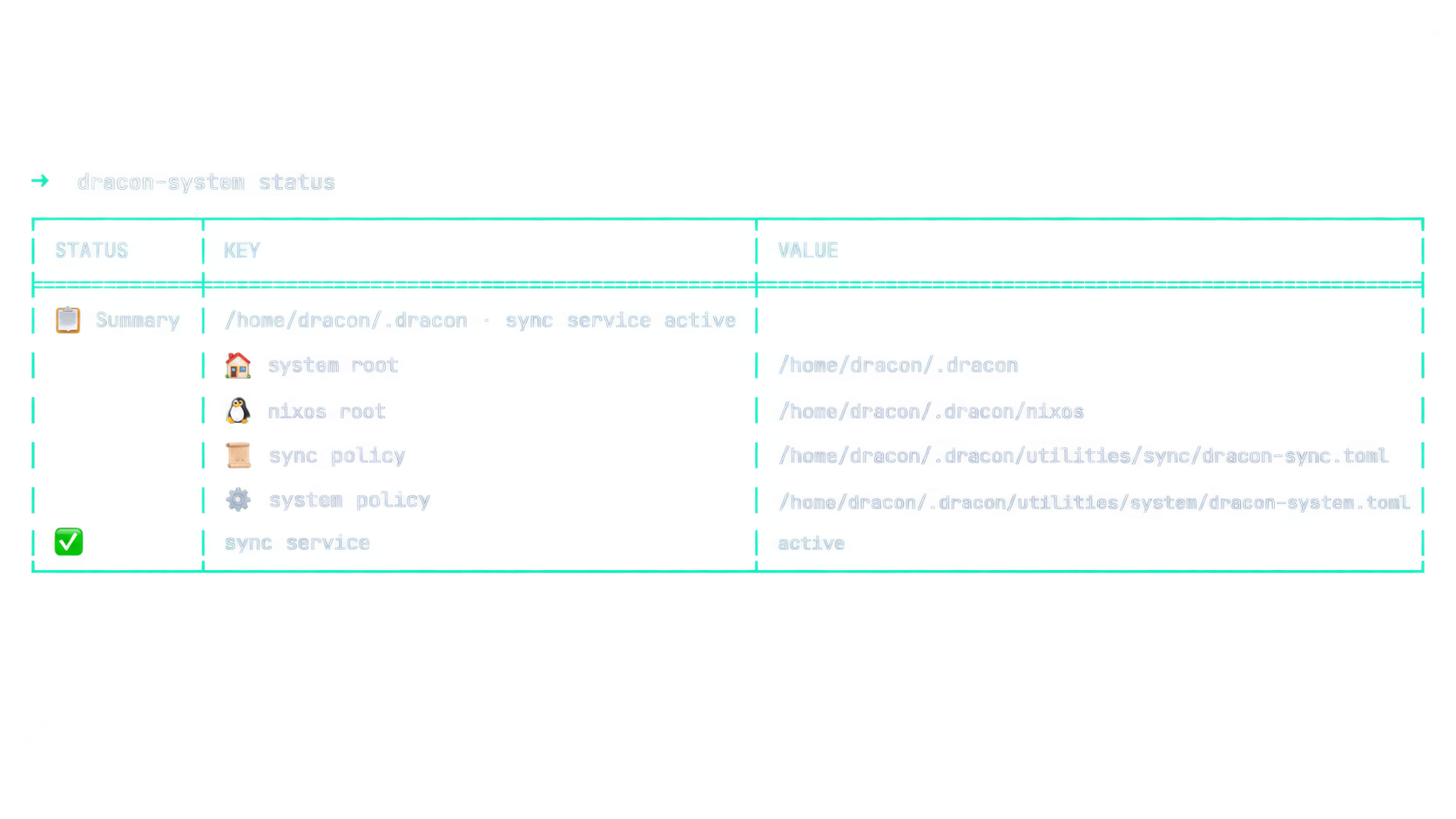
This page is the user guide for dracon-system (also rendered on
crates.io). This repo is the canonical, live source on main
(mirrored to GitLab and Codeberg). For workspace builds it is also
checked out as a nested standalone repo under dracon-system/ in the
dracon-utilities
parent repo — a regular nested repo, not a submodule.
Install
The binary lands at ~/.cargo/bin/dracon-system (version 0.112.41 on
crates.io). The shipped guard unit runs %h/.local/bin/dracon-system, so
for service use either copy it there or install from a checkout:
# Clone the repo
# Build (locked)
# Install where the guard unit looks
Or, from a full dracon-utilities checkout, run ./install.sh at the
parent root to install all three utilities plus services and hooks in
one pass.
Features
Disk Space Monitoring
- Early Warning — proactive notification before space becomes critical
- Warning — state change notification
- Action — automatic cleanup triggers
- Critical — aggressive mitigation
(Thresholds are policy; the shipped example uses 65/75/85/92, the compiled defaults are 70/80/90/95 — see Configuration.)
Automatic Rust Target Cleanup
- Automatically cleans
target/directories when disk hits action level - Smart protection for active builds:
- Detects running
cargo,rustc,clippy-driverprocesses - Protects target dirs in their working directories
- Protects recently modified target dirs (configurable)
- Detects running
- Configurable minimum size threshold
Process Monitoring & Graduated Renice
- Monitors processes using excessive CPU (default: >50% for >30s) or RSS (default: >4 GiB)
- Graduated renice based on severity:
- ≥180% CPU → nice 5 (gentle deprio)
- ≥300% CPU → nice 10 (moderate deprio)
- ≥500% CPU → nice 15 (strong deprio)
- RSS ≥4 GiB → nice 5 (memory hog deprio)
- RSS ≥8 GiB → nice 10 (heavy memory deprio)
- Targets are floors: an already nicer process is never raised to a higher priority by a smaller tier value
- Never directly kills processes — mitigation can renice heavy jobs,
bias
oom_score_adjduring critical pressure, and optionally throttle CPU with a reversibleCPUQuota; OOM bias only influences the kernel's last-resort choice - Auto-releases reversible process adjustments after pressure recovers
Build-Aware Monitoring
- Detects active Rust build processes
- Protects their target directories from cleanup
- Detects active cargo/npm/pip/go operations (including common wrappers) for diagnostics and dry-run protection
- Refuses recursive package-cache deletion during apply because external package managers provide no shared lock with the guard
- Fails closed when process metadata cannot be inspected
- Prevents breaking active compilation or cache writes by never deleting package caches without lifecycle-safe coordination
Disk Space Trend Prediction
- Tracks disk usage history over time
- Predicts when disk will fill based on usage rate
- Warns if disk predicted to fill within configurable hours
Inode Monitoring
- Monitors inode usage on root filesystem
- Warns when inode usage exceeds threshold (default 85%)
- Critical for systems with many small files
Zombie Process Detection
- Detects accumulated zombie processes
- Alerts when zombie count exceeds threshold (default 20)
- Helps identify parent processes not reaping children
Large Log File Detection
- Scans configured directories for large log files
- Alerts on files exceeding size threshold (default 100 MiB)
- Helps identify runaway logging
- No configuration needed. Omitting
log_dirsscans the default,~/.local/state/dracon— the guard's own state directory, which always exists where the daemon runs, is inside the unit'sReadWritePathssoauto_truncate_logscan reclaim there, and holds the guard's own event log. Setlog_dirsto a comma-separated list to scan your own directories; setlog_dirs = ""to switch the check off. An explicitly blank value is honoured as "off" and is not the same as omitting the key. - A configured directory that does not exist is reported on stderr rather than skipped silently, so a wrong path cannot be mistaken for the check being disabled.
Installation
Quick Install (User Service)
Run the repository installer from the repository root:
This will:
- Build the release binary
- Install to
~/.local/bin/dracon-system - Set up and start the systemd user service
The per-utility directories do not contain standalone installers; use the root install.sh for all utilities.
Manual Install
# Build
# Copy binary
# (Optional) Install systemd service
Server Deployment (System-wide)
For servers, you may want to run as a system service:
# Build
# Copy binary
# Create dedicated user (optional but recommended)
# Create system service file
Usage
Commands
# Show system status
# Run diagnostics
# Analyze storage hotspots
# Clean up build artifacts (dry-run)
# Actually clean up
# Run single guard check (machine-readable snapshot)
# Run as daemon (continuous monitoring)
# Prune caches and Docker resources
# Reclaim all reclaimable space (dry-run unless --apply)
# Show recent events
# Raw JSONL (empty results emit no sentinel)
# Manage symlinks
# Relocate a cold dir to another disk, leave a symlink (dry-run unless --apply)
# Quarantine: hold-then-delete staging with a TTL
# Check space-tier setup readiness (cold root, quarantine, mounts)
# Zram stats
Destructive flags (storage --cleanup --apply, guard clean --apply,
link apply --force-replace) only act when the operator opts in.
storage --cleanup --apply also retains all cache hotspots because no
shared package-manager/guard lock exists. guard clean with no target flags selects all six cleanup targets; target
flags select a subset. --all also requests Docker's aggressive mode for all
unused images, while a Docker-only selection uses Docker's dangling-resource
mode.
Systemd Service Management
# Enable at login
# Start now
# Check status
# View logs
The guard service uses Restart=on-failure: a valid enabled = false policy
prints guard disabled in policy and exits 0, so systemd leaves it stopped.
A missing, malformed, or unreadable explicit startup policy exits with status
78 (EX_CONFIG), which is listed in RestartPreventExitStatus=2 78 and
therefore does not restart-loop. Crashes, abnormal signal termination, and other nonzero failures
remain restartable; deliberate SIGTERM/SIGINT shutdown is handled cleanly.
After fixing a policy, run systemctl --user reset-failed dracon-system-guard.service
if systemd recorded a failed unit, then restart it.
Configuration
The live config lives at ~/.dracon/utilities/system/dracon-system.toml
(override with DRACON_SYSTEM_POLICY). dracon-system status reports the
same effective policy path in both human and --json output, including
whether that path exists. The annotated template is
dracon-system.example.toml in this repo
(dracon-system.example.toml at the repo root; dracon-system/dracon-system.example.toml from a dracon-utilities checkout).
Note: the shipped example is intentionally stricter (more report-only)
than the compiled defaults — see the header comment in the template:
[]
# Enable the guard daemon
= true
# Seconds between guard check cycles
= 30
# Disk usage thresholds (percent) — shipped example posture
# (compiled defaults are 70/80/90/95)
= 65
= 75
= 85
= 92
# Report disk pressure without pausing dracon-sync.
= false
= 70
# Process monitoring
= 50.0 # Alert if CPU > 50%
= 4096 # Alert if RSS > 4 GiB
= 30
# Report sustained CPU-heavy processes; do not change priorities by default.
= false
= 5
= 120
# Memory-pressure limiting is reversible and gated (both default true):
# acts only after multi-signal pressure persists
# memory_pressure_sustain_secs (120 s)
= true
= true
= 0 # hard CPU throttle, off by default
# Automatic Rust target cleanup (report-only unless auto_cleanup_apply)
= true
= false
= 1800
= 256
= "~/Dev"
# Proactive cleanup scans begin at 80% disk usage
= 80
# Broad cleanup kinds are report-only unless explicitly requested
# (the compiled code defaults these to true)
= false
= false
= false
= false
# Notifications (notify_command must be an absolute path; arguments allowed)
# e.g. "/usr/bin/notify-send -u critical" — no wrapper script needed.
= true
= "/usr/bin/notify-send"
= 300
# Persistent heavy-process events; `~` expands to the service user's home.
# Non-empty relative paths resolve from the process working directory; the
# shipped user service sets WorkingDirectory=%h for a stable relative base.
= "~/.local/state/dracon/dracon-system-guard.log"
= 1
How It Works
Threshold Actions
| State | Shipped example | Actions |
|---|---|---|
| early-warn | 65% | Notification only |
| warn | 75% | Notification, state change alert |
| action | 85% | Auto-cleanup Rust targets (+ freeze sync only if freeze_sync_at_action = true) |
| critical | 92% | All above, more aggressive cleanup |
Cleanup Logic
When disk hits action level:
- Scan configured directories for Rust
target/dirs - Skip targets touched within
rust_target_action_min_age_days(default 7 days) — active projects are never candidates - Detect active
cargo/rustcprocesses - Protect target dirs in active build working directories
- Delete unprotected, lingering target dirs ≥
cleanup_min_size_mb - Detect active cargo/npm/pip/go operations and skip their corresponding cache estimates in dry-run; apply refuses package-cache deletion without a shared lock
- Clean aged top-level entries only below the explicitly safe
/tmproot or its descendants; invalidtmp_search_pathsentries are refused - Also clean safe trash, Nix garbage, stale
node_modules/, and Docker resources when those policy toggles are enabled - Send notification with cleanup summary
Proactive Cleanup
When disk usage is above proactive_cleanup_percent (80% in the shipped
example) but below disk_action_percent, stale reclaim candidates are
removed on a bounded cadence. Active builds (running cargo/rustc) are
always protected. Since 2026-09-14 the action tier applies the same
lingering idea via rust_target_action_min_age_days (default 7 days),
so a target rebuilt hours ago is never deleted at any pressure level.
Process Monitoring
The guard monitors processes using ≥process_cpu_percent% CPU or
≥process_rss_mb MiB RSS for >process_sustain_secs seconds:
- All heavy processes are logged to persistent JSONL file
- The event file is capped at a 10 MiB active segment plus one rotated segment; oversized records are truncated and tail queries retain only bounded data
--tailis capped at 1,000 records; oversized legacy segments are discarded on the next event write- When
auto_renice = true, heavy processes are reniced with graduated values - Higher CPU/memory usage = higher nice value (lower priority)
- Process still gets full CPU when nothing else needs it
- Un-reniced after
release_after_secsof being non-heavy
Trend Prediction
The guard tracks disk usage over time and uses linear regression to predict when the disk will fill. If the predicted time is within trend_warn_hours, it sends an early warning.
Safety Boundaries
The guard never directly kills processes. Process mitigation is limited to
reversible renice, optional oom_score_adj biasing, and optional CPUQuota
throttling; OOM bias can only influence which process the kernel chooses if
its last-resort OOM killer fires. Destructive cleanup paths are canonicalized
first, symlinks are rejected, and configured protected paths are honored.
clean_tmp accepts only canonical descendants of /tmp, never an arbitrary
home-root such as ~. Log truncation uses the same safety check
before modifying files, so system-protected or user-protected log paths are
skipped.
Guard Behavior (Observation-First)
dracon-system guard daemon monitors disk, memory, CPU, zombies, inodes,
logs, and cleanup candidates every interval_secs. Defaults are deliberately
quiet and non-destructive:
- Report, don't act: CPU-heavy processes are reported, not reniced
(
auto_renice = false); cleanup is dry-run/report-first (auto_cleanup_apply = false); disk pressure never pausesdracon-sync(freeze_sync_at_action = false). No process is killed, reniced, or moved and no file is deleted unless the operator opts in. - Memory-pressure limiting is reversible and gated:
auto_renice_on_memoryandbias_oom_on_pressure(both defaulttrue) act only after a multi-signal pressure state persistsmemory_pressure_sustain_secs(120 s). Swap occupancy alone is not pressure — low available memory and/or PSI/swap-in thrash is required. Hard CPU caps (cap_offenders_cpu_percent) are off by default. - Stateful, rate-limited alerts: entry/escalation/recovery notify once;
unchanged conditions emit at most every
report_repeat_secs(30 min). Heavy-process alerts are keyed by pid + process start time, so a persistent process cannot nag and a recycled PID cannot be silenced. - Bounded scans: action-level cleanup scans run at most every
auto_cleanup_interval_secs(30 min) even in report-only mode; proactive scans start atproactive_cleanup_percent = 80.
Everything is configurable in the [guard] table of the policy file; see
dracon-system.example.toml. dracon-system guard once --json prints a full
machine-readable snapshot (disk state, memory observed vs stabilized
pressure, zombies, offenders).
notify_command accepts arguments, so
notify_command = "/usr/bin/notify-send -u critical" works with no wrapper
script. The value is split into a program and an argv array and executed
directly by NotifyCommand::parse in src/policy.rs — no shell is ever
invoked, so ;, |, $(...), backticks and globs in either the config or
the notification text are inert characters rather than syntax, and there is no
variable or command expansion. Quoting follows shell rules (single quotes,
double quotes, backslash escapes); an unterminated quote is rejected instead
of being silently mis-parsed. The program must be an absolute path and may
not be a shell, a privilege escalator, or an argument pass-through wrapper —
NotifyCommand::parse refuses sh, bash, dash, zsh, ksh, csh,
fish, busybox, sudo, su, doas, pkexec, env, xargs, nohup,
setsid, nice, ionice, timeout, watch and systemd-run. That
restriction is not new policy: before arguments were supported the whole
string was passed as a single path, so sh -c ... was refused only because
that string was not a file. Argument support would have removed that
protection, so it is now explicit.
The legal range of each numeric knob is enforced, not just documented:
normalize_guard_policy in src/policy.rs clamps out-of-range values at the
policy load boundary, so the daemon, doctor, setup, link, relocate,
quarantine and storage all receive in-range values by construction. Each
clamp is reported on stderr as ⚠ policy: out-of-range value(s) clamped to their legal range: <fields> — if you see that, the guard is running on
the clamped value, not yours, so fix the file. Because the guard re-reads
the policy every pass, the report is emitted once per distinct set rather
than once per load, and a fix is confirmed with ✓ policy: all values now in range (previously clamped: …). Knobs where 0 means
"disabled" are deliberately NOT clamped; clamping those would silently re-arm
a feature you turned off. The full rules, and the list of exempt knobs, are
at the top of dracon-system.example.toml.
What Is in This Repo
src/— utility source codetests/— integration testsCargo.toml— standalone build manifest with registry dependenciesREADME.md— this utility's user guidedracon-system.example.toml— example configdracon-system-guard.service— systemd user-service unitLICENSE,SECURITY.md,.gitignore,.github/— repo metadata- Architecture + invariants:
docs/SOURCE_OF_TRUTH.md - Design notes:
BLUEPRINT.md
Relationship to the Monorepo
| Boundary | Decision |
|---|---|
| Source code | This repo (main branch) |
| Source of truth | This repo; mirrored to GitLab and Codeberg; nested checkout under dracon-system/ in the dracon-utilities parent |
| Workspace integration | Builds standalone, or as a dracon-utilities workspace member when nested under dracon-system/ |
| Shared libraries | Published dracon-system-lib crate from crates.io |
| Operational policy | ~/.dracon/utilities/ TOML files |
Why This Name?
The descriptive name is a deliberate choice for Codeberg/Forgejo, where
descriptive repo names get upvotes and free attention because readers
immediately know what the project does. The full word list (no fillers, no
audience/UX claims) is documented in
docs/design/github-feature-repos.md.
Purpose
Protects machines from disk/process pressure and provides deterministic diagnostics for storage, links, zram, events, and the guard daemon.
Runtime
- Binary:
dracon-system - Service: dracon-system-guard.service (
systemctl --user enable --now dracon-system-guard.service) - Example policy:
dracon-system.example.tomlin this repo (dracon-system/dracon-system.example.tomlfrom thedracon-utilitiesmonorepo root); the live config lives at~/.dracon/utilities/system/dracon-system.toml(override withDRACON_SYSTEM_POLICY) - Common commands:
dracon-system status · dracon-system doctor · dracon-system storage · dracon-system guard daemon; alsoevents,link(status/doctor/apply),symlinks,zram,guard once(one pass,--jsonfor machines),guard prune,guard clean(dry-run unless--apply) — full list atdracon-system --help. Bareguard cleanselects all six cleanup targets; target flags select a subset, and--alladditionally enables Docker's all-unused-images mode. Destructive flags (storage --cleanup --apply,guard clean --apply,link apply --force-replace) only act when the operator opts in.
Maintenance
Changes are made here, on main. The GitLab/Codeberg mirrors follow
automatically, as does the nested checkout in the dracon-utilities parent.
Binary Size
The release binary is approximately 3MB, making it suitable for:
- Embedded systems
- Containers
- Minimal server installs
License
AGPL-3.0-only — see LICENSE.
Part of the Dracon developer workspace.