# React Waypoint
[](http://badge.fury.io/js/react-waypoint)
[](https://travis-ci.org/civiccc/react-waypoint)
A React component to execute a function whenever you scroll to an element. Works
in all containers that can scroll, including the window.
React Waypoint can be used to build features like lazy loading content, infinite
scroll, scrollspies, or docking elements to the viewport on scroll.
Inspired by [Waypoints][waypoints], except this little library grooves the
[React][react] way.
## Demo
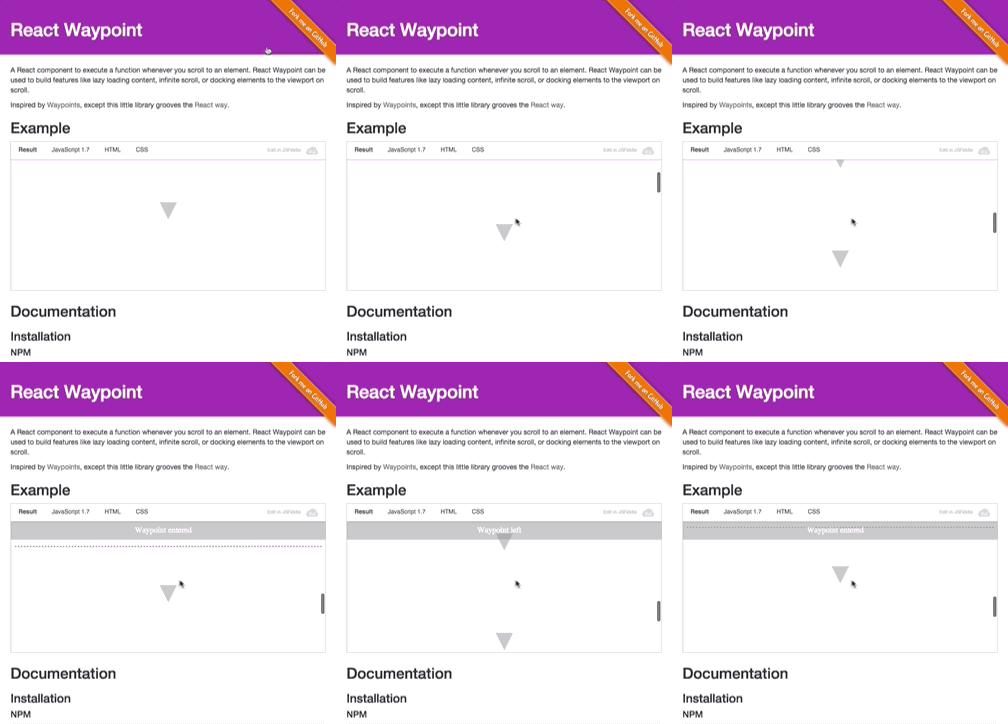
[View demo page][demo-page]
[waypoints]: https://github.com/imakewebthings/waypoints
[react]: https://github.com/facebook/react
[demo-page]: https://civiccc.github.io/react-waypoint/
## Installation
### npm
```bash
npm install react-waypoint --save
```
### yarn
```bash
yarn add react-waypoint
```
## Usage
```jsx
import { Waypoint } from 'react-waypoint';
<Waypoint
onEnter={this._handleWaypointEnter}
onLeave={this._handleWaypointLeave}
/>
```
A waypoint normally fires `onEnter` and `onLeave` as you are scrolling, but it
can fire because of other events too:
- When the window is resized
- When it is mounted (fires `onEnter` if it's visible on the page)
- When it is updated/re-rendered by its parent
Callbacks will only fire if the new position changed from the last known
position. Sometimes it's useful to have a waypoint that fires `onEnter` every
time it is updated as long as it stays visible (e.g. for infinite scroll). You
can then use a `key` prop to control when a waypoint is reused vs. re-created.
```jsx
<Waypoint
key={cursor}
onEnter={this._loadMoreContent}
/>
```
Alternatively, you can also use an `onPositionChange` event to just get
notified when the waypoint's position (e.g. inside the viewport, above or
below) has changed.
```jsx
<Waypoint
onPositionChange={this._handlePositionChange}
/>
```
Waypoints can take a child, allowing you to track when a section of content
enters or leaves the viewport. For details, see [Children](#children), below.
```jsx
<Waypoint onEnter={this._handleEnter}>
<div>
Some content here
</div>
</Waypoint>
```
### Example: [JSFiddle Example][jsfiddle-example]
[jsfiddle-example]: http://jsfiddle.net/L4z5wcx0/7/
## Prop types
```jsx
propTypes: {
/**
* Function called when waypoint enters viewport
*/
onEnter: PropTypes.func,
/**
* Function called when waypoint leaves viewport
*/
onLeave: PropTypes.func,
/**
* Function called when waypoint position changes
*/
onPositionChange: PropTypes.func,
/**
* Whether to activate on horizontal scrolling instead of vertical
*/
horizontal: PropTypes.bool,
/**
* `topOffset` can either be a number, in which case its a distance from the
* top of the container in pixels, or a string value. Valid string values are
* of the form "20px", which is parsed as pixels, or "20%", which is parsed
* as a percentage of the height of the containing element.
* For instance, if you pass "-20%", and the containing element is 100px tall,
* then the waypoint will be triggered when it has been scrolled 20px beyond
* the top of the containing element.
*/
topOffset: PropTypes.oneOfType([
PropTypes.string,
PropTypes.number,
]),
/**
* `bottomOffset` can either be a number, in which case its a distance from the
* bottom of the container in pixels, or a string value. Valid string values are
* of the form "20px", which is parsed as pixels, or "20%", which is parsed
* as a percentage of the height of the containing element.
* For instance, if you pass "20%", and the containing element is 100px tall,
* then the waypoint will be triggered when it has been scrolled 20px beyond
* the bottom of the containing element.
*
* Similar to `topOffset`, but for the bottom of the container.
*/
bottomOffset: PropTypes.oneOfType([
PropTypes.string,
PropTypes.number,
]),
/**
* Scrollable Ancestor - A custom ancestor to determine if the
* target is visible in it. This is useful in cases where
* you do not want the immediate scrollable ancestor to be
* the container. For example, when your target is in a div
* that has overflow auto but you are detecting onEnter based
* on the window.
*
* This should typically be a reference to a DOM node, but it will also work
* to pass it the string "window" if you are using server rendering.
*/
scrollableAncestor: PropTypes.any,
/**
* fireOnRapidScroll - if the onEnter/onLeave events are to be fired
* on rapid scrolling. This has no effect on onPositionChange -- it will
* fire anyway.
*/
fireOnRapidScroll: PropTypes.bool,
/**
* Use this prop to get debug information in the console log. This slows
* things down significantly, so it should only be used during development.
*/
debug: PropTypes.bool,
},
```
All callbacks (`onEnter`/`onLeave`/`onPositionChange`) receive an object as the
only argument. That object has the following properties:
- `currentPosition` - the position that the waypoint has at the moment. One
of `Waypoint.below`, `Waypoint.above`, `Waypoint.inside`,
and `Waypoint.invisible`.
- `previousPosition` - the position that the waypoint had before. Also one
of `Waypoint.below`, `Waypoint.above`, `Waypoint.inside`,
and `Waypoint.invisible`.
In most cases, the above two properties should be enough. In some cases
though, you might find these additional properties useful:
- `event` - the native [scroll
event](https://developer.mozilla.org/en-US/docs/Web/Events/scroll) that
triggered the callback. May be missing if the callback wasn't triggered
as the result of a scroll.
- `waypointTop` - the waypoint's distance to the top of the viewport.
- `viewportTop` - the distance from the scrollable ancestor to the
viewport top.
- `viewportBottom` - the distance from the bottom of the scrollable
ancestor to the viewport top.
If you use [es6 object
destructuring](https://developer.mozilla.org/en/docs/Web/JavaScript/Reference/Operators/Destructuring_assignment),
this means that you can use waypoints in the following way:
```jsx
<Waypoint onEnter={({ previousPosition, currentPosition, event }) => {
// do something useful!
}}
/>
```
If you are more familiar with plain old js functions, you'll do something like
this:
```jsx
<Waypoint onEnter={function(props) {
// here you can use `props.currentPosition`, `props.previousPosition`, and
// `props.event`
}}
/>
```
## Offsets and Boundaries
Two of the Waypoint props are `topOffset` and `bottomOffset`. To appreciate
what these can do for you, it will help to have an understanding of the
"boundaries" used by this library. The boundaries of React Waypoint are the top
and bottom of the element containing your scrollable content ([although this element
can be configured](#containing-elements-and-scrollableancestor)). When a
waypoint is within these boundaries, it is considered to be "inside." When a
waypoint passes beyond these boundaries, then it is "outside." The `onEnter` and
`onLeave` props are called as an element transitions from being inside to
outside, or vice versa.
The `topOffset` and `bottomOffset` properties can adjust the placement of these
boundaries. By default, the offset is `'0px'`. If you specify a positive value,
then the boundaries will be pushed inward, toward the center of the page. If
you specify a negative value for an offset, then the boundary will be pushed
outward from the center of the page.
Here is an illustration of offsets and boundaries. The black box is the
[`scrollableAncestor`](#containing-elements-and-scrollableancestor). The pink
lines represent the location of the boundaries. The offsets that determine
the boundaries are in light pink.

#### Horizontal Scrolling Offsets and Boundaries
By default, waypoints listen to vertical scrolling. If you want to switch to
horizontal scrolling instead, use the `horizontal` prop. For simplicity's sake,
all other props and callbacks do not change. Instead, `topOffset` and
`bottomOffset` (among other directional variables) will mean the offset from
the left and the offset from the right, respectively, and work exactly as they
did before, just calculated in the horizontal direction.
#### Example Usage
Positive values of the offset props are useful when you have an element that
overlays your scrollable area. For instance, if your app has a `50px` fixed
header, then you may want to specify `topOffset='50px'`, so that the
`onEnter` callback is called when waypoints scroll into view from beneath the
header.
Negative values of the offset prop could be useful for lazy loading. Imagine if
you had a lot of large images on a long page, but you didn't want to load them
all at once. You can use React Waypoint to receive a callback whenever an image
is a certain distance from the bottom of the page. For instance, by specifying
`bottomOffset='-200px'`, then your `onEnter` callback would be called when
the waypoint comes closer than 200 pixels from the bottom edge of the page. By
placing a waypoint near each image, you could dynamically load them.
There are likely many more use cases for the offsets: be creative! Also, keep in
mind that there are _two_ boundaries, so there are always _two_ positions when
the `onLeave` and `onEnter` callback will be called. By using the arguments
passed to the callbacks, you can determine whether the waypoint has crossed the
top boundary or the bottom boundary.
## Children
If you don't pass a child into your Waypoint, then you can think of the
waypoint as a line across the page. Whenever that line crosses a
[boundary](#offsets-and-boundaries), then the `onEnter` or `onLeave` callbacks
will be called.
If you do pass a child, it can be a single DOM component (e.g. `<div>`) or a
composite component (e.g. `<MyComponent />`).
Waypoint needs a DOM node to compute its boundaries. When you pass a DOM
component to Waypoint, it handles getting a reference to the DOM node through
the `ref` prop automatically.
If you pass a composite component, you can wrap it with `React.forwardRef` (requires `react@^16.3.0`)
and have the `ref` prop being handled automatically for you, like this:
```jsx
class Block extends React.Component {
render() {
return <div ref={this.props.innerRef}>Hello</div>
}
}
const BlockWithRef = React.forwardRef((props, ref) => {
return <Block innerRef={ref} {...props} />
})
const App = () => (
<Waypoint>
<BlockWithRef />
</Waypoint>
)
```
If you can't do that because you are using older version of React then
you need to make use of the `innerRef` prop passed by Waypoint to your component.
Simply pass it through as the `ref` of a DOM component and you're all set. Like in
this example:
```jsx
class Block extends React.Component {
render() {
return <div ref={this.props.innerRef}>Hello</div>
}
}
Block.propTypes = {
innerRef: PropTypes.func.isRequired,
}
const App = () => (
<Waypoint>
<Block />
</Waypoint>
)
```
The `onEnter` callback will be called when *any* part of the child is visible
in the viewport. The `onLeave` callback will be called when *all* of the child
has exited the viewport.
(Note that this is measured only on a single axis. What this means is that for a
Waypoint within a vertically scrolling parent, it could be off of the screen
horizontally yet still fire an onEnter event, because it is within the vertical
boundaries).
Deciding whether to pass a child or not will depend on your use case. One
example of when passing a child is useful is for a scrollspy
(like [Bootstrap's](https://bootstrapdocs.com/v3.3.6/docs/javascript/#scrollspy)).
Imagine if you want to fire a waypoint when a particularly long piece of content
is visible onscreen. When the page loads, it is conceivable that both the top
and bottom of this piece of content could lie outside of the boundaries,
because the content is taller than the viewport. If you didn't pass a child,
and instead put the waypoint above or below the content, then you will not
receive an `onEnter` callback (nor any other callback from this library).
Instead, passing this long content as a child of the Waypoint would fire the `onEnter`
callback when the page loads.
## Containing elements and `scrollableAncestor`
React Waypoint positions its [boundaries](#offsets-and-boundaries) based on the
first scrollable ancestor of the Waypoint.
If that algorithm doesn't work for your use case, then you might find the
`scrollableAncestor` prop useful. It allows you to specify what the scrollable
ancestor is. Pass a reference to a DOM node as that prop, and the Waypoint will
use the scroll position of *that* node, rather than its first scrollable
ancestor.
This can also be the string "window", which can be useful if you are using
server rendering.
#### Example Usage
Sometimes, waypoints that are deeply nested in the DOM tree may need to track
the scroll position of the page as a whole. If you want to be sure that no other
scrollable ancestor is used (since, once again, the first scrollable ancestor is
what the library will use by default), then you can explicitly set the
`scrollableAncestor` to be the `window` to ensure that no other element is used.
This might look something like:
```jsx
<Waypoint
scrollableAncestor={window}
onEnter={this._handleWaypointEnter}
onLeave={this._handleWaypointLeave}
/>
```
## Troubleshooting
If your waypoint isn't working the way you expect it to, there are a few ways
you can debug your setup.
OPTION 1: Add the `debug={true}` prop to your waypoint. When you do, you'll see console
logs informing you about the internals of the waypoint.
OPTION 2: Clone and modify the project locally.
- clone this repo
- add `console.log` or breakpoints where you think it would be useful.
- `npm link` in the react-waypoint repo.
- `npm link react-waypoint` in your project.
- if needed rebuild react-waypoint module: `npm run build-npm`
## Limitations
In this component we make a few assumptions that we believe are generally safe,
but in some situations might present limitations.
- We determine the scrollable-ness of a node by inspecting its computed
overflow-y or overflow property and nothing else. This could mean that a
container with this style that does not actually currently scroll will be
considered when performing visibility calculations.
- We assume that waypoints are rendered within at most one scrollable container.
If you render a waypoint in multiple nested scrollable containers, the
visibility calculations will likely not be accurate.
- We also base the visibility calculations on the scroll position of the
scrollable container (or `window` if no scrollable container is found). This
means that if your scrollable container has a height that is greater than the
window, it might trigger `onEnter` unexpectedly.
## In the wild
[Organizations and projects using `react-waypoint`](INTHEWILD.md).
## Credits
Credit to [trotzig][trotzig-github] and [lencioni][lencioni-github] for writing
this component, and [Brigade][brigade-home] for open sourcing it.
Thanks to the creator of the original Waypoints library,
[imakewebthings][imakewebthings-github].
[lencioni-github]: https://github.com/lencioni
[trotzig-github]: https://github.com/trotzig
[brigade-home]: https://www.brigade.com/
[imakewebthings-github]: https://github.com/imakewebthings
## License
[MIT][mit-license]
[mit-license]: ./LICENSE
---
_Make sure to check out other popular open-source tools from the
[Brigade][civiccc-github] team: [dock], [overcommit], [haml-lint], and [scss-lint]._
[civiccc-github]: https://github.com/civiccc
[dock]: https://github.com/civiccc/dock
[overcommit]: https://github.com/sds/overcommit
[haml-lint]: https://github.com/sds/haml-lint
[scss-lint]: https://github.com/sds/scss-lint