My name is deff
# deff
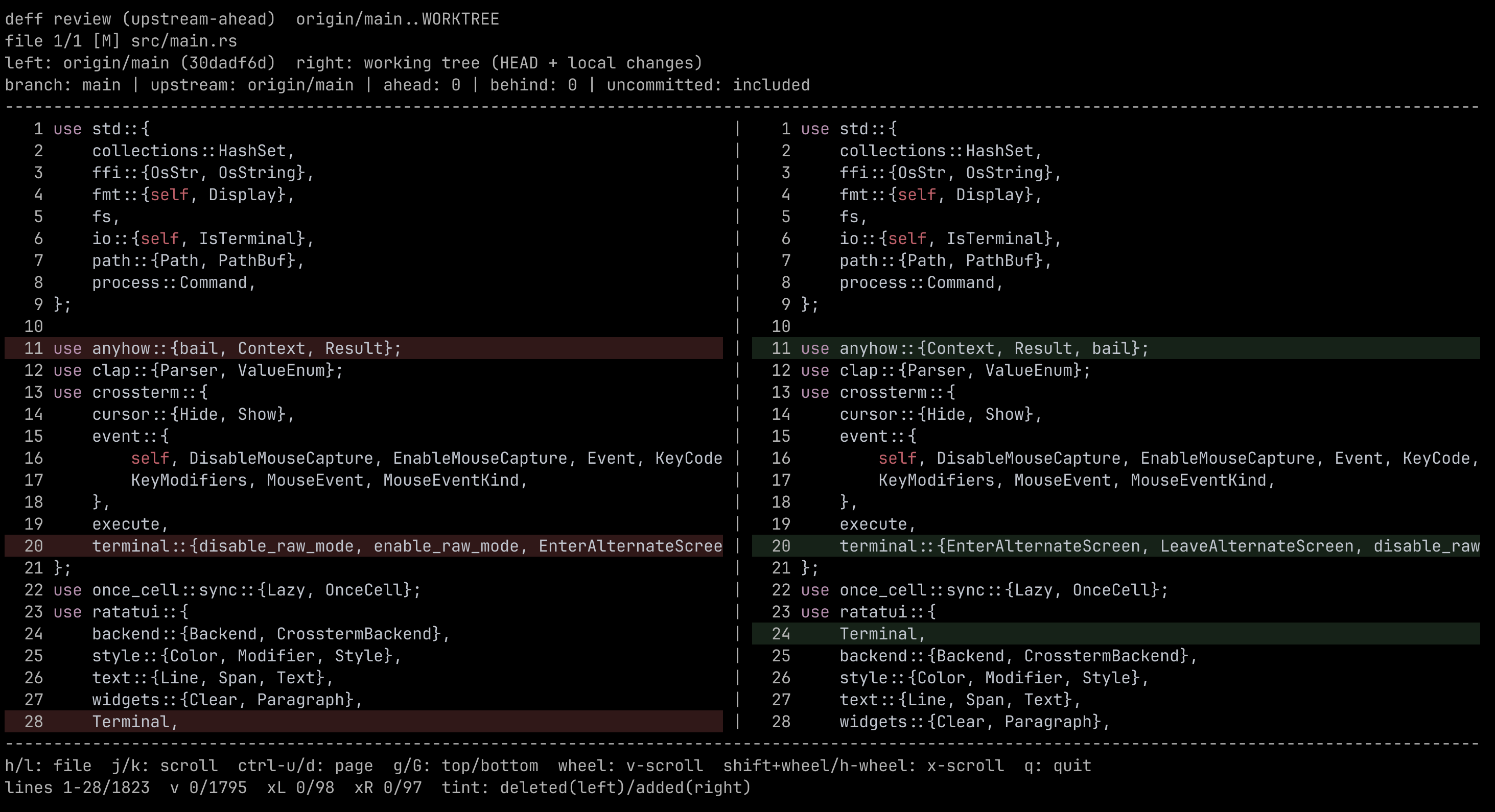
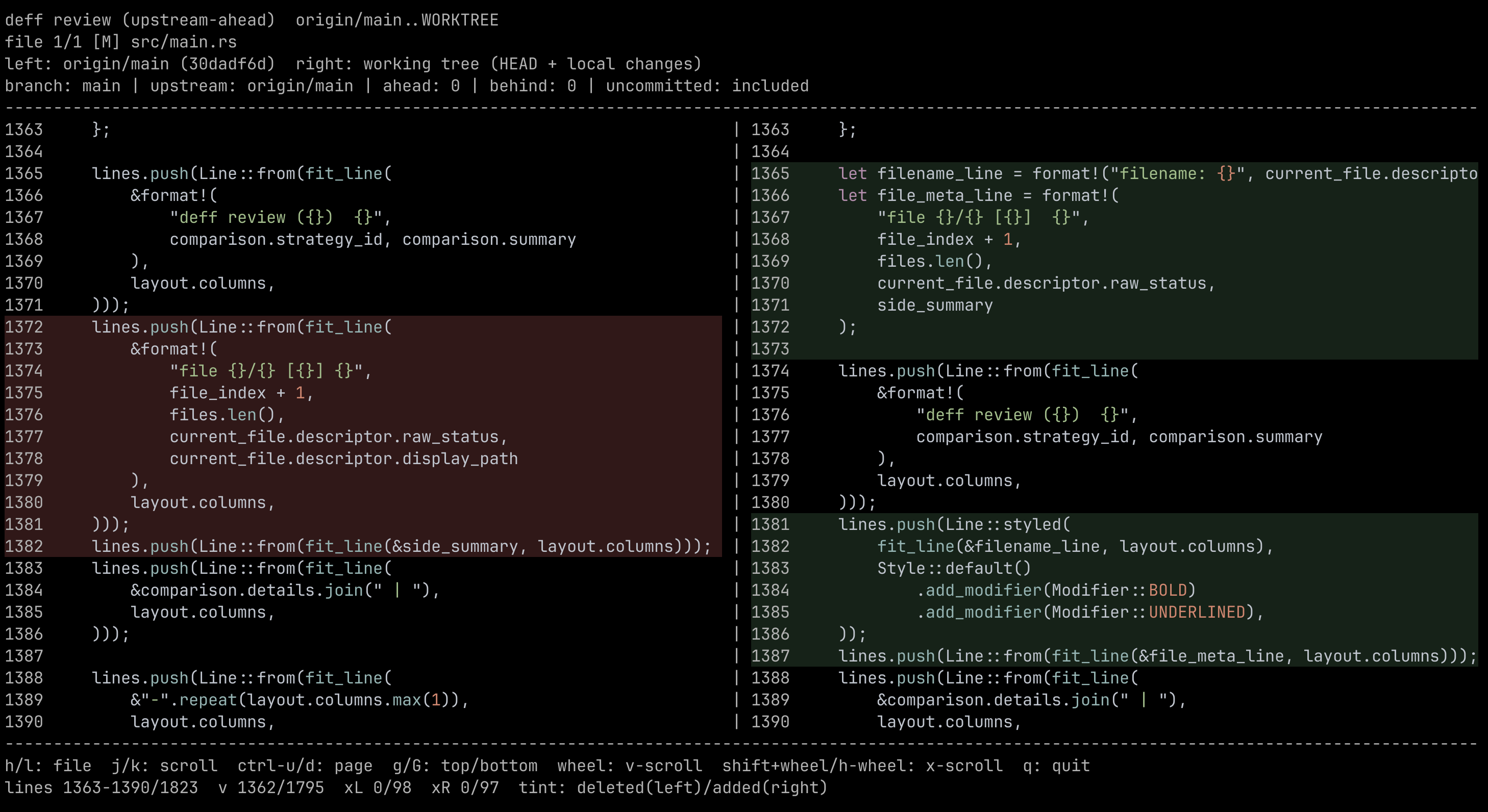
`deff` is a Rust TUI: interactive, side-by-side file review for git diffs with per-file navigation, vertical and horizontal scrolling, syntax highlighting, and added/deleted line tinting.
## Quickstart
Choose one install method:
1. Install from crates.io with Cargo:
```bash
cargo install deff
```
2. Run the installer script from this repository:
```bash
Installer script source: https://github.com/flamestro/deff/blob/main/install.sh
The script checks for `cargo`, clones this project into a temporary directory, installs it, and removes the temporary checkout.
Bundled syntax grammars are compiled into the binary, so removing the checkout does not affect highlighting.
If you have local edits (including untracked files) and want to review them before committing, run:
```bash
deff --include-uncommitted
```
This opens the side-by-side review so you can check exactly what changed in your working tree.
## Features
- `upstream-ahead` strategy (default) to compare local branch changes against its upstream
- `range` strategy for explicit `--base` / `--head` comparison
- Optional `--include-uncommitted` mode to include working tree and untracked files
- Side-by-side panes with independent horizontal scroll offsets
- Keyboard and mouse navigation (including wheel + shift-wheel)
- Vim-like motion navigation (`h`/`j`/`k`/`l`, `g`/`G`, `Ctrl+u`/`Ctrl+d`)
- In-diff search (`/` + Enter, then `n` / `N` to navigate matches)
- Per-file reviewed toggles (`r`) with local persistence under `.git`
- Language-aware syntax highlighting and line-level add/delete tinting
## Examples
Single-line change view:
Multi-line change view:
## Usage
```bash
deff
deff --strategy upstream-ahead
deff --strategy range --base origin/main --head HEAD
deff --strategy range --base origin/main --include-uncommitted
deff --theme dark
```
Show help:
```bash
deff --help
```
## Local Build and Usage Flow
Prerequisites:
- Rust toolchain (`cargo`)
- `git`
- Interactive terminal (TTY)
1. Build locally:
```bash
cargo build --release --locked
./target/release/deff --help
```
2. Optionally install it to your local Cargo bin path:
```bash
cargo install --path .
deff --help
```
3. Run it inside any git repository you want to review:
```bash
cd /path/to/your/repo
deff
deff --base origin/main --head HEAD
deff --base origin/main --include-uncommitted
```
If your branch has no upstream configured, use the explicit `--base` flow.
Theme selection:
- By default, `deff` prefers a dark syntax theme (better for black/dark terminals).
- Use `--theme auto|dark|light` to control rendering for your terminal.
- `--theme` takes precedence over `DEFF_THEME=dark|light`.
Custom syntax grammars:
- `deff` loads syntect defaults, bundled deff grammars, plus any extra `.sublime-syntax` files found in:
- `assets/syntaxes` (current working directory)
- `.deff/syntaxes` (current working directory)
- Any `*.sublime-syntax` file added under this repo's `assets/syntaxes` is auto-bundled at build time.
Search and reviewed workflow:
- Press `/` to enter a search query for the current file (searches both panes).
- Press `Enter` to apply the query, then use `n` / `N` to jump matches.
- Press `r` to mark the current file reviewed/unreviewed.
- Reviewed state is persisted locally in `.git/deff/reviewed/` and keyed by comparison scope + file content hash.
## GitHub Version Bump Workflow
This repo ships with `.github/workflows/bump-version.yml`.
- Trigger: push to `main` (excluding commits authored by `github-actions[bot]`)
- Computes the next version from commit prefixes (`feat:` -> next minor, `fix:`/`chore:`/`docs:` -> next patch) and updates `Cargo.toml`/`Cargo.lock` when needed
- Publishes new crate versions to crates.io and then creates/pushes the matching `vX.Y.Z` tag and GitHub release
## Contributing
See `CONTRIBUTING.md` for local setup, commit message conventions, and release/versioning rules.
## Architecture and Extension Guide
For a module-level map and extension plan, see `docs/architecture.md`.